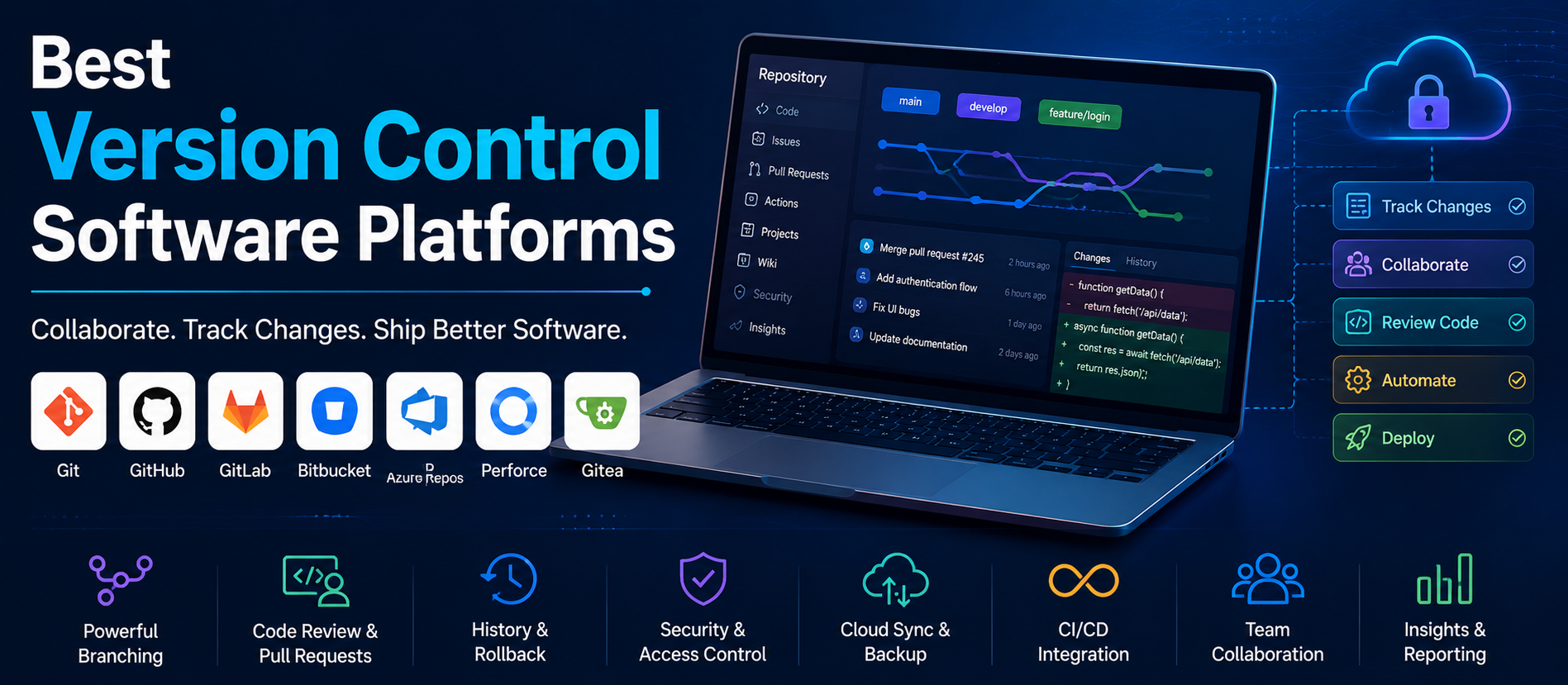
📋 Quick Summary
In this article:
What Is Version Control Software?
Why Version Control Matters for Modern Development
Git and Modern Version Control
What Makes a Version Control Platform Good?
Reliable Repository Management
Best Version Control Software Platforms
1. GitHub
2. GitLab
💡 Key Insight
Version control software is a fundamental part of modern software development because it helps teams track changes, collaborate on code, maintain project history, manage releases, and recover from mistakes. As development teams become increasingly distributed and software projects become more complex, a reliable version control system has become essential for both small development teams and large engineering organizations.
The best version control software platforms provide more than simple file tracking. Modern platforms combine source code management with pull requests, code review, issue tracking, continuous integration and deployment, security scanning, project management, documentation, automation, and AI-assisted development workflows.
This WordPress-ready HTML article is prepared for Digiifrog (www.digiifrog.com) with a strong focus on SEO, AEO, GEO, and AI Search optimization.
What Is Version Control Software?
Version control software is a technology that records changes made to files over time. In software development, it allows developers to track source-code changes, create branches, merge work, review modifications, and restore earlier versions when necessary.
Instead of saving multiple copies of a project such as project-final, project-final-new, and project-final-latest, developers can use a version control system to maintain a structured history of changes.
- Track changes to source code
- Maintain project history
- Support multiple developers
- Create development branches
- Merge changes safely
- Review code before release
- Restore previous versions
- Manage releases and tags
- Automate development workflows
Why Version Control Matters for Modern Development
Software development is collaborative. Multiple developers may work on different parts of the same application at the same time. Without version control, combining these changes can become difficult and error-prone.
Version control provides a shared system for managing changes. Developers can work independently, create branches for features or fixes, and merge approved changes into the main development line.
Version history also provides accountability. Teams can identify when a change was introduced, what was modified, and which developer contributed the change.
- Improved collaboration
- Better code organization
- Safer experimentation
- Easier bug investigation
- Reliable release management
- Better developer accountability
- Support for remote development
- Integration with DevOps workflows
Git and Modern Version Control
Git has become one of the most widely used distributed version control systems. Git allows developers to maintain repositories, create branches, commit changes, merge work, compare versions, and synchronize repositories.
Git itself is a version control technology rather than a complete development collaboration platform. Many organizations use Git together with hosted platforms that add web-based repositories, pull requests, code reviews, issue tracking, automation, security tools, and project management features.
This distinction is important when comparing version control platforms. Businesses may be selecting a Git hosting and development platform rather than selecting a version control engine from scratch.
What Makes a Version Control Platform Good?
The best platform depends on project size, team structure, development methodology, security requirements, preferred cloud environment, and existing tools.
Reliable Repository Management
A strong platform should provide dependable source-code repositories with clear access controls, history, branching, merging, and collaboration features.
Code Review
Pull requests or merge requests allow developers to review changes before they become part of a shared branch. Good review workflows can improve quality and reduce defects.
Automation
Modern development teams often connect version control with automated testing, builds, deployments, security scanning, and other CI/CD processes.
Security
Businesses should consider authentication, permissions, secret protection, dependency scanning, vulnerability detection, audit capabilities, and branch protection.
Integration
The platform should integrate with development environments, project management tools, cloud services, CI/CD systems, communication platforms, and monitoring systems.
Best Version Control Software Platforms
There is no single platform that is best for every software team. The following platforms are widely considered for source-code management, Git hosting, collaborative development, DevOps, and enterprise software delivery.
1. GitHub
GitHub is one of the most widely used platforms for Git-based software development. It provides repositories, pull requests, code review, issues, project management, automation, security capabilities, and integrations.
GitHub is commonly used by open-source communities, startups, agencies, individual developers, and large enterprises. Its broad ecosystem makes it useful when teams want source-code collaboration alongside development automation and project management.
- Git repositories
- Pull requests
- Code review
- Issues and project management
- CI/CD automation
- Security and dependency features
- Large developer ecosystem
- AI-assisted development capabilities
Best suited for: Open-source projects, startups, development agencies, growing teams, and organizations looking for a broad Git-based development platform.
2. GitLab
GitLab provides Git repository management together with an integrated DevSecOps platform. It brings source code, planning, CI/CD, security, and deployment workflows into a connected environment.
This integrated approach can be valuable for organizations that want to reduce the number of separate tools used throughout the software development lifecycle.
- Git repositories
- Merge requests
- Code review
- CI/CD
- DevSecOps
- Issue and project management
- Security scanning
- Deployment workflows
Best suited for: DevOps teams, enterprise development organizations, software companies, and teams seeking an integrated development lifecycle platform.
3. Bitbucket
Bitbucket is a Git-based source-code hosting platform that integrates closely with the Atlassian ecosystem. It can work particularly well for organizations already using Jira and other Atlassian products.
Development teams can connect source-code activity with issues, project planning, code reviews, and CI/CD workflows.
Best suited for: Software teams using Jira and Atlassian tools, development organizations, and businesses seeking integrated project and code management.
4. Azure Repos
Azure Repos provides source-code management capabilities within the broader Azure DevOps ecosystem. Organizations can use Git repositories alongside work-item tracking, pipelines, testing, and deployment tools.
This can be especially useful for development teams already working extensively with Microsoft Azure and Azure DevOps.
- Git repositories
- Pull requests
- Branch policies
- Code review
- Azure DevOps integration
- CI/CD workflows
Best suited for: Microsoft-focused organizations, enterprise development teams, and businesses using Azure DevOps.
5. AWS CodeCommit and AWS Developer Tools
AWS provides developer services that can support source-code and software delivery workflows within the AWS ecosystem. Organizations heavily invested in AWS may evaluate AWS-native development services alongside third-party Git platforms.
The right approach depends on current AWS service availability, organizational requirements, and whether the team prefers a broader Git collaboration platform or an AWS-centered development workflow.
Best suited for: AWS-focused engineering teams and organizations building integrated cloud development workflows.
6. Perforce Helix Core
Perforce Helix Core is a version control platform known for handling large codebases and large binary files. It is often considered in environments where projects involve significant amounts of large assets, including game development and other specialized engineering workflows.
Its architecture can be useful when teams need centralized control and high-performance management of large repositories.
Best suited for: Large development teams, game development, organizations managing large binary assets, and projects with substantial repository requirements.
7. SourceForge
SourceForge has a long history in open-source software hosting and provides project hosting capabilities for development communities.
While modern teams have many Git hosting choices, SourceForge remains relevant to some open-source projects and software distribution workflows.
Best suited for: Open-source projects and software distribution communities.
8. Gitea
Gitea is a lightweight, open-source development platform built around Git repositories. It can be self-hosted, which makes it attractive to organizations that want greater control over infrastructure and repository hosting.
Self-hosted Git platforms can be useful for businesses with specific privacy, compliance, network, or infrastructure requirements.
Best suited for: Self-hosting enthusiasts, technical teams, private development environments, and organizations seeking an open-source Git platform.
9. Forgejo
Forgejo is an open-source Git hosting and collaboration platform designed for self-hosted software development environments.
It can be considered by organizations that want to maintain source-code infrastructure under their own control and prefer an open-source development platform.
Best suited for: Self-hosted development teams, open-source communities, and organizations prioritizing infrastructure control.
10. Codeberg
Codeberg is a nonprofit-oriented platform for hosting open-source projects and Git repositories. It can be relevant for developers and communities looking for alternatives to commercial source-code hosting services.
Best suited for: Open-source projects and developers seeking community-oriented Git hosting.
Version Control Software Comparison
When comparing version control platforms, organizations should focus on the complete software development lifecycle rather than repository hosting alone.
- GitHub: Broad Git collaboration, open-source ecosystem, automation, security, and AI-assisted development.
- GitLab: Integrated Git, CI/CD, security, and DevSecOps workflows.
- Bitbucket: Strong fit for teams using the Atlassian ecosystem.
- Azure Repos: Strong integration with Azure DevOps and Microsoft environments.
- Perforce Helix Core: Strong consideration for large codebases and binary-heavy projects.
- Gitea: Lightweight open-source self-hosted Git platform.
- Forgejo: Open-source self-hosted Git collaboration.
- Codeberg: Community-oriented hosting for open-source projects.
Centralized vs Distributed Version Control
Version control systems can broadly be divided into centralized and distributed approaches.
In a centralized system, the main repository is typically the central source of truth and developers interact with that server to retrieve and submit changes.
In a distributed system such as Git, each developer can have a complete repository history locally. This allows developers to create commits and branches locally and synchronize changes with remote repositories when appropriate.
Distributed version control provides significant flexibility for modern development teams and is one reason Git has become so widely adopted.
Branching Strategies for Software Teams
Branching allows developers to work on features, fixes, experiments, or releases without immediately changing the main development branch.
Different teams use different branching strategies. Some use short-lived feature branches, while others maintain dedicated release branches or follow trunk-based development.
Feature Branches
Developers create a separate branch for a specific feature or change. After review and testing, the branch can be merged.
Release Branches
Teams may create branches to stabilize a particular software release while new development continues elsewhere.
Trunk-Based Development
Teams work closer to the main branch and keep changes small and frequent. Automated testing and strong review practices become particularly important.
The best branching strategy is the one that matches the team's release process, testing maturity, and collaboration model.
Code Review and Pull Request Workflows
Modern version control platforms make code review an important part of software development. Developers can propose changes through pull requests or merge requests, allowing other team members to inspect the modifications before integration.
A good code review process can identify bugs, security issues, maintainability concerns, and opportunities for improvement before code reaches production.
- Review code changes
- Discuss implementation decisions
- Run automated tests
- Check security issues
- Verify requirements
- Approve or request changes
Version Control and CI/CD
Version control is closely connected to Continuous Integration and Continuous Deployment. A commit or pull request can trigger automated workflows that compile code, run tests, scan dependencies, build containers, and deploy applications.
This connection transforms version control from a passive record of changes into an active part of the software delivery pipeline.
For example, a team can configure a workflow so that every pull request runs automated tests before reviewers approve the change.
Version Control and DevSecOps
Security should be integrated into development rather than treated as a final step before release. Modern version control platforms can connect source-code management with security scanning and policy enforcement.
Development teams can scan dependencies, detect secrets, analyze code, review vulnerabilities, and enforce branch policies as part of the development lifecycle.
This approach helps organizations identify security problems earlier, when they are often easier and less expensive to address.
AI and Version Control Software
Artificial intelligence is increasingly becoming part of the developer workflow. AI coding assistants can help developers write code, explain existing code, generate tests, summarize changes, and accelerate routine development tasks.
Version control platforms can provide the context required for these AI workflows because repositories contain source code, documentation, issue discussions, pull requests, and development history.
AI should still be used with appropriate review. Generated code may contain defects, insecure patterns, licensing concerns, or assumptions that do not match the project.
Security Best Practices for Version Control
Source-code repositories can contain valuable intellectual property and sometimes sensitive configuration information. Organizations should protect repositories with strong authentication and access controls.
- Use multi-factor authentication
- Apply least-privilege access
- Protect sensitive branches
- Scan for exposed secrets
- Review third-party dependencies
- Monitor unusual repository activity
- Use secure CI/CD credentials
- Remove unnecessary access promptly
- Maintain appropriate audit records
Version Control for Remote Development Teams
Remote development teams depend heavily on version control because team members cannot rely on a shared physical office environment. A cloud-accessible repository provides a central collaboration point where developers can share code, review changes, track work, and coordinate releases.
Clear branch policies, documented workflows, automated tests, and asynchronous code reviews can help remote teams maintain development quality without requiring everyone to work at the same time.
Version Control for Small Businesses and Startups
Small businesses and startups can benefit from version control even when only a few developers are involved. A repository creates a reliable project history and makes it easier to collaborate as the team grows.
Startups should establish basic practices early, including repository access control, branch protection, code review, backups, automated testing, and documentation.
These practices can prevent development chaos later when the codebase, team, and customer base become larger.
How to Choose the Best Version Control Software
Choosing a platform should begin with the team's development requirements.
Evaluate Team Size
A small team may prioritize simplicity, while an enterprise organization may need advanced governance, security, compliance, and administration.
Review Development Workflow
Consider whether the team uses feature branches, trunk-based development, release branches, agile workflows, or specialized development processes.
Check CI/CD Requirements
If automated testing and deployment are important, evaluate the platform's native automation and integration options.
Consider Security Requirements
Review authentication, permissions, branch protection, secret scanning, vulnerability management, audit capabilities, and compliance features.
Evaluate Existing Tools
The best platform often integrates naturally with the tools the team already uses. For example, organizations heavily invested in Azure DevOps or Atlassian may prefer platforms that fit those ecosystems.
Consider Hosting Preferences
Some organizations prefer fully managed cloud hosting, while others require self-hosting for operational, privacy, compliance, or infrastructure reasons.
Common Version Control Mistakes
Committing Sensitive Information
Passwords, API keys, private certificates, and other secrets should never be casually stored in source repositories. Organizations should use secure secret-management practices and scanning tools.
Using Very Large and Unclear Commits
Small, focused commits make code history easier to understand and changes easier to review.
Skipping Code Review
Even experienced developers benefit from peer review. Review helps identify defects and improves shared understanding of the codebase.
Ignoring Branch Protection
Critical branches should have appropriate controls so that important code cannot be changed without required review or testing.
Depending Only on Manual Testing
Automated tests can provide consistent feedback and reduce the risk of introducing regressions.
How to Build a Modern Version Control Workflow
A practical development workflow can be structured around the following stages.
Stage 1: Plan
Define the feature, bug fix, or development objective and create the appropriate work item.
Stage 2: Branch
Create a focused branch for the change when the team's workflow uses branch-based development.
Stage 3: Develop
Implement the change and create clear, focused commits.
Stage 4: Test
Run automated and manual tests appropriate to the project.
Stage 5: Review
Open a pull request or merge request and obtain appropriate peer review.
Stage 6: Merge
Merge the approved change according to the team's branch policies.
Stage 7: Deploy
Use CI/CD automation to build, test, and deploy the application where appropriate.
Stage 8: Monitor
Monitor the released application and feed important issues back into the development workflow.
Version Control, SEO, AEO, GEO and AI Search
Organizations publishing technical content about version control should structure information so it is useful for both traditional search and AI-powered discovery. SEO helps content become discoverable, while AEO focuses on direct answers to common questions. GEO helps content provide useful context for generative search experiences, and AI Search optimization emphasizes clear, structured, trustworthy explanations.
Technical content should define terms such as Git, repository, branch, commit, pull request, merge request, CI/CD, and DevOps. Clear headings, comparison sections, FAQs, practical examples, and concise answers make technical content easier for readers and intelligent search systems to understand.
Future of Version Control Software
Version control platforms are evolving from source-code repositories into complete software development environments. Development teams increasingly expect repositories to connect with planning, testing, security, deployment, observability, documentation, and AI-assisted development.
AI will likely play a larger role in code review, test generation, repository search, issue analysis, documentation, vulnerability detection, and developer assistance. However, human review and software engineering judgment will remain essential.
The future of version control is therefore not simply about storing code history. It is about creating a connected development environment where code, collaboration, automation, security, and deployment work together.
Frequently Asked Questions About Version Control Software
What is the best version control software?
There is no single best platform for every organization. GitHub, GitLab, Bitbucket, Azure Repos, Perforce Helix Core, Gitea, Forgejo, and other platforms can be suitable for different team sizes, workflows, security requirements, and hosting preferences.
Is Git a version control platform?
Git is a distributed version control system. Platforms such as GitHub, GitLab, Bitbucket, and Azure Repos build collaboration, hosting, automation, and development-management capabilities around Git or related source-control workflows.
What is the most popular version control system?
Git is widely used across modern software development. Its distributed architecture, branching capabilities, ecosystem, and broad platform support have contributed to its adoption.
What is the difference between Git and GitHub?
Git is the version control system that tracks changes to repositories. GitHub is a hosted development platform that provides Git repository hosting along with collaboration, code review, automation, project management, security, and other development features.
Is GitHub good for businesses?
GitHub can be suitable for businesses ranging from small development teams to large organizations. The appropriate plan and configuration depend on repository requirements, security, governance, collaboration, and administrative needs.
Is GitLab better than GitHub?
Neither platform is universally better. GitLab can be attractive for organizations seeking an integrated DevSecOps platform, while GitHub is widely known for its large developer ecosystem and broad collaboration capabilities. The right choice depends on the organization's workflow and requirements.
Can version control software improve cybersecurity?
Yes. Version control platforms can support security through access controls, branch protection, secret scanning, dependency analysis, code review, audit features, and integration with security testing workflows.
Conclusion
The best version control software platforms provide the foundation for organized, collaborative, and reliable software development. Git-based platforms such as GitHub, GitLab, Bitbucket, and Azure Repos support modern development workflows, while platforms such as Perforce Helix Core and self-hosted solutions such as Gitea and Forgejo address specialized infrastructure and hosting requirements.
The right platform should be selected according to development workflow, team size, security requirements, CI/CD needs, hosting preferences, integrations, and long-term growth. Businesses should also establish good practices around code review, branch protection, automated testing, secret management, access control, and documentation.
As AI and DevOps continue to transform software development, version control platforms are becoming central hubs for code, collaboration, security, automation, and delivery. Organizations that establish a disciplined source-control workflow can improve development quality while creating a stronger foundation for future digital transformation.
For businesses looking to explore AI-powered software development, automation, digital transformation, intelligent business systems, and modern technology solutions, Digiifrog can help develop practical strategies. Visit www.digiifrog.com to learn more.
Quick Answer: Which Version Control Platform Should a Business Choose?
A business should choose a version control platform based on its development workflow, team size, security requirements, hosting preferences, CI/CD needs, and existing technology ecosystem. GitHub is a broad Git collaboration platform, GitLab emphasizes integrated DevSecOps, Bitbucket works well with Atlassian environments, Azure Repos fits Azure DevOps workflows, and Perforce Helix Core can be useful for large codebases and binary-heavy projects. Self-hosted platforms such as Gitea and Forgejo can provide additional infrastructure control.
Ready to Grow?
Talk to us about a strategy tailored to your brand — we will help you stand out in search, AI discovery and social.


Comments (0)
Log in to leave a comment.