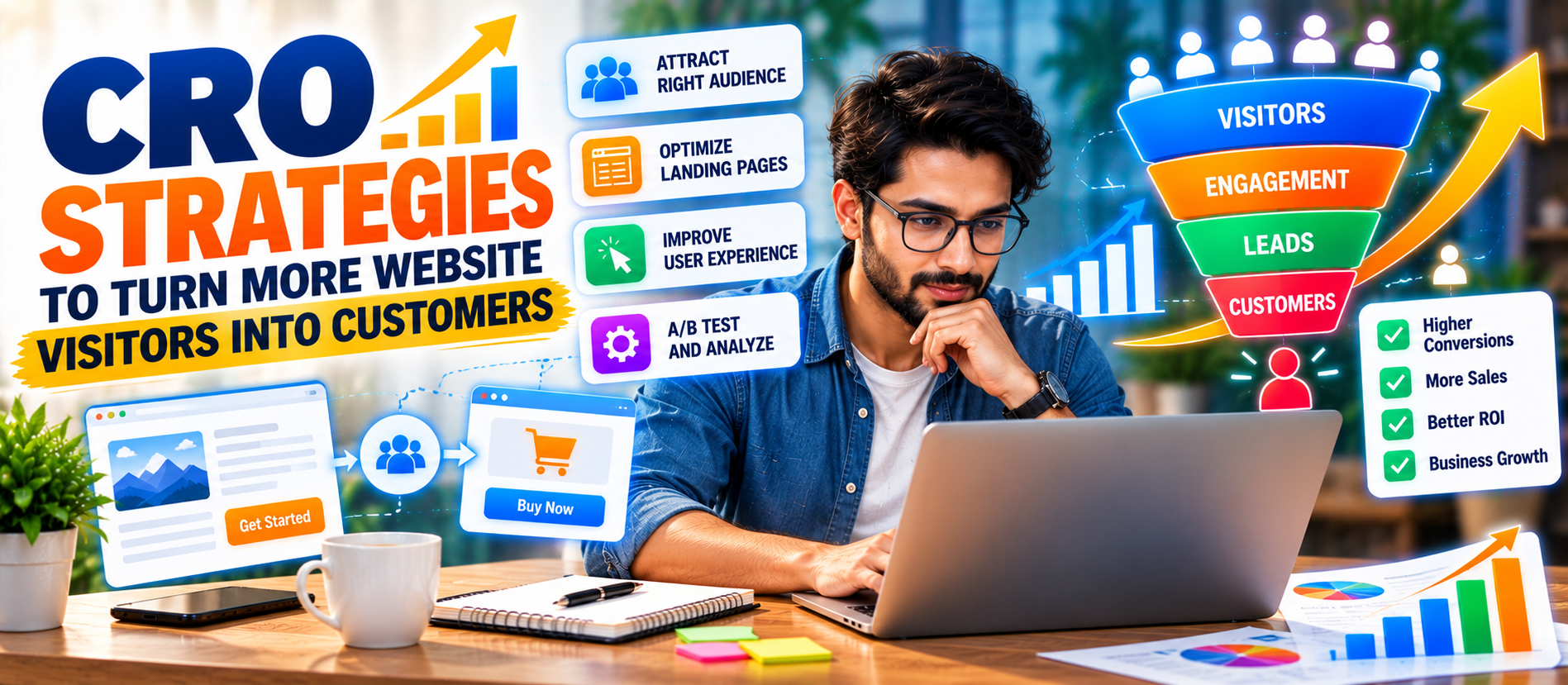
📋 Quick Summary
In this article:
What Is Conversion Rate Optimization?
Why CRO Matters for Business Growth
1. Define One Primary Conversion Goal for Each Page
2. Improve the Value Proposition Above the Fold
3. Match the Landing Page With Visitor Intent
4. Make Calls to Action Clear
5. Reduce Form Friction
6. Build Trust Before Asking for the Sale
7. Use Social Proof Carefully
8. Improve Website Speed and Page Experience
9. Design for Mobile First
Introduction
Getting website traffic is important. But traffic alone does not grow a business. A website can receive thousands of visitors and still generate very few leads or sales.
💡 Key Insight
This is where conversion rate optimization (CRO) becomes important. CRO is the process of improving a website so more visitors take a valuable action. That action may be buying a product, submitting a form, booking a consultation, requesting a quote, signing up for a service, calling a business, or starting a free trial.
The goal is not simply to make a website look better. The goal is to make the visitor journey clearer, easier, faster, and more trustworthy.
A strong CRO strategy combines user research, useful content, persuasive messaging, clear calls to action, better forms, fast pages, mobile usability, analytics, testing, and continuous improvement. It also works closely with SEO, paid advertising, content marketing, local marketing, AEO, GEO, and AI Search optimization.
This guide explains practical CRO strategies to turn more website visitors into customers. The approach is designed for service businesses, B2B companies, ecommerce stores, startups, local businesses, and growing brands.
What Is Conversion Rate Optimization?
Conversion rate optimization is a structured approach to increasing the percentage of website visitors who complete a desired action.
For example, imagine a website receives 10,000 visitors in a month. If 200 visitors complete a purchase or submit a lead form, the conversion rate for that action is 2%.
CRO looks at what happens between the first visit and the final action. It asks simple questions:
- Do visitors understand what the business offers?
- Can they quickly find the information they need?
- Is the page relevant to their search or campaign?
- Is the call to action clear?
- Does the website feel trustworthy?
- Is the form easy to complete?
- Does the website work well on mobile devices?
- Are slow pages causing visitors to leave?
- Where are visitors dropping out of the journey?
- What evidence shows that a change actually improved performance?
CRO turns these questions into measurable experiments and improvements.
Why CRO Matters for Business Growth
Many businesses focus heavily on generating more traffic. They invest in SEO, Google Ads, social media, content marketing, and email campaigns. These channels can bring valuable visitors, but the website still needs to convert those visitors.
Suppose two businesses receive the same amount of qualified traffic. If one has a clearer offer, stronger trust signals, better landing pages, and a simpler buying process, it may generate more business from the same traffic volume.
CRO can therefore help a business make better use of traffic it already has.
It can also improve the relationship between marketing and sales. When a website captures better leads and gives visitors clearer information, sales teams may spend less time dealing with poorly qualified enquiries.
1. Define One Primary Conversion Goal for Each Page
One of the most common CRO problems is unclear page purpose.
A service page may ask visitors to call, email, download a guide, subscribe to a newsletter, follow social media, request a quote, and read five different articles. Too many choices can make the next step unclear.
Every important page should have a primary goal.
Examples include:
- Homepage: guide visitors toward the main service or product.
- Service page: generate an enquiry or consultation request.
- Product page: encourage purchase or add-to-cart action.
- Landing page: generate a lead.
- Contact page: make communication simple.
- Pricing page: encourage a plan selection or sales enquiry.
- Local business page: encourage a call, direction request, booking, or enquiry.
Secondary actions can still exist. The important point is that the visitor should understand what to do next.
2. Improve the Value Proposition Above the Fold
Visitors should understand the basic value of a page quickly.
A strong value proposition answers three questions:
- What do you offer?
- Who is it for?
- Why should the visitor care?
A vague headline such as “Welcome to Our Website” provides little information.
A clearer headline might say:
“Digital Marketing Services That Help Local Businesses Generate More Qualified Leads.”
The second version explains the service and the intended business outcome.
Support the headline with a short explanation and a visible CTA. Avoid filling the first screen with unnecessary text. Visitors should be able to understand the offer without searching.
3. Match the Landing Page With Visitor Intent
Landing page relevance is a major CRO factor.
If someone clicks an advertisement for “B2B lead generation services,” the destination page should immediately discuss B2B lead generation. Sending that visitor to a generic homepage creates friction.
Match the page with the visitor's intent.
For search traffic, consider the query behind the visit. For paid traffic, match the landing page with the advertisement. For email traffic, connect the page with the message in the email.
The visitor should feel that the page continues the conversation that started before the click.
4. Make Calls to Action Clear
A call to action tells visitors what they can do next.
Weak CTAs often use generic wording such as “Submit” or “Click Here.” These labels do not explain the benefit.
More descriptive CTA examples include:
- Get a Free Consultation
- Request a Website Audit
- Get a Custom Quote
- Book a Strategy Call
- Start Your Free Trial
- View Pricing Plans
- Talk to an Expert
The CTA should be easy to find and should match the visitor's stage in the buying journey.
Do not assume that every visitor is ready to buy. A new visitor may prefer a guide, comparison, case study, or consultation before making a purchase.
5. Reduce Form Friction
Long forms can create unnecessary friction, especially when visitors do not yet know the business well.
Ask only for information that is useful at that stage.
A basic lead form may need only:
- Name
- Phone number, if necessary
- Company, if relevant
- A short description of the requirement
More detailed qualification can happen later.
⚠ Watch Out
For complex B2B services, additional questions may be useful. The key is to explain why the information is needed and avoid unnecessary fields.
Google Analytics documentation also recommends measuring form views, starts, and submissions so businesses can identify where visitors leave the lead-generation process.
6. Build Trust Before Asking for the Sale
Visitors may hesitate when they do not know whether a company is reliable.
Trust signals can reduce uncertainty.
Useful trust elements include:
- Customer testimonials
- Case studies
- Client logos where permission exists
- Reviews
- Industry certifications
- Security information
- Clear contact details
- Transparent pricing or pricing guidance
- Professional team information
- Return, refund, privacy, or service policies where relevant
Do not overload the page with badges. Use evidence that is relevant to the decision visitors are making.
7. Use Social Proof Carefully
Social proof shows visitors that other people or businesses have used the product or service.
A useful testimonial should be specific.
Instead of saying “Great service,” a stronger testimonial may explain what problem the customer had, what solution they received, and what changed afterward.
For B2B websites, case studies can be particularly useful. Show the challenge, approach, implementation, and measurable result when the data can be published accurately.
8. Improve Website Speed and Page Experience
Visitors expect websites to respond quickly. Slow pages can interrupt the buying journey.
Review:
- Large images
- Unused scripts
- Heavy plugins
- Unnecessary animations
- Third-party tracking
- Server response time
- Font loading
- Mobile performance
Google's current page-experience guidance encourages site owners to consider Core Web Vitals, secure pages, mobile usability, intrusive interstitials, and the overall experience rather than focusing on one metric alone.
Performance work should therefore support real users, not just produce a perfect technical score.
9. Design for Mobile First
A conversion path that works on a desktop may fail on a smartphone.
Check the mobile experience carefully.
- Can visitors read the headline without zooming?
- Are buttons large enough to tap?
- Is the form easy to complete?
- Does the menu remain simple?
- Are important details visible without excessive scrolling?
- Does the phone number work as a tap-to-call link?
- Are pop-ups blocking the main content?
Test important pages on real devices whenever possible.
10. Improve Navigation and Information Architecture
Good navigation helps visitors find answers without thinking too hard.
Organize services into logical categories. Use descriptive navigation labels. Link related pages together.
For example, a digital marketing company may structure its website around:
- SEO
- AI Search
- Google Advertising
- Social Media Marketing
- Content Marketing
- Web Development
- Lead Generation
Each category can then lead to focused service pages and useful supporting content.
11. Create Content That Removes Buying Objections
Visitors often leave because they still have unanswered questions.
Useful content can remove uncertainty before the sales conversation.
Consider publishing:
- Pricing guides
- Service comparisons
- FAQs
- Case studies
- Implementation guides
- Checklists
- Product demonstrations
- Before-and-after examples
- Industry-specific landing pages
Content should answer real questions. Avoid producing pages simply to increase word count.
12. Use FAQ Content to Support AEO and AI Search
People increasingly search using complete questions. This makes clear question-and-answer content useful for both users and search systems.
Build FAQ sections around genuine customer questions.
Examples:
- How much does conversion rate optimization cost?
- How long does CRO take?
- What should I test first?
- How do I improve landing page conversions?
- What is a good conversion rate?
- How can I reduce form abandonment?
Answer each question directly. Then provide useful context.
Do not write FAQ content only to manipulate search results. The primary purpose should be to help visitors understand the subject.
13. Make Content Easy for AI Search Systems to Understand
AI Search optimization works best when content is clear, structured, useful, and supported by relevant information.
Use descriptive headings. Define important terms. Answer questions directly. Keep paragraphs focused. Use lists and tables when they improve understanding.
Google's guidance for generative AI features says the same fundamental principles of helpful, unique, people-first content and strong Search practices remain relevant. Google also states that there is no special requirement to rewrite content in a particular format just because it may appear in AI-powered Search experiences.
For businesses, this means CRO and AI Search can work together. A page that clearly explains a service can both help a human visitor make a decision and give search systems clearer information about the business.
14. Use Structured Data Where Appropriate
Structured data gives search engines machine-readable information about page content.
Depending on the website, relevant structured data may include Organization, LocalBusiness, Product, Article, Breadcrumb, or other supported types.
Structured data does not guarantee a rich result. However, Google explains that structured data can help it understand page content and can make pages eligible for supported search features.
Use structured data accurately. Do not add information that visitors cannot see or that does not represent the page.
15. Use Internal Links to Guide Visitors
Internal linking is useful for both SEO and CRO.
Suppose a visitor reads an article about SEO. A relevant link can take that visitor to an SEO service page, case study, consultation page, or related guide.
Contextual links create natural next steps.
Use descriptive anchor text and link to genuinely relevant pages. Avoid adding large numbers of unrelated links.
16. Simplify Pricing and Offer Presentation
Pricing can create uncertainty.
If a business cannot publish exact prices, it can still explain pricing factors.
For example:
- Project scope
- Number of pages
- Traffic volume
- Number of products
- Advertising budget
- Required integrations
- Level of ongoing support
Visitors should understand what they are paying for and what happens after they contact the business.
17. Improve Product and Service Pages
Product and service pages should answer the questions that matter before the decision.
For a service page, explain:
- What the service includes
- Who it is for
- What problem it solves
- How the process works
- What the customer receives
- What affects cost
- What results can reasonably be measured
- How to get started
For ecommerce, include clear product information, images, specifications, availability, delivery details, returns, reviews, and a simple purchase path.
18. Use Exit-Intent and Contextual Offers Carefully
An exit-intent message can sometimes help capture visitors who are about to leave.
Examples include a consultation offer, discount, downloadable guide, or newsletter.
However, intrusive pop-ups can damage the user experience. The offer should be relevant and easy to dismiss.
Do not interrupt visitors repeatedly. A helpful message is better than aggressive conversion tactics.
19. Test One Meaningful Change at a Time
CRO depends on testing and learning.
Possible tests include:
- Headline variations
- CTA wording
- CTA placement
- Form length
- Hero section structure
- Pricing presentation
- Testimonials
- Product images
- Page layout
- Offer positioning
Where traffic and testing conditions support it, controlled experiments can help identify whether a change affected conversion behavior.
Avoid changing everything at once if the goal is to understand which change produced an outcome.
20. Use Analytics to Find Conversion Leaks
CRO should be based on evidence.
Track meaningful interactions such as:
- Page views
- CTA clicks
- Form starts
- Form submissions
- Phone clicks
- Email clicks
- Product views
- Add-to-cart actions
- Checkout starts
- Purchases
- Sign-ups
Google Analytics provides recommended events such as generate_lead, purchase, search, sign_up, and other interactions that can help businesses measure important user behavior.
Event parameters can add more context to interactions, allowing teams to analyze details such as which button or product a user interacted with.
21. Build a Simple Conversion Funnel
A funnel helps identify where visitors are lost.
A basic lead-generation funnel may look like:
Traffic → Landing Page → CTA Click → Form Start → Form Submit → Qualified Lead → Customer
An ecommerce funnel may look like:
Traffic → Product View → Add to Cart → Checkout → Purchase
Do not only measure the final purchase. Study the steps before it.
If many visitors view a product but very few add it to the cart, the product page may need attention. If many users start checkout but few complete it, investigate the checkout experience.
22. Connect CRO With SEO
SEO and CRO should not operate as separate activities.
SEO brings qualified search traffic. CRO helps those visitors take meaningful actions.
Start by matching search intent with page intent. Then improve the page's clarity, usefulness, internal links, CTA structure, trust signals, and user experience.
A page should not be designed only to attract clicks. It should also help the visitor complete the next logical step.
23. Connect CRO With Paid Advertising
Paid advertising can become expensive when landing pages fail to convert.
Before increasing an advertising budget, review the complete journey.
Check whether:
- The advertisement matches the landing page.
- The landing page matches the search intent.
- The offer is easy to understand.
- The CTA is visible.
- The form works correctly.
- Tracking is configured.
- Mobile visitors receive a good experience.
Google Analytics can connect important events with conversion measurement across channels, which can help businesses understand and optimize marketing performance.
24. Improve Local Conversion Paths
Local businesses need local conversion actions.
A restaurant may want reservations or calls. A home service company may want quote requests. A clinic may want appointment bookings. A local retailer may want directions or store visits.
Make these actions easy to find.
Include location information, service areas, opening hours, contact options, reviews, and clear directions where relevant.
Do not make visitors search through several pages just to find a phone number.
25. Use Personalization Without Creating Complexity
Personalization can make a website more relevant.
For example, a business serving several industries may create pages for healthcare, education, real estate, ecommerce, or professional services.
Each page can use industry-specific examples and language.
Personalization should remain useful. Avoid changing important information in ways that confuse visitors or make the website difficult to maintain.
26. Use Heatmaps and Session Insights as Supporting Evidence
Heatmaps and session-analysis tools can help teams understand where users click, scroll, or stop interacting.
These tools should not replace analytics or user research. Instead, use them to generate questions.
If a heatmap suggests that users repeatedly click an element that is not interactive, that may indicate a design problem. If visitors stop scrolling before an important CTA, the page structure may need review.
Always protect user privacy and follow applicable data and consent requirements.
27. Ask Real Customers What Stopped Them
Analytics tells you what happened. Customer research can help explain why.
Ask recent customers:
- What made you choose us?
- What almost stopped you from buying?
- What information did you need before making the decision?
- Which page helped you most?
- What was confusing?
Ask non-buyers or abandoned leads similar questions when appropriate.
The language customers use can also improve website copy. Their actual questions and concerns may reveal messaging gaps that analytics alone cannot show.
28. Create a CRO Priority Framework
Do not try to improve every page at once.
Start with pages that have:
- High traffic
- Strong business value
- Visible conversion problems
- High advertising spend
- High abandonment
- Important commercial intent
A simple priority formula can consider potential impact, confidence in the evidence, and implementation effort.
For example, a high-traffic landing page with a broken form should receive immediate attention. A minor typography change on a low-traffic page can wait.
29. Build a 90-Day CRO Plan
Days 1–30: Research and Measurement
- Define business conversion goals.
- Audit important landing pages.
- Review analytics.
- Check forms and CTAs.
- Review mobile usability.
- Identify major funnel drop-offs.
- Collect customer feedback.
Days 31–60: Improve High-Impact Pages
- Rewrite unclear headlines.
- Improve CTAs.
- Reduce unnecessary form fields.
- Add relevant trust signals.
- Improve page structure.
- Fix mobile problems.
- Improve page speed.
- Strengthen internal links.
Days 61–90: Test and Scale
- Run controlled tests where practical.
- Compare results against the original baseline.
- Document successful changes.
- Improve related pages.
- Review acquisition-to-conversion performance.
- Build a recurring CRO process.
30. Common CRO Mistakes to Avoid
Focusing Only on Design
A beautiful website can still convert poorly. Design should support clarity and action.
Copying Competitors
Competitor websites may provide ideas, but copying their layout or messaging does not prove that the approach will work for your audience.
Testing Without a Hypothesis
Random changes make learning difficult. State what you expect to change and why.
Ignoring Mobile Users
A desktop-only review can hide important conversion problems.
Measuring Only Traffic
Traffic is an acquisition metric. It does not tell you whether visitors become leads or customers.
Using Too Many Pop-Ups
Too many interruptions can make the visitor experience frustrating.
Writing for Search Engines Instead of People
Over-optimized copy can become difficult to read. Clear, useful language should remain the priority.
Ignoring Technical Problems
A broken form, slow page, tracking error, or mobile layout problem can undermine an otherwise strong CRO strategy.
Key CRO Metrics to Monitor
| Metric What It Helps You Understand | |
| Conversion Rate | Percentage of visitors completing a defined conversion action. |
| CTA Click Rate | How often visitors engage with an important call to action. |
| Form Start Rate | How many visitors begin a lead form. |
| Form Completion Rate | How many users who start a form successfully submit it. |
| Add-to-Cart Rate | How often product viewers add items to the cart. |
| Checkout Completion | How often checkout sessions become purchases. |
| Qualified Lead Rate | How many generated leads meet the business's qualification criteria. |
| Customer Conversion Rate | How many leads eventually become customers. |
Use metrics in context. A higher conversion rate is not automatically better if the conversions are low-quality or do not create business value.
CRO for Different Business Models
B2B Businesses
B2B websites should make expertise, process, proof, and next steps clear. Case studies, industry pages, service explanations, comparison content, and consultation CTAs can support longer buying journeys.
Ecommerce
Ecommerce CRO often focuses on product discovery, product information, reviews, pricing clarity, cart usability, checkout simplicity, shipping information, and payment options.
Local Businesses
Local CRO should make calls, bookings, directions, quotes, and service-area information easy to access.
SaaS Businesses
SaaS companies may focus on free trials, demos, onboarding, pricing, product education, and reducing friction during account creation.
Professional Services
Professional service websites should establish expertise and trust. Clear service pages, proof of experience, FAQs, transparent process information, and consultation CTAs can help visitors move forward.
How Digiifrog Can Support CRO
Digiifrog helps businesses improve their digital presence through strategy, web development, SEO, digital marketing, content, advertising, and conversion-focused website improvements.
A practical CRO project can combine:
- Website and landing page analysis
- Conversion funnel review
- CTA optimization
- Landing page optimization
- Lead-generation form improvement
- Content and messaging refinement
- SEO and search-intent alignment
- AI Search and AEO-friendly content structure
- Local SEO and GEO considerations
- Analytics and conversion tracking
- Technical performance improvements
- Ongoing testing and optimization
Learn more at www.digiifrog.com.
Final Thoughts
The most effective CRO strategy is not about forcing visitors to buy. It is about helping the right visitors understand the offer, trust the business, find useful information, and take the next logical step.
Start with measurement. Find the biggest conversion problems. Improve the pages that matter most. Make the message clearer. Simplify forms. Strengthen trust. Improve mobile usability. Fix technical issues. Test meaningful changes. Then repeat the process.
CRO works best as an ongoing business discipline rather than a one-time website redesign.
When SEO brings qualified visitors, useful content answers their questions, strong UX removes friction, and clear conversion paths guide action, the website becomes more than an online brochure. It becomes an active part of the sales and growth process.
Frequently Asked Questions About CRO
What is CRO in digital marketing?
CRO stands for conversion rate optimization. It is the process of improving a website or digital experience so a larger percentage of relevant visitors complete valuable actions.
What is a good website conversion rate?
There is no single conversion rate that is ideal for every business. Performance depends on industry, traffic source, offer, audience, buying cycle, device mix, and conversion definition. Compare results with your own historical data and relevant business benchmarks.
How long does CRO take?
CRO can produce quick improvements when a clear technical or usability problem exists. Larger programs require research, implementation, testing, and enough data to evaluate changes. The timeline therefore depends on traffic volume, business complexity, and the testing method.
Is CRO only for ecommerce websites?
No. CRO can support ecommerce, B2B, SaaS, professional services, local businesses, publishers, education websites, and many other models.
Does CRO replace SEO?
No. SEO and CRO solve different parts of the growth process. SEO can help attract relevant search traffic, while CRO focuses on what visitors do after reaching the website.
How does CRO support AI Search?
CRO encourages clear page structure, useful answers, strong user experience, and relevant content. These practices can also make business information easier for search systems to understand. Google continues to emphasize helpful, people-first content and established Search fundamentals for AI-powered Search experiences.
What should I optimize first?
Start with pages that combine high traffic, high business value, and visible conversion problems. Important landing pages, service pages, product pages, and checkout or lead forms are often useful starting points.
Official Resources
- Google Analytics: Conversions
- Google Analytics: Generate More Leads
- Google Analytics: Recommended Events
- Google Search Central: Search Appearance
- Google Search Central: Page Experience
- Google Search Central: Optimizing for AI Features
About Digiifrog: Digiifrog provides digital marketing, SEO, web development, content marketing, advertising, branding, lead generation, and conversion-focused digital solutions for businesses.
Website: www.digiifrog.com
Ready to Grow?
Talk to us about a strategy tailored to your brand — we will help you stand out in search, AI discovery and social.
Comments (0)
Log in to leave a comment.