📋 Quick Summary
In this article:
What Is Procurement Automation?
Why Manual Procurement Becomes Expensive
1. Procurement Automation Saves Employee Time
2. Faster Purchase Requisition and Approval
3. Automate Purchase Order Creation
4. Reduce Data-Entry Errors
5. Speed Up Invoice Processing
6. Reduce Duplicate and Incorrect Payments
7. Control Maverick Spend
8. Improve Supplier Management
9. Save Time in Supplier Onboarding
Introduction
Procurement affects almost every part of a business. Companies buy raw materials, software, equipment, services, office supplies, logistics, and many other products. Yet procurement can still depend on emails, spreadsheets, paper documents, manual approvals, and repeated data entry.
⚠ Watch Out
These manual steps consume time. They can also create errors, slow approvals, reduce spending visibility, and increase the risk of unnecessary costs.
Procurement automation uses digital workflows and software to handle repetitive procurement activities. It can connect purchasing, approvals, supplier information, purchase orders, receiving, invoices, contracts, and payments into a more consistent process. IBM describes procurement automation as a way to streamline procurement, reduce inefficiencies, improve visibility, and support cost reduction.
The value is not only about replacing manual work. A well-designed automated process can help employees find approved suppliers faster, route requests to the right approvers, reduce data-entry mistakes, identify spending patterns, and create a clearer record of each transaction.
This article explains how procurement automation saves time and money, which processes are suitable for automation, what benefits businesses can expect, how to calculate value, and how to implement automation without creating unnecessary complexity.
What Is Procurement Automation?
Procurement automation is the use of software, digital workflows, rules, integrations, analytics, and increasingly AI to automate parts of the purchasing process.
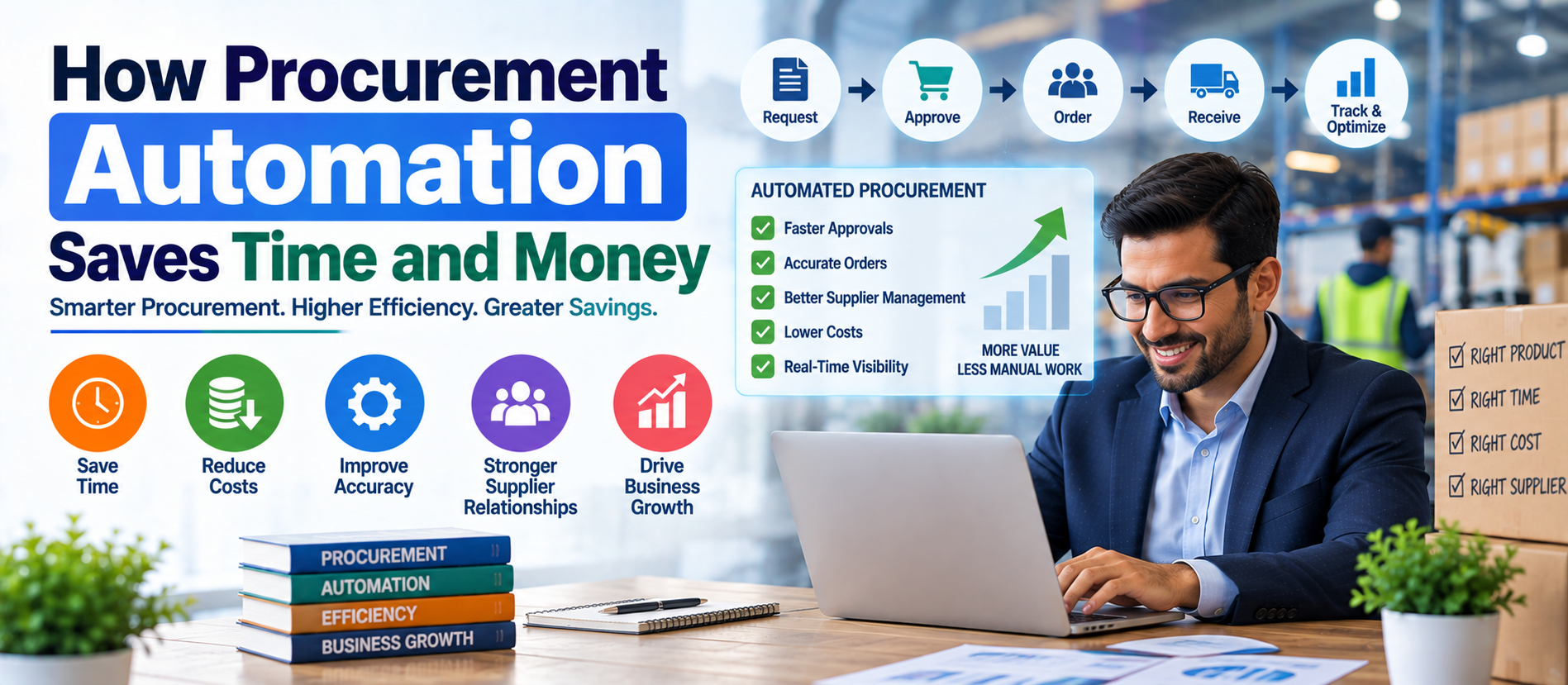
A typical automated procurement workflow can connect these steps:
- Purchase request
- Budget and policy checks
- Approval
- Supplier selection
- Purchase order creation
- Order confirmation
- Goods or service receipt
- Invoice processing
- Matching and exception handling
- Payment and record keeping
This end-to-end approach is often called procure-to-pay, or P2P. Automation can also support source-to-pay activities such as sourcing, supplier onboarding, contract management, and spend analysis.
Why Manual Procurement Becomes Expensive
Manual procurement often looks inexpensive because the company may not pay separately for each task. But the real cost is spread across employee time, delays, errors, duplicate work, poor visibility, and missed savings.
For example, an employee may spend time searching old emails for a supplier quotation. A manager may wait for a paper or email approval. A buyer may manually create a purchase order. Accounts payable may enter invoice information into another system. Someone else may compare the invoice with the purchase order and receipt.
Each step may take only a few minutes. Across hundreds or thousands of transactions, those minutes become a major operating cost.
Manual processes can also create inconsistent purchasing. Employees may buy outside approved contracts, use different suppliers for similar products, or miss negotiated pricing. These problems are often called maverick or off-contract spend.
1. Procurement Automation Saves Employee Time
The most direct benefit is time savings.
Automation can remove repetitive tasks such as copying supplier details, entering purchase-order data, checking approval status, sending reminders, matching documents, and preparing routine reports.
Instead of spending time moving information between systems, procurement employees can focus on activities that need human judgment. These may include supplier negotiations, category strategy, risk management, relationship building, and identifying new sources of value.
IBM reports that automated procurement can speed repetitive processes such as order processing and invoice management. It also describes cases where automation significantly reduced the time required for supplier onboarding and pricing analysis.
2. Faster Purchase Requisition and Approval
Purchase requests often become slow when approvals depend on email chains.
An automated workflow can route a request to the correct person based on department, amount, category, project, or budget. The approver can receive a notification and review the request through a centralized system.
If an approval is delayed, the system can send reminders or escalate the request according to predefined rules.
This reduces approval bottlenecks and makes the status of a purchase easier to understand.
Purchase-order automation can also connect requisitions, approvals, orders, receipts, and invoices. IBM notes that this creates a more traceable purchasing process and can improve spending control and visibility.
3. Automate Purchase Order Creation
Purchase orders are often created from approved purchase requests. Re-entering information manually creates unnecessary work and creates opportunities for mistakes.
Automation can use approved request data to generate a purchase order. Templates can standardize product descriptions, supplier information, prices, terms, and required fields.
The system can then send the purchase order to the supplier electronically and store the transaction in a central record.
This saves time and reduces errors such as incorrect quantities, prices, supplier details, or duplicate orders.
4. Reduce Data-Entry Errors
Manual data entry is one of the hidden costs of procurement.
A single incorrect price or quantity can affect an order, invoice, budget, inventory record, or payment. Correcting the mistake may require several employees to investigate the issue.
Automation reduces repeated data entry by moving information between connected systems. Validation rules can also identify missing or unusual information before an order moves forward.
Better data quality improves procurement reporting as well. Decision-makers can work with more consistent information about suppliers, categories, prices, contracts, and spending.
5. Speed Up Invoice Processing
Invoice processing is a major opportunity for procurement automation.
Instead of manually reading and entering every invoice, businesses can use digital capture, data extraction, workflow rules, and accounting integrations.
Automation can route invoices to the right team, identify missing information, and send exceptions for human review.
💡 Key Insight
Three-way matching is another important control. The system compares the purchase order, goods receipt, and supplier invoice. When the documents match according to business rules, the invoice can move forward. When they do not match, the transaction can be flagged for review.
IBM notes that automated three-way matching can help prevent overpayment, duplicate payments, and payment for goods that were not received.
6. Reduce Duplicate and Incorrect Payments
Payment errors can create direct financial losses.
Automation can check invoices against purchase orders, receipts, supplier records, and previous transactions. Duplicate invoice numbers, unusual amounts, missing approvals, or mismatched information can be flagged.
This creates an additional layer of financial control.
IBM describes a case in which an Asia-Pacific financial institution automated source-to-pay workflows and reported significant operating-cost savings while preventing losses from duplicate or mistaken payments. Such case-study results are specific to that organization and should not be treated as a universal benchmark.
7. Control Maverick Spend
Maverick spend occurs when employees purchase outside approved procurement processes, contracts, or suppliers.
It can happen because employees cannot find the approved supplier, the buying process is difficult, or the required product is not available through the normal channel.
Procurement automation can make compliant purchasing easier. Guided buying, approved catalogs, preferred suppliers, spending limits, and automated approval rules can direct employees toward the right options.
Better compliance can help the business use negotiated prices and contract terms more consistently.
8. Improve Supplier Management
Supplier management can require a large amount of administrative work.
Automation can centralize supplier records and support onboarding, document collection, qualification, performance tracking, risk reviews, and renewal reminders.
Procurement teams can create standard workflows for collecting tax information, certifications, insurance documents, compliance records, bank details, and other required information.
Supplier performance data can also be connected to procurement decisions. Teams can review delivery performance, quality, response time, pricing, and contract compliance using a common system.
IBM notes that automated supplier-management systems can improve tracking of supplier qualifications, performance, compliance, and historical information.
9. Save Time in Supplier Onboarding
New supplier onboarding can involve many emails and documents.
An automated workflow can send the supplier a digital form, collect required information, validate fields, route documents for review, and notify the relevant teams when the process is complete.
This reduces administrative work for procurement and finance teams. It can also give suppliers a clearer experience.
IBM reports that some organizations using its procurement automation approach have significantly accelerated supplier onboarding. The reported result is a specific case example, not a guaranteed outcome for every business.
10. Automate Contract Monitoring
Contracts contain important information about prices, payment terms, renewal dates, minimum volumes, service levels, and obligations.
When contract information is stored across emails and folders, employees may miss important dates.
Automated contract-management tools can centralize agreements and create reminders for renewals, expirations, price changes, and required actions.
AI can also help extract and organize information from large contract portfolios. IBM describes AI use cases for contract analysis, risk identification, faster review, and improved visibility into contract terms.
11. Improve Spend Visibility
Procurement savings are difficult to find when spending data is fragmented.
Automation can consolidate purchasing information and create dashboards for categories, suppliers, departments, contracts, and transactions.
This helps answer practical questions:
- How much are we spending with each supplier?
- Which categories have the highest spend?
- Where are employees buying outside contracts?
- Which suppliers have price increases?
- Which contracts are close to renewal?
- Where can purchases be consolidated?
Modern procurement analytics can help teams identify opportunities faster than manual spreadsheet analysis. McKinsey notes that digital tools and advanced analytics can help procurement teams analyze large amounts of purchasing data and identify opportunities across categories.
12. Improve Negotiation Preparation
Automation does not have to replace procurement negotiations. It can make negotiations better prepared.
Procurement teams can use historical purchasing data to understand prices, volumes, supplier performance, contract terms, and market patterns.
AI and analytics can help organize this information and highlight unusual price changes or potential savings opportunities.
The procurement professional can then use the insights during supplier discussions.
McKinsey reports that AI and analytics are increasingly being applied to procurement and describes examples where organizations used AI-based invoice and contract analysis to identify value leakage.
13. Reduce Procurement Cycle Time
Cycle time is the time required to move a procurement request through the required stages.
Manual handoffs create delays. An automated workflow can move information instantly between stages.
For example:
- An employee submits a request.
- The system checks required information.
- The request goes to the correct approver.
- Approval triggers purchase-order creation.
- The supplier receives the order.
- The receipt is recorded.
- The invoice is matched.
- Exceptions are routed to the responsible person.
McKinsey has documented cases where redesigned digital procurement processes produced large reductions in cycle times. These results depend on the organization, process design, adoption, and technology environment.
14. Improve Compliance and Audit Readiness
Procurement automation can make compliance easier because policies can be built into workflows.
Examples include approval limits, preferred suppliers, required documentation, contract rules, segregation of duties, and spending thresholds.
Digital records also make it easier to understand who requested, approved, ordered, received, and paid for an item.
This can reduce the time required to collect documents for internal reviews or audits.
15. Reduce Administrative Work for Finance
Procurement and finance are closely connected.
When procurement data is connected with accounts payable and enterprise systems, finance teams can spend less time reconciling information manually.
Automated matching, digital approvals, centralized records, and exception workflows can reduce repetitive work.
IBM describes procure-to-pay automation as a way to improve accuracy, compliance, spending visibility, and cost control while giving procurement and finance teams more time for higher-value activities.
16. Use AI for Procurement Where It Adds Value
AI is expanding the role of procurement automation.
Traditional automation follows predefined rules. AI can support more complex activities such as document understanding, classification, supplier-risk analysis, spend analysis, forecasting, and decision support.
In 2026, procurement leaders are also exploring agentic AI. McKinsey describes agentic AI as a shift from systems that mainly analyze information toward systems that can execute multistep tasks within defined boundaries.
AI should still operate with appropriate controls. Businesses need reliable data, clear permissions, monitoring, security, and human review for important decisions.
17. Calculate the Financial Value of Procurement Automation
Businesses should measure automation using more than software cost.
A simple starting point is:
Net Benefit = Labor Savings + Error Reduction + Spend Savings + Avoided Costs − Automation Cost
Labor savings may come from fewer manual processing hours. Error reduction includes avoided duplicate orders, incorrect payments, and rework. Spend savings may come from better contract compliance, supplier negotiation, and purchasing visibility.
Automation cost should include software, implementation, integration, training, support, data cleanup, and ongoing administration.
18. Track the Right Procurement Automation KPIs
| KPIWhat It Measures | |
| Purchase-order cycle time | Speed from request to approved PO |
| Invoice processing time | Time required to process supplier invoices |
| Touchless invoice rate | Percentage of invoices processed without manual intervention |
| Approval cycle time | Time spent waiting for approvals |
| Purchase-order automation rate | Percentage of POs created automatically |
| Contract compliance | Purchasing completed under approved agreements |
| Maverick spend rate | Purchasing outside approved processes |
| Duplicate-payment rate | Frequency of duplicate or repeated payments |
| Supplier onboarding time | Time needed to activate a new supplier |
| Cost per transaction | Average processing cost for a procurement transaction |
19. Start With the Right Processes
Not every procurement activity should be automated immediately.
Start with repetitive, high-volume, rule-based processes. Purchase requests, purchase orders, invoice processing, approval routing, supplier onboarding, contract reminders, and routine reporting are common starting points.
Strategic negotiations and complex supplier decisions often need more human judgment. The goal is not to remove people from procurement. The goal is to remove unnecessary administrative work.
20. Integrate Procurement With Business Systems
Procurement automation creates more value when systems can exchange information.
Important integrations may include:
- ERP systems
- Accounting software
- Accounts payable platforms
- Inventory systems
- Warehouse management systems
- Supplier portals
- Contract-management tools
- Business intelligence platforms
- Identity and approval systems
Integration reduces duplicate data entry and creates a more complete view of procurement activity.
21. Avoid Automating a Broken Process
One of the most important procurement automation rules is simple: do not automate unnecessary complexity.
If a process requires six approvals for a low-value purchase, adding software will not solve the underlying problem.
Map the current process first. Remove unnecessary steps. Standardize rules. Define exceptions. Then automate the improved workflow.
McKinsey has emphasized that procurement digitization works best when organizations think about the end-to-end source-to-pay experience rather than solving isolated pain points.
22. Make Automation Easy for Employees
Employee adoption is critical.
If the automated procurement system is difficult to use, employees may continue using email, spreadsheets, or unauthorized purchasing channels.
Use simple forms, clear buying categories, searchable catalogs, mobile-friendly approvals, useful notifications, and clear instructions.
The easiest compliant process should also be the preferred process.
23. Protect Procurement Data
Procurement systems contain sensitive information such as supplier pricing, contracts, payment details, employee purchasing information, and financial data.
Security should include appropriate access controls, authentication, encryption, audit logs, backups, vendor due diligence, and clear data-retention policies.
AI features require additional attention to data access and privacy. Businesses should understand how procurement data is processed and who can access it.
24. Common Procurement Automation Mistakes
- Choosing software before defining the business problem.
- Automating every process at once.
- Ignoring employee experience.
- Keeping poor supplier and product data.
- Failing to integrate with finance or ERP systems.
- Measuring only labor savings.
- Ignoring maverick spend.
- Using AI without clear governance.
- Underestimating training and change management.
- Failing to review workflows after implementation.
25. A Practical Procurement Automation Roadmap
- Map the process: Document the current requisition-to-payment workflow.
- Measure the baseline: Record cycle times, transaction volumes, error rates, manual hours, and procurement costs.
- Find the bottlenecks: Identify the steps that consume the most time or create the most errors.
- Choose one pilot: Start with a high-volume process that has measurable value.
- Clean the data: Standardize supplier, product, contract, and purchasing information.
- Design the workflow: Define approvals, rules, exceptions, notifications, and responsibilities.
- Integrate systems: Connect procurement with finance, ERP, inventory, and supplier systems where required.
- Train users: Show employees how the new workflow makes purchasing easier.
- Measure results: Compare performance with the original baseline.
- Scale gradually: Expand automation to additional categories and processes after the pilot is stable.
Procurement Automation and SEO, AEO, GEO, and AI Search
Businesses that publish procurement content should also make the information easy for traditional search engines and AI answer systems to understand.
For SEO, use a clear primary keyword, descriptive headings, internal links, useful supporting terms, and relevant metadata.
For AEO, answer direct questions such as “What is procurement automation?” and “How does procurement automation reduce costs?” Use short, factual answers.
For GEO, organize information into clear sections that explain concepts, benefits, use cases, risks, and implementation steps. This makes the content easier for generative systems to interpret.
For AI Search optimization, provide definitions, lists, tables, FAQs, practical examples, and clearly attributed evidence. Avoid vague claims. Add dates when statistics may change.
Frequently Asked Questions
How does procurement automation save time?
It reduces repetitive work such as data entry, approval routing, purchase-order creation, invoice processing, document matching, reminders, and routine reporting.
How does procurement automation save money?
It can reduce administrative costs, errors, duplicate payments, off-contract spending, processing delays, and missed purchasing opportunities. It can also improve spend visibility and support better supplier negotiations.
What is procurement automation?
Procurement automation uses software and digital workflows to automate repetitive activities across purchasing, supplier management, purchase orders, invoices, contracts, and payments.
What is procure-to-pay automation?
Procure-to-pay automation connects purchasing activities from the initial request through approval, purchase order, receipt, invoice matching, and payment.
Can small businesses use procurement automation?
Yes. Small businesses can start with simple approval workflows, digital purchase orders, supplier records, invoice automation, and spend tracking. The system should match the company's size and process complexity.
Does procurement automation replace procurement employees?
Automation mainly targets repetitive and rule-based work. Procurement professionals can spend more time on strategic sourcing, supplier relationships, negotiations, risk management, and business planning.
How long does procurement automation take to implement?
Implementation time varies by process complexity, data quality, integrations, number of users, security requirements, and software choice. A focused pilot can usually be simpler than a full procurement transformation.
Conclusion
Procurement automation can save both time and money by removing repetitive work, speeding approvals, reducing errors, improving invoice processing, controlling spending, strengthening supplier management, and increasing visibility.
The biggest gains usually come from improving the complete workflow rather than automating one isolated task. Businesses should start with clear problems, clean data, measurable KPIs, and simple user experiences.
AI is expanding what procurement automation can do. Analytics can uncover savings opportunities. AI can support document analysis, supplier insights, forecasting, and decision support. But technology works best when it is combined with sound processes, human oversight, security, and clear governance.
The goal is not procurement with more software. The goal is procurement that works faster, costs less to operate, provides better control, and gives people more time for strategic work.
Digiifrog helps businesses explore digital transformation, AI, automation, SEO, GEO, and modern technology strategies. Visit www.digiifrog.com to learn more.
Key Takeaways
- Automate repetitive procurement tasks first.
- Use workflow automation to speed approvals and purchase orders.
- Automate invoice capture and three-way matching where appropriate.
- Use procurement data to control maverick spend and improve negotiations.
- Centralize supplier and contract information.
- Connect procurement with finance, ERP, inventory, and other key systems.
- Measure cycle time, error rates, automation rates, compliance, and cost per transaction.
- Use AI selectively, with data controls and human oversight.
- Improve the process before automating it.
- Scale gradually after proving measurable value.
Ready to Grow?
Talk to us about a strategy tailored to your brand — we will help you stand out in search, AI discovery and social.

Comments (0)
Log in to leave a comment.