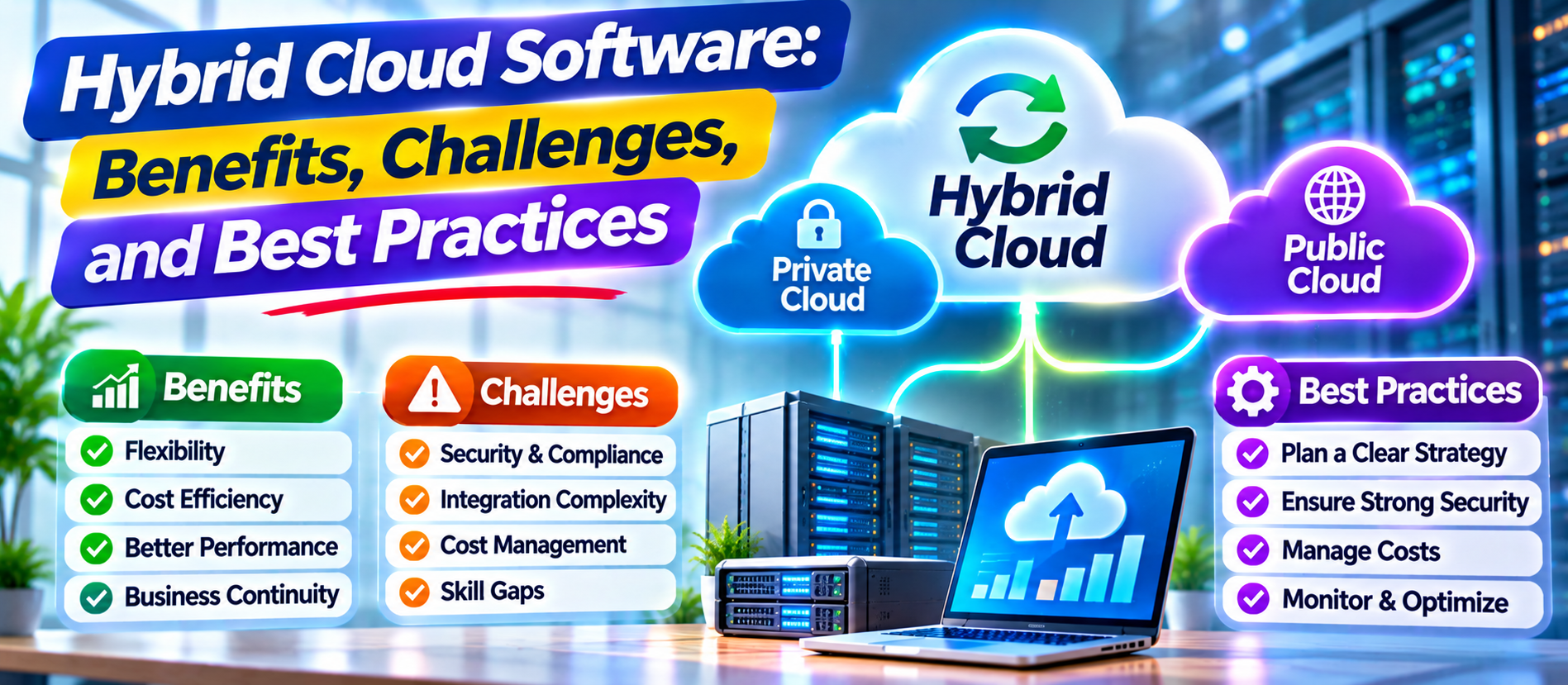
📋 Quick Summary
In this article:
What Is Hybrid Cloud Software?
How Does a Hybrid Cloud Environment Work?
1. On-premises infrastructure
2. Private cloud
3. Public cloud
4. Connectivity and integration
5. Central management and monitoring
Hybrid Cloud vs Public Cloud vs Private Cloud
What Is Hybrid Cloud Software Used For?
Key Benefits of Hybrid Cloud Software
1. Greater workload flexibility
2. Better use of existing IT investments
Businesses need technology that is flexible, secure and reliable. They also need to manage costs and support employees who work from different locations. Cloud computing helps meet these needs. However, moving every application and every piece of data to a public cloud is not always the right choice.
Some organizations need to keep certain systems in their own data centers. Others have applications that depend on local equipment, strict response times or specific data location rules. At the same time, they want the scalability and services offered by public cloud platforms.
Hybrid cloud software helps connect these different environments. It allows a business to use on-premises infrastructure, private cloud resources and public cloud services as parts of one wider IT environment. When planned well, this model can improve flexibility and resilience. When poorly managed, it can create extra cost, security gaps and operational complexity.
This guide explains what hybrid cloud software is, how it works, its benefits and challenges, and the best practices businesses should follow. It uses clear language and practical examples to help decision-makers plan a suitable cloud strategy.
What Is Hybrid Cloud Software?
Hybrid cloud software refers to the platforms, tools and services that connect and manage workloads across a combination of private infrastructure and public cloud services. A typical hybrid cloud environment may include a company data center, a private cloud platform and one or more public cloud providers.
💡 Key Insight
The important point is that these environments work together. They are not simply separate systems that happen to exist in the same organization. Hybrid cloud management tools help teams connect networks, manage resources, monitor performance, control access and move data or workloads where appropriate.
For example, a retailer may keep its inventory database in a private environment because it is connected to older business systems. It may run its online store in a public cloud so it can handle changing customer traffic. A shared identity service and secure network connection link the two environments.
Hybrid cloud is an architectural approach. It is not one specific software product. Organizations use a combination of cloud platforms, networking, security, automation and management tools to build it.
How Does a Hybrid Cloud Environment Work?
A hybrid cloud connects different computing environments so that applications and data can work across them. The design depends on the organization's needs. Some systems communicate constantly. Others exchange information only at scheduled times.
1. On-premises infrastructure
On-premises infrastructure includes servers, storage, networking equipment and applications located at the organization's own site or in a data center it controls. Businesses may keep systems here because of existing investments, technical requirements, local processing needs or data control policies.
2. Private cloud
A private cloud provides cloud-style resources for one organization. It may run in the company's own data center or in a hosted facility. It can offer self-service provisioning, automation and resource pooling while allowing the organization to retain more control over its environment.
3. Public cloud
A public cloud provider delivers computing, storage, databases, networking and other services over the internet or private connections. Businesses can scale resources when demand changes and use managed services without owning all the underlying hardware.
4. Connectivity and integration
Networks connect the environments. These connections may use private links, virtual private networks, secure gateways or other approved designs. Integration services, APIs and data pipelines allow applications to exchange information.
5. Central management and monitoring
Management tools help administrators see resources, apply policies, monitor health, track usage and automate routine tasks. The goal is to make the environment manageable as one operating model, even when the underlying platforms are different.
Hybrid Cloud vs Public Cloud vs Private Cloud
These terms describe different ways to deliver computing resources. Understanding the difference helps businesses choose the right model for each workload.
| Cloud Model How It Works Common Strength Possible Limitation | |||
| Public cloud | Services are provided by a cloud provider and shared across customers through logically separated environments. | Scalability, managed services and rapid provisioning. | Requires careful cost, access and configuration management. |
| Private cloud | Cloud-style infrastructure is dedicated to one organization. | Greater control over infrastructure and configuration. | Can require more capital, skills and maintenance. |
| Hybrid cloud | Private or on-premises resources work with public cloud services. | Workload placement flexibility and a balance of control and scale. | Integration, security and operations can become more complex. |
Hybrid cloud is not automatically better than public or private cloud. It is useful when a business has clear reasons to use more than one environment. A simple application may be easier and cheaper to run entirely in one public cloud. A sensitive or highly specialized workload may be better suited to a private environment. The decision should be based on workload requirements, not on fashion.
What Is Hybrid Cloud Software Used For?
Hybrid cloud software supports many business and technical activities. The exact features vary by platform, but common use cases include:
- Unified infrastructure management: View and manage servers and services across local and cloud environments.
- Application deployment: Deploy applications in the environment that best meets their needs.
- Data integration: Move or synchronize information between business systems.
- Cloud migration: Move applications in stages instead of transferring everything at once.
- Backup and disaster recovery: Keep recovery copies in a separate environment and restore services after a disruption.
- Edge computing: Process information near factories, stores, hospitals or other locations where low latency matters.
- Development and testing: Use flexible cloud resources for temporary environments while keeping production systems elsewhere.
- Central monitoring: Collect performance, availability and security information from connected systems.
- Policy enforcement: Apply consistent rules for access, configuration, tagging and resource use.
Key Benefits of Hybrid Cloud Software
1. Greater workload flexibility
One of the main benefits of hybrid cloud is the ability to place workloads in different environments. A business can keep an application on-premises when it depends on local equipment, while using public cloud services for customer-facing features or variable demand.
This flexibility helps organizations modernize gradually. They do not need to move every system at the same time. They can assess applications one by one and choose a suitable destination.
2. Better use of existing IT investments
Many organizations have invested in servers, storage, software licences and specialist equipment. Some systems are expensive or difficult to replace. A hybrid approach can allow businesses to keep using these assets while adding cloud services where they provide clear value.
This does not mean that old infrastructure should be kept forever. It means the organization can plan upgrades based on business priorities instead of making a rushed, all-at-once migration.
3. Scalability during demand peaks
Public cloud resources can be provisioned when workloads need additional capacity. A company may keep its regular processing on local infrastructure and use cloud resources during seasonal demand, campaigns or short-term projects.
This approach is sometimes called cloud bursting. It requires careful planning. Applications must be able to scale, data must be available where needed, and the cost of data transfer and extra cloud capacity must be understood.
4. Support for data location and compliance needs
Some organizations have legal, contractual or internal requirements about where data is stored and processed. A hybrid architecture can help keep selected data or systems in an approved location while using public cloud services for other workloads.
However, using a private environment does not automatically make a business compliant. Organizations must understand the rules that apply to their data, including backups, logs, support access, encryption and data transfers.
5. Improved business continuity options
A hybrid environment can support backup and disaster recovery across separate locations. For example, a business may keep production systems in one environment and maintain recovery resources in another. If a local site becomes unavailable, selected services may be restored elsewhere.
Good recovery depends on more than having a second location. Businesses need tested backups, documented recovery steps, clear ownership and realistic recovery time and recovery point objectives.
6. Better support for low-latency applications
Some applications need to process information close to where it is created. Manufacturing equipment, retail systems, medical devices and connected sensors may need quick local responses. A hybrid model can keep time-sensitive processing near the device while sending selected information to cloud platforms for analysis and long-term storage.
7. Gradual modernization
Older applications may not be ready for a complete move to the cloud. Some depend on specific operating systems, hardware or databases. Hybrid cloud allows businesses to modernize in stages. They can connect existing applications to newer cloud services, replace components over time and reduce migration risk.
8. Access to advanced cloud services
Public cloud platforms offer managed databases, analytics, AI tools, application services and automation capabilities. A hybrid strategy can let businesses use these services while retaining selected systems locally. This can support innovation without requiring every workload to move.
9. More options for resilience and vendor strategy
A hybrid design can reduce dependence on a single physical location or operating model. It may give businesses more options for recovery and future technology choices. Still, using multiple environments does not automatically remove vendor lock-in. Applications that rely heavily on provider-specific services may be difficult to move.
Common Challenges of Hybrid Cloud Software
1. More complex management
Managing local servers and public cloud services requires different tools, skills and processes. Teams may need to work across separate dashboards, access models, update schedules and support channels.
Without a clear operating model, this can create confusion. Staff may not know which team owns a resource or who should respond to an alert. A hybrid cloud management platform can improve visibility, but it does not remove the need for defined responsibilities.
2. Security gaps between environments
Each environment may have different security settings and controls. A policy that is applied in the public cloud may not exist on a local server. Logs may be stored in different systems. Access permissions may also vary.
Attackers can exploit weak links between environments. Businesses should use consistent identity policies, least-privilege access, secure connections, encryption, vulnerability management and centralized monitoring where practical.
3. Integration difficulties
Applications may use different data formats, authentication methods and network protocols. Older systems may not support modern APIs. Connecting them can require custom development, middleware or specialist integration tools.
Integration should be designed before migration. Businesses should test data accuracy, error handling, performance and recovery when a connection becomes unavailable.
4. Unpredictable costs
Hybrid cloud costs can include local hardware, data center space, electricity, cloud subscriptions, network links, software licences, support and specialist staff. Public cloud charges may also include data transfer, storage requests, monitoring and backup services.
A workload that looks inexpensive to run in the cloud may become costly if it transfers large volumes of data frequently. Organizations should model the full cost before moving a workload and review actual usage after deployment.
5. Network latency and connectivity dependence
Applications that communicate across environments depend on network performance. Slow connections can affect user experience and processing times. A network outage may prevent systems from exchanging information.
Businesses should measure latency, bandwidth and availability for important application paths. They should design local fallback options for critical operations and avoid unnecessary communication between environments.
6. Data management and synchronization
Keeping data consistent across environments can be difficult. Replication may introduce delays. Conflicting updates may occur if two systems change the same record. Large data transfers can also take time and increase costs.
Every data flow should have a clear purpose, owner, security classification and synchronization method. Businesses should identify which system is the authoritative source for each important data set.
7. Skills and staffing requirements
Hybrid cloud teams need knowledge of networking, storage, cloud platforms, security, automation, application architecture and cost management. These skills may be difficult to find in one person or team.
Organizations should invest in training, documentation and clear role definitions. They may also use a managed service provider for specialist support, while keeping ownership of business decisions and risk.
8. Compliance and audit complexity
Hybrid environments can make it harder to show where information is stored, who accessed it and which controls were applied. Auditors may need evidence from multiple platforms and locations.
Businesses should maintain asset inventories, access records, configuration evidence, retention policies and documented data flows. Compliance should be considered during design, not added at the end.
9. Risk of configuration drift
Configuration drift occurs when systems that should follow the same baseline gradually become different. This can happen after manual changes, emergency fixes or inconsistent deployments.
Infrastructure as Code, configuration management and automated policy checks can reduce drift. Teams should record approved exceptions and review them regularly.
Hybrid Cloud Software Best Practices
1. Start with business goals
Do not adopt hybrid cloud simply because it is popular. Identify the business problem first. The goal may be to improve recovery, reduce latency, meet data location requirements, modernize applications or handle changing demand.
Connect each goal to a measurable result. Examples include reducing application downtime, improving deployment time, lowering infrastructure cost or meeting a defined recovery target.
2. Assess workloads before choosing where they run
Make an inventory of applications, databases, servers, storage and dependencies. For each workload, review performance, security, compliance, data volume, availability needs and operating cost.
Classify workloads into groups such as keep on-premises, move to public cloud, modernize first, replace or retire. Revisit these decisions when business needs change.
3. Design a clear network architecture
Plan how environments will communicate. Use secure, reliable connections and define which systems are allowed to exchange data. Segment networks so that a problem in one area does not automatically expose every other system.
Measure latency and bandwidth for critical paths. Consider redundant connectivity for services that cannot tolerate a single network failure.
4. Use consistent identity and access management
Identity is a central part of hybrid cloud security. Use a well-defined identity strategy across local and cloud environments. Apply multi-factor authentication, role-based access and least privilege.
Review service accounts, API keys and machine identities as carefully as employee accounts. Remove access that is no longer needed. Use privileged access controls for administrative tasks and record important activity.
5. Apply security in layers
Use multiple controls rather than relying on one product. Important controls may include endpoint protection, firewalls, network segmentation, encryption, vulnerability scanning, secure configuration, backup protection and centralized threat monitoring.
Understand the shared responsibility model for each cloud service. The provider may secure the underlying infrastructure, while the customer remains responsible for data, identities, application settings and many configuration choices.
6. Centralize monitoring and logging
Collect important logs from on-premises systems and cloud platforms in a central location where practical. Standardize time settings, resource names and log formats. Define alert rules for suspicious access, unexpected changes, service failures and unusual data movement.
Monitoring should have an owner. Alerts that nobody reviews do not provide much protection. Establish escalation steps and test them.
7. Automate repeatable operations
Automation can reduce manual work and help keep environments consistent. Use Infrastructure as Code to define approved infrastructure. Automate routine provisioning, patching, backup checks and policy validation where appropriate.
Test automation before using it in production. Keep change records and provide a way to roll back unsafe changes.
8. Build a cloud cost management process
Assign owners to cloud resources. Use tags or labels to identify teams, projects and business purposes. Set budgets and alerts. Review idle resources, oversized instances, storage growth and data transfer charges.
Compare the total cost of running a workload in each environment. Include hardware refresh, licensing, connectivity, support, staffing and migration costs. Cost optimization should not reduce security or reliability below acceptable levels.
9. Plan backup and disaster recovery
Set recovery time objectives (RTO) and recovery point objectives (RPO) for important applications. RTO describes how quickly a service should be restored. RPO describes how much data loss, measured in time, the business can accept.
Keep protected backups in a separate failure domain. Restrict backup administration. Test restoration and full recovery procedures. A backup plan that has never been tested is not a reliable recovery strategy.
10. Standardize deployment and configuration
Use approved templates, configuration baselines and deployment pipelines. Apply the same core security requirements across environments, while allowing documented differences when a platform requires them.
Review changes through a controlled process. Use automated checks to identify exposed services, missing encryption, weak permissions and other policy violations before workloads go live.
11. Define governance and ownership
Establish clear rules for who can create resources, approve access, manage costs and respond to incidents. Define ownership for every critical application and data set.
Governance should enable safe delivery, not create unnecessary delays. Provide teams with approved patterns and self-service options so they can work quickly within agreed boundaries.
12. Test integration and failure scenarios
Test more than the normal operating path. Simulate a network interruption, a cloud service failure, a credential compromise and a data synchronization problem. Confirm that alerts are generated and recovery steps work.
Test application performance under realistic load. Validate that dependencies remain available when one environment is temporarily offline.
How to Choose Hybrid Cloud Software
The right solution depends on the organization's existing systems, cloud providers, security needs and internal skills. Use the following checklist when evaluating a platform.
- Compatibility: Does it support the operating systems, virtualization platforms, containers and cloud providers you use?
- Central management: Can teams view and manage resources across environments from a consistent interface?
- Security integration: Does it support identity controls, policy enforcement, encryption and security monitoring?
- Automation: Can it automate provisioning, configuration, updates and routine operations?
- Monitoring: Does it provide useful performance, availability and capacity information?
- Integration: Can it connect with existing IT service management, DevOps, backup and monitoring tools?
- Data control: Can you understand where data, logs and backups are stored and how they are protected?
- Scalability: Can the platform support future workloads and locations?
- Support: Are training, documentation and technical support suitable for your team?
- Total cost: What are the licence, subscription, deployment, training and ongoing operating costs?
- Portability: How easy is it to move workloads or data if business needs change?
Ask vendors to demonstrate the platform using a realistic business scenario. A proof of concept can reveal integration gaps and management effort that may not be obvious in a product presentation.
Examples of Hybrid Cloud Software and Platforms
Several technology providers offer tools that support hybrid cloud management, integration or operations. Their features and licensing can change, so businesses should review current product documentation and confirm suitability for their environment.
- Microsoft Azure Arc and Azure Local: Support management and services across distributed infrastructure and selected hybrid scenarios.
- AWS hybrid services: AWS offers services and deployment options for connecting cloud services with on-premises locations and edge workloads.
- Google Distributed Cloud: Provides options for running selected Google Cloud capabilities closer to customer sites or in specific deployment environments.
- Red Hat Open Shift: Supports container-based application deployment and management across supported infrastructure environments.
- VMware Cloud Foundation: Provides a private cloud platform for organizations using VMware-based infrastructure, subject to current product packaging and licensing.
- Kubernetes: An open-source platform for managing containerized applications. It can support consistent application operations across different infrastructure environments, although portability still depends on storage, networking and service dependencies.
These products do not all serve the same purpose. Some focus on infrastructure management, some on application platforms, and others on cloud services or edge deployments. Select tools based on a defined architecture rather than choosing a brand first.
Hybrid Cloud Use Cases Across Industries
Healthcare
Healthcare organizations may need to connect clinical systems, imaging equipment, patient records and analytics platforms. Some workloads may require local processing or strict access controls. A hybrid model can support local operations while using cloud services for selected analytics, collaboration and backup needs. Privacy, availability and applicable healthcare rules must guide the design.
Banking and financial services
Financial organizations often operate core systems alongside digital channels, risk analytics and customer applications. A hybrid model may support gradual modernization and controlled data placement. Strong identity management, audit trails, encryption and resilience are essential.
Retail and e-commerce
Retailers may use local systems in stores for point-of-sale operations and inventory while running online shopping platforms in the public cloud. During a major sale, cloud capacity can help support higher traffic. Data synchronization and payment security need careful planning.
Manufacturing
Factories may use local computing for equipment monitoring and production control. Cloud services can support analytics, maintenance planning and reporting across multiple sites. Network segmentation is important because operational technology can have different availability and safety requirements from office IT.
Education
Educational institutions may combine campus systems, learning platforms, identity services and cloud-based collaboration. Hybrid architecture can help support seasonal demand, remote access and existing applications. Student data and account security should remain central design concerns.
Media and entertainment
Media businesses may keep large content libraries or specialized production systems in controlled environments while using cloud services for rendering, collaboration, distribution and temporary capacity. Data transfer time and storage cost can strongly influence the design.
Hybrid Cloud Migration: A Practical Step-by-Step Plan
Step 1: Set objectives and scope
Identify the business outcomes the project should deliver. Decide which departments, applications and locations are included. Record constraints such as data location, service availability and budget.
Step 2: Discover applications and dependencies
Build an accurate inventory. Identify which applications depend on shared databases, local networks, identity systems, hardware or external suppliers. Missing dependencies are a common reason migrations fail.
Step 3: Classify workloads
Decide which workloads should remain local, move to public cloud, move to private cloud, be modernized or be retired. Document the reason for each decision.
Step 4: Design the target architecture
Define networking, identity, security, data flows, monitoring, backup and management standards. Confirm how users and applications will access each service.
Step 5: Run a pilot
Select a workload with manageable risk and clear success criteria. Test performance, security, connectivity, cost and recovery. Record problems and update the design before expanding.
Step 6: Migrate in controlled phases
Move workloads in groups. Use change windows and communication plans. Keep rollback options for critical systems. Validate data and application behaviour after each move.
Step 7: Optimize and govern
Review usage, cost, performance and security after deployment. Remove unused resources. Update documentation and train support teams. Treat the hybrid environment as an ongoing service, not a project that ends at migration.
Hybrid Cloud Cost Management: What Should Businesses Measure?
Hybrid cloud can improve cost efficiency, but savings are not guaranteed. Organizations should track the full cost of ownership across all environments.
| Cost Area What to Review | |
| Infrastructure | Servers, storage, network equipment, data centre space and hardware replacement. |
| Cloud consumption | Compute, storage, managed services, databases and unused capacity. |
| Data transfer | Network connectivity, egress charges, replication and synchronization traffic. |
| Licensing | Operating systems, databases, virtualization, management and security licences. |
| People and support | Training, specialist staff, managed services and vendor support. |
| Resilience | Backups, secondary environments, recovery testing and redundant connections. |
Useful metrics include cost per application, cost per user, resource utilization, storage growth, idle capacity, data transfer volume and cost of downtime. Review these metrics regularly and assign owners to address waste.
Hybrid Cloud Security: Essential Controls
Security should be designed across the complete environment. It is not enough to secure the public cloud while treating the local data centre as automatically trusted.
- Use multi-factor authentication for important accounts.
- Apply least-privilege access to users, applications and service accounts.
- Encrypt sensitive data in transit and at rest where appropriate.
- Segment networks and restrict unnecessary connections.
- Maintain secure configuration baselines across environments.
- Patch operating systems, applications and infrastructure components.
- Centralize important logs and monitor for suspicious activity.
- Protect secrets, certificates, API keys and backup credentials.
- Scan for vulnerabilities and exposed services on a regular schedule.
- Test incident response and disaster recovery procedures.
Google Cloud's hybrid and multiclod architecture guidance highlights the need for unified security design, consistent controls and observability across environments. AWS guidance also emphasizes networking, security, resilience, capacity planning and infrastructure management as key hybrid architecture areas.
Future Trends in Hybrid Cloud Software
1. AI-assisted operations
AI-based tools can help summarize alerts, identify unusual patterns, support capacity planning and recommend operational actions. Businesses should validate recommendations and retain human oversight for high-impact changes.
2. Edge and distributed cloud
More workloads are being processed near users, devices and business locations. Hybrid cloud platforms can help coordinate services across central cloud regions and edge sites.
3. Platform engineering and self-service
Internal developer platforms can provide approved templates and automated workflows. This helps development teams deploy applications while following shared security and governance standards.
4. Stronger cloud governance
Organizations are placing more emphasis on resource inventory, policy automation, identity controls and cost visibility. These practices help reduce configuration drift and unmanaged services.
5. Container and Kubernetes adoption
Containers can make application packaging and deployment more consistent. Kubernetes can support workloads across different environments, but teams still need to manage data, networking, security and operational differences.
6. Sustainability and resource efficiency
Businesses are reviewing infrastructure utilization, energy use and resource waste. Better capacity planning and workload placement can support both cost and sustainability goals.
Conclusion: Build a Hybrid Cloud Strategy Around Business Needs
Hybrid cloud software helps businesses connect and manage on-premises infrastructure, private cloud resources and public cloud services. It can provide flexibility, support gradual modernization, improve recovery options and make it easier to place workloads where they work best.
These benefits come with responsibilities. Hybrid environments can be harder to secure, integrate, monitor and control financially. Different platforms may use different identity systems, policies and management tools. Without a clear plan, complexity can outweigh the benefits.
The best approach begins with business goals and workload assessment. Design secure connections. Standardize identity and access. Centralize monitoring. Automate repeatable tasks. Track costs. Test backups and recovery. Make ownership clear across teams.
Hybrid cloud is not a goal by itself. It is a way to support business requirements with the right mix of technology. Choose it when the benefits are clear, measure the results and improve the architecture as your organization changes.
For more practical insights on cloud computing, business software, digital marketing and web development, visit Digiifrog.
Frequently Asked Questions (FAQs)
1. What is hybrid cloud software?
Hybrid cloud software includes platforms and tools that connect and manage on-premises infrastructure, private cloud resources and public cloud services. It helps businesses manage workloads, data, security, networking and operations across different environments.
2. What are the main benefits of hybrid cloud?
Main benefits include workload flexibility, gradual modernization, use of existing infrastructure, cloud scalability, support for data location requirements, improved recovery options and access to public cloud services.
3. What are the biggest challenges of hybrid cloud?
Common challenges include management complexity, security gaps, integration problems, unpredictable costs, network latency, data synchronization, skills shortages and compliance requirements.
4. Is hybrid cloud better than public cloud?
Not always. Public cloud may be simpler for applications that do not need local infrastructure or special data controls. Hybrid cloud is useful when a business has clear reasons to keep some workloads local while using public cloud services for others.
5. Is hybrid cloud the same as multi cloud?
No. Hybrid cloud combines on-premises or private infrastructure with public cloud services. Multi cloud means using services from more than one public cloud provider. An organization can use both approaches at the same time.
6. How does hybrid cloud improve business continuity?
It can provide separate locations and environments for backups, recovery resources and selected workloads. This may help a business restore services after a local failure. Recovery objectives must be defined and tested.
7. Is hybrid cloud secure?
Hybrid cloud can be secure when designed and managed correctly. Businesses need consistent identity controls, least privilege, encryption, network segmentation, monitoring, patching and tested recovery procedures. No architecture is secure by default.
8. Does hybrid cloud reduce IT costs?
It can reduce some costs by improving resource use and allowing workloads to run in suitable environments. However, networking, licensing, data transfer, management and staffing can add expense. Businesses should compare total cost rather than cloud prices alone.
9. Which businesses should consider hybrid cloud?
Hybrid cloud may suit organizations with existing data centers, legacy applications, low-latency needs, data location requirements, connected operational technology or a need to modernize gradually. It is most useful when these requirements justify the added complexity.
10. What is the difference between hybrid cloud and private cloud?
A private cloud is a cloud environment dedicated to one organization. A hybrid cloud connects private or on-premises resources with public cloud services so workloads and data can operate across the environments.
11. What is cloud bursting?
Cloud bursting is a model where an application normally runs in a private or local environment but uses public cloud capacity when demand rises. It requires compatible application design, secure data access and careful cost planning.
12. How should a company start a hybrid cloud project?
Start by defining business goals and creating an inventory of applications and dependencies. Classify workloads, design security and connectivity, run a pilot, migrate in phases and measure cost, performance and reliability after deployment.
About Digiifrog
Digiifrog shares practical information about cloud computing, business software, digital marketing, web development and online business growth. Our goal is to make technology easier to understand through clear, useful and accessible content.
Website: www.digiifrog.com
References and Further Reading
- AWS Prescriptive Guidance – Best Practices for Building a Hybrid Cloud Architecture
- Microsoft Learn – Unified Hybrid and Multi cloud Operations
- Google Cloud Architecture Center – Hybrid and Multi cloud Architecture Considerations
- AWS Well-Architected – Data Residency and Hybrid Cloud Services Lens
- Tenable – Multi-Cloud and Hybrid Cloud Security Challenges
- Computers & Security – Security and Privacy in Multi-Cloud and Hybrid Cloud Environments (2025)
Ready to Grow?
Talk to us about a strategy tailored to your brand — we will help you stand out in search, AI discovery and social.


Comments (0)
Log in to leave a comment.