📋 Quick Summary
In this article:
Quick Answer: What Are the Biggest Mobile Software Trends?
1. On-Device AI Is Changing the Smartphone Experience
What on-device AI can change
2. AI Agents Are Turning Apps Into Task Executors
3. Apps Are Becoming Adaptive Across More Screens
4. Foldable Phones Are Creating New Software Experiences
5. Personalization Is Becoming More Intelligent
6. Privacy Is Becoming a Product Feature
7. Passkeys Are Changing Mobile Login
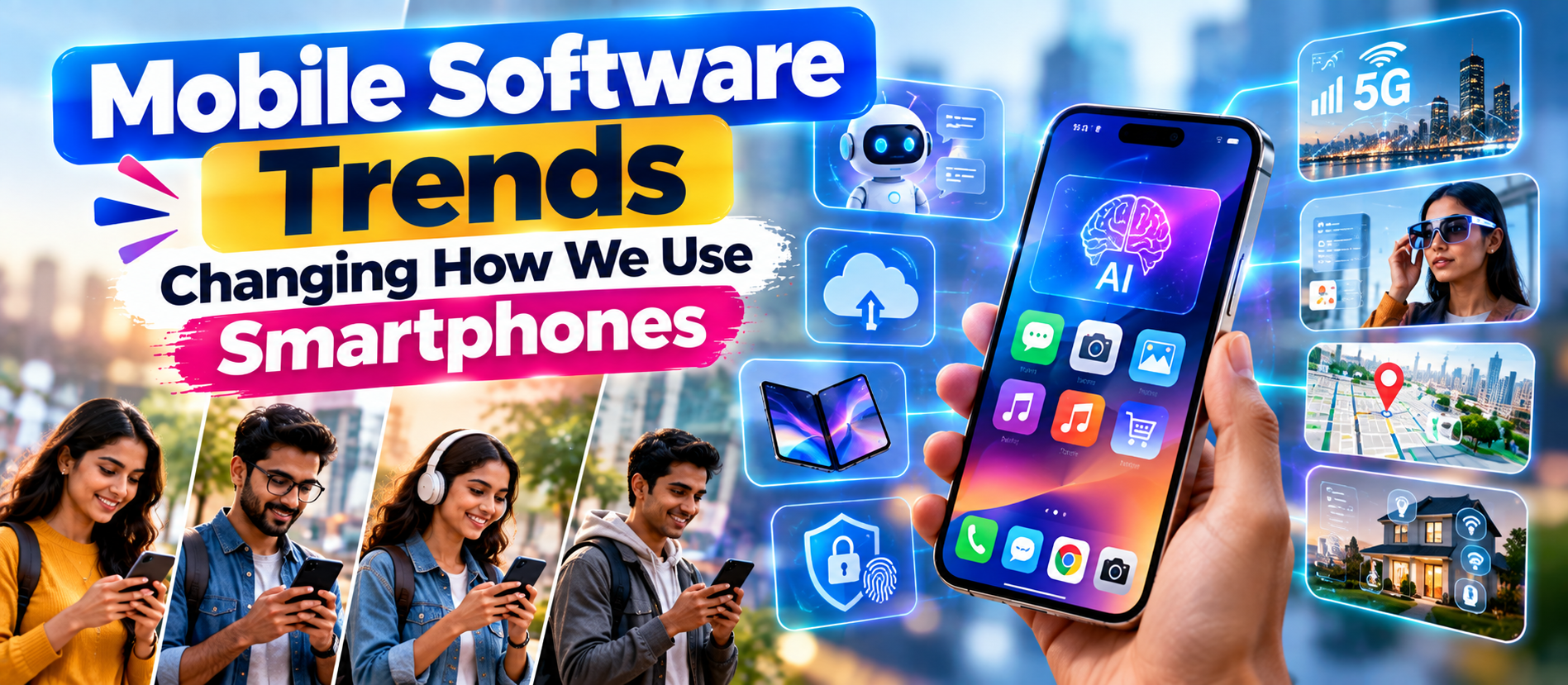
Mobile Software Trends Changing How We Use Smartphones | Digiifrog Smartphones have changed dramatically since the first generation of mobile apps. At first, a phone was mainly a communication device. Then it became a camera, music player, map, wallet, entertainment system, and portable computer.
Now another shift is taking place.
Mobile software is becoming more intelligent, more personalized, more connected, and more capable of completing tasks for users. Instead of simply opening an app and moving through menus, users increasingly expect software to understand context, predict needs, automate repetitive actions, and work across devices.
That change is creating a new generation of mobile software trends.
This article explores the major smartphone software trends shaping mobile experiences. It covers on-device AI, AI agents, adaptive apps, foldables, privacy, passkeys, personalization, mobile commerce, cross-device workflows, app performance, accessibility, and the changing role of mobile apps.
The focus is practical. The goal is to explain what these trends mean for everyday smartphone users, businesses, marketers, and mobile app developers.
Quick Answer: What Are the Biggest Mobile Software Trends?
The most important mobile software trends include:
- On-device AI: More AI processing is moving directly onto smartphones.
- AI agents: Mobile software is beginning to perform multi-step tasks instead of only responding to commands.
- Adaptive apps: Apps are being designed for phones, tablets, foldables, desktops, cars, and other screens.
- Personalized experiences: Apps increasingly adapt content and actions to individual users and contexts.
- Privacy-first software: Users expect clearer permissions, stronger security, and better control over personal data.
- Passkeys and password less authentication: Sign-in is becoming easier and more secure.
- Cross-device experiences: Smartphones increasingly work as part of a larger device ecosystem.
- Smarter mobile commerce: Shopping, payments, delivery, loyalty, and customer service are becoming more integrated.
- Voice and multimodal interaction: Users can increasingly interact through voice, images, text, camera input, and other signals.
- Performance and battery efficiency: Fast startup, low memory use, stability, and responsible background activity remain critical.
1. On-Device AI Is Changing the Smartphone Experience
One of the biggest changes in mobile software is the movement of AI closer to the device.
Traditional AI features often depend heavily on cloud servers. A smartphone sends information to a remote service, the service processes it, and the result comes back.
💡 Key Insight
That model is still important. But modern smartphones increasingly have hardware and software designed to perform some AI processing locally.
Apple's developer platform, for example, provides access to on-device foundation models through its Foundation Models framework. Apple describes this approach as fast, privacy-focused, and capable of working offline for supported experiences.
Android is also moving toward an intelligence-system model. Google describes Android as evolving beyond an application launchpad toward an active task orchestrator, with on-device APIs and cloud integrations that can allow system agents to work across local apps and web services.
What on-device AI can change
- Faster AI responses.
- Some AI features working without an internet connection.
- Lower latency for certain tasks.
- More private processing for appropriate use cases.
- Smarter camera features.
- Local text summarization and rewriting.
- Personalized suggestions.
- More intelligent accessibility tools.
For users, the important change is simple: AI is becoming part of the phone itself rather than being limited to separate chatbot apps.
2. AI Agents Are Turning Apps Into Task Executors
A traditional app waits for instructions. An AI-enabled app can increasingly interpret a goal and help complete several steps.
Imagine saying:
“Find my train information, check the arrival time, and add a reminder for when I should leave.”
Instead of opening several apps and repeating the same process manually, an intelligent system could coordinate the steps.
This is the broader idea behind AI agents on smartphones.
Google's current Android direction explicitly describes users asking AI to perform steps across multiple apps rather than opening apps one by one.
Why AI agents matter
AI agents can change the role of the app. The app becomes a service that participates in a larger task rather than the place where the entire task must happen.
This can affect:
- Travel planning.
- Shopping.
- Calendar management.
- Messaging.
- Document handling.
- Customer service.
- Personal finance.
- Productivity.
- Navigation.
- Smart-home control.
This does not mean every smartphone task will become fully automated. Permissions, security, reliability, and user control remain essential.
3. Apps Are Becoming Adaptive Across More Screens
The idea of a “mobile app” is becoming broader.
Users may start on a phone, continue on a tablet, use a foldable device, move to a desktop interface, and interact with the same service through another connected screen.
Android's adaptive app guidance now covers phones, tablets, foldables, desktops, connected displays, cars, TVs, and XR devices. Google recommends that apps adapt to different screen sizes, window modes, input methods, and device postures.
This means developers can no longer assume that a smartphone app will always run in one fixed portrait layout.
What adaptive software means
- Layouts resize intelligently.
- Navigation changes based on available screen space.
- Keyboard and mouse input can be supported where relevant.
- Stylus interaction can be supported on larger devices.
- Apps can use split-screen layouts.
- Foldable postures can create new interaction patterns.
- App state should survive device transitions.
Adaptive design is therefore becoming a competitive advantage rather than an optional visual improvement.
4. Foldable Phones Are Creating New Software Experiences
Foldable smartphones introduce a different software problem.
A traditional phone has one main screen. A foldable may have an outer display and a larger inner display. Some devices can also support different postures, including tabletop or book-like configurations.
Android documentation highlights the need for apps to remain usable during folding and unfolding, preserve state, and adapt content to different display configurations.
This creates new opportunities.
A productivity app could show a document on one side and controls on another. A translation application could use separate areas for two languages. A video application could use the larger screen for playback and another area for controls.
The result is a shift from “responsive layout” toward context-aware interface design.
5. Personalization Is Becoming More Intelligent
Personalization is not new. Mobile apps have recommended products, videos, songs, articles, and notifications for years.
The difference is that AI can make personalization more contextual.
Instead of only asking what a user clicked before, software can potentially consider the user's current task, time, device, location permissions, previous interactions, and preferences.
For example, a productivity app might change the interface during a meeting. A travel app might prioritize boarding information when a trip is approaching. A fitness app might change recommendations based on activity patterns.
The challenge is balancing helpful personalization with privacy.
Users want software that understands them. They do not want software that secretly collects everything about them.
6. Privacy Is Becoming a Product Feature
Privacy is no longer only a legal or security topic. It is increasingly part of the user experience.
Modern mobile platforms encourage developers to minimize permissions and clearly explain why sensitive access is required. Google's current Android app quality guidance emphasizes minimum permissions, clear explanations, runtime permission requests, secure handling of sensitive data, and privacy-aware logging.
This matters because mobile apps can access highly sensitive information.
Depending on permissions, an app may interact with:
- Location.
- Camera.
- Microphone.
- Contacts.
- Photos.
- Messages.
- Health information.
- Financial information.
- Files and documents.
The future of mobile software will therefore involve a stronger privacy bargain: apps must provide clear value for the data they request.
7. Passkeys Are Changing Mobile Login
Passwords are inconvenient. They are also frequently reused, forgotten, exposed, or targeted by phishing attacks.
Passkeys offer another approach.
Android's Credential Manager provides a unified sign-in experience for passkeys, passwords, and federated identity methods. Google also highlights passkey-based authentication as part of modern Android identity experiences.
For users, this can make authentication feel more natural.
Instead of remembering another password, a user may authenticate using the device's built-in security mechanisms.
Why this matters for apps
- Faster sign-in.
- Less password friction.
- Better resistance to some phishing scenarios.
- Improved account recovery experiences when implemented correctly.
- More consistent authentication across supported devices.
As password less authentication becomes more common, the login screen itself may become less visible in everyday mobile experiences.
8. Voice and Multimodal Interaction Are Expanding
Touchscreens changed mobile computing. AI is now adding more ways to interact.
Users can increasingly combine text, voice, images, camera input, and other signals.
For example, a user could take a photo of a product and ask a question about it. They could speak a request instead of typing. They could point a camera at an object and ask for an explanation.
This is called multimodal interaction.
It matters because people do not naturally think in one input format.
Sometimes typing is easiest. Sometimes voice is faster. Sometimes the camera provides the most useful context.
Future mobile software will increasingly choose the right input method for the task rather than forcing every task through a text box.
9. Mobile Apps Are Becoming More Context-Aware
Context-aware software tries to understand what is happening around the user.
Context can include:
- Time of day.
- Current activity.
- Device state.
- Network availability.
- Screen size.
- User preferences.
- Current task.
- Recent app activity.
- Connected accessories.
Good context awareness can reduce unnecessary actions.
Bad context awareness can feel invasive.
The difference is transparency and control. Users should understand why an app is making a suggestion and should be able to control sensitive features.
10. Super Apps and All-in-One Mobile Experiences
Another important trend is the growth of multi-service mobile platforms.
Instead of using separate applications for messaging, payments, shopping, delivery, travel, and services, some platforms combine several functions into one ecosystem.
This model is often called a super app.
Super apps can reduce app switching. They can also create stronger ecosystems because one service can introduce users to another.
Benefits
- Fewer app switches.
- Unified accounts.
- Integrated payments.
- Shared loyalty programs.
- Cross-service personalization.
- More convenient customer journeys.
Challenges
- Large application complexity.
- Privacy concerns.
- Higher security responsibility.
- Potential user lock-in.
- More complicated interfaces.
For businesses, the super-app trend shows that customers increasingly value connected experiences rather than isolated features.
11. Mobile Commerce Is Becoming More Intelligent
Smartphones are already central to online shopping. The next step is more intelligent commerce.
AI can help users discover products, compare options, answer questions, summarize reviews, and receive personalized recommendations.
Mobile commerce is also becoming connected with digital wallets, loyalty programs, delivery tracking, customer service, and post-purchase support.
This creates a complete customer journey inside the mobile environment.
For businesses, this means
- Mobile pages must load quickly.
- Checkout should be simple.
- Product discovery should be easy.
- Customer support should work inside the mobile journey.
- Payments should be secure.
- Personalization should respect privacy.
- Apps should work across relevant screen sizes.
12. Mobile Payments Are Becoming Part of Everyday Software
Mobile wallets have changed how users think about payments.
The smartphone can act as a payment device, identity tool, ticket holder, loyalty card, and transaction history.
This means payment functionality is becoming less like a separate activity and more like an embedded part of other experiences.
A transportation application can combine route planning, tickets, and payment. A retail app can combine product discovery, loyalty, checkout, and delivery.
The result is a more connected mobile experience.
13. App Performance Is Still a Major Competitive Advantage
New AI features can make applications more powerful. But users still care about basic performance.
A beautiful app that takes too long to load can lose users.
⚠ Watch Out
Google's current Android quality guidance emphasizes fast startup, responsive rendering, stability, current SDK support, battery management, and efficient resource use. It also recommends that apps avoid crashes and maintain state correctly.
This is important because software trends do not replace fundamentals.
Users still expect:
- Fast startup.
- Smooth scrolling.
- Reliable synchronization.
- Low crash rates.
- Reasonable battery usage.
- Responsive controls.
- Stable performance on different devices.
AI should improve the experience, not make the basic application slower.
14. Battery Efficiency Matters More as Apps Become Smarter
AI processing, location services, background synchronization, camera features, and high-quality media can consume significant resources.
That creates a difficult balance.
Apps need to be intelligent without constantly draining the battery.
Good mobile software therefore needs to manage background work carefully, use efficient APIs, process tasks locally when appropriate, and avoid unnecessary network activity.
Battery efficiency may become even more important as AI-powered features become a standard part of mobile applications.
15. Accessibility Is Becoming a Core Mobile Software Requirement
Mobile software is used by people with different abilities, languages, ages, and interaction preferences.
Accessibility features can include:
- Screen-reader support.
- Voice control.
- Large text.
- High contrast.
- Keyboard support.
- Alternative input methods.
- Captions.
- Clear touch targets.
- Reduced motion options.
Adaptive software also creates accessibility opportunities because layouts can respond to different screen sizes and input methods.
Accessibility should not be treated as a final testing step. It should be part of product design from the beginning.
16. Mobile Software Is Moving Toward Cross-Device Continuity
Users rarely live inside one device anymore.
They may have a smartphone, laptop, tablet, smartwatch, headphones, car display, smart TV, or other connected products.
The expectation is increasingly simple: start something on one device and continue it elsewhere.
This can include:
- Continuing a document.
- Moving media playback.
- Answering messages.
- Sharing files.
- Continuing navigation.
- Using the phone as a controller.
- Syncing settings and preferences.
The smartphone is therefore becoming a hub in a larger software ecosystem.
17. Cloud Software and Local Software Are Working Together
The future is not necessarily “cloud versus device.” It is increasingly a hybrid model.
Some tasks are best performed locally. Others need cloud-scale computing.
For example, a phone might use on-device AI for quick private tasks and cloud AI for larger workloads. Android's current developer guidance explicitly discusses both on-device inference and cloud or hybrid AI approaches.
This hybrid model can balance:
- Speed.
- Privacy.
- Cost.
- Capability.
- Offline availability.
- Battery usage.
18. Mobile Apps Are Becoming More Proactive
Traditional software waits for users.
Modern software increasingly anticipates useful actions.
Examples include reminders, travel alerts, suggested replies, delivery updates, calendar suggestions, personalized recommendations, and security warnings.
The next step is more contextual proactivity powered by AI.
But proactive software must avoid becoming noisy.
Too many notifications can make an app less useful.
The best mobile experiences will likely focus on fewer but more relevant interventions.
19. Mobile Security Is Becoming More Invisible
Users do not want to think about security all day. They want secure software that is easy to use.
This is why technologies such as biometrics, passkeys, secure device storage, permission controls, and automatic security protections are important.
Android's current quality guidance includes biometric protection for sensitive transactions and Credential Manager support for modern authentication.
The trend is clear: security is moving deeper into the operating system and user experience.
20. What These Mobile Software Trends Mean for Businesses
Businesses cannot treat mobile apps as simple digital brochures anymore.
A modern mobile product may need to provide:
- AI assistance.
- Personalized experiences.
- Fast performance.
- Secure authentication.
- Adaptive layouts.
- Mobile payments.
- Customer support.
- Offline functionality where useful.
- Cross-device continuity.
- Strong privacy controls.
Businesses should not add every trend simply because it is popular.
Instead, start with customer problems.
Ask:
- What tasks are customers trying to complete?
- Where are users losing time?
- Which actions can AI simplify?
- Which information should remain private?
- Which devices do customers actually use?
- Where does the current app experience create friction?
Then select technology based on those answers.
Mobile Software Trends and SEO, AEO, GEO and AI Search
Mobile software trends also affect digital marketing.
For SEO, businesses need fast, mobile-friendly websites and useful content that answers user questions clearly.
For AEO, content should provide direct answers to questions such as “What is on-device AI?” or “What are adaptive apps?”
For GEO and AI Search, content should be structured so AI systems can understand definitions, comparisons, examples, and business implications.
A strong article should therefore include:
- Clear definitions.
- Short answer sections.
- Descriptive headings.
- Comparison tables.
- Practical examples.
- Frequently asked questions.
- Consistent terminology.
- Evidence from authoritative sources.
Mobile content also needs to be easy to read on small screens. Short paragraphs, meaningful headings, and clear lists help both users and search systems understand the page.
How the Smartphone Experience Could Change Next
The long-term direction is not simply more apps.
It is fewer steps between intention and action.
Today, a user may open an app, search, select an option, enter information, confirm an action, switch to another app, and repeat the process.
Tomorrow, more of those steps may be handled by intelligent software.
The smartphone could become less of an app launcher and more of a personal digital assistant that coordinates services.
That is a major conceptual change.
Key Benefits of the New Mobile Software Era
| Trend User Benefit Business Opportunity | ||
| On-device AI | Faster and potentially more private intelligence | Smarter app features |
| AI agents | Fewer manual steps | Automated customer journeys |
| Adaptive apps | Better experiences across devices | Broader device reach |
| Passkeys | Easier sign-in | Lower authentication friction |
| Personalization | More relevant content | Higher engagement |
| Privacy-first design | Greater control and trust | Stronger brand reputation |
| Cross-device continuity | Seamless workflows | Stronger ecosystem engagement |
| Mobile commerce | Faster purchasing | More connected customer journeys |
Common Mistakes Businesses Should Avoid
- Adding AI without a real customer use case.
- Ignoring older devices.
- Designing only for one screen size.
- Requesting unnecessary permissions.
- Creating too many notifications.
- Ignoring battery impact.
- Making authentication complicated.
- Collecting data without clear value.
- Building features before understanding user behavior.
- Ignoring accessibility.
Frequently Asked Questions About Mobile Software Trends
What are the biggest mobile software trends in 2026?
The major trends include on-device AI, AI agents, adaptive apps, foldable support, personalization, privacy-first software, passkeys, multimodal interaction, cross-device experiences, mobile commerce, and stronger performance requirements.
What is on-device AI?
On-device AI means AI processing that happens partly or fully on the smartphone rather than always relying on remote cloud servers. It can provide lower latency and, for appropriate workloads, improved privacy and offline capabilities.
What are AI agents on smartphones?
AI agents are software systems that can interpret goals and perform multiple steps. Instead of only answering a question, an agent may coordinate actions across apps or services when the platform and permissions allow it.
Why are adaptive apps important?
Adaptive apps adjust their interface and behavior for different screen sizes, device types, window modes, and input methods. This matters as users move between phones, tablets, foldables, desktops, and other connected displays.
Are foldable phones changing mobile app design?
Yes. Foldables create new screen sizes and device postures. Apps may need to support different layouts, preserve state during folding and unfolding, and take advantage of larger displays.
Why are passkeys important for mobile apps?
Passkeys can make authentication simpler while reducing reliance on traditional passwords. Modern Android identity tooling supports passkeys alongside passwords and federated sign-in methods.
Will AI replace mobile apps?
AI is unlikely to eliminate every app. Instead, AI may change how users access app capabilities. Users may increasingly ask an assistant to perform tasks that currently require opening several apps manually.
What should businesses prioritize when building mobile software?
Businesses should prioritize user needs, performance, security, privacy, accessibility, adaptive design, and clear workflows. AI should be added where it provides measurable value rather than simply because it is a current trend.
Final Thoughts
The smartphone is becoming more than a collection of apps.
It is becoming an intelligent, connected computing environment that can understand context, coordinate services, adapt to different screens, and automate parts of everyday work.
On-device AI can bring intelligence closer to the user. AI agents can reduce repetitive steps. Adaptive software can make apps work across phones, tablets, foldables, desktops, and other displays. Passkeys and privacy-first design can make digital services safer and easier to use.
But technology alone does not create a great mobile experience.
The strongest products will combine innovation with fundamentals: speed, reliability, clarity, security, accessibility, and user control.
For businesses, the message is simple. Do not build mobile software around trends alone. Build around customer problems, then use the right technology to solve them.
That is how mobile software becomes genuinely useful.
About Digiifrog
Digiifrog creates practical content about digital marketing, software, AI, SEO, AEO, GEO, AI Search, web development, and technology for modern businesses and digital professionals.
Explore more insights at www.digiifrog.com.
Primary SEO Keyword: Mobile Software Trends
Secondary Keywords: smartphone software trends, mobile app trends 2026, future of mobile apps, AI smartphone apps, on-device AI, AI agents mobile, adaptive apps, mobile privacy, mobile technology trends, smartphone trends.
Sources for Further Reading
- Android Intelligence System
- Android Adaptive and Core App Quality Guidelines
- Android Credential Manager and Cross-Form-Factor Authentication
- Apple Intelligence and iOS 26
Ready to Grow?
Talk to us about a strategy tailored to your brand — we will help you stand out in search, AI discovery and social.


Comments (0)
Log in to leave a comment.