📋 Quick Summary
In this article:
1. Install a Smart Thermostat
2. Upgrade to Smart Lighting
3. Add Motion Sensors
4. Install a Smart Video Doorbell
5. Use Smart Security Cameras
6. Upgrade to Smart Door Locks
7. Add Smart Garage Control
8. Use Smart Plugs
9. Monitor Energy Use
10. Add Smart Leak Sensors
11. Use Smart Smoke and Carbon Monoxide Alarms
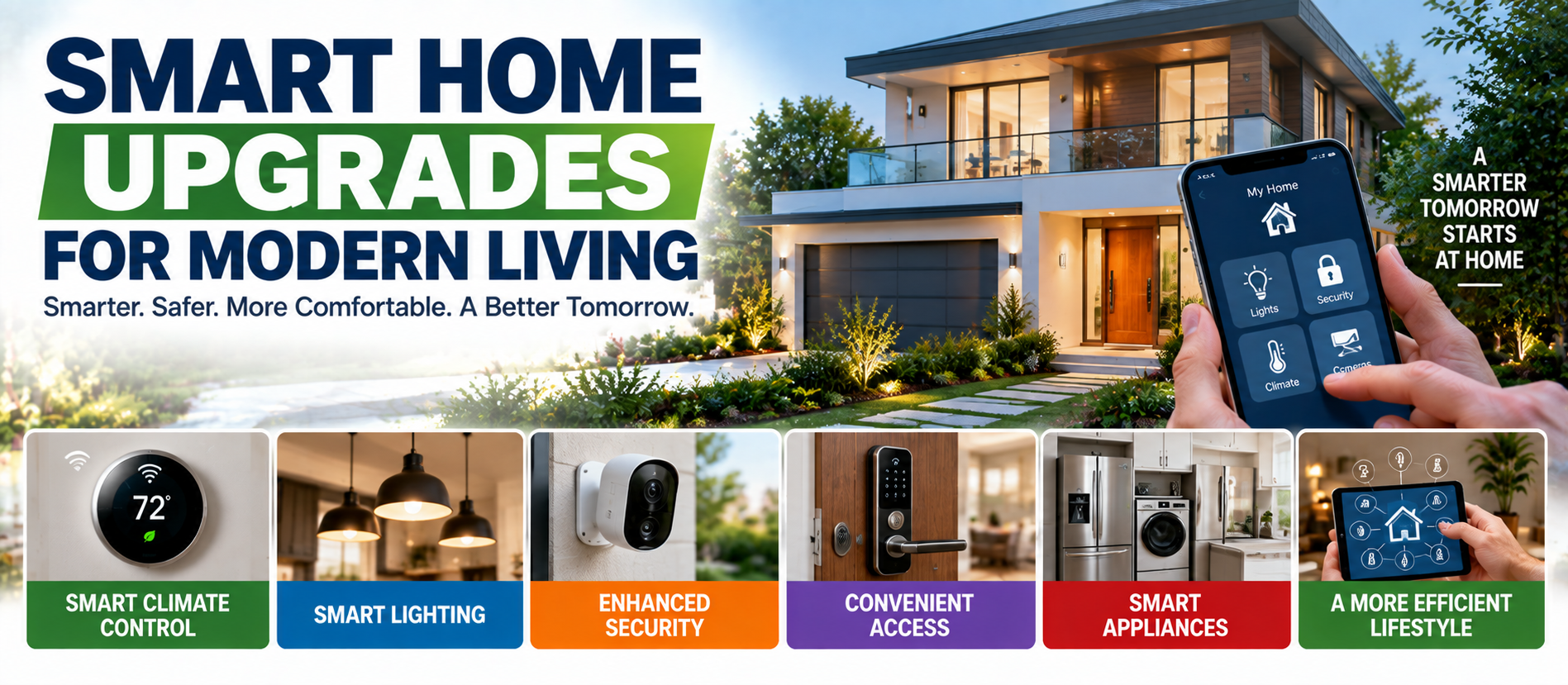
Smart home technology can make everyday life more convenient, comfortable, secure, and efficient. Homeowners can control lighting, climate, security, appliances, and other systems through phones, voice assistants, sensors, and routines.
The best smart home upgrades for modern living are not about buying every connected device. They are about choosing technology that solves real problems and reduces repetitive tasks.
This guide explains practical smart home upgrades for homeowners. It covers lighting, thermostats, security, energy monitoring, water protection, connectivity, privacy, automation, and installation. The content uses short, direct sentences for better readability and is optimized for SEO, AEO, GEO, and AI Search.
What Is a Smart Home?
A smart home uses connected devices and software to control or automate household functions. Devices may communicate through Wi-Fi, Bluetooth, Zigbee, Z-Wave, Matter, or other technologies.
A basic setup may include smart lights and a thermostat. A larger system can connect security cameras, locks, sensors, appliances, shades, HVAC equipment, and energy systems.
The goal is simple: use technology where it provides a clear benefit.
1. Install a Smart Thermostat
A smart thermostat can provide schedules, remote control, temperature alerts, and energy information. Some models can adjust settings based on occupancy or usage patterns.
Before buying one, check compatibility with your HVAC system. Heat pumps, multi-stage systems, and zoning controls may require specific thermostats.
2. Upgrade to Smart Lighting
Smart bulbs, switches, and dimmers allow homeowners to create schedules, scenes, timers, and remote controls. They can be useful for bedrooms, living rooms, hallways, porches, and outdoor areas.
Smart switches can be useful where normal wall-switch operation is important. Choose devices that work with your existing electrical system and smart home platform.
3. Add Motion Sensors
Motion or occupancy sensors can automatically activate lights or trigger other routines. They are useful in hallways, bathrooms, garages, and entry areas.
Correct placement matters. Poor placement can cause unwanted activation or missed detection.
4. Install a Smart Video Doorbell
A smart video doorbell can provide a live view of the entrance and send activity notifications. Depending on the model, it may offer two-way audio, night vision, package detection, and video recording.
Review storage options and privacy settings before installation.
5. Use Smart Security Cameras
Connected cameras can provide visibility around doors, driveways, garages, and other outdoor areas. Select locations carefully and respect privacy.
Use strong passwords and multi-factor authentication when available. Keep camera software updated.
6. Upgrade to Smart Door Locks
Smart locks can provide keyless entry, temporary access codes, remote status checks, and automatic locking. They can be useful for families, guests, and service providers.
Keep a backup entry method. Battery failure or connectivity problems should not leave you locked out.
7. Add Smart Garage Control
A connected garage controller can allow homeowners to check whether the garage door is closed and receive alerts when it remains open.
This is especially useful for homeowners who often leave home in a hurry or want remote status information.
8. Use Smart Plugs
Smart plugs can add schedules and remote control to compatible lamps and small appliances. They are an easy starting point for home automation.
Always check the electrical rating. Do not connect equipment that exceeds the smart plug's rated load.
9. Monitor Energy Use
Smart energy monitors can show how much electricity a home uses. Some systems monitor the whole property, while others track individual circuits or devices.
Energy information can help identify unusual consumption and high-use systems.
10. Add Smart Leak Sensors
Water leaks can cause expensive damage. Smart leak sensors can detect water and send alerts to a phone.
Useful locations include under sinks, near water heaters, washing machines, dishwashers, refrigerators with water connections, and basement plumbing.
Some homes may also benefit from an automatic water shutoff system.
11. Use Smart Smoke and Carbon Monoxide Alarms
Connected smoke and carbon monoxide alarms can send notifications when an alarm condition is detected. Smart features should supplement required safety equipment.
Install and test alarms according to manufacturer instructions and applicable local requirements.
12. Add Indoor Air Quality Sensors
Some smart sensors monitor temperature, humidity, particulate matter, carbon dioxide, or other indoor conditions.
These devices can show changes in indoor air quality. A sensor does not solve an air quality problem by itself.
13. Automate Window Shades
Motorized shades can open and close according to schedules or other automation rules. They can improve convenience and help manage sunlight.
Automation settings should match the home's orientation, climate, and daily routine.
14. Improve Wi-Fi Coverage
Reliable Wi-Fi is important because many smart devices depend on a stable network. Weak coverage can cause delayed commands and disconnected devices.
A mesh Wi-Fi system may help larger homes. Place network equipment carefully to improve coverage and reduce interference.
15. Use a Central Smart Home Platform
Managing every device through a separate application can become difficult. A compatible central platform can combine multiple devices and routines.
Before choosing a platform, check device compatibility, automation features, privacy, security, and future support.
16. Consider Matter-Compatible Devices
Matter is an industry standard designed to improve interoperability between compatible smart home devices and platforms.
When buying new equipment, check whether it works with your current ecosystem. Compatibility today can make future expansion easier.
17. Create Simple Automation Routines
Automation can combine actions into one routine. A bedtime routine might lock doors, turn off lights, adjust the thermostat, and close shades.
An away routine might turn off unnecessary lights, change the thermostat, and activate selected security devices.
Keep routines simple. Automation should reduce work, not create confusion.
18. Add Smart Outdoor Lighting
Smart outdoor lighting can be scheduled around sunset, time, or motion. It can improve convenience and visibility around entrances, walkways, and driveways.
Use outdoor-rated equipment. Permanent electrical work should be completed by a qualified electrician.
19. Consider Smart Irrigation
Smart irrigation controllers can adjust watering schedules using time, weather information, soil conditions, or other inputs.
Efficient irrigation can reduce unnecessary water use. Always consider local climate, plant requirements, and seasonal conditions.
20. Upgrade Smart Appliances Carefully
Smart refrigerators, ovens, washers, dryers, and dishwashers can provide alerts and remote controls.
Do not buy a connected appliance only because it has more features. Consider reliability, energy use, maintenance, privacy, software support, and the usefulness of the features.
21. Smart Home Technology for Accessibility
Voice controls, automated lighting, motorized shades, smart locks, and sensors can make some homes easier to use.
Design the system around actual needs. Keep physical controls available for important functions whenever practical.
22. Secure Your Smart Home
Connected devices can collect information and access your home network. Security should therefore be part of every smart home plan.
- Use strong, unique passwords.
- Enable multi-factor authentication when available.
- Install software and firmware updates.
- Replace default passwords.
- Use a secure Wi-Fi network.
- Remove devices that are no longer used.
23. Protect Smart Home Privacy
Cameras, microphones, sensors, and connected appliances may collect personal information. Review privacy settings and understand what each device records or stores.
Choose manufacturers that provide clear information about security, data handling, and software support.
24. Keep Manual Backups
Internet outages, power failures, dead batteries, and software problems can affect smart home devices.
Keep essential functions available manually. Physical switches, mechanical keys, and local controls can be valuable during an outage.
25. Avoid Over-Automation
A home does not become better simply because more devices are connected. Too many rules can cause unwanted actions.
Start with a few useful automations. Add more only when they solve a clear problem.
26. Smart Home Upgrades That May Save Energy
Smart thermostats, occupancy-based lighting, energy monitoring, automated shades, and smart controls may help reduce unnecessary energy use.
Actual savings depend on the home, equipment, climate, utility rates, and how the devices are used.
27. Smart Home Upgrades for Security
Security-focused systems can combine cameras, video doorbells, door sensors, motion sensors, smart locks, and alarms.
Reliable notifications are important. A system that produces too many false alerts can become difficult to use.
28. DIY or Professional Installation?
Some devices, such as smart bulbs, plugs, sensors, and wireless cameras, may be suitable for homeowners who are comfortable following installation instructions.
Electrical wiring, panel work, permanent HVAC modifications, plumbing shutoff installation, and other specialized work should be handled by qualified professionals.
29. Create a Smart Home Budget
Smart home costs range from simple devices to systems. Include device costs, hubs, subscriptions, installation, batteries, networking, and future replacement costs.
Subscription fees deserve special attention. Some products require ongoing payments for cloud storage, advanced alerts, professional monitoring, or additional features.
30. Maintain Your Smart Home
Smart devices need regular attention. Replace batteries, update software, test important routines, clean sensors, and review connected accounts.
Keep a simple list of devices and their applications. This can make troubleshooting easier.
Common Smart Home Mistakes
- Buying devices without checking compatibility.
- Ignoring Wi-Fi coverage.
- Using weak passwords.
- Skipping software updates.
- Ignoring subscription costs.
- Relying completely on cloud services.
- Ignoring privacy settings.
- Installing too many devices at once.
- Using unqualified people for electrical work.
A Simple Smart Home Upgrade Plan
- Identify the household problems you want to solve.
- Improve Wi-Fi if coverage is poor.
- Choose a compatible smart home platform.
- Start with one or two useful devices.
- Secure every device and account.
- Test the system before expanding it.
- Add automation gradually.
- Keep manual controls for important functions.
- Review devices and security settings regularly.
AEO: Frequently Asked Questions
What are the best smart home upgrades for modern living?
Useful upgrades include smart thermostats, lighting, video doorbells, security cameras, smart locks, leak sensors, energy monitors, smart plugs, automated shades, and reliable Wi-Fi. The best choices depend on household needs.
Is a smart home worth the investment?
A smart home can be worthwhile when it solves real problems involving convenience, security, safety, accessibility, or energy management. Value depends on purchase cost, installation, subscriptions, reliability, and actual use.
What is the easiest smart home upgrade?
Smart bulbs, smart plugs, wireless sensors, and some smart speakers are simple starting points. Always check compatibility before purchasing.
Can smart home devices reduce energy bills?
Some devices can reduce unnecessary energy use. Smart thermostats, occupancy-based lighting, energy monitoring, and automated controls may help. Savings vary by home and usage.
Are smart home devices secure?
Security varies by product and manufacturer. Strong passwords, multi-factor authentication, software updates, secure Wi-Fi, and privacy settings can reduce common security risks.
Do I need a smart home hub?
Not always. Some devices connect directly through Wi-Fi or Bluetooth, while others require a hub or controller. Requirements depend on the device and platform.
What is Matter?
Matter is an industry standard intended to improve interoperability between compatible smart home devices and platforms. Check the exact compatibility of each product.
SEO, AEO, GEO & AI Search Optimization
This article is optimized around search topics including smart home upgrades for modern living, smart home technology, smart home devices, home automation ideas, smart home security, smart thermostat, smart lighting, smart home energy saving, and smart home safety.
The content uses direct answers, short paragraphs, practical lists, descriptive headings, and FAQ content. This structure helps traditional search engines, answer engines, generative search systems, and AI-powered search tools understand the topic and retrieve useful information.
Final Thoughts
Smart home technology can make modern living easier when it is selected carefully. The goal is not to connect every appliance. The goal is to use technology where it provides clear value.
Start with practical improvements such as smart lighting, climate control, security, leak detection, or energy monitoring. Check compatibility before expanding the system.
💡 Key Insight
Security and privacy should be included from the beginning. Use strong passwords, multi-factor authentication, software updates, and appropriate privacy settings. Keep manual controls for essential functions.
For electrical, HVAC, plumbing, and other specialized work, use qualified professionals. With thoughtful planning, a smart home can become a useful part of modern living without becoming unnecessarily complicated.
Digiifrog
Website: www.digiifrog.com
Digiifrog specializes in SEO, AEO, GEO, AI Search optimization, content marketing, and digital growth strategies.
Ready to Grow?
Talk to us about a strategy tailored to your brand — we will help you stand out in search, AI discovery and social.


Comments (0)
Log in to leave a comment.