📋 Quick Summary
In this article:
Why Businesses Are Adopting AI in 2026
How to Choose AI Software for Your Business
Best AI Software Tools for Businesses in 2026
1. ChatGPT — General Business AI
2. Microsoft 365 Copilot — AI for Microsoft Workflows
3. Google Gemini — AI for Google Workspace
4. Claude — Writing, Analysis, and Knowledge Work
5. Salesforce — AI for CRM and Sales
6. HubSpot Breeze — AI for Marketing, Sales, and CRM
7. Canva AI — Business Design
8. Jasper — AI Marketing Content
Introduction
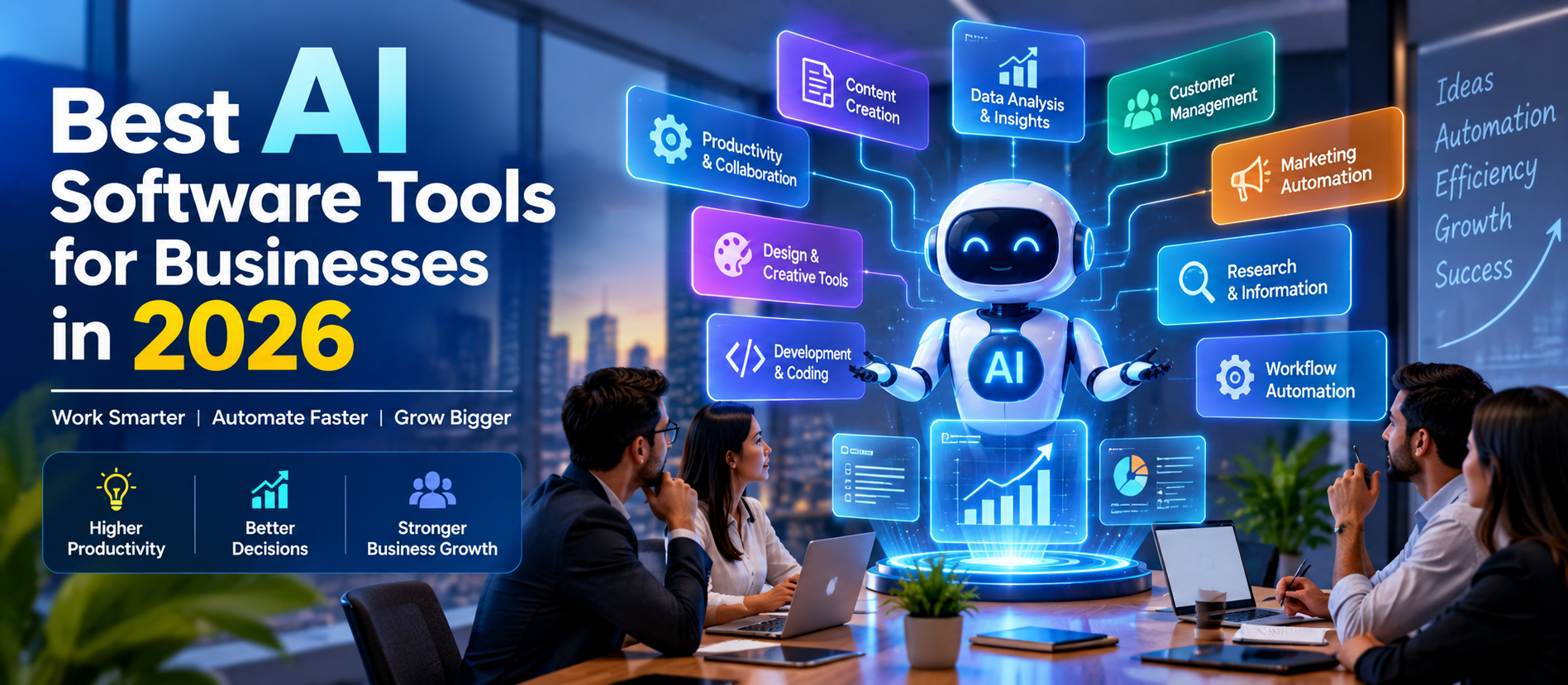
Artificial intelligence has moved from an experimental technology to a practical business tool. In 2026, companies can use AI to write and analyze documents, research markets, support customers, summarize meetings, create visuals, analyze sales data, write code, automate workflows, and build AI agents.
Choosing AI software is becoming harder because many tools now offer overlapping features. The right question is not simply which AI model is smartest. It is which tool solves a real business problem, fits existing systems, protects business data, and produces measurable value.
Current 2026 business-AI comparisons increasingly emphasize workflow fit, data grounding, security, integrations, and adoption rather than model benchmarks alone.
Why Businesses Are Adopting AI in 2026
AI can reduce repetitive work and help employees process information faster. Common uses include:
- Writing and editing
- Research and summarization
- Customer support
- Lead qualification
- Sales follow-up
- Marketing automation
- Meeting summaries
- Data analysis
- Software development
- Image and video creation
- Workflow automation
- AI agents
A 2026 small-business AI review reported that 67% of businesses were already using AI. This is a third-party survey-based estimate, so it should be treated as an adoption indicator rather than a universal measurement.
How to Choose AI Software for Your Business
- Define the problem: Identify a slow, repetitive, expensive, or difficult task.
- Measure the baseline: Record time, cost, errors, response time, or conversions.
- Check integrations: Review your CRM, email, documents, communication, and automation systems.
- Review data controls: Understand storage, access, retention, and training policies.
- Test adoption: A powerful tool has little value if employees do not use it.
- Measure results: Compare the new workflow with the baseline.
Best AI Software Tools for Businesses in 2026
1. ChatGPT — General Business AI
ChatGPT can support writing, research, analysis, brainstorming, coding, customer work, and business workflows. OpenAI describes business workflows that can connect customer and campaign context from tools such as HubSpot, Salesforce, Google Drive, SharePoint, Mailchimp, Adobe, Canva, Slack, and other systems.
Useful for: research, writing, strategy, data analysis, customer insights, campaign planning, sales preparation, and general knowledge work.
Best fit: businesses that want one flexible AI environment across several departments.
2. Microsoft 365 Copilot — AI for Microsoft Workflows
Microsoft 365 Copilot is designed for organizations using Microsoft 365. It works across Word, Excel, PowerPoint, Outlook, and Teams.
Microsoft's current business offering includes AI chat, reasoning capabilities, business-data context, search across business information, pre-built agents, analytics, and more than 100 connectors.
Useful for: documents, email, spreadsheets, presentations, meetings, research, business search, and employee productivity.
Best fit: organizations deeply invested in Microsoft 365.
3. Google Gemini — AI for Google Workspace
Gemini is Google's AI layer for Workspace and broader business workflows. It can help teams brainstorm, create content, analyze information, summarize documents, and generate insights.
Google also offers Gemini Notebook for research based on supplied documents. Gemini Enterprise provides agent management and governance features for organizations deploying AI agents at scale.
Useful for: Gmail, Docs, Sheets, research, document analysis, meetings, and Google-centered workflows.
4. Claude — Writing, Analysis, and Knowledge Work
Claude is an AI assistant from Anthropic for writing, analysis, research, coding, and document-based work.
Useful for: long-form writing, document analysis, research, coding, and knowledge work.
5. Salesforce — AI for CRM and Sales
AI inside CRM software can be especially useful when the goal is to improve sales and customer workflows. Salesforce's current small-business guidance highlights AI assistance for drafting customer emails, summarizing records, sales information, and conversation analysis.
Useful for: sales, customer service, CRM summaries, lead management, and customer-data workflows.
6. HubSpot Breeze — AI for Marketing, Sales, and CRM
HubSpot's Breeze AI capabilities are built around its CRM environment. AI can help teams draft content, summarize customer records, analyze information, and support marketing and sales workflows.
HubSpot also provides an agent that can connect CRM data to Microsoft 365 Copilot, allowing users to retrieve HubSpot information and take actions through a connected environment.
Useful for: marketing automation, CRM, sales, customer service, content, and lead management.
7. Canva AI — Business Design
Canva combines visual design with AI-assisted creation. It is useful for social media graphics, presentations, marketing materials, banners, documents, and brand assets.
Current business-AI guidance also highlights Canva's AI capabilities for generating images, resizing designs, and removing backgrounds.
Useful for: social posts, presentations, advertisements, thumbnails, and marketing graphics.
8. Jasper — AI Marketing Content
Jasper focuses on marketing content and brand-oriented workflows. It can support blog content, advertising copy, campaigns, and brand voice consistency.
Useful for: marketing copy, campaign content, brand messaging, and content operations.
9. Synthesia — AI Video Creation
Synthesia uses AI avatars and voice technology to help businesses create videos without traditional filming for every production. Potential uses include training, onboarding, product explainers, and educational marketing content.
Useful for: training, onboarding, explainers, multilingual content, and business video production.
10. Perplexity — AI Research
AI search tools can help teams research topics, compare information, and identify sources faster. Perplexity is designed around AI-assisted search and cited answers.
Useful for: market research, competitor research, source discovery, current information, and research briefs.
11. GitHub Copilot — AI-Assisted Coding
AI coding assistants can generate code suggestions, explain existing code, create tests, and speed up routine development tasks.
Useful for: coding assistance, debugging, documentation, testing, and developer productivity.
12. Zapier AI — Workflow Automation
AI becomes more valuable when it can trigger actions across business software. Zapier can connect applications and automate repetitive workflows.
Useful for: lead routing, notifications, CRM updates, data movement, email workflows, and administrative tasks.
AI Business Tools by Category
| Business NeedTools to ConsiderTypical Use | ||
| General AI | ChatGPT, Claude, Gemini | Research, writing, analysis |
| Productivity | Microsoft 365 Copilot, Gemini | Documents, email, meetings |
| CRM | Salesforce, HubSpot | Sales and customer workflows |
| Marketing | ChatGPT, Jasper, HubSpot | Campaigns and content |
| Design | Canva | Graphics and presentations |
| Video | Synthesia | Training and explainers |
| Research | Perplexity, Gemini, ChatGPT | Research and summaries |
| Coding | GitHub Copilot, ChatGPT, Claude | Development and debugging |
| Automation | Zapier and similar platforms | Workflow automation |
Do Not Buy AI Tools Just Because They Are Popular
Tool sprawl is becoming a business problem. Before purchasing another AI platform, ask whether the capability already exists in your current software, whether it integrates with your CRM and data, whether employees will use it, and whether the result can be measured.
Microsoft and Google are both moving AI deeper into their existing productivity ecosystems. Businesses should check current subscriptions before adding another standalone AI application.
AI Agents Are Changing Business Software
Traditional AI tools often wait for a human prompt. AI agents are designed to perform multi-step tasks with more autonomy.
For example, a sales agent might receive a lead, research the company, summarize the account, update the CRM, prepare a follow-up draft, and notify a salesperson.
Microsoft offers agents through its Copilot ecosystem, while Google describes Gemini Enterprise as an agentic platform for deploying and managing agents at scale.
Do not automate a broken process. Define permissions, human checkpoints, and monitoring first.
AI Security and Data Privacy
Before employees upload customer records, financial information, confidential documents, or intellectual property, understand the provider's business-data policies.
- Is business data used for model training?
- How is data encrypted?
- Who can access prompts and outputs?
- How long is information retained?
- Can administrators control access?
- Are audit logs available?
- Can the tool connect to sensitive systems?
- What happens when an employee leaves?
Google states that Workspace company data is not used for AI model training or ads, while Microsoft highlights enterprise security and compliance controls for Copilot. Review the exact plan, configuration, region, and contractual terms before deployment.
How to Measure AI ROI
AI ROI should be connected to a business outcome.
- Time saved: Hours removed from repetitive work.
- Revenue: Sales or customer-value impact.
- Cost: Operating expense reduction.
- Quality: Error reduction.
- Speed: Faster customer responses.
- Capacity: More work handled without proportional hiring.
- Adoption: Actual employee usage.
AI Search, SEO, AEO, and GEO
AI is changing how people discover businesses. Customers increasingly ask AI systems to compare products, summarize options, find services, and answer questions.
Businesses should continue creating useful, original, crawlable content. AI Search optimization should focus on clear answers, strong information architecture, accurate facts, helpful examples, and evidence rather than keyword stuffing.
AI can help with topic research, outlines, FAQs, internal links, and content analysis. Human expertise remains important for originality and accuracy.
Visual Strategy for AI-Powered Businesses
- AI workflow diagram: Customer request → AI → CRM → Automation → Human review.
- Tool comparison chart: Compare software by business function.
- ROI dashboard: Show hours saved, leads processed, response time, and revenue.
- AI security diagram: Show data, permissions, human review, and monitoring.
- AI adoption roadmap: Pilot → Test → Integrate → Automate → Optimize.
Practical AI Adoption Roadmap
Phase 1: Identify
List repetitive workflows and estimate time, cost, errors, and business impact.
Phase 2: Select
Choose tools based on workflow fit, integrations, security, cost, and employee experience.
Phase 3: Pilot
Start with one team and one measurable workflow.
Phase 4: Integrate
Connect AI with CRM, documents, communication tools, analytics, and automation where appropriate.
Phase 5: Govern
Create rules for sensitive data, permissions, human review, approved tools, and AI-generated content.
Phase 6: Scale
Expand successful workflows and track adoption and business results continuously.
Common AI Implementation Mistakes
- Buying too many tools at once.
- Choosing software before defining the problem.
- Ignoring data privacy.
- Automating a broken workflow.
- Using AI output without human review.
- Measuring activity instead of outcomes.
- Ignoring employee training.
- Giving AI unnecessary access to sensitive systems.
- Failing to document AI usage rules.
- Expecting immediate ROI from every experiment.
Frequently Asked Questions
What are the best AI software tools for businesses in 2026?
Useful options include ChatGPT, Microsoft 365 Copilot, Google Gemini, Claude, Salesforce, HubSpot, Canva, Jasper, Synthesia, Perplexity, GitHub Copilot, and workflow automation platforms. The right choice depends on the business problem and existing software environment.
Which AI tool is best for small businesses?
There is no universal answer. Start with a tool that solves a measurable problem and fits your existing systems. A general AI assistant may cover several needs, while CRM or productivity AI can be better when the workflow already lives inside that platform.
Can AI replace employees?
AI can automate some tasks, but business results depend on workflow design, human oversight, and the type of work. Many organizations use AI to increase employee capacity rather than simply remove human involvement.
Is business AI software secure?
Security varies by provider, plan, configuration, and use case. Review data controls, access permissions, retention, encryption, audit features, and contractual terms before using AI with sensitive information.
How can businesses calculate AI ROI?
Start with a baseline. Measure time saved, cost reduction, revenue impact, quality, response time, capacity, and adoption. Compare these results with the total software and implementation cost.
Final Thoughts
The best AI software for a business is not necessarily the tool with the most features. It is the tool that fits a real workflow, connects to useful business data, protects information, and produces measurable results.
In 2026, businesses can choose from general AI assistants, productivity copilots, CRM intelligence, marketing platforms, design tools, video generators, coding assistants, research systems, and AI automation platforms.
💡 Key Insight
The practical strategy is to start small. Identify one important workflow. Measure the current process. Choose the right AI software. Run a controlled pilot. Protect business data. Train employees. Measure results. Then scale what works.
Digiifrog helps businesses build practical digital strategies around AI, automation, SEO, content marketing, and AI Search. Learn more at www.digiifrog.com.
Ready to Grow?
Talk to us about a strategy tailored to your brand — we will help you stand out in search, AI discovery and social.

Comments (0)
Log in to leave a comment.