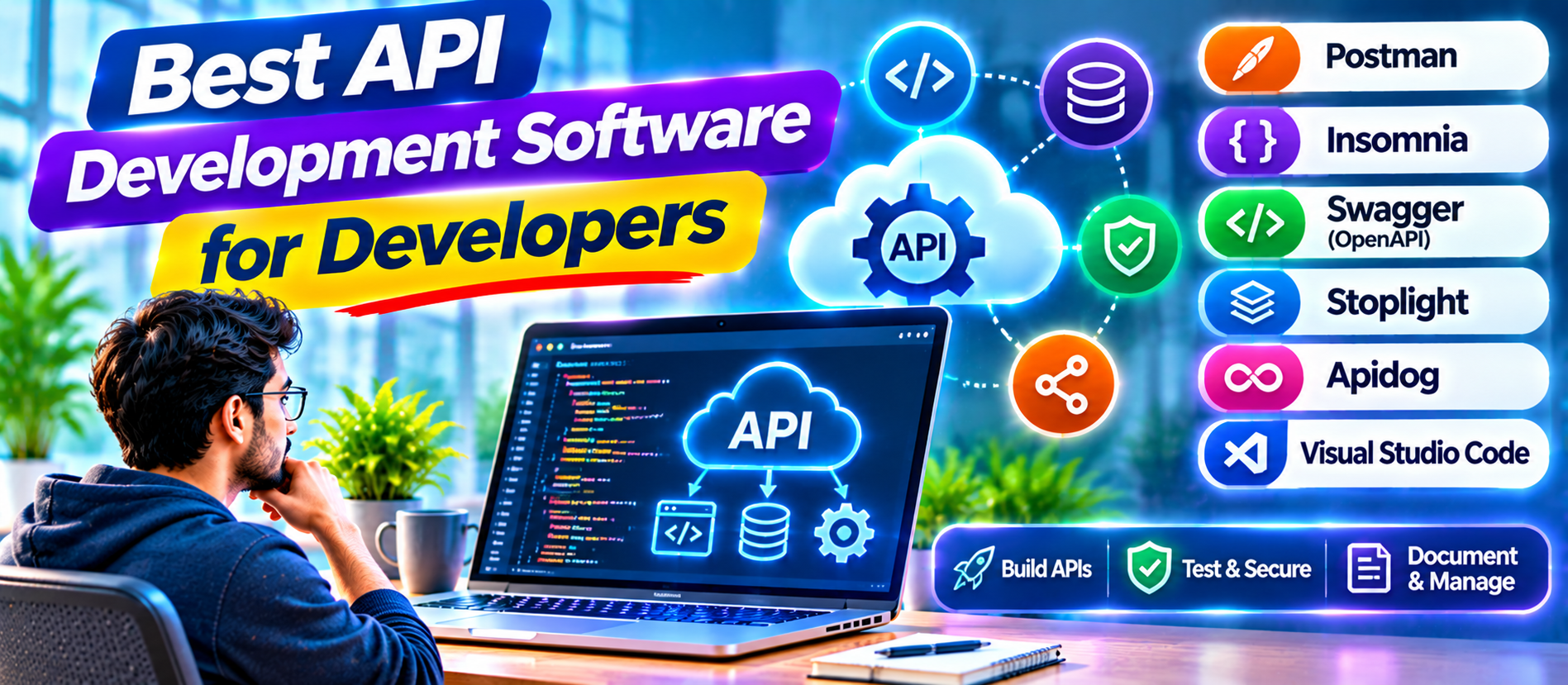
📋 Quick Summary
In this article:
What Is API Development Software?
Best API Development Software: Quick Comparison
1. Postman: A Complete API Development Workspace
2. Insomnia: API Design, Debugging, and Testing
3. Swagger: Open API Design and Documentation
Application Programming Interfaces, or APIs, connect modern software. They allow websites, mobile apps, business systems, cloud platforms, and third-party services to exchange information. A payment page may use an API to process a transaction. A travel app may use APIs to show maps and weather. A business dashboard may use APIs to retrieve sales data from several systems.
As applications become more connected, API quality matters more. Developers need to design clear interfaces, test requests, check responses, document endpoints, and protect sensitive data. The right API development software can make these tasks faster and more reliable.
There are many API tools in the market. Some focus on sending requests and debugging responses. Others help teams design APIs before coding begins. Some generate documentation, mock servers, test suites, or client libraries. A few cover much of the API lifecycle in one platform.
This guide explains the best API development software for developers in 2026. It compares popular tools, explains their strengths, and shows how to select a tool based on project needs. The aim is not to declare one product perfect for everyone. It is to help developers build a practical API toolchain.
What Is API Development Software?
API development software is a set of tools used to design, build, test, document, debug, and manage APIs. It helps developers check whether an API behaves as expected and whether other applications can use it correctly.
For example, a developer building a customer management application may create an endpoint that returns customer details. An API client can send a request to that endpoint. It can display the response status, headers, and data. The developer can then check whether the endpoint returns the correct result.
More complete API platforms support additional tasks. They may help teams write an API specification, create a mock server, generate documentation, automate tests, and share collections with other developers.
Common API development tasks
- API design: Define endpoints, methods, parameters, request bodies, and response formats.
- API testing: Check status codes, response data, validation rules, and error handling.
- Debugging: Inspect headers, authentication, payloads, and network behavior.
- Documentation: Explain how developers can use an API.
- Mocking: Simulate an API before the real backend is ready.
- Automation: Run tests as part of a build or deployment pipeline.
- Governance: Apply shared standards, access rules, and version control.
Best API Development Software: Quick Comparison
The following table gives a practical overview. Product capabilities and plan limits can change. Check the official product website before selecting a paid plan or using a tool for a regulated project.
| Software Best suited for Main strengths Type | |||
| Postman | All-round API workflows and team collaboration | Requests, collections, tests, mocks, documentation, collaboration | API platform |
| Insomnia | API design, debugging, and protocol testing | Open API design, request testing, local and Git workflows | API client and design tool |
| Swagger | Open API design and interactive documentation | Specification editing, documentation, code generation | Open API toolset |
| Apidog | Combined API design, testing, and documentation | Integrated API lifecycle workspace | API collaboration platform |
| Bruno | Local-first and Git-based API collections | Plain-text collections, offline workflow, version control | Open-source API client |
| Hoppscotch | Lightweight browser-based API testing | Fast interface, open-source option, self-hosting | API client |
| SoapUI | SOAP and service-oriented API testing | SOAP, REST, functional testing | API testing tool |
| HTTPie | Terminal-based API requests | Readable command-line and desktop workflows | HTTP client |
| Wire Mock | API simulation and service virtualization | Mock APIs and controlled test responses | Mocking tool |
| Pact | Consumer-driven contract testing | Checks service compatibility between teams | Contract testing tool |
1. Postman: A Complete API Development Workspace
Postman is one of the best-known API development platforms. Developers use it to send requests, inspect responses, organize API collections, write tests, and share work with teammates. It is a strong starting point for developers who want a broad set of API tools in one workspace.
Key features
- Send HTTP requests using methods such as GET, POST, PUT, PATCH, and DELETE.
- Save requests in collections and organize them by project or service.
- Use environment variables for development, testing, and production configurations.
- Write scripts and assertions to validate API responses.
- Share API workspaces and documentation with other team members.
- Use mock and monitoring features where supported by the selected plan.
- Connect API workflows with automation and development processes.
Postman is useful when a team needs a shared environment for API development and testing. A developer can create a collection for a service, add authentication details, and save common requests. Other team members can use the same collection rather than rebuilding requests from scratch.
Advantages
Postman offers a broad feature set and a familiar interface. It is suitable for individual developers, QA teams, backend engineers, and organizations that manage many APIs. Its collections can help teams keep requests and test logic organized.
Limitations
The large feature set may feel excessive if a developer only needs a simple HTTP client. Team collaboration, governance, and advanced capabilities may also depend on plan limits. Teams should review data storage, workspace permissions, and subscription details before adopting it across an organization.
Best for: Developers and teams that want a broad API workspace for requests, testing, documentation, and collaboration.
2. Insomnia: API Design, Debugging, and Testing
Insomnia is an API client and design tool used to create, debug, and test APIs. It supports common API workflows and offers features for working with Open API specifications. It is worth considering when developers want request testing and API design in the same application.
Key features
- Send and inspect API requests.
- Work with REST, Graph QL, gRPC, Web Sockets, and other supported protocols.
- Design APIs using Open API specifications.
- Create collections and automated tests.
- Use environment variables and authentication helpers.
- Support local, Git-based, and cloud collaboration workflows, depending on configuration.
- Use command-line tooling to validate specifications and run tests in automation.
Insomnia can be useful for developers who prefer a desktop API client and want to keep API specifications close to their request collections. Its local and Git-oriented workflows may also suit teams that want more control over how project files are stored.
Advantages
The interface is focused on API work. It supports multiple protocols and can connect design, request testing, and automation. Git-based workflows can make API changes easier to review alongside application code.
Limitations
Some collaboration and advanced platform capabilities may require a paid plan or a particular setup. Teams should confirm which storage mode, features, and user limits apply to their intended workflow.
Best for: Developers who want an API client with design, testing, and flexible project storage options.
3. Swagger: Open API Design and Documentation
Swagger provides tools for working with the Open API Specification. Open API is a widely used format for describing HTTP APIs. It defines paths, operations, parameters, request bodies, responses, and security schemes in a structured document.
Swagger is especially useful when a team wants to describe an API clearly before or while implementing it. A shared specification gives backend developers, frontend developers, testers, and external API users a common reference.
Important Swagger tools
- Swagger Editor: Create and edit Open API definitions with validation support.
- Swagger UI: Display interactive API documentation based on an Open API document.
- Swagger Codegen and related tools: Generate client libraries or server stubs from API definitions.
- Swagger Hub: Provide a collaborative environment for API design and governance.
Advantages
Swagger is valuable for API-first development. The Open API document can act as a contract between teams. It can also support documentation generation and code generation. This reduces the need to explain every endpoint manually.
Limitations
Swagger is a collection of related tools rather than one simple request client. Developers may still need a separate API client, test framework, or mock server. Teams must also keep the specification aligned with the actual implementation.
Best for: Teams that use Open API to design, document, review, and standardize APIs.
4. Apidog: An Integrated API Collaboration Platform
Apidog brings several API development activities into one workspace. Its feature set focuses on API design, debugging, testing, mocking, and documentation. This can reduce the need to move between separate applications for every task.
Key features
- Visual API design and specification management.
- API request debugging and response inspection.
- Automated test scenarios and validation.
- Mock data and simulated endpoints.
- API documentation and team collaboration.
- Support for common API formats and workflows.
An integrated platform can be helpful when a team wants to define an API, create mock responses, test the service, and publish documentation from a connected workflow. It can also help frontend and backend developers work in parallel.
Advantages
Apidog aims to connect API design, testing, and documentation. This may be convenient for small and medium-sized teams that prefer a unified environment.
Limitations
Before adopting it, check how the platform handles project export, version control, access permissions, data storage, and collaboration limits. Teams with established toolchains should also test how well it fits their current process.
Best for: Teams that want design, debugging, mocking, testing, and documentation in one platform.
5. Bruno: A Local-First API Client
Bruno is an open-source API client built around a local-first workflow. It stores API collections as files that can be kept in a project repository. This makes it attractive to developers who want API requests to be reviewed and versioned with application code.
Key features
- Organize requests into collections and folders.
- Store collection files locally.
- Track API request changes through Git.
- Use environment variables and scripts.
- Work with common HTTP API methods.
- Support offline workflows.
For example, a team can keep its API collection inside the same repository as a backend service. When an endpoint changes, the related request and test updates can be included in a pull request. Reviewers can inspect both the application change and the API workflow.
Advantages
Bruno's file-based approach works well with Git and local development. It can be a good fit for developers who prefer transparent project files and do not need a large cloud collaboration platform.
Limitations
Teams should compare its collaboration, reporting, and governance features with their requirements. A local-first tool may not replace every feature offered by a larger API lifecycle platform.
Best for: Developers who value open-source software, local storage, and Git-based API collections.
6. Hoppscotch: A Lightweight API Testing Tool
Hoppscotch is an open-source API development ecosystem with a lightweight interface. It is useful for quickly sending requests and inspecting responses. Its browser-based approach makes it convenient for developers who want to test an endpoint without setting up a large desktop workspace.
Key features
- Send HTTP requests and inspect responses.
- Work with supported API protocols and request types.
- Organize requests into collections.
- Use environments and authentication settings.
- Collaborate and share API work where supported.
- Explore self-hosting options for teams that need more control.
Hoppscotch can be useful for learning, quick debugging, and lightweight API testing. Teams should check its current protocol coverage and deployment options before using it for complex enterprise workflows.
Advantages
It is quick to access and has an open-source foundation. Developers can use it for simple API checks without adopting a large platform.
Limitations
Some advanced team, governance, and automation needs may require other tools. A browser-based workflow may also be less suitable for every environment or security policy.
Best for: Developers who want a lightweight API client and an open-source option.
7. SoapUI: Testing SOAP and REST Services
SoapUI is a long-standing tool for API testing. It is particularly relevant to organizations that work with SOAP services, XML messages, WSDL files, and enterprise integrations. It can also be used for REST API testing.
Key features
- Create functional tests for API operations.
- Work with SOAP and REST services.
- Validate XML and service responses.
- Test authentication and request parameters.
- Organize test suites and reusable test steps.
Many newer applications use REST and JSON, but SOAP remains present in some enterprise and legacy environments. SoapUI can help teams maintain and test these systems.
Advantages
It provides capabilities for service-level testing and is useful when XML and SOAP compatibility are important. It can support structured test suites for complex integrations.
Limitations
Its interface and workflow may feel heavier than modern lightweight API clients. Developers building only simple REST services may prefer a more focused tool.
Best for: QA engineers and developers who test SOAP, XML, REST, and enterprise services.
8. HTT Pie: A Readable API Client for the Terminal
HTT Pie provides a human-friendly way to interact with HTTP services. Developers can use its command-line interface to send requests, pass headers, submit data, and inspect responses. It also offers a desktop application.
Command-line API tools are useful in scripts, terminals, remote environments, and automated workflows. They can help developers test an endpoint without opening a graphical application.
Advantages
HTT Pie uses a readable command style and fits naturally into terminal-based development. It can be useful for quick checks and repeatable scripts.
Limitations
It is not a full API lifecycle management platform. Teams that need visual API design, extensive documentation, or shared governance may need additional tools.
Best for: Developers who prefer terminal workflows and simple, readable HTTP commands.
9. Wire Mock: Mock APIs and Simulate Dependencies
Wire Mock is a tool for creating mock APIs and simulating HTTP-based services. A mock server returns predefined responses when it receives matching requests. This allows developers to test an application even when the real service is unavailable.
Suppose a mobile application depends on a payment service that is still being developed. The mobile team can use a mock server to simulate successful payments, rejected transactions, and error responses. This helps development continue while the real integration is being built.
Why API mocking matters
- Frontend and backend teams can work in parallel.
- Developers can test error conditions that are difficult to reproduce.
- Automated tests do not need to call every external service.
- Teams can simulate slow responses and service failures.
- Test environments become more predictable.
Best for: Developers and QA teams that need realistic mock services for integration testing.
10. Pact: Consumer-Driven Contract Testing
Pact focuses on contract testing. This is useful when one application consumes an API provided by another service. The consumer expects a certain request and response structure. The provider must continue to meet those expectations.
Contract tests help detect breaking changes between services. For example, a backend team may rename a response field. The change could break a mobile application that depends on the old field. A contract test can reveal the mismatch before the change reaches production.
Advantages
Pact helps teams check compatibility between independently developed services. It can be valuable in microservice environments and systems with several consumer applications.
Limitations
Contract testing does not replace functional, security, or performance testing. Teams need to define meaningful contracts and maintain them as services evolve.
Best for: Teams that develop multiple connected services and need to prevent incompatible API changes.
How to Choose the Best API Development Software
The best tool depends on what you need to do. A solo developer testing a local endpoint has different needs from an enterprise team managing hundreds of APIs. Consider the following factors before making a decision.
1. Identify the main task
Decide whether you need API design, request testing, documentation, mocking, contract testing, or performance testing. A request client may be enough for debugging. An API-first project may need an Open API editor. A distributed system may need contract testing as well.
2. Check protocol support
Confirm that the tool supports the protocols your project uses. REST and Graph QL are common, but some systems also use SOAP, gRPC, Web Sockets, or server-sent events. Do not assume every tool supports every protocol in the same way.
3. Review collaboration and version control
Teams need a reliable way to share requests, specifications, tests, and documentation. Check whether the tool supports Git, pull requests, role-based access, workspace sharing, and audit history. A clear change history is especially useful for APIs that affect many applications.
4. Evaluate automation
API tests should be repeatable. Check whether tests can run from a command line or CI/CD pipeline. Look for clear output, environment support, and ways to fail a build when an important API test fails.
5. Consider security and privacy
API collections may contain tokens, passwords, customer information, or internal endpoint details. Check how the tool stores data, protects secrets, manages user access, and supports local or self-hosted use. Never place production secrets in a shared collection or public repository.
6. Compare total cost
Look beyond the entry-level price. Consider user seats, collaboration limits, test execution limits, mock server usage, monitoring, storage, support, and enterprise controls. A free tool may be sufficient for a small project. A larger team may need paid features.
7. Test the developer experience
Ask developers to try the tool with a real project. Check how easy it is to create requests, manage environments, inspect errors, review changes, and onboard new team members. A tool that developers find difficult may not be adopted consistently.
API Development Best Practices
Good software supports good engineering, but the tool alone cannot guarantee API quality. Developers should follow a consistent process.
- Design before implementation: Define endpoint behavior and data formats before multiple teams depend on them.
- Use clear naming: Choose predictable resource names and consistent HTTP methods.
- Validate all inputs: Check data types, formats, lengths, and allowed values.
- Use proper authentication: Apply suitable authentication and authorization for each API.
- Return useful errors: Use appropriate status codes and safe, understandable error messages.
- Version carefully: Plan changes so existing clients are not broken unexpectedly.
- Document examples: Include request samples, response formats, authentication guidance, and error cases.
- Automate tests: Run important API tests during development and before release.
- Monitor production: Track latency, error rates, availability, and unusual traffic.
- Protect secrets: Use secret managers and environment-specific credentials.
Why Open API Is Important in Modern API Development
Open API provides a standard way to describe HTTP APIs. A specification can explain available endpoints, supported methods, parameters, request bodies, response codes, and security requirements.
This specification can become a shared contract. Backend developers can implement it. Frontend developers can build against it. QA engineers can create tests from it. Documentation tools can display it. Code-generation tools can create client libraries or server stubs.
Open API also supports mock-first development. A team can create a specification and mock server before the real backend is ready. This reduces waiting time between teams.
However, the specification must remain accurate. If the API changes but the Open API file does not, generated documentation and tests may become misleading. Teams should review specification changes as part of normal code review.
API Security: What Developers Must Check
APIs often expose business data and application functions. A weak API can reveal private information or allow unauthorized actions. Security should be considered during design, implementation, testing, and operation.
Important security checks
- Use HTTPS for data in transit.
- Apply authentication and authorization to protected operations.
- Check object-level permissions for every sensitive resource.
- Validate and sanitize untrusted input.
- Set suitable rate limits and request-size limits.
- Do not expose secrets or internal stack traces in responses.
- Keep dependencies and API gateways updated.
- Log security-relevant events without recording sensitive data unnecessarily.
- Test access control and error handling regularly.
Tools can help identify problems, but developers must understand the security model of the application. A successful response from an endpoint does not prove that the caller was authorized to receive the data.
How AI Is Changing API Development
AI is becoming part of API design, testing, documentation, and debugging. Some platforms can help generate request examples, suggest test cases, explain responses, or assist with API specifications. AI coding assistants can also use API documentation to help developers write integration code.
These capabilities can save time, especially when working with unfamiliar APIs. However, AI-generated requests and code need review. An assistant may invent an endpoint, use an outdated parameter, or misunderstand authentication requirements.
⚠ Watch Out
Developers should use official API specifications and trusted documentation as the source of truth. They should also avoid sending private tokens, customer records, or confidential project details to unapproved AI services.
In the future, API tools may become more connected to AI agents and automated development workflows. This makes accurate specifications, version control, permission management, and human review even more important.
Recommended API Toolchains for Different Developers
| Developer or team Suggested starting combination Why it can work | ||
| Beginner developer | Postman or Hoppscotch + Swagger Editor | Learn requests and understand API specifications. |
| Backend developer | Insomnia or Bruno + Open API tools | Test endpoints and keep API definitions organized. |
| Frontend developer | Postman or Hoppscotch + mock server | Test backend responses and work before services are complete. |
| QA engineer | Postman or SoapUI + CI automation | Build repeatable functional and regression tests. |
| Microservice team | Open API + Pact + Wire Mock | Define interfaces, test contracts, and simulate dependencies. |
| Enterprise API team | Postman or Swagger Hub + governance and monitoring tools | Coordinate API standards, documentation, and team workflows. |
These are starting points, not mandatory combinations. Avoid adding tools unless they solve a real problem. A small team may work effectively with one API client and a specification file. A large organization may need separate design, testing, contract, and monitoring tools.
Common API Development Mistakes to Avoid
- Testing only successful requests: Include invalid data, missing fields, unauthorized access, and service failures.
- Ignoring documentation: Unclear APIs create extra work for every developer who uses them.
- Hardcoding credentials: Store secrets securely and use separate environments.
- Changing responses without notice: Check compatibility before removing or renaming fields.
- Relying only on manual testing: Automate important checks so regressions are detected early.
- Choosing tools based only on popularity: Match the tool to the team's workflow, protocols, and security requirements.
- Ignoring production behavior: Monitor real API performance and errors after release.
Frequently Asked Questions (FAQs)
1. What is the best API development software for developers?
There is no single best tool for every developer. Postman is a strong all-round option for API requests, testing, and collaboration. Insomnia is useful for design and debugging. Swagger is valuable for Open API specifications and documentation. Bruno and Hoppscotch are worth considering for lightweight or open-source workflows.
2. Is Postman free to use?
Postman offers a free option, but available features and limits can change. Check the official pricing page for current user, collaboration, and usage limits before selecting a plan.
3. What is the difference between Postman and Swagger?
Postman is widely used as an API workspace for sending requests, testing, organizing collections, and collaborating. Swagger is a set of tools focused on the Open API Specification, including API design and interactive documentation. They can complement each other.
4. Which API tool is best for beginners?
Postman and Hoppscotch are approachable starting points for sending requests and viewing responses. Swagger Editor can help beginners understand how APIs are described using Open API.
5. What is an API client?
An API client is a tool or application that sends requests to an API and displays the response. Developers use API clients to test endpoints, check authentication, inspect headers, and debug problems.
6. What is Open API?
Open API is a standard format for describing HTTP APIs. It defines endpoints, operations, parameters, request bodies, responses, and security schemes in a machine-readable document.
7. What is API mocking?
API mocking means simulating an API with predefined responses. It allows developers to test an application before the real service is available or when they need predictable test results.
8. What is the difference between API testing and API monitoring?
API testing checks whether an API behaves correctly under planned test conditions. API monitoring checks API availability and performance over time, often in a live or production environment.
9. Which tool is useful for SOAP API testing?
SoapUI is a well-known option for SOAP and XML-based service testing. Developers should confirm that the selected edition supports their required test and integration features.
10. Do developers need more than one API development tool?
Not always. One tool may be enough for a small project. Larger teams may combine an API client, an Open API editor, a mock server, contract testing, and performance testing tools because each solves a different problem.
11. Can AI help developers build APIs?
AI tools can help draft API specifications, generate integration code, explain errors, and suggest tests. Developers must verify generated output against official documentation, security requirements, and actual application behavior.
12. What should a team check before choosing an API platform?
Review protocol support, testing features, documentation, collaboration, version control, automation, security, data storage, pricing, and integration with the existing development workflow.
Conclusion
The best API development software helps developers build interfaces that are clear, secure, testable, and easy to maintain. Postman is a strong choice for broad API workflows. Insomnia combines API design and debugging. Swagger supports Open API-based design and documentation. Apidog offers an integrated workspace. Bruno and Hoppscotch provide lighter alternatives. SoapUI, Wire Mock, and Pact address more specialized testing needs.
Before choosing a tool, identify the problem you need to solve. Consider your API protocols, team size, security requirements, automation needs, and budget. Test the shortlisted tools with a real project rather than relying only on feature lists.
Most importantly, remember that good API development depends on good engineering practices. Clear contracts, consistent documentation, automated tests, secure authentication, and careful versioning matter more than the name of the software. Choose tools that support these practices and help your team deliver reliable APIs.
About Digiifrog
Digiifrog shares practical information about software, technology, digital transformation, business, and online innovation. Our goal is to make complex topics easier to understand through clear and useful content. Explore more technology guides and digital resources at www.digiifrog.com.
References and Official Resources
- Postman – API development platform.
- Kong Insomnia – API design, debugging, and testing.
- Swagger – Open API design and documentation tools.
- Apidog – API design and collaboration platform.
- Bruno – Open-source API client.
- Hoppscotch – Open-source API development ecosystem.
- SoapUI – API testing tools.
- HTT Pie – Human-friendly API client.
- Wire Mock – API mocking tool.
- Pact – Consumer-driven contract testing.
- Open API Specification – Official specification.
Ready to Grow?
Talk to us about a strategy tailored to your brand — we will help you stand out in search, AI discovery and social.


Comments (0)
Log in to leave a comment.