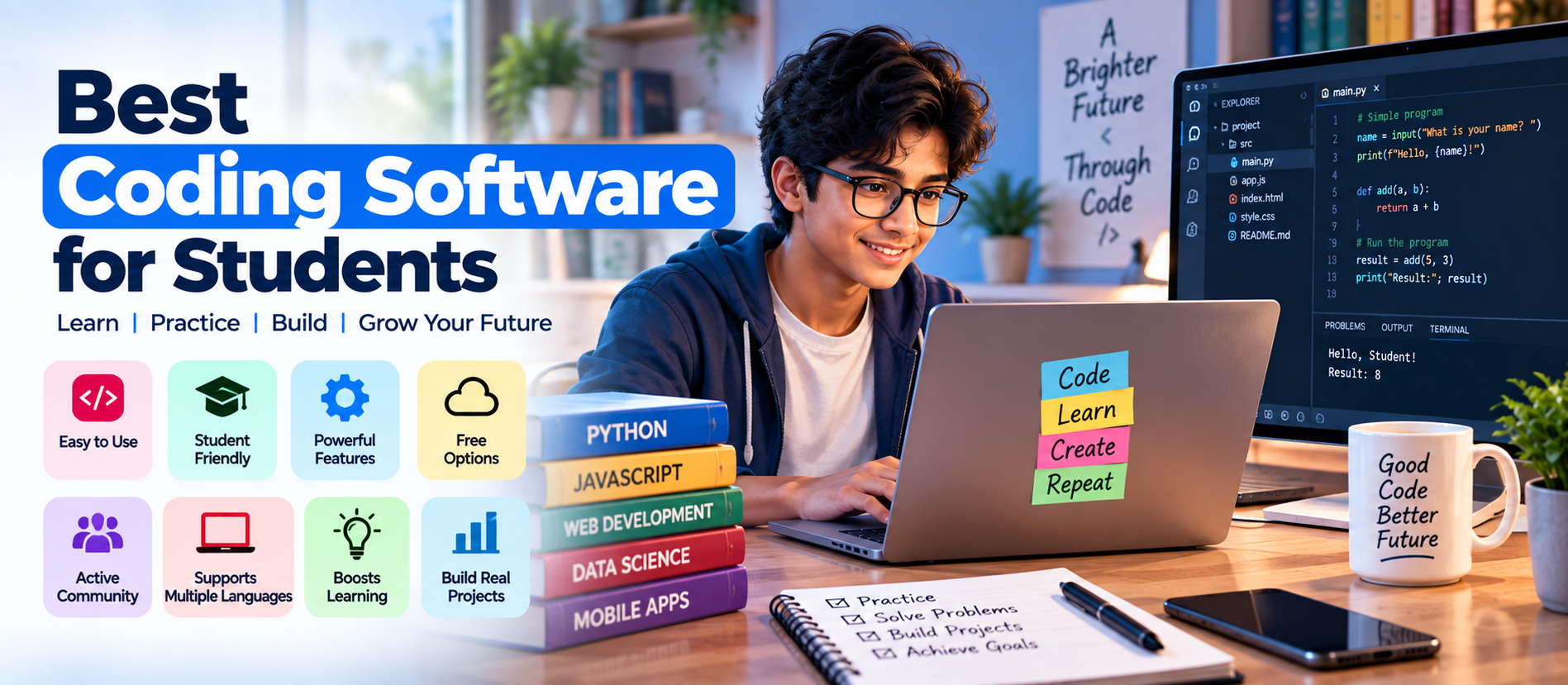
📋 Quick Summary
In this article:
What Should Students Look for in Coding Software?
Best Coding Software for Students in 2026
1. Visual Studio Code — Best General-Purpose Choice
2. PyCharm — Strong for Python Students
3. IntelliJ IDEA — Strong for Java Development
4. Visual Studio — Strong for C# and .NET
5. Android Studio — Strong for Android Development
6. Jupyter Notebook — Strong for Data Science Learning
7. Replit — Strong for Browser-Based Coding
8. GitHub Codespaces — Strong for Cloud Development
Introduction
Learning to code is easier with the right development environment. A good tool helps students write, test, debug, organize, and run programs.
There is no single coding application for every student. A Python beginner may need a simple editor, while Java, Android, data science, or web development students may need specialized tools.
This guide compares popular coding editors, IDEs, notebooks, and cloud environments for students in 2026.
What Is Coding Software?
Coding software helps developers write, test, debug, organize, and run computer programs. The category includes simple text editors, code editors, integrated development environments, notebooks, and cloud development platforms.
A modern IDE can include syntax highlighting, code completion, debugging, project management, testing, Git integration, terminals, package management, and build tools. A lightweight editor may provide fewer built-in features but can become powerful through extensions.
What Should Students Look for in Coding Software?
- Language support: Make sure the tool supports the programming language used in your course.
- Ease of use: Beginners benefit from a clean interface and clear error messages.
- Debugging: A built-in debugger can make it easier to understand why code fails.
- Extensions: Extensions can add language support, formatting, testing, Git tools, and other features.
- Git integration: Learning version control is valuable for academic projects and future development work.
- Performance: Students using older laptops may prefer lightweight tools.
- Cloud access: Browser-based development can be useful when local installation is difficult.
- Cost: Check free plans, student offers, open-source licenses, and education programs.
Best Coding Software for Students in 2026
1. Visual Studio Code — Best General-Purpose Choice
Visual Studio Code, commonly called VS Code, is a lightweight source-code editor from Microsoft. It supports many languages and can be expanded through extensions for Python, JavaScript, TypeScript, HTML, CSS, Java, C++, PHP, Go, Rust, and more.
It also provides a terminal, source control, debugging, code navigation, and a large extension ecosystem.
Best for: Web development, Python, JavaScript, general programming, Git-based projects, and students who want one flexible editor.
2. PyCharm — Strong for Python Students
PyCharm is JetBrains' Python-focused development environment. It provides code assistance, debugging, testing, project navigation, version control, and other Python development tools.
It is useful when students move from basic scripts to larger Python coursework projects.
Best for: Python programming, data-related projects, web development with Python, and larger Python assignments.
3. IntelliJ IDEA — Strong for Java Development
IntelliJ IDEA is a development environment for Java and JVM-based development. It provides code assistance, debugging, testing, refactoring, project management, and integration with common Java tools.
Students can use it for Java coursework, backend projects, and larger academic assignments. JetBrains also offers educational access for eligible learners.
Best for: Java, Kotlin, JVM development, Spring projects, and advanced programming coursework.
4. Visual Studio — Strong for C# and .NET
Visual Studio is Microsoft's full development environment for C#, .NET, C++, web development, debugging, and testing.
It is useful for students studying C#, .NET, Windows development, or advanced C++. Choose the edition that matches the course and license requirements.
Best for: C#, .NET, Windows applications, and C++ development.
5. Android Studio — Strong for Android Development
Android Studio is Google's official development environment for Android apps. It provides tools for coding, testing layouts, debugging, emulators, profiling, and project management.
It is suited to Android development courses. Students should check current hardware requirements because mobile development can be resource-intensive.
Best for: Android apps, Kotlin, Java-based Android coursework, and mobile development.
6. Jupyter Notebook — Strong for Data Science Learning
Jupyter Notebook combines code, explanations, data, equations, and visualizations in one interactive document. It is especially useful for Python, data science, statistics, machine learning, and scientific computing.
Students can run individual cells and inspect results immediately, which is useful for experiments and classroom learning.
Best for: Data science, Python, statistics, machine learning, research, and interactive learning.
7. Replit — Strong for Browser-Based Coding
Replit provides a browser-based development environment. Students can create and run projects without setting up a full local environment.
This is useful for classroom exercises, quick experiments, collaboration, and working across different computers.
Best for: Beginners, classroom exercises, quick prototypes, browser-based development, and collaborative learning.
8. GitHub Codespaces — Strong for Cloud Development
GitHub Codespaces provides cloud-based development environments through a browser or tools such as VS Code. Verified students in GitHub Education may receive Codespaces benefits, subject to current program terms.
Codespaces also helps students practice repository workflows such as branches, commits, pull requests, and collaboration.
Best for: GitHub-based coursework, cloud development, collaborative projects, and students who want a consistent development environment.
9. Code::Blocks — Useful for C and C++ Learners
Code::Blocks is a free, open-source IDE focused on C and C++. Its straightforward interface can suit programming fundamentals courses.
Best for: Introductory C and C++ coursework and programming fundamentals.
10. Thonny — Beginner-Friendly Python Environment
Thonny is designed for learning Python. Its simple interface helps beginners understand program execution and debugging while focusing on variables, loops, functions, and basic data structures.
Best for: Python beginners and introductory programming courses.
Coding Software Comparison for Students
| SoftwareMain StrengthGood For | ||
| VS Code | Flexible editor and extensions | General programming and web development |
| PyCharm | Python development | Python projects |
| IntelliJ IDEA | Java/JVM development | Java and Kotlin |
| Visual Studio | Full IDE | C#, .NET, C++ |
| Android Studio | Android development | Mobile apps |
| Jupyter | Interactive notebooks | Data science and research |
| Replit | Browser-based development | Learning and quick projects |
| GitHub Codespaces | Cloud development | GitHub projects and collaboration |
| Code::Blocks | Simple C/C++ IDE | Programming fundamentals |
| Thonny | Simple Python learning | Python beginners |
Best Coding Software by Student Need
- Learning general programming: VS Code or a simple language-focused IDE.
- Learning Python: Thonny for beginners, or PyCharm/VS Code for larger projects.
- Learning Java: IntelliJ IDEA.
- Learning C or C++: Visual Studio or Code::Blocks, depending on the course.
- Learning web development: VS Code or a browser-based environment such as Replit.
- Learning Android development: Android Studio.
- Learning data science: Jupyter Notebook with a suitable Python environment.
- Working on GitHub projects: VS Code or GitHub Codespaces.
Free and Student-Friendly Options
Students should check official education programs before paying for software. GitHub Education offers verified learners access to selected benefits, including GitHub Pro and Codespaces allowances. JetBrains also provides educational access for eligible students and teachers.
Open-source tools can also reduce costs. Blender is not a coding IDE, but its open-source model illustrates why students should examine licensing before choosing professional software. For coding, tools such as VS Code, Jupyter, Thonny, and Code::Blocks can provide useful free options.
Always confirm the current eligibility rules and license terms on the official provider website because student programs can change.
How to Choose Coding Software for College Projects
Start with the course requirement. Using the same compiler, framework, or IDE as your instructor can reduce setup problems.
Consider your laptop too. A large IDE can use more resources, so a lightweight editor or cloud environment may suit older hardware.
Finally, choose a tool that helps you learn Git, debugging, testing, terminals, project structure, and package management.
How AI Is Changing Student Coding Workflows
AI coding assistants can explain code, suggest completions, generate examples, identify possible errors, and help students explore unfamiliar concepts.
Students should treat AI as a learning assistant, not a replacement for understanding. Test generated code, read documentation, and follow course rules about AI use.
Common Mistakes Students Make When Choosing Coding Software
- Choosing a tool only because it is popular.
- Installing many IDEs without learning any one workflow properly.
- Ignoring the programming language used by the course.
- Using AI-generated code without understanding it.
- Ignoring Git until the final project.
- Choosing a heavy tool that performs poorly on an older laptop.
- Failing to back up important projects.
SEO, AEO, GEO, and AI Search Optimization
For educational coding websites, useful information should come first. Google states that foundational SEO remains relevant for AI Overviews and AI Mode. Its 2026 guidance emphasizes helpful, reliable, people-first, original content, with no special AI markup required for inclusion.
For AEO and GEO, answer student questions directly. Use clear headings, comparison tables, examples, tutorials, and original educational insights. Keep pages crawlable and readable, use semantic HTML and meaningful internal links, and avoid thin pages created only to target AI-search variations.
Frequently Asked Questions
What is the best coding software for students?
There is no universal answer. VS Code is flexible, while PyCharm, IntelliJ IDEA, Android Studio, and Jupyter serve more specialized workflows.
Is VS Code free for students?
VS Code is available as a free source-code editor. Students can add extensions based on their programming needs.
Which coding software is best for Python beginners?
Thonny offers a simple learning-focused environment. VS Code and PyCharm provide more features as projects become larger.
Can students code without installing software?
Yes. Browser-based services such as Replit and GitHub Codespaces allow students to work in cloud development environments, subject to the current plan and usage terms.
Should students learn Git?
Yes. Git helps students track changes, recover previous versions, collaborate, and manage project history. GitHub can add remote repositories and collaboration features.
Can AI coding tools replace learning programming?
No. AI can assist with coding tasks, but students still need to understand programming concepts, test results, debug problems, and evaluate generated code.
Final Thoughts
The best coding software depends on the language, course, project, device, and learning goal. VS Code is flexible; PyCharm focuses on Python; IntelliJ IDEA supports Java and JVM development; Visual Studio supports C# and .NET; Android Studio targets Android; Jupyter supports data science; and Replit and Codespaces provide cloud options.
The key is building a reliable learning workflow. Choose a suitable tool, learn its core features, practice regularly, use Git, read documentation, and understand the code you write.
Digiifrog: For more practical guides on software, AI, digital marketing, technology, education, and business, visit www.digiifrog.com.
Sources and Further Reading
- Visual Studio Code: https://code.visualstudio.com/
- PyCharm: https://www.jetbrains.com/pycharm/
- IntelliJ IDEA: https://www.jetbrains.com/idea/
- Visual Studio: https://visualstudio.microsoft.com/
- Android Studio: https://developer.android.com/studio
- Jupyter: https://jupyter.org/
- Replit: https://replit.com/
- GitHub Education: https://github.com/education/students
- Code::Blocks: https://www.codeblocks.org/
- Thonny: https://thonny.org/
- Google Search Central — AI Features: https://developers.google.com/search/docs/appearance/ai-features
- Google Search Central — AI Optimization Guide: https://developers.google.com/search/docs/fundamentals/ai-optimization-guide
Ready to Grow?
Talk to us about a strategy tailored to your brand — we will help you stand out in search, AI discovery and social.
Comments (0)
Log in to leave a comment.