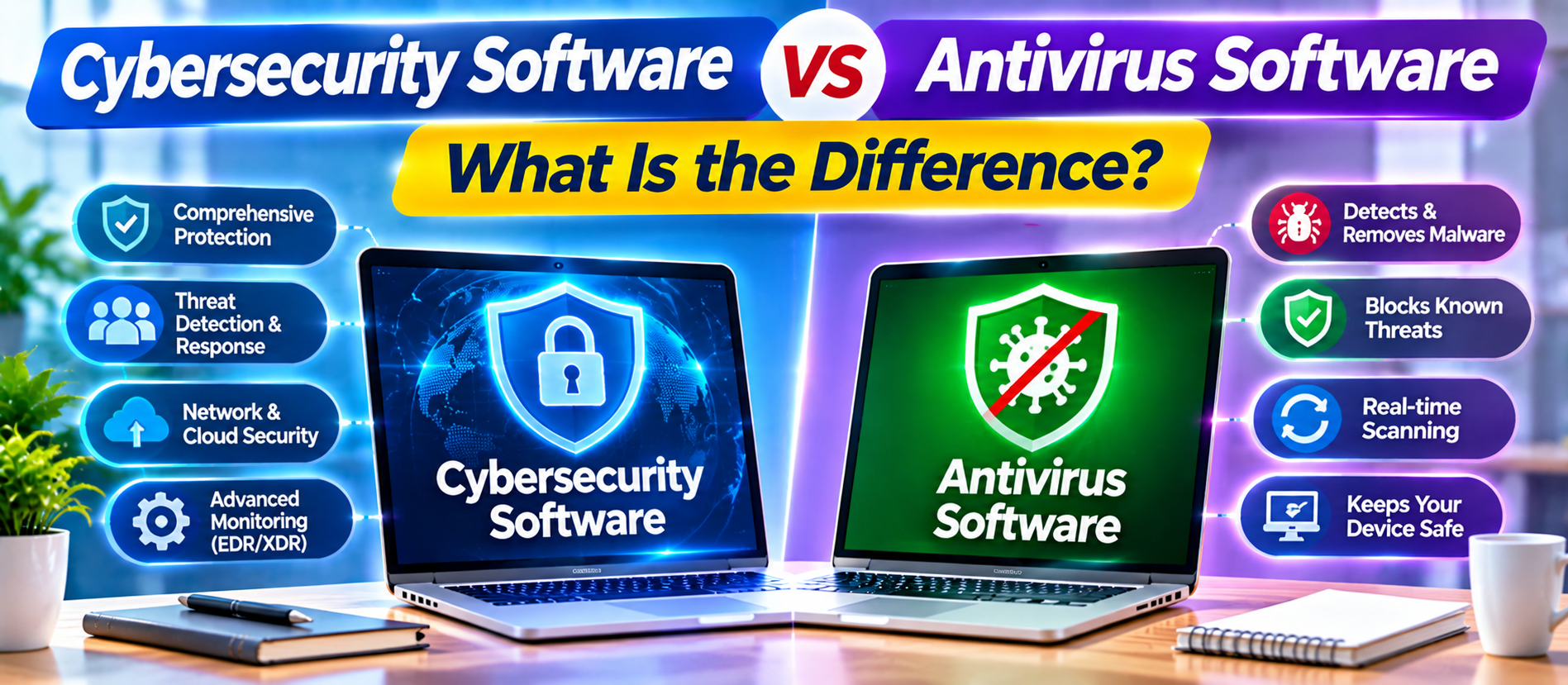
📋 Quick Summary
In this article:
Quick Answer: What Is the Difference?
Common threats antivirus can help address
What Is Cybersecurity Software?
Common types of cybersecurity software
Cybersecurity Software vs Antivirus Software: Key Differences
1. Protection Scope: One Device or the Wider Business?
2. Threat Detection: Known Malware and Suspicious Behaviour
3. Prevention vs Detection, Investigation and Response
4. Antivirus, EPP, EDR and XDR: Understanding the Terms
Businesses depend on computers, mobile devices, cloud applications and online services every day. These tools make work faster. They also create security risks. A single infected computer can expose company files, interrupt operations or give attackers a way into business systems.
💡 Key Insight
Many business owners use the terms cybersecurity software and antivirus software as if they mean the same thing. They are related, but they are not identical. Antivirus software is one important part of cybersecurity. Cybersecurity software is a much wider category. It can protect devices, networks, user accounts, cloud services, applications and business data.
This guide explains the difference in simple language. It compares their purpose, features, benefits, limitations and costs. It also explains when a business may need antivirus, endpoint protection or a broader cybersecurity platform.
Quick Answer: What Is the Difference?
Antivirus software is designed mainly to detect, block and remove malicious software such as viruses, trojans, spyware and ransomware. It scans files and monitors activity on a device. Traditional antivirus tools often use known malware signatures, while modern products may also use behavior analysis, cloud intelligence and machine learning.
Cybersecurity software is a broad term for tools that protect digital systems and information from cyber threats. It includes antivirus, firewalls, endpoint protection, identity security, email security, encryption, cloud security, data loss prevention, vulnerability management and threat detection platforms.
In simple terms, antivirus protects against malware on devices. Cybersecurity software protects a wider digital environment. A business may use antivirus as one layer within a complete cybersecurity programme.
What Is Antivirus Software?
Antivirus software is a security application that helps protect a computer or other supported device from malicious software. Malware can enter through email attachments, unsafe downloads, infected websites, removable drives or compromised applications.
Once installed, antivirus software can scan files, inspect downloads, monitor processes and block suspicious activity. If it finds a threat, it may quarantine the file, delete it or ask the user to take action.
How antivirus software works
- Signature detection: The software compares a file or program with known malware patterns stored in its threat database.
- Heuristic analysis: It looks for code structures or characteristics that may indicate malicious intent.
- Behavior monitoring: It watches applications for suspicious actions, such as unusual file changes or attempts to access protected areas.
- Real-time protection: It checks files and activities as they occur, rather than waiting for a manual scan.
- Quarantine and removal: It isolates or removes files that are identified as dangerous.
- Security updates: It receives updated threat information and software improvements to respond to new risks.
Traditional antivirus products relied heavily on signatures. Modern antivirus products may combine signatures with cloud-based analysis, machine learning and behavioral detection. This means the term “antivirus” can describe products with different levels of capability. Buyers should check the actual features instead of judging a product by its label.
Common threats antivirus can help address
- Viruses that attach themselves to files or programs.
- Trojans that pretend to be legitimate software.
- Worms that spread between systems.
- Spyware that collects information without permission.
- Some forms of ransomware and malicious scripts.
- Malicious downloads and infected email attachments.
What Is Cybersecurity Software?
Cybersecurity software is a general term for technology that helps protect digital assets. These assets include computers, servers, networks, mobile devices, cloud platforms, applications, user accounts and sensitive information.
A complete cybersecurity environment usually contains several tools. Each tool has a particular job. Some prevent attacks. Others monitor activity, detect suspicious behavior, manage access or help recover after an incident.
Common types of cybersecurity software
- Antivirus and anti-malware: Detect and block malicious files and applications.
- Firewall: Controls network traffic according to security rules.
- Endpoint protection: Protects laptops, desktops, servers and other connected devices.
- Endpoint Detection and Response (EDR): Monitors endpoint activity, investigates suspicious events and supports response.
- Identity and Access Management (IAM): Controls who can access systems and what they can do.
- Multi-Factor Authentication (MFA): Requires an additional proof of identity beyond a password.
- Email security: Helps detect phishing, malicious attachments, impersonation and spam.
- Cloud security: Helps protect cloud infrastructure, workloads, applications and stored data.
- Data Loss Prevention (DLP): Helps prevent sensitive information from being shared or transferred in unsafe ways.
- Encryption software: Makes data unreadable to people who do not have the correct key.
- Vulnerability management: Finds and helps prioritise weaknesses in systems and applications.
- Security Information and Event Management (SIEM): Collects and analyses security logs from different sources.
- Extended Detection and Response (XDR): Connects security signals across endpoints and other parts of the IT environment.
Not every business needs every category. The right combination depends on the organization's size, data, technology, industry, risk level and ability to manage security tools.
Cybersecurity Software vs Antivirus Software: Key Differences
| Comparison Area Antivirus Software Cybersecurity Software | ||
| Main purpose | Detects, blocks and removes malware. | Protects digital systems, identities, networks, applications and data. |
| Coverage | Usually focuses on individual devices or endpoints. | Can cover devices, networks, cloud services, users and business information. |
| Typical features | File scanning, real-time malware protection, quarantine and threat updates. | May include antivirus, firewalls, EDR, IAM, email security, encryption, DLP and cloud controls. |
| Threat visibility | Primarily focuses on threats affecting the protected device. | Can combine information from multiple systems and security layers. |
| Incident response | Often blocks or quarantines detected malware. | May investigate activity, isolate devices, disable accounts and coordinate response. |
| Management | Can be managed on each device or through a central console. | Often uses central management across multiple security products and business systems. |
| Typical users | Home users, professionals and businesses of all sizes. | Businesses, institutions and users who need broader digital protection. |
| Limitations | Does not replace network, identity, cloud or data security controls. | May be complex and require skilled setup, monitoring and maintenance. |
The key point is scope. Antivirus is a specific type of protection. Cybersecurity software is the larger collection of tools and controls used to manage digital risk.
1. Protection Scope: One Device or the Wider Business?
Antivirus software usually protects the device where it is installed. It can help stop a malicious file from running on a laptop or desktop. This is important because endpoints are common entry points for attacks.
However, business risks do not stop at the computer. An attacker may steal an employee's password, access a cloud account, send fraudulent emails or exploit a weak network setting. A device-only tool may not provide enough visibility into these events.
Broader cybersecurity platforms can connect information from endpoints, networks, email, cloud services and identity systems. This can help a security team understand how one incident affects the wider organization.
Example: Antivirus may detect a malicious attachment on an employee's computer. A wider security platform may also help identify the suspicious email, check whether other employees received it, review account activity and support a coordinated response.
2. Threat Detection: Known Malware and Suspicious Behavior
Traditional antivirus detection often compares files with known malware signatures. This method is useful because many threats have already been analyzed and recorded. It can block familiar malware quickly.
⚠ Watch Out
Attackers may change malware to avoid known signatures. They may also misuse legitimate system tools, stolen credentials or scripts. These activities can be harder to identify by looking only for known malicious files.
Modern antivirus products may include behavioral detection and machine learning. More advanced endpoint and cybersecurity platforms can monitor activity over time and connect events that appear harmless on their own.
For example, a login from an unusual location may not prove an attack. A sequence of unusual logins, access to sensitive files and suspicious data transfers may indicate a serious incident. Context makes detection more useful.
3. Prevention vs Detection, Investigation and Response
Antivirus is mainly associated with prevention and malware removal. It tries to stop malicious files from infecting a device. It may also quarantine a threat after detection.
Cybersecurity software can include prevention, detection, investigation, response and recovery capabilities. These functions work together.
- Prevent: Block unsafe files, restrict access and reduce exposed weaknesses.
- Detect: Identify suspicious logins, processes, network activity or data movement.
- Investigate: Review what happened, when it started and which systems may be affected.
- Respond: Isolate devices, disable compromised accounts or block malicious connections.
- Recover: Restore clean systems and data, then improve controls to reduce repeat incidents.
Endpoint Detection and Response (EDR) is an example of a technology that adds continuous monitoring and investigation to endpoint protection. EDR is not simply another name for antivirus. It provides a different set of capabilities.
4. Antivirus, EPP, EDR and XDR: Understanding the Terms
Security product names can be confusing. These four terms are related, but they describe different levels or areas of protection.
Antivirus
Antivirus detects and blocks malware. It is a core endpoint security control and remains useful for businesses and home users.
Endpoint Protection Platform (EPP)
An EPP is a broader endpoint prevention platform. Depending on the product, it may combine antivirus, anti-malware, device control, application control, host firewall and other preventive features.
Endpoint Detection and Response (EDR)
EDR continuously monitors endpoint activity. It helps detect suspicious behavior, investigate incidents and support containment. It can identify activity that may have passed the initial prevention layer.
Extended Detection and Response (XDR)
XDR expands detection and response across several security layers. It may combine endpoint, email, network, identity and cloud signals to provide a more connected view of an incident.
These capabilities can be offered as separate products or combined within a wider platform. A business should compare what each product actually does rather than rely only on product names.
5. Which Threats Can Each Type of Software Address?
| Threat or Risk Antivirus Role Broader Cybersecurity Role | ||
| Known malware | Scans, blocks or quarantines malicious files. | Can combine malware prevention with monitoring and response. |
| Phishing | May block malicious downloads or attachments. | Email security, identity controls and user reporting help address the wider attack. |
| Stolen passwords | Usually limited protection unless suspicious malware is involved. | MFA, IAM and identity monitoring can reduce account takeover risk. |
| Ransomware | May detect known ransomware and suspicious file behavior. | Endpoint isolation, access controls, backups and incident response help limit impact. |
| Cloud account compromise | May not see activity occurring only in a cloud account. | Cloud monitoring, identity security and audit logs can help detect misuse. |
| Insider misuse | Limited visibility into legitimate user actions. | Access controls, logging and data protection tools can identify unusual activity. |
| Network intrusion | May provide a local firewall or related protection. | Network monitoring, firewalls, segmentation and detection tools provide broader controls. |
| Data leakage | May block some malicious software involved in data theft. | DLP, encryption, access management and monitoring can help protect information. |
No single product can prevent every attack. The strongest approach uses several controls that address different risks.
6. Benefits of Antivirus Software
Antivirus remains an important security tool. It is often easier to deploy and understand than a complete security platform. It can provide useful protection without requiring a dedicated security operations team.
- Basic malware defence: Helps detect and remove common malicious software.
- Real-time scanning: Checks files and applications as users access them.
- Automatic updates: Receives new malware definitions and product improvements.
- Quarantine: Can isolate suspicious files to reduce the chance of execution.
- Accessible deployment: Many products are designed for simple installation and management.
- Useful baseline: Provides a basic layer of protection for personal and business devices.
Antivirus is not obsolete. It is a foundation. The mistake is treating it as the only security control a business needs.
7. Benefits of Broader Cybersecurity Software
Cybersecurity software can help businesses manage more than malware. Its value comes from combining protection across systems and users.
- Wider coverage: Protects more than individual computers.
- Central visibility: Helps administrators review security events across the organization.
- Identity protection: Supports secure sign-in and controlled access.
- Cloud protection: Helps identify unsafe settings and suspicious activity in cloud services.
- Incident investigation: Provides context about how an attack happened and what it affected.
- Coordinated response: Can connect alerts and response actions across tools.
- Data protection: Helps control access, sharing, storage and movement of sensitive information.
- Risk management: Supports vulnerability discovery, policy enforcement and security reporting.
These benefits are most useful when tools are configured correctly and someone is responsible for reviewing their alerts and maintaining them.
8. Limitations: What Antivirus Cannot Do Alone
Antivirus can reduce malware risk, but it cannot solve every cybersecurity problem. A company may have fully updated antivirus and still suffer an incident through a compromised email account, weak password, exposed cloud storage or unpatched server.
Common limitations include:
- It may not provide a complete view of activity across the company network.
- It does not replace multi-factor authentication or identity management.
- It cannot guarantee detection of every new or modified threat.
- It may not investigate how an attacker moved between systems.
- It does not replace secure backups and recovery planning.
- It does not automatically correct poor cloud settings or excessive user permissions.
- It cannot replace employee awareness and clear security procedures.
Modern antivirus products may include features that address some of these gaps. Always check the specific product's capabilities. Do not assume every antivirus package offers the same protection.
9. Do Businesses Need Both Antivirus and Cybersecurity Software?
In many cases, yes. Antivirus can provide an important malware prevention layer, while other cybersecurity tools address risks that antivirus does not cover.
However, “both” does not always mean buying two separate products. Some endpoint protection platforms combine antivirus and other preventive controls. Some business security suites include endpoint protection, email security, identity controls and central management in one subscription.
Businesses should avoid installing multiple products that perform the same function without a clear reason. Overlapping security agents can create compatibility problems, consume device resources and make alerts harder to manage. The goal is complete and well-managed coverage, not the largest number of applications.
10. How to Choose the Right Solution for Your Business
Start with the business risk. A small office with a few laptops has different needs from a hospital, manufacturer, online retailer or financial services company.
Step 1: Identify what needs protection
List your important devices, servers, cloud services, email accounts, customer records, payment systems and business applications. Include remote workers and third-party access.
Step 2: Understand the likely threats
Consider phishing, ransomware, stolen credentials, unsafe downloads, data loss, cloud misconfiguration and supplier access. Review previous incidents if available.
Step 3: Check the product's capabilities
Ask whether the solution provides real-time protection, behavioral detection, central management, device isolation, reporting, cloud integration and support for your operating systems.
Step 4: Review management requirements
Find out who will monitor alerts, apply updates, investigate incidents and respond outside normal office hours. Advanced tools need people and processes to operate them.
Step 5: Check compatibility and integration
Confirm that the product works with your existing devices, business applications, identity provider and network. Check whether it can share alerts with other security tools.
Step 6: Evaluate total cost
Consider licence fees, deployment, training, support, data storage, renewal costs and the time required to manage the product. The cheapest subscription may not be the least expensive option over time.
Step 7: Run a controlled trial
Test the product with a small group of users and devices. Review performance, false alerts, ease of management and the quality of support before deploying it across the organization.
11. Recommended Security Approach for Different Business Sizes
Small businesses
Small businesses should begin with reputable endpoint protection, automatic software updates, MFA for important accounts, secure Wi-Fi, email protection and tested backups. Use a centrally managed solution when possible. If no employee can monitor alerts, consider a trusted managed security provider.
Growing businesses
Growing organizations often need centrally managed endpoint protection, EDR capability, identity and access management, email security, cloud monitoring and a documented incident response plan. They should review access rights and supplier connections regularly.
Large organizations
Large organizations may need a layered security architecture. This can include EPP, EDR or XDR, SIEM, IAM, privileged access management, vulnerability management, DLP, cloud security and a security operations function. Tool selection should align with risk, regulatory obligations and internal capacity.
Remote and hybrid teams
Remote teams need protection beyond the office network. Secure endpoints, MFA, device management, encrypted connections where appropriate and cloud access controls are important. Employees should know how to report a lost device or suspicious sign-in.
12. Practical Example: How the Two Approaches Work Together
Imagine an employee receives an email that appears to come from a supplier. The message contains a link to a fake document portal.
Antivirus role: If the employee downloads a known malicious file, antivirus may detect and quarantine it. A modern product may also identify suspicious file behavior.
Email security role: An email security tool may identify a suspicious sender, malicious link or impersonation attempt before the message reaches the inbox.
Identity security role: MFA and sign-in risk controls may make it harder for an attacker to use a stolen password.
EDR role: If suspicious activity occurs on the employee's device, EDR may record the behavior, alert the security team and support device isolation.
Wider security role: Central monitoring may help the organization check whether other users received the same message or whether a cloud account was accessed.
This example shows why antivirus and broader cybersecurity controls are complementary. Each layer addresses a different part of the incident.
13. Common Mistakes to Avoid
- Assuming antivirus means complete security: It is one layer, not a full security programme.
- Choosing only by price: Compare capabilities, support, usability and total cost.
- Ignoring updates: Outdated software can leave known weaknesses open.
- Not checking coverage: Unprotected laptops, servers or cloud accounts can create gaps.
- Ignoring alerts: A security product cannot help if important warnings are never reviewed.
- Using weak passwords: Combine strong authentication with good access management.
- Forgetting backups: Keep backups protected and test that data can be restored.
- Installing overlapping tools without a plan: Too many agents can create conflicts and management overhead.
- Skipping employee training: People should know how to recognize and report suspicious activity.
14. A Simple Cybersecurity Checklist for Businesses
- Install and maintain trusted antivirus or endpoint protection on supported devices.
- Enable automatic updates for operating systems and applications.
- Use MFA for email, cloud services and administrator accounts.
- Limit administrator privileges and review access regularly.
- Protect email against phishing and impersonation.
- Secure Wi-Fi, routers, firewalls and remote access.
- Back up important information and test restoration.
- Monitor security alerts and assign an incident owner.
- Review cloud sharing settings and third-party applications.
- Train employees to report suspicious messages and activity.
- Document an incident response and business recovery process.
- Review the security programme when the business or its technology changes.
Conclusion: Antivirus Is Essential, but Cybersecurity Is Much Bigger
The difference between cybersecurity software and antivirus software is mainly the scope of protection. Antivirus focuses on detecting, blocking and removing malware on devices. Cybersecurity software covers a wider set of tools that protect devices, networks, identities, applications, cloud services and business data.
Antivirus remains an important part of a secure technology environment. It can block many common threats and reduce the risk of malware infection. But it cannot replace identity security, email protection, secure configuration, backups, monitoring and incident response.
For a business, the best approach is to build security in layers. Start with reliable endpoint protection and strong account security. Add broader controls as the organization's systems, data and risks grow. Choose products that your team can manage, review their alerts and test your recovery plans.
Cybersecurity is not a one-time purchase. It is an ongoing business process that protects trust, operations and information.
Explore more practical technology and business insights at Digiifrog.
Frequently Asked Questions (FAQs)
1. Is cybersecurity software the same as antivirus software?
No. Antivirus is one type of cybersecurity software. It mainly detects, blocks and removes malware. Cybersecurity software is a broader category that can include firewalls, endpoint protection, EDR, identity security, email security, cloud security, encryption and data protection tools.
2. Is antivirus software enough for a business?
Usually not on its own. Antivirus is an important starting point, but businesses also need controls such as MFA, secure backups, email protection, software updates, access management and incident response. Larger or higher-risk organizations may need EDR, XDR and other security platforms.
3. Can cybersecurity software work without antivirus?
Some security platforms include malware prevention, while others focus on different functions such as identity or network monitoring. A business should make sure that endpoint malware protection is provided by one of its tools, whether built into a wider platform or deployed separately.
4. What is the difference between antivirus and endpoint security?
Antivirus focuses on malware detection and removal. Endpoint security is broader. It can include antivirus, device controls, application controls, endpoint monitoring, encryption, EDR and central management.
5. What is the difference between antivirus and EDR?
Antivirus mainly prevents or removes malware. EDR continuously monitors endpoint activity and helps detect, investigate and respond to suspicious behavior that may get past preventive controls.
6. Do small businesses need cybersecurity software?
Yes. Small businesses use email, online banking, cloud storage and customer data. They should use endpoint protection, MFA, updates, secure backups and email security. Their exact needs depend on the systems and information they handle.
7. Does modern antivirus use artificial intelligence?
Some modern antivirus products use machine learning, cloud intelligence and behavioral analysis. Capabilities vary by product. Businesses should review the technical specifications rather than assume every antivirus product has the same features.
8. Can antivirus stop ransomware?
Antivirus may detect and block known ransomware and some suspicious behaviors. No antivirus product can guarantee protection against every ransomware attack. Businesses should also use access controls, endpoint monitoring, network segmentation and protected backups.
9. What should I look for in business security software?
Look for reliable endpoint protection, central management, real-time monitoring, clear alerts, useful reporting, integration with existing systems, strong support and a cost that fits your needs. Advanced requirements may include EDR, identity protection and cloud security.
10. Should a company use more than one antivirus product?
Usually, a company should avoid running multiple real-time antivirus engines on the same device unless the vendors specifically support that configuration. Overlapping tools can cause conflicts or performance problems. Use a planned combination of complementary security controls instead.
11. What is the difference between EPP and XDR?
An Endpoint Protection Platform (EPP) focuses mainly on preventing threats on devices. XDR connects security signals across multiple areas, such as endpoints, email, networks and cloud services, to help detect and respond to wider attacks.
12. How often should businesses review their cybersecurity tools?
Businesses should monitor security continuously and review their tools, access permissions, updates and risks regularly. They should also reassess security after major changes, such as moving to a new cloud platform, adding remote teams or adopting new business applications.
About Digiifrog
Digiifrog publishes practical content about technology, business software, digital marketing, web development and online business growth. We aim to make digital topics easier to understand with clear and useful information.
Website: www.digiifrog.com
References and Further Reading
- Microsoft Security – What Is Endpoint Detection and Response (EDR)?
- Microsoft Security – What Is Endpoint Security?
- Cisco – EDR Explained: Detect and Contain Endpoint Threats
- Cisco – What Is an Endpoint Protection Platform (EPP)?
- CISA – Counter-Phishing Recommendations: Endpoint Protections
- NIST SP 800-114 Rev. 1 – User's Guide to Telework and BYOD Security
Ready to Grow?
Talk to us about a strategy tailored to your brand — we will help you stand out in search, AI discovery and social.


Comments (0)
Log in to leave a comment.