📋 Quick Summary
In this article:
Introduction: A New Chapter in Education
What Is AI Software in Education?
1. Personalized Learning for Every Student
How personalized learning works
2. AI Tutors and Instant Learning Support
3. Supporting Teachers and Reducing Routine Work
4. Smarter Assessment and Faster Feedback
5. Language Learning, Translation and Accessibility
6. Better Learning Resources and Creative Activities
7. AI in Online Learning and Learning Management Systems
8. Supporting Educational Administration
9. Benefits of AI Software for Students
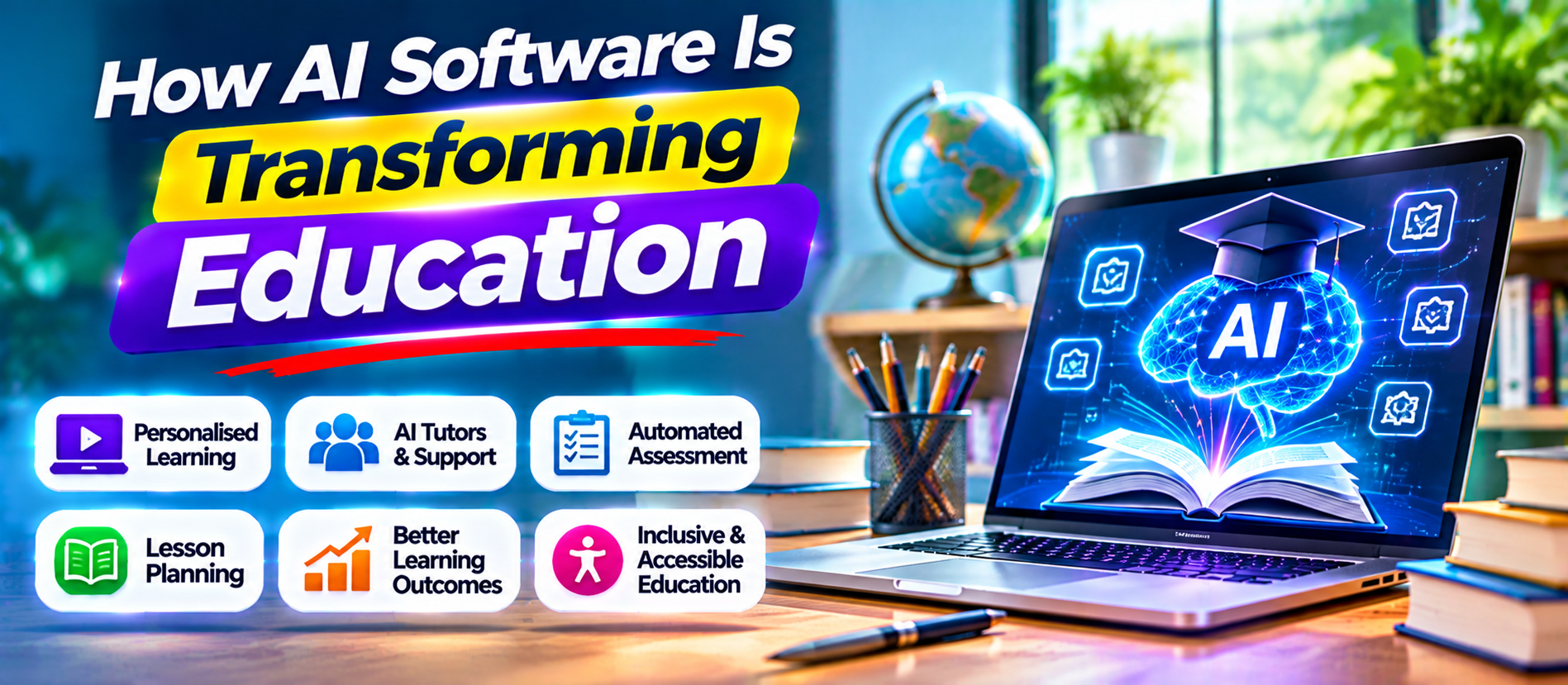
Artificial intelligence is changing how students learn, how teachers teach and how educational institutions operate. AI software can explain difficult topics, suggest personalized practice, support lesson planning and help identify learning gaps. However, technology alone cannot create a good education. The best results come when AI supports skilled teachers, active students and clear learning goals.
Introduction: A New Chapter in Education
Education has always changed with technology. Printed books made knowledge easier to share. Computers introduced digital learning. The internet connected classrooms to information from around the world. Today, artificial intelligence (AI) is creating another major shift.
AI software can process information, recognize patterns and generate useful responses. In education, these abilities can support students, teachers, parents and administrators. A learner can ask an AI tutor to explain a science concept in simple language. A teacher can use an AI assistant to prepare a first draft of a lesson plan. An institution can study attendance and assessment data to identify students who may need additional support.
This change is not limited to online courses or advanced universities. AI features are entering language-learning apps, writing tools, learning management systems, classroom platforms and administrative software. Schools and colleges are exploring ways to use these systems in everyday teaching.
💡 Key Insight
Yet, important questions remain. Can AI improve understanding? Will it reduce the role of teachers? How can schools protect student information? What happens when an AI tool gives a wrong answer? These questions deserve careful attention.
This article explains how AI software is transforming education, where it can make a difference, what risks institutions should consider and how to adopt it responsibly.
What Is AI Software in Education?
AI software in education refers to digital tools that use artificial intelligence to support teaching, learning, assessment or educational management. Some tools analyze student performance. Others provide conversational explanations, generate practice questions, translate learning material or help teachers organize their work.
AI in education includes several technologies:
- Machine learning: Systems identify patterns in data and use them to make predictions or recommendations.
- Natural language processing: Software works with human language. It can interpret questions, summarize text and support language learning.
- Generative AI: Tools create new text, images, explanations, examples, quizzes and other content in response to instructions.
- Speech recognition: Software converts spoken words into text and can support pronunciation practice or voice-based interaction.
- Learning analytics: Systems analyze learning activity and performance data to help educators understand progress.
- Computer vision: In suitable and carefully governed settings, software can interpret images or visual information, such as diagrams and handwritten work.
These technologies do not all perform the same task. A spelling assistant, an adaptive mathematics platform and a generative AI tutor may use different methods. Institutions should select a tool based on the educational need, not simply because it carries an AI label.
1. Personalized Learning for Every Student
Students do not learn at the same speed. Some understand a topic after one explanation. Others need more examples, visual support or repeated practice. In a large classroom, it can be difficult for one teacher to provide individual attention to every learner at every moment.
AI-powered learning platforms can help address this challenge. They may study a learner's answers, identify areas of difficulty and recommend suitable exercises. If a student repeatedly makes mistakes in fractions, the system can suggest simpler questions before moving to advanced problems.
Personalization can also involve the format of an explanation. A learner may request a short summary, a step-by-step explanation, a diagram or an example from daily life. Language tools can help students understand difficult material in a language they know better.
How personalized learning works
- The student completes a lesson, quiz or practice activity.
- The platform analyses responses and learning patterns.
- It identifies topics that may need more attention.
- The system recommends suitable content or practice.
- The student and teacher review progress and adjust the learning plan.
AI recommendations should be treated as guidance, not as a final judgement about a student's ability. A wrong answer may result from a confusing question, a language barrier, a technical issue or a temporary difficulty. Teachers need to interpret the wider context.
2. AI Tutors and Instant Learning Support
AI tutoring tools can provide support outside normal classroom hours. Students can ask questions while revising at home, preparing for an examination or studying a new subject. A well-designed tutor can explain a concept in stages and ask follow-up questions to check understanding.
For example, a student learning photosynthesis may ask for a simple explanation. The tool can describe how plants use light, water and carbon dioxide to produce food. The student can then request an everyday analogy or a short quiz.
AI tutors may also support problem-solving. Instead of immediately giving the final answer, a learning-focused tool can offer a hint, ask the student to explain the next step or point out a possible error. This approach encourages active thinking.
However, not every chatbot is a good tutor. A general-purpose chatbot may provide a fluent answer without checking whether the student has understood it. Educational tools should be designed around learning objectives, age suitability and reliable subject content.
3. Supporting Teachers and Reducing Routine Work
Teachers do much more than deliver lessons. They prepare materials, assess work, maintain records, communicate with parents and support students with different needs. AI software can assist with some routine tasks and give teachers more time for meaningful interaction.
Teachers may use AI tools to:
- Create a first draft of a lesson plan based on a syllabus topic.
- Prepare practice questions at different difficulty levels.
- Generate discussion prompts and classroom activities.
- Summarize long reading material for lesson preparation.
- Develop examples that connect theory with everyday situations.
- Draft parent updates, notices and classroom instructions.
- Organize teaching resources and create revision outlines.
These outputs require teacher review. AI may include inaccurate facts, unsuitable examples or material that does not match the curriculum. Teachers should check every resource before sharing it with students.
The purpose is not to replace teachers. It is to reduce avoidable workload while preserving professional judgement, classroom relationships and the human side of education.
4. Smarter Assessment and Faster Feedback
Assessment helps teachers understand what students know and where they need support. Traditional assessment can take considerable time, especially when teachers handle large classes. AI software can assist with selected parts of this process.
Some platforms can automatically score objective questions, organize quiz results and show patterns across a class. Writing-support systems may identify spelling, grammar or structure issues. Mathematics platforms can sometimes show the step where a learner made an error.
Fast feedback can help students correct misunderstandings while a topic is still fresh. It can also help teachers notice that several learners are struggling with the same concept.
Still, automated scoring has limits. Essays, creative projects, oral presentations and complex reasoning often require human judgement. An algorithm may reward a particular writing style or miss the meaning behind an unusual but valid answer. High-stakes decisions about grades, admission or progression should not depend only on an AI score.
5. Language Learning, Translation and Accessibility
Language can become a barrier when students study in a language they do not fully understand. AI translation and language tools can make educational content easier to access. Students may translate a difficult paragraph, listen to spoken text or practise a conversation with a virtual partner.
Speech recognition can help learners practise pronunciation. Text-to-speech tools can read digital material aloud. Speech-to-text tools can support note-taking and provide another way to interact with a device.
These features can be useful for learners with disabilities, students who are developing language skills and people who need flexible ways to access information. However, automated translation is not always accurate. Subject-specific terms, local expressions and cultural context may be misunderstood. Important educational material should be reviewed by a competent human where accuracy matters.
6. Better Learning Resources and Creative Activities
AI tools can help educators create different types of learning resources. A teacher may prepare a short reading passage, a set of revision questions, a role-play scenario or a simple explanation of a complex topic. Visual generation tools may help create concept illustrations, while coding assistants can provide examples for programming lessons.
Students can use AI as a brainstorming partner. They might compare possible project topics, plan a presentation or explore different ways to explain a scientific idea. Used carefully, this can encourage experimentation and creative thinking.
The key is to keep students involved in the process. If a learner asks AI to create an entire assignment and submits it without understanding the content, the tool has replaced the learning activity. A stronger approach is to ask AI for suggestions, evaluate those suggestions, develop an original response and explain the choices made.
7. AI in Online Learning and Learning Management Systems
Online learning platforms allow students to access lessons from different locations. AI can make these platforms more responsive. It may recommend the next lesson, suggest revision activities or help learners find relevant material.
In a learning management system (LMS), AI features may support course recommendations, learner progress reports, content organization and basic student queries. Some systems can help teachers identify learners who have stopped participating or who may be falling behind.
AI can also support blended learning. In this model, students combine classroom teaching with digital activities. They may study a topic online before class and use classroom time for discussion, experiments and problem-solving.
Institutions should ensure that AI features work well with existing systems. A new platform should not create unnecessary complexity or make essential learning resources harder to access.
8. Supporting Educational Administration
Schools, colleges and universities manage many processes beyond classroom teaching. These include admissions, timetables, attendance, student enquiries, library services and communication. AI-enabled administrative systems can help organize information and respond to routine requests.
For example, a virtual assistant may answer common questions about office hours, course requirements or application procedures. Analytics software may help administrators review enrolment patterns or identify timetable conflicts. Document tools may help staff search large collections of institutional records.
Administrative automation should be transparent. Students must know when they are interacting with an automated system and how to contact a human staff member. Sensitive decisions should remain subject to proper review and institutional accountability.
9. Benefits of AI Software for Students
When used with clear learning goals, AI software can offer several benefits to students.
- Learning at an individual pace: Students can spend more time on difficult topics and move forward when they are ready.
- Quick explanations: Learners can ask questions and request alternative examples.
- More practice: Some tools can generate additional exercises and quizzes.
- Flexible access: Digital support may be available beyond classroom hours, depending on connectivity and tool access.
- Language assistance: Translation and writing support can help learners engage with unfamiliar material.
- Study organization: AI can help create revision plans, topic lists and study schedules.
- Digital skills: Responsible use can help students understand AI systems and their limitations.
These benefits are not automatic. Students still need to read, practise, question information and build their own understanding.
10. Benefits of AI Software for Teachers
AI can support teachers at different stages of the teaching process. It can help with preparation, classroom activities, feedback and professional learning.
- It can reduce time spent drafting routine teaching materials.
- It can provide ideas for differentiated classroom activities.
- It can help organize quiz results and identify common errors.
- It can support communication by drafting clear notices and instructions.
- It can help teachers explore new teaching methods and digital resources.
- It can support professional development through summaries and guided practice.
Teachers remain responsible for educational decisions. Their subject knowledge, experience and understanding of students are essential. AI should strengthen these abilities rather than weaken them.
11. Challenges and Risks of AI in Education
AI offers useful possibilities, but its use also creates risks. Educational institutions should understand these issues before adopting new tools.
Incorrect or misleading information
Generative AI can produce answers that sound confident but contain errors. It may invent references, misstate facts or explain a topic incorrectly. Students should verify important information with textbooks, teachers and reliable sources.
Overdependence and reduced independent thinking
If students use AI to complete every task, they may practise less reading, writing, reasoning and problem-solving. A finished answer is not proof of learning. Teachers should design activities that require explanation, reflection and demonstration of understanding.
Student privacy and data protection
AI platforms may collect personal information, learning records, prompts or uploaded documents. Institutions should understand what data a provider collects, how it is stored, whether it is used to train models and how it can be deleted. Students should not upload sensitive personal or institutional information to unapproved services.
Bias and unfair outcomes
AI systems learn patterns from data. If that data is incomplete or biased, the system may produce unfair recommendations or results. Language, disability, location and socio-economic factors can affect how well a tool works for different learners.
Unequal access to devices and connectivity
Not every student has a reliable internet connection, a personal computer or a quiet place to study. If AI-supported learning becomes compulsory without alternatives, existing educational inequalities may grow.
Academic integrity
Students may submit AI-generated work as their own. Institutions need clear rules about acceptable assistance, disclosure, citation and original work. Assessment should focus on learning, not only on detecting AI-generated text.
Cost, training and technical support
Some tools require subscriptions, devices, integration and ongoing support. Schools should calculate the full cost and provide training. A tool that teachers cannot use confidently may add work instead of reducing it.
12. How Schools and Colleges Can Adopt AI Responsibly
Successful adoption begins with a clear educational purpose. Institutions should not purchase software simply because AI is popular. They should identify a real problem and decide whether AI is an appropriate solution.
- Define the learning need: Identify whether the priority is tutoring, accessibility, lesson preparation, assessment or administration.
- Involve teachers and students: Ask the people who will use the tool to help evaluate it.
- Check accuracy and suitability: Test the software with curriculum-related tasks and age-appropriate content.
- Review privacy and security: Examine data collection, storage, access controls and provider terms.
- Start with a small pilot: Test the tool in a limited setting before wider adoption.
- Train staff and learners: Explain how the system works, what it cannot do and when human review is required.
- Provide non-AI alternatives: Ensure students are not excluded because they lack devices, connectivity or access permissions.
- Measure learning outcomes: Evaluate understanding, engagement, accessibility and teacher workload—not just speed or the number of AI-generated outputs.
- Review regularly: Update rules and practices as technology, evidence and institutional needs change.
13. Practical Examples of AI Use in Different Subjects
Mathematics
A student can use an AI-supported platform to practise algebra. If an answer is incorrect, the system may provide a hint or show the step that needs attention. The teacher can review the results and plan a short revision activity.
Science
Students can request a simpler explanation of photosynthesis, the water cycle or electricity. They can use AI to generate questions for revision, then check the answers against class material and trusted references.
History and social science
AI can help students create timelines, compare historical interpretations or organize research questions. It should not replace source analysis. Students must examine original documents and reliable scholarship where possible.
Languages
Learners can practise conversations, check grammar and compare translations. Teachers can ask students to identify errors in an AI-generated paragraph and explain how they would improve it.
Computer science
Coding assistants can explain code, suggest debugging steps and generate small examples. Students should be asked to explain the logic and test the program rather than copy code without understanding it.
14. The Changing Role of Teachers in the AI Era
AI changes the resources available to teachers, but it does not remove the need for human educators. Teachers help students develop curiosity, confidence, discipline, empathy and social skills. They understand classroom relationships and can respond to emotional or personal situations in ways that software cannot reliably reproduce.
In an AI-supported classroom, teachers may spend less time preparing repetitive material and more time guiding discussion, supporting individual learners and designing meaningful activities. They also help students judge information, recognize bias and use technology responsibly.
Teachers need professional development to make these changes effective. Training should cover basic AI concepts, prompt design, fact-checking, privacy, bias, assessment and subject-specific teaching methods. The goal is not to turn every teacher into a software engineer. It is to help educators make informed choices.
15. AI Literacy: A Core Skill for Students
Students need more than the ability to open an AI application and type a question. They need AI literacy: the ability to understand what AI systems do, assess their outputs and use them safely and ethically.
AI literacy can include the following skills:
- Understanding that AI systems can make mistakes.
- Checking important claims against reliable sources.
- Protecting personal information and account details.
- Recognizing that generated content may reflect bias.
- Disclosing AI assistance when required by school or college rules.
- Using AI to explore ideas without giving up independent thought.
- Understanding the difference between assistance and original work.
Students should also learn how AI affects society, employment, creativity and communication. This knowledge can help them become responsible users and informed citizens.
16. What Does the Future of AI in Education Look Like?
AI in education is likely to become more integrated into learning platforms and institutional systems. Future tools may combine text, voice, images and interactive activities. They may offer more responsive tutoring, better accessibility features and improved support for teachers.
AI may also help institutions understand broad learning trends. With proper safeguards, anonymized and carefully managed data may help identify where students commonly struggle and where additional resources are needed.
At the same time, the future should not be measured by how much automation a school can introduce. It should be measured by whether students learn more effectively, teachers can teach well, and educational opportunities become more inclusive.
The strongest model is likely to be human-centerd. AI can provide suggestions, explanations and analysis. Teachers and learners remain active decision-makers. Institutions remain accountable for safety, fairness and educational quality.
17. How to Choose the Right AI Software for an Educational Institution
Choosing software requires more than comparing features. A school or college should consider its curriculum, student age groups, available devices, staff skills and data protection responsibilities.
| Evaluation area Questions to ask | |
| Educational value | Does the tool support a clear learning objective? |
| Accuracy | Can teachers verify the information and feedback it provides? |
| Ease of use | Can students and teachers use it without unnecessary complexity? |
| Accessibility | Does it support different learning needs, devices and languages? |
| Privacy | What student data is collected, stored and shared? |
| Security | Are access controls and account protections appropriate? |
| Cost | What are the subscription, training, integration and support costs? |
| Integration | Can it work with existing school systems and workflows? |
| Evidence | Is there credible evidence that it improves the intended outcome? |
Institutions should compare more than one provider and read the terms carefully. A short pilot can reveal practical problems before a large investment is made.
18. A Simple Guide for Students: Using AI as a Learning Partner
Students can get better results by treating AI as a study partner rather than an answer machine. The following process is a useful starting point:
- Read the topic or attempt the question yourself first.
- Ask AI to explain the part you do not understand.
- Request an example or a hint instead of the complete answer.
- Check important facts with textbooks or reliable sources.
- Write the final response in your own words.
- Review your work and make sure you can explain it without AI.
- Follow your institution's rules on disclosure and academic integrity.
This approach keeps the student responsible for learning while using technology for support.
Frequently Asked Questions About AI Software in Education
What is AI software in education?
AI software in education uses artificial intelligence to support learning, teaching, assessment or administration. Examples include adaptive learning platforms, AI tutors, language tools and lesson-planning assistants.
How does AI help students learn?
AI can provide explanations, recommend practice, support language learning and offer feedback. Its value depends on whether students use it to build understanding rather than simply obtain answers.
Can AI replace teachers?
No. AI can assist with selected tasks, but teachers provide professional judgement, motivation, care, classroom guidance and social interaction. These are central parts of education.
Can AI personalize education?
Yes. Some platforms use learning activity and assessment data to recommend content and practice. Teachers should review these recommendations because automated systems may misunderstand a learner's needs.
Is AI-generated information always correct?
No. AI tools can produce inaccurate or incomplete information. Students and teachers should verify important claims with reliable educational sources.
What are the main risks of AI in education?
Key risks include incorrect information, privacy problems, bias, unequal access, overdependence and academic integrity concerns. Clear policies and human oversight can reduce these risks.
How can teachers use AI in lesson planning?
Teachers can use AI to draft lesson outlines, create practice questions, suggest examples and adapt explanations. They should review and edit all generated material before classroom use.
Is AI useful for students with disabilities?
Some AI-supported features, such as speech-to-text, text-to-speech, captions and language support, can improve access. The right solution depends on the learner's needs and should be tested with them.
How should schools protect student data?
Schools should review provider privacy terms, limit the personal data shared, use approved accounts, apply access controls and explain data practices to students and families.
What is the best way to introduce AI in a school?
Start with a clear educational goal, involve teachers, check privacy and accuracy, run a small pilot, train users and measure learning outcomes before expanding the programme.
Does using AI mean a student is cheating?
Not always. It depends on the task and the institution's rules. Using AI to understand a concept may be permitted, while submitting generated work as one's own may violate academic integrity rules.
What skills should students develop for an AI-powered future?
Students should build subject knowledge, critical thinking, creativity, communication, problem-solving, digital literacy and the ability to evaluate AI outputs responsibly.
Conclusion: Better Education Through Responsible Use of AI
AI software is transforming education by making new forms of learning support possible. It can help personalize practice, provide quick explanations, assist teachers, support accessibility and improve selected administrative processes. These capabilities can make education more flexible and responsive.
However, technology is not a substitute for learning. Students need to think, practise, question and create. Teachers need the freedom and training to guide learning. Institutions need clear rules for privacy, fairness, safety and academic integrity.
The most effective approach is to use AI where it adds genuine educational value and keep people at the center of every important decision. When teachers, students and institutions use AI thoughtfully, it can become a powerful learning partner—not a replacement for human knowledge, creativity or care.
About Digiifrog
Digiifrog shares practical information about technology, education, digital innovation, software and the changing online world. Our goal is to make complex topics easier to understand through clear, useful and reader-focused content.
Visit www.digiifrog.com for more articles, guides and insights.
References and Further Reading
- UNESCO – Artificial Intelligence in Education
- UNESCO – Guidance for Generative AI in Education and Research
- UNESCO – AI Competency Framework for Students
- UNESCO – AI Competency Framework for Teachers
- OECD – Digital Education Outlook 2026: Exploring Effective Uses of Generative AI in Education
- UNESCO – AI and Education: Protecting the Rights of Learners
Editorial note: AI tools and institutional policies change over time. Review software features, privacy terms and local education rules before making adoption decisions. This article is intended for general information and should be adapted to the needs and policies of each educational institution.
Ready to Grow?
Talk to us about a strategy tailored to your brand — we will help you stand out in search, AI discovery and social.

Comments (0)
Log in to leave a comment.