📋 Quick Summary
In this article:
Quick Answer: What Is Real Estate Automation With AI?
Why Real Estate Businesses Need Automation
AI Automation Is Not the Same as an AI Chatbot
1. Automate Real Estate Lead Response
2. Automate Lead Follow-Up
3. Automate Property Tour Scheduling
4. Automate Listing Content
5. Automate Tenant and Resident Communication
6. Automate Maintenance Intake
7. Automate Maintenance Follow-Up
8. Automate Lease Renewal Workflows
9. Automate Rent Reminders
Real estate businesses handle a huge amount of repetitive work.
Teams answer the same questions. Agents follow up with leads. Property managers send rent reminders. Staff copy information between systems. Maintenance requests arrive through different channels. Owners wait for reports. Documents are reviewed manually. Marketing teams create listing descriptions one by one.
None of these tasks are necessarily difficult. The problem is volume.
As a real estate business grows, manual work grows with it. More properties create more tenants. More listings create more inquiries. More transactions create more documents. More owners create more reporting requirements.
AI automation can help break this cycle.
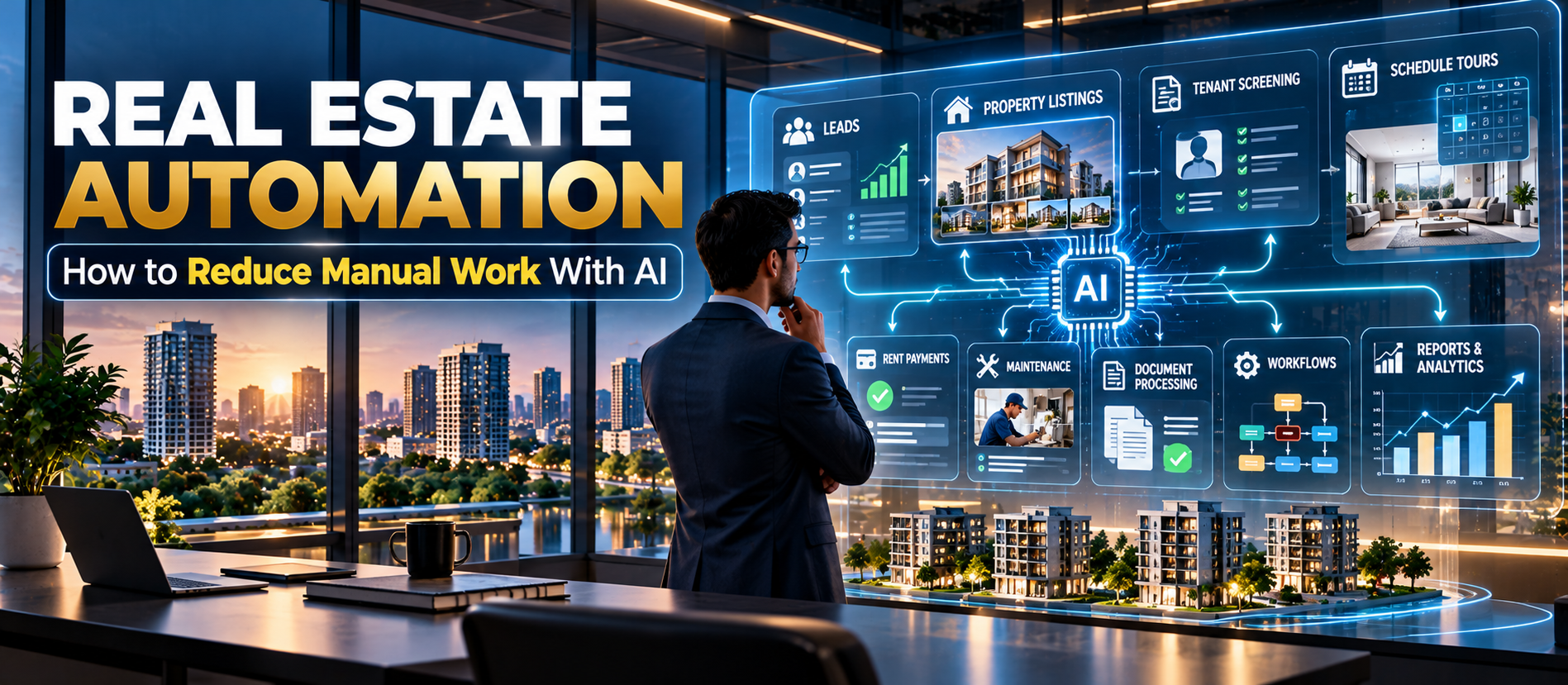
Modern AI systems can read information, classify requests, draft responses, summarize documents, identify patterns, trigger workflows, update approved systems, and route exceptions to people. The goal is not to remove humans from real estate. The goal is to remove unnecessary manual work so people can spend more time on decisions, relationships, negotiations, and growth.
💡 Key Insight
Current 2026 property-management research shows strong momentum. Buildium reports that AI adoption among property management companies rose from 20% in 2024 to 58% in 2025, while only 8% had fully automated any processes. This gap shows an important lesson: buying AI is easy; redesigning a complete workflow is harder.
This guide explains how real estate businesses can use AI automation in practical ways, where to start, what to automate first, what should remain human-controlled, and how to build an AI-enabled real estate operation without creating unnecessary risk.
Quick Answer: What Is Real Estate Automation With AI?
Real estate automation with AI means using artificial intelligence and connected software to complete repetitive real estate tasks with less manual intervention.
Examples include:
- Responding to property inquiries.
- Following up with leads.
- Scheduling property tours.
- Creating listing descriptions.
- Sorting and summarizing documents.
- Classifying maintenance requests.
- Creating maintenance work orders.
- Sending rent reminders.
- Preparing owner reports.
- Summarizing property performance.
- Tracking lease renewals.
- Flagging unusual transactions or expenses.
- Creating marketing content.
- Updating approved records across connected systems.
The best automation does more than generate text. It connects AI, data, business rules, software, and human approvals into one repeatable workflow.
Why Real Estate Businesses Need Automation
Real estate is often described as a relationship business. That is true. But a large amount of real estate work is administrative.
Consider a property management company.
A tenant sends a maintenance request. Someone reads it. Someone decides how urgent it is. Someone contacts a vendor. Someone creates a work order. Someone informs the tenant. Someone checks whether the repair is complete. Someone updates the owner. Someone enters the invoice.
One maintenance request can create many manual steps.
Now multiply that by hundreds or thousands of units.
The same pattern appears in leasing, accounting, sales, marketing, inspections, renewals, and reporting.
Automation helps by reducing the number of manual handoffs.
AI Automation Is Not the Same as an AI Chatbot
This distinction is important.
A chatbot answers questions. An automation system completes a workflow.
For example, a basic chatbot might answer:
“Is this apartment available?”
A stronger AI workflow can:
- Identify the property.
- Check approved availability data.
- Answer the question.
- Ask for the prospect's preferred viewing time.
- Check the calendar.
- Schedule the tour.
- Create or update the lead record.
- Send confirmation.
- Notify the leasing team.
The second system creates an outcome, not just a response.
This is where AI automation becomes valuable.
1. Automate Real Estate Lead Response
Speed matters when a prospective buyer or tenant sends an inquiry.
Leads may come from:
- Website forms
- Property portals
- Social media
- Phone calls
- Online advertising
- Referral channels
Without automation, staff may copy information from one platform into a CRM and respond manually.
AI can help collect the inquiry, understand what the person wants, answer approved questions, identify the property, and route the lead to the right team member.
This can reduce response delays and prevent leads from being forgotten.
2. Automate Lead Follow-Up
Many real estate leads do not convert after the first message.
Follow-up matters.
An AI workflow can send appropriate follow-ups based on the lead's status.
For example:
- New inquiry → immediate response.
- Tour requested → confirmation.
- Tour completed → follow-up message.
- Application started → missing-information reminder.
- No response → scheduled follow-up.
- High-intent lead → human sales notification.
The workflow should follow approved communication rules and allow prospects to opt out where required.
3. Automate Property Tour Scheduling
Scheduling can consume a surprising amount of staff time.
AI can collect preferred dates, check approved availability, schedule appointments, send confirmations, and create reminders.
This reduces back-and-forth communication.
It also creates a better customer experience because prospects do not have to wait for a staff member to manually coordinate every appointment.
4. Automate Listing Content
Real estate teams repeatedly create similar content.
AI can turn structured property information into first drafts for:
- Property descriptions
- Website listings
- Social media posts
- Email campaigns
- Brochures
- Ad variations
- FAQ content
However, important facts should come from verified property data.
AI should not invent floor area, amenities, legal status, pricing, availability, or property features.
A human should review final public-facing content when accuracy matters.
5. Automate Tenant and Resident Communication
Property managers answer many repetitive questions.
Examples include:
- When is rent due?
- How do I submit a maintenance request?
- Where can I find my lease?
- When is the next inspection?
- What is the move-out process?
- How do I report a problem?
An AI assistant can answer approved questions using a controlled knowledge base.
It should not guess when information is missing.
For sensitive issues, the system should route the conversation to a human.
The National Apartment Association's 2026 research found resident self-service technology produced one of the strongest reported positive impacts among rental-housing technologies.
6. Automate Maintenance Intake
Maintenance is one of the strongest areas for AI automation.
A resident can describe a problem in normal language:
“There is water under the kitchen sink and the cabinet is getting wet.”
AI can identify the likely category, ask approved follow-up questions, request a photo if appropriate, determine the priority based on predefined rules, create a work order, and route it to the correct team.
The system can then notify the tenant and maintenance team.
AI should assist with triage. It should not independently make unsafe technical conclusions.
7. Automate Maintenance Follow-Up
Creating the work order is only the beginning.
A better workflow can track:
- Request received
- Priority assigned
- Vendor selected
- Appointment scheduled
- Tenant notified
- Work completed
- Invoice received
- Tenant confirmation
- Owner reporting
AI can monitor the workflow and flag tasks that are overdue.
This prevents requests from disappearing into email inboxes.
8. Automate Lease Renewal Workflows
Lease renewals are deadline-driven and highly repeatable.
An automated system can identify leases approaching expiration and create a workflow.
It can:
- Flag the upcoming expiration.
- Prepare a renewal task.
- Summarize tenant history.
- Provide approved market information.
- Draft renewal communication.
- Track tenant response.
- Escalate non-response.
- Update records after approval.
Final pricing, legal terms, exceptions, and adverse decisions should remain subject to appropriate human review and local legal requirements.
9. Automate Rent Reminders
Rent reminders are repetitive and predictable.
Automation can send:
- Upcoming due-date reminders.
- Payment confirmations.
- Late-payment notices where legally permitted.
- Outstanding balance alerts.
- Internal collection tasks.
Automated reminders can reduce staff time and improve consistency.
Make sure messages, fees, notices, and collection procedures comply with applicable law and lease terms.
10. Automate Document Processing
Real estate generates large volumes of documents.
These may include:
- Leases
- Amendments
- Invoices
- Inspection reports
- Property disclosures
- Vendor contracts
- Insurance documents
- Financial statements
- Purchase agreements
- Due-diligence documents
AI can extract information from documents, summarize them, classify them, compare versions, and identify missing fields.
This can save substantial time when teams manage hundreds or thousands of documents.
11. Automate Lease Abstraction
Commercial real estate teams often need to extract important terms from long leases.
AI can help identify:
- Lease start date
- Lease expiry date
- Rent
- Escalations
- Renewal options
- Break clauses
- Security deposits
- Maintenance obligations
- Insurance requirements
- Important deadlines
Human review remains important because a document-extraction error can have financial consequences.
12. Automate Owner Reporting
Property owners want clear information.
But preparing owner reports can require manual data collection.
An automated workflow can combine approved data and generate a report showing:
- Rental income
- Operating expenses
- Vacancy
- Maintenance
- Outstanding balances
- Lease activity
- Net operating income
- Important exceptions
AI can also summarize the report in plain language.
Instead of reading a spreadsheet, an owner might receive a short explanation of what changed and why.
13. Automate Financial Data Checks
AI can help identify unusual patterns.
For example:
- An unusually high repair invoice.
- A sudden increase in utility costs.
- A missing rent payment.
- A duplicate invoice.
- An unexpected expense category.
- A property with unusually high maintenance costs.
The system can flag the issue for review.
It should not silently change accounting records unless the workflow has been specifically designed, tested, approved, and controlled.
14. Automate Property Marketing
Marketing teams often repeat the same tasks across properties.
AI can help create:
- Listing descriptions
- Social media captions
- Email copy
- Ad variations
- FAQ content
- Neighborhood summaries
- Video scripts
- SEO content
Structured property data should be the source of truth.
AI should improve presentation without changing factual information.
15. Automate CRM Updates
Sales teams lose valuable time updating CRMs.
AI can summarize calls and messages and prepare structured updates.
For example, after a conversation, the system can record:
- Lead stage
- Property interest
- Budget range
- Preferred location
- Next action
- Follow-up date
A team member can review the update before it is finalized.
16. Build an AI Real Estate Knowledge Base
AI works better when it has access to reliable business context.
Create a controlled knowledge base containing:
- Property information
- Approved pricing information
- Policies
- Lease procedures
- Maintenance procedures
- Frequently asked questions
- Contact information
- Escalation rules
- Business hours
- Approved communication templates
This reduces the chance that an AI assistant will invent an answer.
17. Connect AI to Your Existing Systems
AI automation becomes much more useful when it can interact with the systems your team already uses.
A typical real estate automation stack might include:
- Website
- CRM
- Property management system
- Accounting software
- Calendar
- SMS or messaging
- Document storage
- Maintenance platform
- Analytics dashboard
The AI layer can sit between these systems and coordinate approved actions.
This is more powerful than adding another isolated chatbot.
18. Use APIs and Workflow Automation
Application programming interfaces, or APIs, allow software systems to exchange data.
For example:
Website inquiry → AI classification → CRM record → calendar booking → confirmation message.
Another workflow might be:
Maintenance message → AI triage → work order → vendor assignment → tenant update → completion report.
The more connected the workflow, the less manual data entry is required.
19. Create Human Approval Gates
Not every AI action should happen automatically.
Create approval gates for higher-risk decisions.
Examples include:
- Lease approval
- Pricing changes
- Large repair approvals
- Refunds
- Legal notices
- Tenant screening exceptions
- Financial adjustments
- Contract changes
AI can prepare the recommendation. A person can make the final decision.
This approach provides efficiency without removing accountability.
20. Use AI for Exception Management
One of the strongest uses of AI is identifying what needs human attention.
Instead of asking employees to review everything, the system can surface exceptions.
For example:
- Lease expires within 60 days with no renewal action.
- Maintenance request exceeds the target completion time.
- Invoice is significantly above historical cost.
- Rent payment is overdue.
- Property vacancy exceeds the expected period.
- Tenant communication has remained unanswered.
Humans then focus on the exceptions instead of checking every normal transaction.
21. AI Automation for Commercial Real Estate
AI automation is not limited to residential rentals.
Commercial real estate teams can automate:
- Lease abstraction
- Tenant reporting
- Property inspections
- Maintenance requests
- Vendor coordination
- Expense analysis
- Document review
- Market research
- Investment memo preparation
- Portfolio reporting
Research on commercial real estate in 2026 shows a growing deployment gap: more firms are scaling AI, but many still process documents and workflows manually.
The lesson is clear. AI adoption alone is not enough. Businesses need workflow redesign.
22. AI Automation for Real Estate Brokers
Brokers can use AI automation to manage the top of the sales funnel.
Useful workflows include:
- Lead capture
- Lead qualification
- Property matching
- Follow-up
- Viewing scheduling
- CRM updates
- Listing content
- Client summaries
- Post-viewing follow-up
This gives agents more time for negotiation, relationship building, property visits, and closing.
23. AI Automation for Property Managers
Property managers can automate many repetitive operational tasks.
High-value areas include:
- Resident communication
- Maintenance intake
- Work-order routing
- Rent reminders
- Renewal follow-up
- Inspection scheduling
- Owner reporting
- Vendor coordination
- Document organization
- Portfolio alerts
Buildium's 2026 report identifies AI and automation as a major efficiency trend, while the National Apartment Association reports strong perceived value from self-service technology, screening technology, standardized procedures, AI tools, dashboards, unified data, and centralized operations.
24. AI Automation for Real Estate Investors
Investors can use AI to reduce research and reporting workload.
Potential applications include:
- Deal screening
- Property comparison
- Rent-roll analysis
- Expense analysis
- Lease review
- Market research
- Investment memo drafting
- Portfolio monitoring
- Variance analysis
AI should support analysis, not replace investment judgment.
25. Calculate the ROI of Automation
Do not automate a process simply because AI can do it.
Measure the economic value.
A simple framework is:
Automation ROI = (Annual Benefit − Annual Automation Cost) ÷ Annual Automation Cost × 100
Benefits can include:
- Staff hours saved
- Faster lead response
- Reduced vacancy
- Lower administrative costs
- Fewer missed follow-ups
- Reduced duplicate data entry
- Fewer reporting errors
- Faster maintenance coordination
Do not count theoretical time savings as real savings unless the organization can actually redeploy that time to valuable work.
26. Find Your Highest-Value Automation Opportunities
Score each workflow using five questions:
- How often does the task occur?
- How much staff time does it consume?
- How standardized is the process?
- How costly is an error?
- Can a human review exceptions?
The best early targets are usually high-volume, repetitive, documented workflows with clear rules.
Current 2026 property-management research similarly points toward repetitive and rule-based work as the strongest starting point for automation.
27. Start With One Workflow
Do not automate the entire company on day one.
Choose one workflow.
For example:
Maintenance intake and triage.
Document the current process. Identify every manual step. Define the desired process. Connect the required systems. Test the workflow. Add human approval where needed. Measure the result.
Then move to the next workflow.
28. Document the Current Process Before Automating It
Automation can make a bad process run faster.
That does not make it a good process.
Before automation, document:
- Trigger
- Inputs
- Steps
- Decision rules
- Systems used
- People involved
- Exceptions
- Final output
Then remove unnecessary steps before adding AI.
29. Build an AI Workflow With Five Layers
A practical real estate AI automation can be designed in five layers.
Layer 1: Trigger
A message, form, payment event, document, deadline, or system event starts the workflow.
Layer 2: Context
The system retrieves approved information about the property, tenant, lead, lease, or transaction.
Layer 3: AI Reasoning
The AI classifies, summarizes, extracts, drafts, or recommends the next action.
Layer 4: Action
The workflow updates an approved system, sends a message, creates a task, or schedules an event.
Layer 5: Oversight
Exceptions are routed to a human and important actions are logged.
This architecture is much safer than allowing an AI model to operate without defined boundaries.
30. Protect Real Estate Data
Real estate systems contain sensitive information.
This can include:
- Identity information
- Financial information
- Tenant records
- Lease documents
- Bank details
- Property access information
- Business contracts
- Investment data
Use appropriate access controls, encryption, authentication, data-retention rules, audit logs, and vendor security reviews.
Do not give an AI system more access than it needs.
31. Reduce AI Hallucination Risk
AI can generate confident but incorrect information.
In real estate, an incorrect answer can create financial, legal, or reputational problems.
Reduce the risk by:
- Using verified data sources.
- Restricting AI access to approved knowledge.
- Requiring citations or source references for important outputs.
- Using validation rules.
- Adding human review for sensitive actions.
- Logging important decisions.
- Testing the system before deployment.
The National Association of Realtors warns that generative AI can create efficiency gains but also carries risks related to bias, legal issues, and hallucinations.
32. Be Careful With Tenant Screening AI
Tenant screening is a sensitive area.
Automated systems should follow applicable housing, privacy, consumer-protection, and anti-discrimination laws.
Do not use AI to make uncontrolled decisions based on protected characteristics or proxies for protected characteristics.
Keep decision criteria documented and review automated screening systems for accuracy and fairness.
33. Do Not Automate Legal Judgment
AI can summarize a lease or draft a message.
That does not make it a lawyer.
Legal notices, eviction matters, disputes, contract interpretation, compliance questions, and other legal issues should receive appropriate professional review.
34. Measure the Before-and-After Result
Every automation project should have a baseline.
For example, before automating lead response, measure:
- Average response time
- Lead-to-tour conversion
- Tour-to-application conversion
- Staff hours spent
After implementation, measure the same metrics.
This tells you whether the automation actually created value.
35. Real Estate Automation KPIs
| Workflow Useful KPI | |
| Lead management | Response time and conversion rate |
| Tour scheduling | Time to appointment |
| Maintenance | Response and completion time |
| Rent collection | Collection rate and overdue balance |
| Renewals | Renewal rate and days-to-renewal |
| Reporting | Report preparation time |
| Document processing | Processing time and error rate |
| Marketing | Cost per qualified lead |
| Operations | Staff hours per property or unit |
36. A 90-Day AI Automation Plan
Days 1–30: Discover and Prepare
- Map major workflows.
- Identify repetitive tasks.
- Measure current performance.
- Clean important data.
- Choose one high-value workflow.
- Define security and approval requirements.
Days 31–60: Build and Test
- Connect required systems.
- Build the automation.
- Create prompts and rules.
- Define escalation paths.
- Test normal cases.
- Test unusual cases.
- Review AI outputs.
Days 61–90: Launch and Improve
- Launch with controlled scope.
- Monitor errors.
- Measure KPIs.
- Collect staff feedback.
- Improve the workflow.
- Document the process.
- Choose the next workflow.
This approach reduces implementation risk and creates measurable progress.
37. Common Real Estate AI Automation Mistakes
Mistake 1: Buying AI Before Mapping the Workflow
Technology cannot fix a process nobody understands.
Mistake 2: Automating Everything
Some decisions require judgment, empathy, or professional accountability.
Mistake 3: Using Poor Data
AI cannot compensate for inaccurate property or tenant records.
Mistake 4: No Human Escalation
Every important automation needs a clear exception path.
Mistake 5: Ignoring Integration
An AI tool that does not connect to the real workflow may simply create another screen for employees to manage.
Mistake 6: Measuring Activity Instead of Outcomes
Generating 1,000 AI messages is not success. Faster leasing, lower costs, better service, and fewer errors are better measures.
Mistake 7: Ignoring Security
AI systems must be treated as part of the business technology environment.
38. What Should Humans Continue to Do?
AI should handle repetitive work. Humans should remain responsible for judgment-heavy work.
Humans should typically lead:
- Negotiations
- Relationship management
- Complex sales
- Legal decisions
- Safety decisions
- High-value investment decisions
- Tenant disputes
- Strategic pricing decisions
- Major vendor negotiations
- Exception handling
The future is not human versus AI.
It is humans supported by AI-powered workflows.
39. The Future of Real Estate Automation
Real estate automation is moving from simple task automation toward connected AI workflows.
Instead of separate tools for email, maintenance, leasing, reporting, and document processing, businesses are increasingly looking for systems that can coordinate work across multiple platforms.
The shift can be summarized as:
Old model: Employee receives information → employee decides what to do → employee copies information → employee sends message → employee updates system.
New model: Event occurs → AI understands context → workflow applies rules → approved action happens → human handles exceptions → system records the result.
That change can have a major effect on productivity.
40. Final Real Estate Automation Checklist
- Map your highest-volume workflows.
- Identify repetitive manual tasks.
- Measure current time and cost.
- Clean your property and customer data.
- Start with one workflow.
- Connect AI to approved business systems.
- Create clear business rules.
- Build human approval gates.
- Create exception handling.
- Protect sensitive data.
- Test AI outputs.
- Track before-and-after KPIs.
- Train employees.
- Improve the workflow continuously.
- Expand only after the first workflow proves value.
Frequently Asked Questions
What is real estate automation?
Real estate automation uses software, workflows, integrations, and increasingly AI to reduce manual work across sales, leasing, property management, maintenance, marketing, accounting, documents, and reporting.
How can AI reduce manual work in real estate?
AI can classify information, draft communications, summarize documents, schedule appointments, route maintenance requests, prepare reports, identify exceptions, and trigger approved actions across connected systems.
What real estate tasks should be automated first?
Start with repetitive, high-volume, rule-based tasks such as lead follow-up, tour scheduling, maintenance intake, rent reminders, renewal reminders, document extraction, and recurring reporting.
Can AI automate property management?
AI can automate many property-management tasks, but it should not replace all human oversight. Maintenance triage, resident communication, renewals, reporting, and administrative work are good candidates, while legal, safety, sensitive screening, and complex decisions need human control.
Can AI replace real estate agents?
AI can reduce administrative work for agents, but relationship building, negotiation, local knowledge, trust, and complex decision-making remain important human strengths.
Is AI automation expensive?
Cost depends on the workflow, software, integrations, number of users or properties, and level of customization. The correct question is whether the expected operational benefit exceeds the total cost of implementation and ongoing use.
How do I start AI automation in a small real estate business?
Choose one repetitive process. Document it. Measure its current cost. Automate a small part first. Test it. Add human review. Measure the result. Then expand to another workflow.
Is AI safe for tenant communication?
AI can support tenant communication when it uses approved information and has clear boundaries. Sensitive, legal, emergency, or disputed issues should be escalated to a human.
Conclusion
Real estate businesses do not need more software simply for the sake of having more software. They need better workflows.
AI automation is valuable when it removes repetitive work, connects disconnected systems, improves response speed, reduces errors, and gives employees more time for high-value decisions.
Start with the boring work.
Automate the lead follow-up. Automate the appointment reminder. Automate the maintenance intake. Automate the rent reminder. Automate the report preparation. Automate the document extraction. Then measure the result.
Do not automate sensitive decisions without appropriate controls. Do not trust AI with inaccurate data. Do not build systems without human escalation.
The strongest real estate AI strategy is practical. It combines AI intelligence, workflow automation, reliable data, connected systems, clear rules, and human judgment.
That is how real estate companies can reduce manual work without reducing service quality.
The goal is not to automate people. The goal is to automate the work that prevents people from doing their best work.
About Digiifrog
Digiifrog helps businesses improve digital visibility and operational growth through digital marketing, SEO, AI search optimization, content strategy, web development, automation, and technology-enabled business solutions. Learn more at www.digiifrog.com.
Disclaimer: This article is for general educational and informational purposes only. AI systems can produce inaccurate or incomplete information and may create legal, privacy, security, bias, or compliance risks when used improperly. Real estate laws, housing rules, privacy requirements, financial regulations, and tenant protections vary by jurisdiction. Obtain appropriate professional advice and conduct independent due diligence before deploying AI automation in production.
Ready to Grow?
Talk to us about a strategy tailored to your brand — we will help you stand out in search, AI discovery and social.

Comments (0)
Log in to leave a comment.