📋 Quick Summary
In this article:
What Is Changing in the Software Industry?
1. Artificial Intelligence Will Become a Core Part of Software
How AI is changing applications
AI will support people, not remove the need for judgement
2. Automation Will Connect More Business Processes
Examples of business automation
Rule-based automation and AI-powered automation
3. Cloud Computing Will Remain the Foundation of Digital Services
Important cloud service models
Why cloud platforms matter for AI
Hybrid and multi-cloud environments
4. Intelligent Agents Will Change How People Use Software
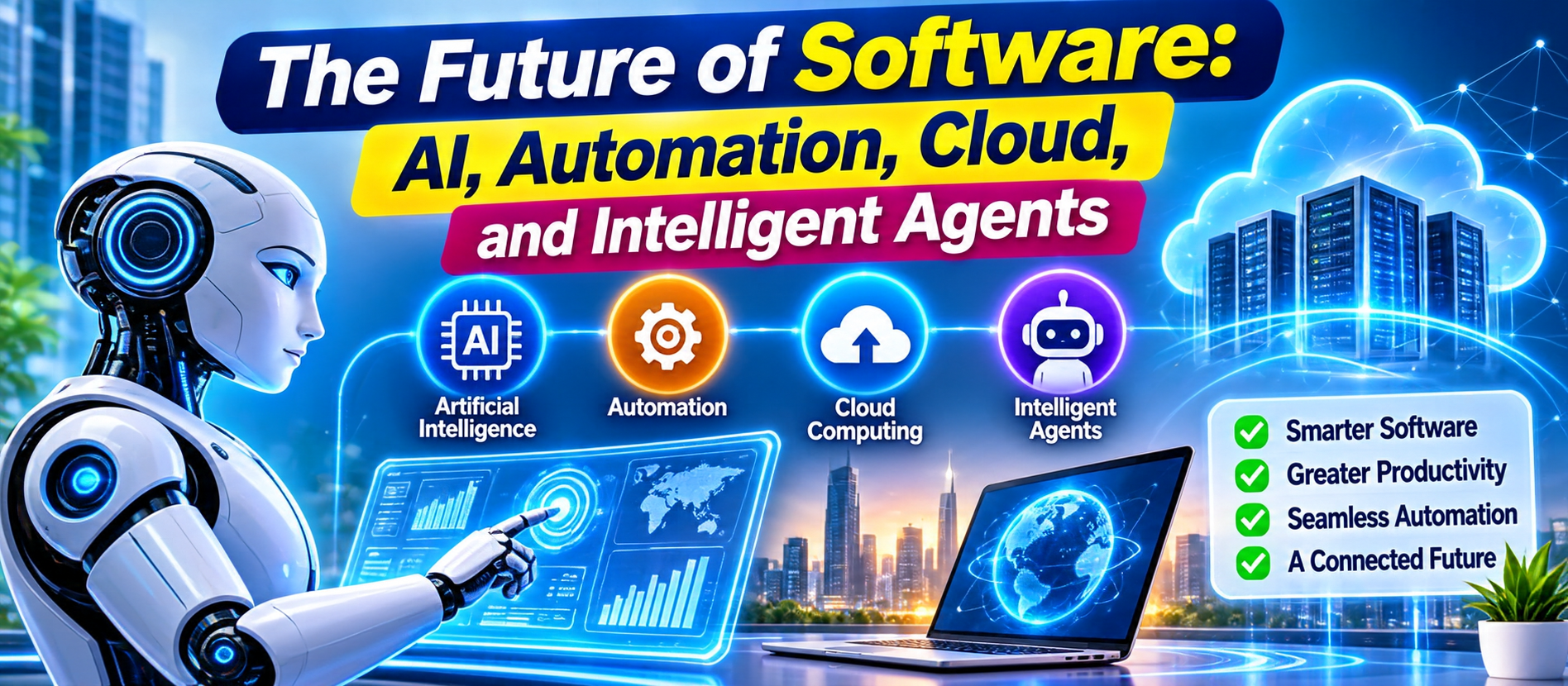
Software is changing from a collection of tools into a connected system that can understand information, automate work and support decisions. Artificial intelligence is making applications more capable. Cloud computing is making digital services easier to access and scale. Automation is reducing repetitive work. Intelligent agents are beginning to coordinate tasks across different systems.
These changes are not happening separately. They are combining to create a new software landscape. A business may use cloud platforms to store information, AI to analyze it, automation to move data between systems and agents to complete multi-step tasks. The result can be a more responsive and connected digital workplace.
This transformation affects almost every sector. Education, healthcare, retail, finance, manufacturing, marketing and public services are exploring new ways to use software. At the same time, organizations must address data privacy, cybersecurity, cost, reliability and the need for human oversight.
This guide explains the major forces shaping the future of software. It covers current technology directions, practical examples, business opportunities, risks and a step-by-step approach to adoption. The aim is to make a complex subject easier to understand.
What Is Changing in the Software Industry?
For many years, software mainly helped people complete tasks through screens, forms, menus and fixed workflows. Users opened an application, entered information and followed the steps designed by its developers. This model remains useful, but expectations are changing.
Modern software is becoming more intelligent, connected and adaptive. It can analyze large amounts of information, recommend actions and coordinate work across services. Some systems can understand natural language. Others can use AI models to generate content, inspect data or assist with software development.
Four major forces are driving this change:
- Artificial intelligence: Software can understand language, recognize patterns, generate content and support decisions.
- Automation: Systems can complete routine steps and connect business processes.
- Cloud computing: Applications and data can be accessed through scalable online infrastructure.
- Intelligent agents: AI-powered systems can plan and perform approved tasks through connected tools.
These technologies are becoming part of the same digital environment. The future will not be defined by one tool. It will be shaped by how well organizations combine these capabilities.
1. Artificial Intelligence Will Become a Core Part of Software
Artificial intelligence is moving beyond standalone chatbots and experimental tools. It is becoming part of everyday business applications. Software can now help users draft documents, summarize information, classify requests, analyze data and create new content.
AI features may appear inside accounting platforms, customer relationship management systems, design tools, office software, development environments and learning platforms. Users may not always need to open a separate AI application. They can access assistance inside the software they already use.
How AI is changing applications
- Natural-language interaction: Users can describe what they need instead of learning every menu or command.
- Predictive analysis: Software can identify patterns and estimate possible outcomes from available data.
- Content generation: AI can help create first drafts of emails, reports, product descriptions and presentations.
- Document understanding: Systems can extract key details from documents and organize information.
- Personalization: Applications can adapt recommendations and experiences to relevant user needs.
- Decision support: AI can highlight trends and options, while people remain responsible for important decisions.
AI will support people, not remove the need for judgement
AI can make work faster, but its output is not always correct. It may misunderstand context, use outdated information or produce a convincing but inaccurate answer. Important facts should be checked. Human review is especially important in finance, healthcare, education, law and other high-impact areas.
The most useful AI software will combine speed with transparency. It should explain what information it used, show relevant sources where possible and make it easy for people to correct mistakes.
2. Automation Will Connect More Business Processes
Automation uses technology to complete tasks with limited manual effort. Traditional automation follows rules. For example, when a customer submits a form, a workflow can save the details in a database and send a confirmation email.
Businesses already use automation for invoices, payroll, customer notifications, inventory updates, appointment reminders and report preparation. The next stage is more flexible automation that can work with information in different formats and respond to changing conditions.
Examples of business automation
- Sending a confirmation after a website enquiry.
- Creating a support ticket when a customer reports a problem.
- Moving approved invoice details into an accounting system.
- Sending reminders before appointments or payment dates.
- Updating stock records after an order is processed.
- Preparing routine performance reports from business data.
Rule-based automation and AI-powered automation
Rule-based automation is suitable when the steps are clear and predictable. AI-powered automation can help when information is unstructured, such as a customer email or a scanned document. It can classify the request, extract details or prepare a suggested response.
Many workflows will use both. A model may interpret a message, while fixed rules validate the result and decide which action is allowed. This combination can be more dependable than asking an AI model to control every step.
3. Cloud Computing Will Remain the Foundation of Digital Services
Cloud computing provides access to computing resources such as servers, storage, databases, networking and software through online services. Instead of buying and maintaining every part of an IT system, an organization can use infrastructure supplied by a cloud provider.
Cloud platforms support websites, mobile applications, online collaboration, data analytics, AI services and business software. They allow teams to access systems from different locations and scale resources as demand changes.
Important cloud service models
- Infrastructure as a Service (IaaS): Provides computing, storage and networking resources. The customer manages much of the software environment.
- Platform as a Service (PaaS): Provides a managed environment for building, testing and deploying applications.
- Software as a Service (SaaS): Delivers ready-to-use applications through the internet, usually with a subscription or usage-based model.
- Function as a Service (FaaS): Runs small units of code in response to events without requiring users to manage a full server.
Why cloud platforms matter for AI
AI workloads can require substantial computing power, storage and specialized hardware. Cloud platforms can provide access to these resources without requiring every business to build its own data center. They also offer managed databases, model services, monitoring and security tools.
Hybrid and multi-cloud environments
Not every organization will move all its systems to one cloud provider. Some keep sensitive workloads in private infrastructure and use public cloud services for other tasks. This is often called a hybrid-cloud approach. A multi-cloud strategy uses services from more than one cloud provider.
These models can offer flexibility, but they also add management work. Organizations need clear rules for identity, data movement, backups, costs and security across environments.
4. Intelligent Agents Will Change How People Use Software
An intelligent AI agent is a software system that can interpret a goal, plan steps and use approved tools to complete a task. It may search information, prepare a document, update a record or coordinate work across applications.
A traditional app usually expects a person to navigate screens and perform each step. An agent can work from a goal. For example, a user may ask it to prepare a weekly sales summary. The agent could retrieve approved sales data, calculate changes, identify unusual patterns and prepare a draft report.
What makes an AI agent different?
- Goal-based operation: It starts with an outcome rather than a single button press.
- Planning: It can break a task into smaller steps.
- Tool use: It can call approved APIs, search services and business applications.
- Context: It can use relevant information from the current task.
- Adaptation: It may change its next step when a tool returns new information.
- Human approval: It can pause before sensitive or external actions.
Where agents may be useful
Customer support agents can classify requests and prepare answers. Marketing agents can organize campaign information and draft content. Development agents can help inspect code and run tests. Research agents can search documents and prepare source-linked summaries. Administrative agents can organize records and reminders.
Agents should not be given unlimited access. They need narrow permissions, reliable data and clear limits. Actions such as payments, deleting records, changing legal documents or sending sensitive messages should require strong controls and often human approval.
5. AI Agents and Automation Will Work Together
AI agents and automation are related, but they are not identical. Automation is often designed around known rules and triggers. An AI agent can interpret a goal and choose from a set of permitted tools. Together, they can support more flexible workflows.
Consider an online store that receives a customer complaint. A workflow can create a ticket automatically. An AI agent can read the message, identify the order number and search the approved order system. Fixed rules can check whether the request meets the return policy. The agent can then prepare a response for a support employee to approve.
This approach combines three strengths:
- Automation handles predictable steps.
- AI interprets language and unstructured information.
- People review exceptions and make important decisions.
Organizations should not use an AI agent where a simple rule is enough. The best design uses the simplest reliable method for each part of the process.
6. Data Will Become a More Valuable Software Asset
AI and automation depend on data. A system cannot produce reliable results if the information it receives is incomplete, outdated or inconsistent. As software becomes more intelligent, data quality becomes even more important.
Businesses collect information from websites, mobile apps, customer records, payment systems, sensors, documents and operational platforms. This information needs to be organized so that authorized systems can use it safely.
Key data priorities
- Accuracy: Keep records correct and remove known errors.
- Consistency: Use common formats for dates, names, categories and identifiers.
- Governance: Define who owns data and who may access it.
- Privacy: Collect and use personal information only for clear, lawful purposes.
- Security: Protect information through access controls, encryption and monitoring.
- Interoperability: Make it possible for approved systems to exchange information.
- Retention: Keep data only as long as it is needed and permitted.
A strong data foundation can improve reporting, automation and AI outcomes. It can also reduce the risk of exposing confidential information to systems that do not need it.
7. Cybersecurity Will Be Central to Future Software
More connected software creates more opportunities, but it can also create more entry points for attackers. Cloud services, APIs, mobile devices, AI models and autonomous agents all need protection.
Security cannot be added only at the end of a project. It should be part of software design, development, deployment and daily operation.
Important security practices
- Strong identity controls: Verify users, services and agents before granting access.
- Least privilege: Give each account or agent only the permissions required for its role.
- Encryption: Protect sensitive data in transit and at rest.
- Secure development: Review code, dependencies and configuration before release.
- Continuous monitoring: Detect unusual activity and investigate security alerts.
- Backups and recovery: Prepare for accidental deletion, outages and cyber incidents.
- Vendor assessment: Understand the security responsibilities of cloud and software providers.
- Agent controls: Log agent actions and require approval for sensitive operations.
AI introduces additional risks. A system may reveal sensitive information, follow malicious instructions hidden in external content or take an unintended action. Organizations should test these risks and use clear boundaries. The World Economic Forum's Global Cybersecurity Outlook 2026 discusses how AI affects both cyber defence and the threat landscape.
8. Software Development Will Become More AI-Assisted
AI tools are changing how developers write, understand, test and maintain software. They can explain unfamiliar code, suggest functions, generate test cases, identify possible bugs and help prepare documentation.
AI coding agents can also work through multi-step development tasks. A developer may ask an agent to inspect a codebase, propose a change, run tests and prepare a summary. The developer still needs to review the changes and understand their impact.
Benefits for development teams
- Faster first drafts of code and documentation.
- Help understanding unfamiliar codebases.
- Support for test creation and debugging.
- More time for architecture and product decisions.
- Improved access to technical explanations for learners.
Why code review still matters
Generated code can contain security weaknesses, incorrect assumptions or maintenance problems. Teams should use code review, automated testing, dependency checks and secure development practices. AI can increase output, but it does not remove responsibility for software quality.
Gartner's November 2026 discussion of software engineering trends highlights AI-native development platforms, agent sandboxing and evaluation-driven development as important areas for organizations to consider. Read Gartner's announcement.
9. Low-Code and No-Code Tools Will Expand Software Creation
Low-code and no-code platforms let users build applications with visual tools, templates and configuration instead of writing every line of code. AI features are making these platforms easier to use. A person may describe a simple workflow or application and receive a starting structure.
These tools can help small businesses create forms, dashboards, internal portals and approval workflows. They can also help departments test an idea before investing in a larger development project.
However, low-code does not mean no governance. Organizations still need to manage access, data, integrations, testing and long-term maintenance. A quick prototype should not automatically become a critical business system without proper review.
10. Edge Computing and Connected Devices Will Extend Software Beyond the Cloud
Cloud computing is powerful, but some applications need very fast responses or must continue working when internet access is limited. Edge computing processes data closer to where it is created, such as on a device, local gateway or nearby server.
This is useful in manufacturing, transport, healthcare devices, retail systems and smart buildings. A factory sensor may need to detect an abnormal condition immediately. A connected vehicle may need to process information locally rather than wait for a distant cloud service.
Edge and cloud systems can work together. The edge handles time-sensitive operations, while the cloud supports large-scale storage, analysis and central management.
11. Industry-Specific Software Will Become More Intelligent
General-purpose software is useful, but many industries have specialized rules and workflows. Future software will increasingly combine AI with industry knowledge and trusted data.
Healthcare
Healthcare software can support appointment management, clinical documentation, medical image workflows and administrative tasks. AI outputs must be validated by qualified professionals. Patient privacy and safety remain essential.
Education
Educational platforms can provide personalized practice, learning support, feedback and administrative assistance. Teachers should guide learning and verify AI-generated material. Student data needs careful protection.
Retail and e-commerce
Retail systems can improve product discovery, inventory planning, customer support and order management. AI can help interpret customer questions, while business rules control refunds, discounts and fulfilment.
Manufacturing
Industrial software can combine sensor data, predictive maintenance, digital twins and AI-assisted quality checks. Local processing may be important where delays could affect safety or production.
Finance
Financial software can support transaction monitoring, document processing, customer service and risk analysis. Decisions involving credit, investments or payments require appropriate controls, transparency and human accountability.
Marketing and media
Marketing platforms can help research audiences, plan campaigns, generate draft content and analyze performance. Human review remains important for brand accuracy, originality, consent and factual claims.
12. The Benefits of the New Software Landscape
When AI, automation, cloud computing and agents are implemented well, they can create practical benefits:
- Better productivity: Routine tasks can take less time.
- Improved access: Cloud services make software available across locations and devices.
- Faster information analysis: AI can help people understand large volumes of data.
- Connected operations: Integrations can reduce repeated data entry.
- More responsive services: Systems can assist users outside normal office hours.
- Flexible scaling: Cloud resources can adjust to changing demand.
- New business models: Companies can create services based on data, AI and digital workflows.
- More time for human work: Employees may focus on relationships, creativity and complex judgement.
These outcomes are not automatic. They depend on good process design, reliable data, employee training and ongoing measurement.
13. Challenges Businesses Must Prepare For
Cost management
Cloud usage, AI model calls, data storage and agent workflows can create costs that are difficult to predict. Organizations should monitor usage, set budgets and compare costs with measurable benefits.
Skills and training
Employees need to understand how to use AI tools, check their outputs and protect business information. Technical teams need skills in cloud architecture, data engineering, cybersecurity and AI evaluation.
Integration with older systems
Many organisations depend on legacy applications. These systems may have limited APIs or outdated data structures. Modernization should be planned carefully to avoid disrupting essential services.
Vendor dependence
Moving data and workflows to a single provider can make future changes difficult. Consider portability, export options, open standards and exit plans when selecting platforms.
Trust and accountability
Users need to know when AI is involved and who is responsible for the result. Organizations should document important decisions, provide escalation routes and make it possible to correct errors.
Environmental impact
Large-scale computing uses energy and physical infrastructure. Efficient model selection, workload planning, data retention and cloud resource management can help reduce unnecessary consumption.
14. How Businesses Can Prepare for the Future of Software
Organizations do not need to adopt every new technology at once. A practical plan starts with business needs and builds capability step by step.
- Review current processes: Identify repetitive work, disconnected applications and information bottlenecks.
- Set clear goals: Define what should improve, such as response time, accuracy or operating cost.
- Improve data quality: Clean important records and establish ownership and access rules.
- Choose a suitable cloud approach: Consider security, compliance, performance, cost and recovery needs.
- Automate predictable tasks: Start with workflows that have clear rules and measurable outcomes.
- Test AI in a limited setting: Use approved data and evaluate the results before wider deployment.
- Introduce agents carefully: Give them narrow tools and permissions. Add approval steps for sensitive actions.
- Train employees: Explain the capabilities and limits of the new systems.
- Measure performance: Track quality, time saved, errors, user satisfaction and total cost.
- Improve continuously: Review incidents, feedback and changing business needs.
Start with a real problem, not a technology demonstration. A small system that solves a genuine business need is more valuable than a complex AI project with no clear purpose.
15. What Will Software Look Like in the Next Five Years?
It is difficult to predict exact products or timelines. Technology changes quickly, and adoption differs across industries. However, several directions are becoming clear.
- AI-native applications: More products will be designed around AI assistance from the beginning.
- Agent-enabled workflows: Agents will handle selected multi-step tasks through approved tools.
- More specialized models: Organizations may use models designed for specific domains and tasks.
- Cloud and edge combinations: Workloads will be placed where they best meet performance, cost and privacy needs.
- Stronger evaluation: Testing and monitoring will become standard parts of AI software development.
- More connected services: APIs and interoperability standards will help systems exchange information.
- Human-centerd control: Users will need clear ways to inspect, approve and stop automated actions.
💡 Key Insight
McKinsey's 2026 Technology Trends Outlook identifies agentic systems, AI infrastructure and other frontier technologies as important areas of change. Its analysis also points to the growing role of autonomy in digital and physical systems. Explore the 2026 outlook.
The future will not be a simple replacement of people by software. It will involve new ways for people and digital systems to work together. Organizations that combine innovation with strong governance will be better prepared.
Frequently Asked Questions
What is the future of software?
The future of software is likely to combine AI, automation, cloud computing, connected data and intelligent agents. Applications will become more adaptive and capable of supporting multi-step tasks, while people retain control over important decisions.
How will AI change software applications?
AI will help applications understand natural language, analyse information, generate content, personalize experiences and support decisions. It will also help users complete tasks through conversational interfaces and embedded assistants.
What role will cloud computing play in the future?
Cloud computing will continue to provide scalable infrastructure for applications, data and AI services. Hybrid, multi-cloud and edge approaches will help organizations balance flexibility, performance, privacy and cost.
What are intelligent AI agents?
Intelligent agents are AI-powered systems that can interpret goals, plan steps and use approved tools to perform tasks. They may coordinate work across applications, subject to permissions and safety controls.
Will AI agents replace traditional software apps?
No. Traditional apps will remain useful for visual tasks, detailed editing and direct control. Agents will add another way to interact with software and automate selected workflows.
What is the difference between automation and AI?
Traditional automation follows predefined rules. AI can interpret information, recognize patterns and generate responses. AI-powered automation combines these abilities with fixed workflows and validation rules.
Is cloud software safe for businesses?
Cloud software can be secure when configured and managed properly. Businesses should review identity controls, encryption, backups, compliance, monitoring and the provider's shared security responsibilities.
How can small businesses use AI and automation?
Small businesses can start with customer enquiry handling, appointment reminders, document processing, report preparation and marketing support. They should use approved tools, protect customer data and review important outputs.
Will AI reduce software development jobs?
AI will change software development tasks and may reduce some repetitive work. It also creates demand for architecture, testing, security, integration, product thinking and AI governance. The effect will vary by role and organisation.
What skills will be important in the future of software?
Useful skills will include AI literacy, cloud computing, data management, cybersecurity, software architecture, automation design, critical thinking and communication. Domain knowledge will remain valuable.
What is the biggest risk of intelligent agents?
One major risk is allowing an agent to take actions with excessive permissions or without adequate review. Strong identity controls, limited access, monitoring and human approval can reduce this risk.
How should a company start its digital transformation?
Start by identifying a real business problem. Improve data quality, choose a suitable cloud and security foundation, automate a small workflow, test AI carefully and measure the results before expanding.
Conclusion: The Future of Software Will Be Intelligent and Connected
The future of software is being shaped by four powerful forces: AI, automation, cloud computing and intelligent agents. AI is helping applications understand information and support decisions. Automation is connecting routine processes. Cloud platforms are providing flexible infrastructure. Agents are adding a new way to coordinate work across digital systems.
These technologies can improve productivity, create better digital experiences and open new opportunities for businesses. They also bring challenges involving privacy, security, cost, skills and accountability.
Successful organizations will not adopt technology simply because it is new. They will identify real problems, build reliable data foundations, protect information, train employees and measure outcomes. They will also keep people involved where judgement and responsibility matter.
Software is moving towards a more intelligent and connected future. The strongest results will come from combining advanced technology with clear goals, responsible design and human expertise.
About Digiifrog
Digiifrog shares practical guides and insights about software, technology, digital marketing, artificial intelligence and online innovation. Our goal is to explain complex digital topics in clear language and help readers understand how technology can support work, learning and business growth.
Visit www.digiifrog.com for more technology guides, software insights and digital innovation articles.
References and Further Reading
- McKinsey – Technology Trends Outlook 2026
- Gartner – Strategic Technology Trends in Software Engineering, 2026
- World Economic Forum – Global Cybersecurity Outlook 2026
- Deloitte – 2026 Global Software Industry Outlook
- Open AI – Building Agents
- Anthropic – Model Context Protocol
Editorial note: Technology capabilities, service terms and standards can change. This article is for general information and does not replace technical, legal, security or financial advice. Evaluate products against your own requirements and test systems before using them in critical workflows.
Ready to Grow?
Talk to us about a strategy tailored to your brand — we will help you stand out in search, AI discovery and social.

Comments (0)
Log in to leave a comment.