
📋 Quick Summary
In this article:
What Are Social Media Management Tools?
Why Managing Multiple Social Media Accounts Is Difficult
1. Start With the Purpose of Each Account
2. Decide Which Platforms Actually Matter
3. Look for Multi-Account Publishing
4. Use a Shared Social Media Calendar
5. Schedule Core Content in Advance
6. Customize Posts for Each Platform
Managing one social media account can be simple. Managing several accounts is different. You may need to publish content for multiple brands, platforms, locations, clients, or departments. You may also need to reply to comments, monitor messages, review analytics, approve posts, and keep every account consistent.
The right social media management tools can reduce this workload. But software alone will not create a good social strategy. You need a clear system for planning, publishing, engagement, reporting, security, and improvement.
What Are Social Media Management Tools?
Social media management tools are platforms that help you manage social accounts from a central workspace. Depending on the product, they can support content creation, scheduling, publishing, engagement, analytics, social listening, collaboration, approvals, and reporting.
These tools become especially useful when a business manages multiple accounts. Instead of switching between many platform dashboards, a team can organize more of its work in one place.
Current platforms such as Buffer, Hootsuite, and Sprout Social offer combinations of multi-account publishing, calendars, engagement, analytics, collaboration, and AI-assisted features. Exact features and limits vary by product and plan, so businesses should check current pricing and account support before choosing a tool.
Why Managing Multiple Social Media Accounts Is Difficult
The main problem is not simply the number of accounts. It is the number of decisions.
Every account needs content. Every platform has its own format. Every audience has different expectations. Messages need responses. Campaigns need tracking. Teams need approvals. Reports need to be prepared.
Without a system, common problems appear:
- Posts are published late.
- The same content is copied everywhere without adaptation.
- Important comments are missed.
- Different team members publish conflicting messages.
- Passwords are shared in unsafe ways.
- Analytics remain separated by platform.
- Campaign links are not tracked consistently.
- Content approvals become slow.
- Teams spend more time managing tools than creating useful content.
A good management platform should reduce these problems rather than add another complicated dashboard.
1. Start With the Purpose of Each Account
Before choosing software, define why each social account exists.
A company may have separate accounts for:
- The main brand.
- A product line.
- A regional location.
- A local branch.
- A founder or executive.
- A customer-support team.
- A separate client brand.
Each account should have a clear audience, goal, content role, and call to action.
For example, a local service account may focus on local awareness and leads. A company LinkedIn page may focus on expertise and B2B relationships. An Instagram account may focus more heavily on visual storytelling and community engagement.
Do not create separate accounts simply because a platform allows them. More accounts create more operational work.
2. Decide Which Platforms Actually Matter
You do not need to manage every social network.
Choose platforms based on audience, business goals, content strengths, and available resources.
Ask:
- Where does the target audience spend time?
- Which platforms support the business goal?
- Which content formats can the team produce consistently?
- Can the business respond to comments and messages?
- Can the team measure meaningful results?
Five neglected accounts are not necessarily better than two well-managed accounts.
3. Look for Multi-Account Publishing
Multi-account publishing is one of the most useful features for teams managing several profiles.
A central composer can allow a marketer to prepare one campaign and select the relevant profiles. Some tools also let the team customize the content for each network before publishing.
Buffer currently supports scheduling across networks including Facebook, Instagram, Tik Tok, LinkedIn, Threads, Pinterest, Google Business Profile, X, YouTube Shorts, and others, subject to the account type and product capabilities.
Sprout Social also supports multi-profile publishing and collaborative content calendars across multiple profiles and networks.
The important point is not the number of integrations. Check whether the tool supports the exact profile types and publishing actions your business needs.
4. Use a Shared Social Media Calendar
A social media calendar gives the team a visual view of planned content.
A useful calendar can show:
- Brand.
- Platform.
- Post date.
- Campaign.
- Content format.
- Status.
- Owner.
- Approver.
- Publishing time.
This reduces duplicate work and makes gaps easier to identify.
For example, a marketing team can quickly see that one brand has too many promotional posts in a week while another has no educational content scheduled.
5. Schedule Core Content in Advance
Scheduling is one of the biggest reasons businesses use social media management tools.
Instead of manually publishing every post, teams can prepare content in batches and schedule it.
Current guidance from Hootsuite recommends planning major content several weeks ahead while leaving part of the calendar open for real-time opportunities.
This is a useful principle. Do not schedule 100% of your content so far ahead that you cannot respond to important news, customer conversations, or unexpected events.
6. Customize Posts for Each Platform
Multi-account publishing should not mean duplicate publishing.
The same campaign idea can be adapted for each platform.
Use strong visuals, short captions, carousels, Reels, Stories, and community-focused content when appropriate.
Focus on professional insight, case studies, lessons, research, business stories, and useful expertise.
Adapt posts for community interaction, local audiences, announcements, and discussion.
TikTok
Prioritize short-form video, strong openings, clear ideas, and platform-native storytelling.
X and Threads
Short-form commentary, discussion, timely insights, and conversation can be useful.
The tool should make customization easy. If it forces you to create one generic post for every platform, it may save publishing time while reducing content quality.
7. Use a Unified Social Inbox
Publishing is only one part of social media management. Engagement matters too.
A unified inbox can bring comments, mentions, and messages into a central workspace.
This is especially useful when several accounts receive customer questions.
Look for features such as:
- Message assignment.
- Conversation history.
- Saved replies.
- Labels or tags.
- Priority indicators.
- Internal notes.
- Response tracking.
Sprout Social describes a unified inbox that combines messages across social networks and provides conversation history and contact context. Buffer also provides comment management across several supported channels.
8. Make Customer Response Part of the Workflow
A social media management tool should not become a scheduling machine that ignores conversations.
Define who handles:
- General questions.
- Sales inquiries.
- Customer complaints.
- Technical questions.
- Negative reviews.
- Potential crises.
Create escalation rules. A simple comment may need a quick reply. A serious complaint may need customer support or management involvement.
Good software can help route or assign conversations, but the response policy must come from the business.
9. Choose Tools With Approval Workflows
Approval workflows become important when several people manage social media.
A useful workflow can include:
- Content idea.
- Draft.
- Design.
- Review.
- Approval.
- Scheduling.
- Publishing.
- Performance review.
Look for role-based permissions, approval steps, and a clear record of who approved a post.
Hootsuite currently provides organization and permission controls that allow teams to assign responsibilities and manage social accounts without sharing passwords.
10. Protect Account Security
Managing multiple accounts creates a security challenge.
⚠ Watch Out
Avoid sharing passwords through chat messages, spreadsheets, or email. Use platform permissions and the management tool's access controls where possible.
Enable two-factor authentication on relevant accounts. Remove access when a team member leaves. Review connected applications periodically.
Security should be part of the tool-selection process, not an afterthought.
11. Look for Analytics Across Multiple Accounts
Reporting becomes difficult when every account has a separate dashboard.
A multi-account tool can help bring data into one reporting workflow.
Useful metrics include:
- Reach.
- Impressions.
- Engagement.
- Engagement rate.
- Video views.
- Follower growth.
- Link clicks.
- Website traffic.
- Leads.
- Conversions.
Do not treat follower count as the main measure of success. The right KPI depends on the account's purpose.
12. Use UTM Tracking for Website Links
If social posts send people to your website, use consistent campaign tracking.
UTM parameters can help analytics systems identify traffic sources and campaigns.
A basic structure might identify:
- Source: LinkedIn
- Medium: social
- Campaign: spring-service-campaign
Use a consistent naming system. Random campaign names make reports difficult to understand later.
Buffer currently provides custom UTM parameters, while Sprout Social offers custom URL tracking on supported plans.
13. Use Content Libraries
Managing several accounts often means managing hundreds of assets.
A content library can organize:
- Brand logos.
- Approved images.
- Videos.
- Templates.
- Brand guidelines.
- Reusable captions.
- Campaign assets.
Use clear naming and folder structures. A good library saves time and reduces the risk of using outdated creative assets.
14. Use Content Repurposing Carefully
Multiple accounts create an opportunity to repurpose ideas.
One long article can become:
- A LinkedIn article.
- A LinkedIn post.
- An Instagram carousel.
- A short video.
- A Facebook post.
- A short X or Threads post.
- An email newsletter.
But repurposing should preserve the core idea while adapting the format and voice.
Do not publish the exact same text everywhere simply because a tool makes it possible.
15. Use AI to Reduce Repetitive Work
AI can help teams manage multiple accounts more efficiently.
Useful AI tasks include:
- Generating content ideas.
- Creating first-draft captions.
- Adapting a post for another platform.
- Summarizing analytics.
- Identifying recurring audience questions.
- Organizing content themes.
- Suggesting variations for testing.
Buffer currently offers an AI Assistant for brainstorming and rewriting, while Hootsuite provides AI-assisted content and social intelligence features.
AI should speed up work, not remove human judgment. Review facts, tone, brand claims, cultural context, and platform suitability before publishing.
16. Use Social Listening When Your Account Volume Grows
Publishing tells you what your brand says. Social listening helps you understand what people are saying.
Depending on the tool, listening features can monitor:
- Brand mentions.
- Product names.
- Competitors.
- Industry topics.
- Hashtags.
- Customer complaints.
- Emerging trends.
Hootsuite and Sprout Social both offer social listening and monitoring capabilities, although the exact sources and features vary by product and plan.
17. Compare Tools by Workflow, Not Popularity
There is no single social media management tool that is ideal for every business.
Consider the workflow you actually need.
| Need What to Look For | |
| Multiple profiles | Channel capacity and supported profile types |
| Scheduling | Calendar, queues, bulk scheduling, recurring workflows |
| Engagement | Unified inbox, assignments, saved replies |
| Teams | Roles, permissions, approvals, internal notes |
| Reporting | Cross-network analytics, exports, custom reports |
| AI | Drafting, repurposing, analysis, insights |
| Agencies | Multiple brands, client workspaces, approvals, reporting |
| Local marketing | Google Business Profile support and location workflows |
18. Buffer: A Practical Option for Publishing and Small Teams
Buffer focuses strongly on publishing, scheduling, content creation, engagement, analytics, and collaboration. Its current platform supports multiple social channels and provides features such as calendars, scheduling, comments, analytics, team collaboration, and AI-assisted content creation.
Buffer's current pricing information also states that it supports businesses and agencies managing multiple brands and clients, with connected accounts treated as channels.
It can be a useful fit when your main requirement is an organized publishing and content workflow.
19. Hootsuite: Broader Management, Listening, and Team Workflows
Hootsuite currently combines publishing, engagement, analytics, social listening, and AI-assisted insights. Its platform is designed for teams managing multiple social accounts and campaigns.
Hootsuite's current Standard plan documentation says it supports management of up to 10 social media accounts on that plan, while higher plans support different needs. Always check the current plan details before purchasing.
Its organization and permissions features can also help teams divide responsibilities without sharing account passwords.
20. Sprout Social: Strong Collaboration, Publishing, Engagement, and Reporting
Sprout Social provides a broad set of social management features, including a unified inbox, collaborative calendar, multi-profile publishing, scheduling, content libraries, campaign tagging, approvals, analytics, and social monitoring.
This type of platform can be useful for organizations where social media is shared across marketing, customer service, communications, and other teams.
Again, feature availability can depend on the selected plan. Compare the workflow requirements of your business with the current product documentation.
21. Do You Need a Paid Social Media Management Tool?
Not always.
A small business with one or two accounts may be able to manage much of its social activity through native platform tools and simple planning systems.
A paid tool becomes more useful when you have:
- Many accounts.
- Multiple brands.
- Several team members.
- Frequent publishing.
- Client approvals.
- Large content calendars.
- Heavy customer messaging.
- Cross-network reporting requirements.
- Social listening needs.
Do not buy software simply because it has a long feature list. Buy it when the features solve a real operational problem.
22. Use Native Platform Tools Where They Make Sense
Third-party management software is not always required for every task.
Native platform dashboards can be useful for features that require direct access to a network's latest capabilities, account settings, advertising tools, detailed insights, or platform-specific publishing options.
A practical system often combines both:
- A central tool for planning and coordination.
- Native platforms for specialized tasks.
- Analytics software for website and conversion measurement.
23. Create a Multi-Account Content Governance System
When multiple brands or profiles are involved, governance becomes important.
Create simple rules for:
- Brand voice.
- Visual identity.
- Approved claims.
- Hashtag use.
- Links.
- Customer responses.
- Crisis communication.
- Approval responsibilities.
- Publishing access.
Keep the rules short. A 20-page policy that nobody reads is less useful than a clear one-page operating guide.
24. Build Platform-Specific Content Pillars
Content pillars help multiple accounts stay organized.
A business could use:
- Educational content.
- Product or service content.
- Customer stories.
- Behind-the-scenes content.
- Industry insights.
- Community content.
- Promotional content.
Then decide how much of each pillar belongs on each platform.
This prevents a calendar from becoming a random collection of posts.
25. Connect Social Media With SEO
Social media and SEO are different channels, but they can support a shared content strategy.
For example, a detailed SEO article can become a series of social posts. Social comments can reveal questions that deserve new website content. Customer discussions can provide language for future landing pages.
Use social media as a source of audience insight, not simply as a place to distribute links.
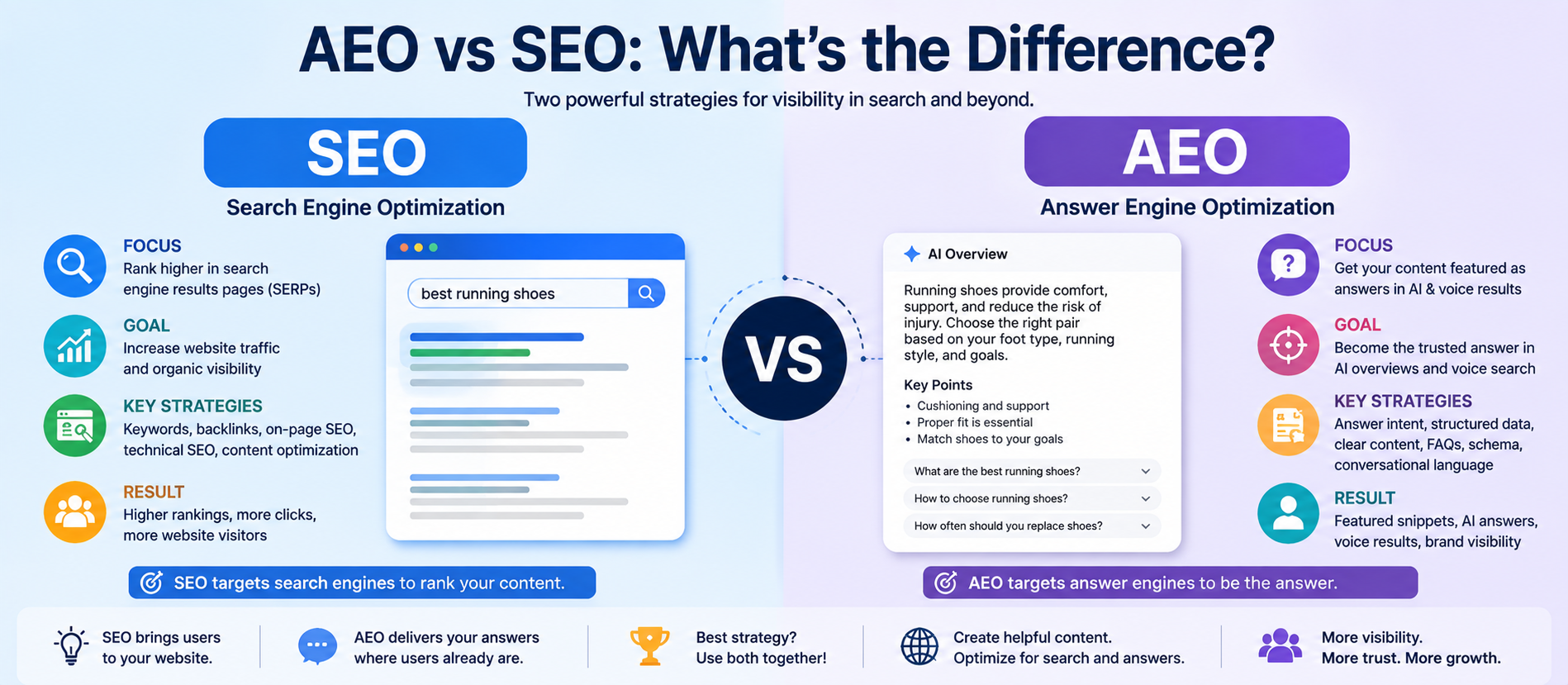
26. Use AEO Principles in Social Content
AEO, or Answer Engine Optimization, focuses on making useful information easy to understand and retrieve in answer-oriented search experiences.
Social content can support this broader content strategy by answering real questions clearly.
For example:
- “What is PPC advertising?”
- “How does local SEO work?”
- “How often should a business post on LinkedIn?”
- “What should a landing page include?”
Use direct answers, descriptive language, and useful examples. Then connect the social post to a deeper website resource when appropriate.
27. Use GEO for Local Social Media Management
GEO can refer to Generative Engine Optimization, while local marketing also depends on geographic relevance. Multi-account teams often manage separate regional pages, so local context needs careful handling.
Useful local content may include:
- Local events.
- Community updates.
- Regional offers.
- Local customer stories.
- Service-area information.
- Location-specific FAQs.
Do not create duplicate local posts with only the city name changed. Add genuine local value.
28. Prepare Social Content for AI Search
Social posts are not a replacement for a strong website. But social content can help distribute ideas, build awareness, and send people to useful resources.
Google's current AI Search guidance continues to emphasize useful, unique, people-first content and strong foundational SEO rather than special “AI Search hacks.”
For a business managing many accounts, this means the best approach is not to create hundreds of thin AI-generated posts. Create useful content, connect it to strong website resources, and keep the information accurate.
29. Use AI Without Losing Brand Voice
When several accounts are managed at scale, AI can produce content quickly. That creates both an opportunity and a risk.
The opportunity is speed. The risk is sameness.
💡 Key Insight
Give AI clear brand instructions, but review every important post. Check:
- Facts.
- Claims.
- Names.
- Dates.
- Links.
- Tone.
- Platform fit.
- Customer sensitivity.
AI should help your team create better content faster. It should not turn every account into the same account.
30. Create a Weekly Multi-Account Workflow
Monday: Plan
Review campaigns, priorities, upcoming events, and important content.
Tuesday: Create
Draft captions, articles, videos, graphics, and supporting assets.
Wednesday: Review
Check brand voice, facts, links, visuals, platform requirements, and approvals.
Thursday: Schedule
Schedule approved content and confirm publishing settings.
Friday: Analyze
Review performance, comments, website traffic, and campaign results. Record lessons for the next week.
This repeatable workflow reduces last-minute publishing.
31. Create a Monthly Reporting System
A monthly report should answer business questions, not simply display dozens of numbers.
Include:
- What performed well?
- Which accounts grew?
- Which posts created engagement?
- Which posts created website traffic?
- Which campaigns generated leads?
- What questions did customers ask?
- What should change next month?
Compare similar content and similar time periods where possible. Avoid comparing every platform as if the metrics mean exactly the same thing.
32. Avoid These Multi-Account Social Media Mistakes
- Posting identical content everywhere: Adapt the idea to the platform.
- Managing accounts without clear goals: Every account should have a purpose.
- Scheduling without monitoring: Scheduled content still needs oversight.
- Ignoring comments: Social media is a conversation channel.
- Sharing passwords: Use permissions and secure access.
- Using AI without review: Automated content can contain errors or lose brand voice.
- Tracking only followers: Connect social activity to meaningful outcomes.
- Buying too many tools: More software can create more complexity.
- Ignoring native tools: Some platform-specific features work best in the native environment.
- Scheduling everything too far ahead: Keep room for real-time events and customer needs.
33. How to Choose the Right Tool for Your Business
Use this simple process.
Step 1: Count your accounts
List every profile, brand, location, and client account you need to manage.
Step 2: List required networks
Record the platforms and exact profile types involved.
Step 3: Identify the biggest workflow problem
Is the main problem scheduling, engagement, approvals, analytics, or content creation?
Step 4: Identify team requirements
Decide who needs publishing access, approval access, analytics access, and engagement responsibilities.
Step 5: Check integrations
Review connections to your website analytics, CRM, design tools, cloud storage, and other systems.
Step 6: Compare total cost
Consider account limits, users, add-ons, reporting, and future growth.
Step 7: Test the workflow
If a trial is available, connect a small number of accounts and test the full process before migrating everything.
34. Social Media Tools for Agencies Managing Multiple Clients
Agencies have additional requirements. They may manage dozens of brands with different voices, approval processes, reporting needs, and content calendars.
Important features include:
- Client workspaces.
- Multiple account groups.
- Approval workflows.
- Role-based permissions.
- Client-friendly reporting.
- Content libraries.
- Bulk scheduling.
- Campaign tagging.
- Secure account access.
Buffer explicitly supports agencies and businesses managing multiple brands and clients, while Hootsuite and Sprout Social offer broader team, approval, engagement, and reporting capabilities.
35. A 90-Day Plan for Managing Multiple Social Accounts
Days 1–30: Organize
- Audit every account.
- Define the purpose of each profile.
- Document audiences and content pillars.
- Choose the core platforms.
- Set access permissions.
- Choose a central management tool.
- Create a content calendar.
Days 31–60: Build the workflow
- Create reusable templates.
- Build content libraries.
- Set approval rules.
- Schedule core content.
- Create a unified engagement process.
- Standardize UTM tracking.
- Build monthly reports.
Days 61–90: Improve
- Review platform performance.
- Identify high-performing content themes.
- Improve weak workflows.
- Automate repetitive tasks carefully.
- Test AI-assisted workflows.
- Repurpose successful content.
- Connect social insights with SEO and content planning.
How Digiifrog Can Help With Multi-Account Social Media Management
Digiifrog can help businesses build a structured social media system across content strategy, social media marketing, creative design, paid advertising, SEO, content marketing, analytics, and conversion optimization.
For businesses managing multiple accounts, the focus should be on building a repeatable operating system. That includes account strategy, content calendars, platform-specific content, approvals, publishing, community management, performance reporting, and continuous improvement.
When evaluating a social media management service, ask how the team handles multiple brands, account access, approvals, content adaptation, reporting, customer responses, and campaign tracking. The right process can be more important than the software itself.
Frequently Asked Questions About Social Media Tools for Managing Multiple Accounts
What is the best tool for managing multiple social media accounts?
There is no universal best tool. The right choice depends on the number of accounts, networks, users, publishing needs, engagement volume, reporting requirements, and budget. Compare the workflow you need with the current features of platforms such as Buffer, Hootsuite, Sprout Social, and native social tools.
Can I manage multiple brands from one social media tool?
Yes. Many social media management platforms are designed to manage multiple profiles and brands from a central workspace. Check channel limits, team permissions, workspaces, and reporting features before selecting a plan.
Can social media tools post to multiple platforms at once?
Many tools support multi-platform scheduling. However, the best workflow is usually to customize the post for each platform rather than publish identical content everywhere.
Can I manage client social media accounts with these tools?
Yes. Many platforms support agencies and teams. Look for client approvals, permissions, account grouping, content calendars, and reporting features.
Are social media management tools worth paying for?
They can be valuable when the time saved and workflow improvements justify the cost. Businesses with a small number of accounts may be able to use native tools. Larger teams often benefit more from centralized scheduling, engagement, analytics, and approvals.
Can AI manage multiple social media accounts?
AI can help with content drafts, repurposing, ideas, analytics summaries, and trend analysis. Human review is still important for accuracy, brand voice, strategy, customer communication, and sensitive topics.
Should I use the same content on every social network?
Use the same core campaign idea when appropriate, but adapt the format, tone, length, creative, and call to action for each platform.
How many social media accounts should a business manage?
There is no fixed number. Manage the number of accounts your team can keep useful, active, secure, and responsive. A smaller number of strong accounts can be more effective than many neglected profiles.
How do social media tools help with SEO?
They can help organize content distribution and make it easier to share useful website resources. Social activity can also reveal customer questions and topics that may inform SEO content. Social posting itself should not be treated as a substitute for search optimization.
How can social media support AEO, GEO, and AI Search?
Create clear, useful social content that answers real questions and connects users to strong website resources. Google currently emphasizes useful, unique, people-first content and foundational SEO for AI search experiences rather than special AI-search hacks.
Final Thoughts
Managing multiple social media accounts does not have to mean opening dozens of browser tabs every day.
The real solution is a clear system.
Define the purpose of every account. Choose the platforms that matter. Centralize planning where it helps. Schedule core content. Customize posts for each network. Keep engagement organized. Use approvals and permissions. Track website traffic and conversions. Review performance regularly.
Social media management tools can remove repetitive work, but they should support a strategy rather than replace one.
As AI becomes more common in social media software, the advantage will not simply come from producing more posts. It will come from using automation to create more useful content, respond faster, understand audience behavior, and make better decisions.
Need a structured social media strategy for multiple brands or accounts? Explore Digiifrog for social media marketing, digital marketing, SEO, content marketing, paid advertising, creative design, and conversion-focused services.
Sources and Further Reading
- Buffer — Social Media Management
- Buffer — Pricing and Features
- Hootsuite — Social Media Management Platform
- Hootsuite — How to Manage Multiple Social Media Accounts
- Hootsuite — Teams, Organizations, and Permissions
- Sprout Social — Social Media Features
- Sprout Social — Social Media Management Tools
- Google Search Central — Optimizing for Generative AI Search Features
- Google Search Central — Search Appearance
Ready to Grow?
Talk to us about a strategy tailored to your brand — we will help you stand out in search, AI discovery and social.

Comments (0)
Log in to leave a comment.