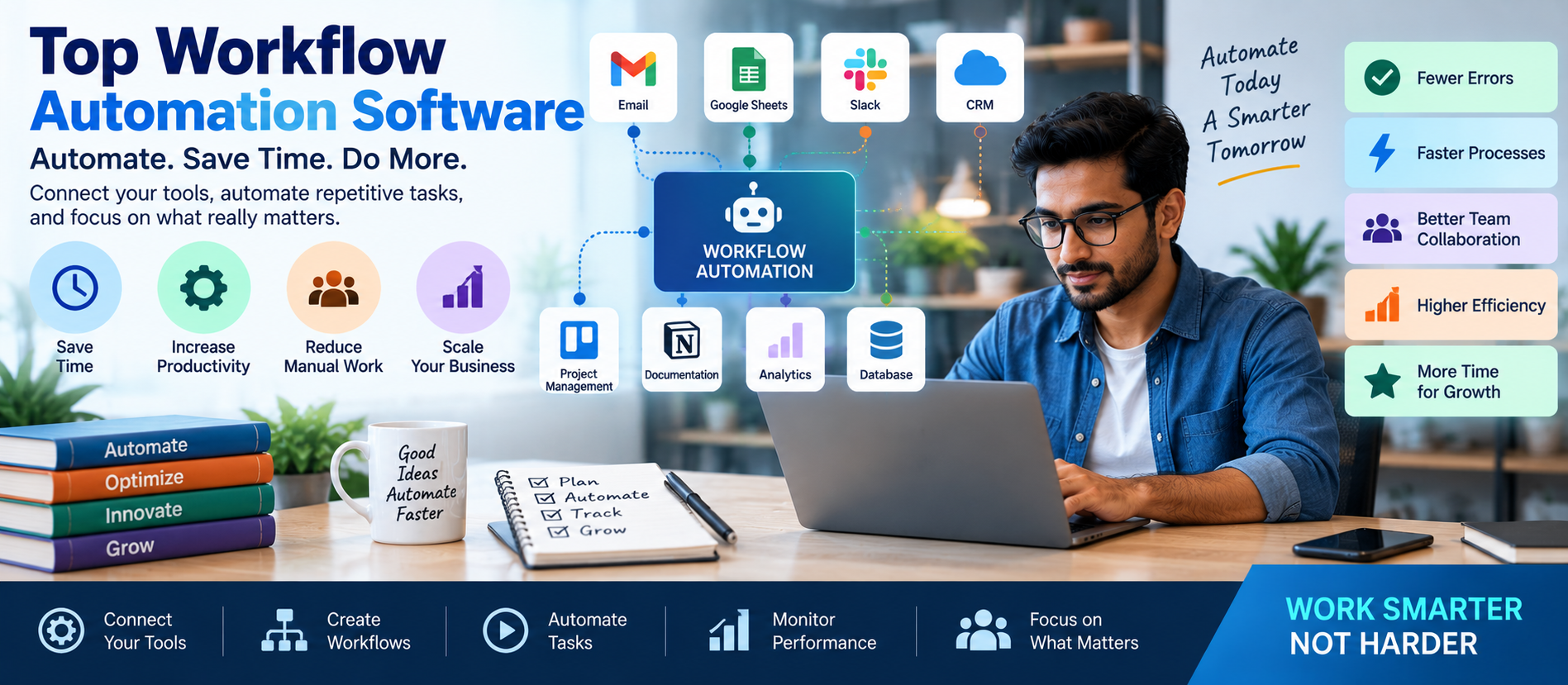
📋 Quick Summary
In this article:
What Is Workflow Automation Software?
Why Businesses Use Workflow Automation
Top Workflow Automation Software
1. Zapier – Best for Easy App Automation
2. Make – Best for Visual Workflow Automation
3. n8n – Best for Advanced and Custom AI Automation
4. Microsoft Power Automate – Best for Microsoft Ecosystem
5. Workato – Best for Enterprise Automation
6. UiPath – Best for Robotic Process Automation
Workflow Automation Software Comparison
Key Features to Look for in Workflow Automation Software
1. Integrations
Workflow automation software helps businesses reduce repetitive work by connecting applications, moving data, triggering actions, and managing multi-step processes automatically. Instead of manually copying information between systems, employees can create workflows that complete routine tasks with less human intervention.
Modern workflow automation is no longer limited to simple trigger-and-action rules. Many platforms now support artificial intelligence, AI agents, data transformation, approval processes, robotic process automation, and advanced integrations.
Choosing the right platform can save time and improve consistency. However, there is no single best workflow automation tool for every business. The right choice depends on your technical skills, existing software, workflow complexity, security requirements, budget, and growth plans.
💡 Key Insight
This guide explains the top workflow automation software, their strengths, important features, use cases, and how to choose the right solution.
What Is Workflow Automation Software?
Workflow automation software is a platform that automatically performs a sequence of actions based on a trigger, schedule, rule, event, or user request.
A simple workflow may look like this:
- A customer submits a website form.
- The workflow receives the information.
- Customer data is added to a CRM.
- A notification is sent to the sales team.
- A confirmation email is sent to the customer.
- A follow-up task is created automatically.
Without automation, an employee may need to complete each step manually.
More advanced workflow systems can process documents, call APIs, analyze information with AI, route tasks based on conditions, and request human approval before completing an action.
Why Businesses Use Workflow Automation
Businesses use workflow automation because repetitive work consumes time and increases the possibility of human error.
Automation can help organizations:
- Reduce repetitive tasks.
- Move data between applications.
- Improve response times.
- Standardize business processes.
- Reduce manual data entry.
- Automate notifications.
- Improve customer follow-up.
- Create faster approval processes.
- Connect AI with business tools.
- Scale operations efficiently.
The biggest advantage is not simply automation. A well-designed workflow can make an entire business process more organized and reliable.
Top Workflow Automation Software
1. Zapier – Best for Easy App Automation
Zapier is one of the best-known workflow automation platforms. It is popular with businesses that want to connect applications without building custom software.
Zapier workflows generally use a trigger-and-action model. When something happens in one application, the workflow performs one or more actions in another application.
For example, a new lead can trigger actions that add the contact to a CRM, notify a sales representative, create a task, and send an automated message.
Zapier also supports AI-powered automation capabilities and offers a large ecosystem of connected applications.
Best for: Beginners, marketers, small businesses, and teams that want to automate common tasks quickly.
Main strengths:
- Large application ecosystem.
- Easy workflow setup.
- Trigger-and-action automation.
- AI-powered workflow features.
- No-code and low-code options.
- Useful templates for common workflows.
Consider before choosing: Complex workflows can become more expensive or harder to manage as automation volume increases.
2. Make – Best for Visual Workflow Automation
Make is a workflow automation platform known for visual workflow design. Users can build scenarios that show how data moves between applications.
Make can be useful when workflows require multiple branches, filters, routers, transformations, and advanced logic.
The visual interface can help users understand the complete automation process.
Best for: Businesses and automation professionals who need visual control over complex workflows.
Main strengths:
- Visual scenario builder.
- Advanced routing and conditions.
- Data transformation capabilities.
- Multi-step workflows.
- Integrations with many business tools.
- Suitable for more complex automation logic.
Consider before choosing: Advanced workflows may require time to learn and maintain.
3. n8n – Best for Advanced and Custom AI Automation
n8n is a powerful workflow automation platform that combines visual workflow building with the ability to use code when needed.
It is especially useful for technical teams, AI agent developers, and businesses that need more control over workflow logic and data.
n8n supports a large number of integrations, custom API connections, conditional logic, JavaScript and Python code options, AI workflows, and agent-based automation.
A major advantage of n8n is deployment flexibility. Organizations can use hosted options or deploy workflows on their own infrastructure when appropriate.
Best for: Developers, AI automation agencies, technical teams, and businesses that need advanced customization.
Main strengths:
- Visual workflow editor.
- Custom JavaScript and Python code.
- AI agent workflows.
- More than 500 integrations and nodes.
- API and webhook support.
- Self-hosting options.
- Advanced logic and data transformation.
- Human-in-the-loop workflows.
Consider before choosing: Beginners may need more technical knowledge than they would with a simple no-code automation platform.
4. Microsoft Power Automate – Best for Microsoft Ecosystem
Microsoft Power Automate is designed for business process automation and works closely with Microsoft products and the wider Microsoft Power Platform.
It can automate cloud applications, desktop processes, approvals, data movement, and other business workflows.
Power Automate is especially useful for businesses already using Microsoft 365, Teams, SharePoint, Excel, Dynamics, and Azure services.
Best for: Businesses that rely heavily on Microsoft products.
Main strengths:
- Strong Microsoft 365 integration.
- Cloud workflows.
- Desktop automation and RPA.
- AI capabilities.
- Approval workflows.
- Enterprise governance tools.
- Large connector ecosystem.
Consider before choosing: Licensing and advanced enterprise features can be more complex than simpler automation tools.
5. Workato – Best for Enterprise Automation
Workato is focused on enterprise automation and integration. It is designed for organizations that need to connect many systems while maintaining governance and security.
Large companies often have complex environments involving CRM systems, ERP software, databases, cloud applications, and internal systems.
Workato can support automation across these environments.
Best for: Larger businesses and enterprises with complex integration requirements.
Main strengths:
- Enterprise integrations.
- Business process automation.
- Governance capabilities.
- Complex workflows.
- Large-scale integrations.
Consider before choosing: It may be more than a small business needs.
6. UiPath – Best for Robotic Process Automation
UiPath is well known for robotic process automation, commonly called RPA. RPA can automate repetitive tasks performed through desktop applications and user interfaces.
This is useful when older systems do not provide modern APIs.
For example, an RPA workflow may open a desktop application, copy information, enter data into another system, and generate a report.
Best for: Organizations that need to automate legacy software and repetitive desktop processes.
Main strengths:
- Robotic process automation.
- Desktop automation.
- Enterprise automation capabilities.
- Document processing options.
- Process automation tools.
Consider before choosing: RPA projects require careful planning because changes to applications can affect automation.
Workflow Automation Software Comparison
- Zapier: Best for easy no-code app automation.
- Make: Best for visual and complex workflow design.
- n8n: Best for advanced customization, AI agents, APIs, and self-hosting.
- Microsoft Power Automate: Best for Microsoft-based businesses and enterprise process automation.
- Workato: Best for enterprise integration and governance.
- UiPath: Best for robotic process automation and legacy systems.
Key Features to Look for in Workflow Automation Software
1. Integrations
The platform should connect with the applications your business already uses.
Common integrations include:
- Google Sheets.
- Gmail.
- Microsoft Outlook.
- CRM software.
- Slack.
- Microsoft Teams.
- Accounting software.
- Databases.
- Cloud storage.
- AI models.
2. Webhooks and API Support
Webhooks and APIs allow automation platforms to connect with custom applications and services.
This is important for businesses that use their own software or specialized systems.
3. Conditional Logic
Real business processes often require decisions.
For example:
- If the customer is a high-value lead, notify a manager.
- If the payment fails, send a follow-up request.
- If a document is incomplete, request additional information.
Good automation software should support conditions, filters, branches, and routing.
4. Error Handling
Workflows can fail because of API problems, missing information, application outages, or incorrect data.
A strong platform should provide:
- Error notifications.
- Logs.
- Retry options.
- Workflow monitoring.
- Debugging tools.
5. AI Integration
Modern workflow automation platforms increasingly support AI models and AI agents.
AI can help workflows:
- Summarize documents.
- Classify emails.
- Extract information.
- Generate responses.
- Analyze text.
- Route requests.
- Support decision-making.
6. Security and Access Control
Automation workflows may access important business information.
Look for features such as:
- User permissions.
- Secure credential storage.
- Role-based access.
- Audit logs.
- Encryption.
- Enterprise security controls.
Popular Workflow Automation Use Cases
Lead Management Automation
A new website lead can automatically enter a CRM, notify the sales team, create a follow-up task, and trigger an email sequence.
Customer Support Automation
Incoming customer requests can be classified, routed to the correct department, and answered using approved knowledge sources.
Employee Onboarding
When a new employee joins, a workflow can create accounts, notify departments, prepare onboarding tasks, and organize documents.
Invoice Processing
Automation can collect invoices, extract information, route them for approval, and update accounting systems.
Marketing Automation
Marketing workflows can connect forms, email systems, CRMs, analytics tools, and social media platforms.
AI Agent Automation
An AI agent can analyze information and perform multi-step actions within defined permissions and rules.
How AI Is Changing Workflow Automation
Artificial intelligence is changing automation from simple rules into more flexible workflows.
Traditional automation usually follows a predictable pattern:
Trigger → Action → Result
AI-powered automation can introduce additional capabilities:
Trigger → Analyze Information → Make a Controlled Decision → Perform Actions → Request Human Approval When Needed
For example, an AI workflow can receive an email, identify the topic, extract important information, search approved business data, prepare a response, and send the result for human review.
This can create more powerful workflows, but businesses must manage AI carefully.
AI Agents and Workflow Automation
AI agents are becoming an important part of automation systems.
An AI agent can be designed to complete a specific business task using tools, data, and workflows.
Examples include:
- AI customer support agents.
- AI sales assistants.
- AI research agents.
- AI document processing agents.
- AI reporting agents.
- AI operations assistants.
A well-designed AI agent should have clear boundaries. Businesses should define what data it can access, what actions it can perform, and when human approval is required.
Automation should increase efficiency without giving uncontrolled access to important systems.
How to Choose the Right Workflow Automation Software
Step 1: Identify the Business Problem
Do not start by choosing a platform. Start by identifying the process you want to improve.
Ask:
- What task is repeated every day?
- Where do employees spend unnecessary time?
- Where does data need to be copied between systems?
- Which customer processes are slow?
Step 2: Map the Workflow
Write down the current process.
Identify:
- The trigger.
- The data source.
- The actions.
- The applications involved.
- Human approval points.
- The final result.
Step 3: Check Integration Requirements
Make sure the automation platform supports your existing applications.
Step 4: Consider Technical Skills
Zapier may be easier for beginners. Make can provide more visual flexibility. n8n can provide deeper customization for technical users. Microsoft Power Automate may be ideal for Microsoft-based organizations.
Step 5: Calculate Total Cost
Do not compare platforms using only the lowest starting price.
Check:
- Task or operation limits.
- Number of workflows.
- Premium integrations.
- AI usage costs.
- Hosting costs.
- Maintenance requirements.
Step 6: Start with a Pilot Project
Automate one useful process first. Test the workflow, measure results, and improve it before expanding automation.
Common Workflow Automation Mistakes
Automating a Bad Process
Automation does not automatically fix an inefficient process. Improve the workflow before automating it.
Ignoring Error Handling
Every important workflow should include monitoring and error notifications.
Giving Automation Too Much Access
Use the minimum permissions necessary. Do not give a workflow access to systems it does not need.
Building Everything at Once
Start with small workflows. Complex automation should be developed gradually.
Not Documenting Workflows
Document what each workflow does, who owns it, what systems it accesses, and what happens when it fails.
Ignoring Human Approval
Some decisions should always require human review. This is especially important for financial, legal, HR, security, and customer-sensitive processes.
Best Practices for Workflow Automation
- Start with a clear business problem.
- Use simple workflows before building complex systems.
- Document every important automation.
- Monitor workflow performance.
- Create error alerts.
- Use secure credential management.
- Review permissions regularly.
- Test workflows before production use.
- Keep humans involved in high-risk decisions.
- Review automation regularly as business processes change.
Workflow Automation for Small Businesses
Small businesses do not need to automate everything. They should focus on tasks that save significant time.
Good starting points include:
- Lead collection.
- Email follow-up.
- CRM updates.
- Appointment reminders.
- Invoice notifications.
- Employee onboarding.
- Reporting.
- Customer support routing.
A simple automation that saves a few hours every week can create meaningful value over time.
SEO, AEO, GEO, and AI Search Optimization for Automation Businesses
Businesses offering workflow automation services should create content that clearly explains what they do and who they help.
For SEO, use relevant keywords naturally, create useful content, and organize pages with clear headings.
For AEO, answer common questions directly. Define technical terms and provide concise explanations.
For GEO and AI Search optimization, create accurate content with clear context. Explain services, industries, use cases, technologies, and business outcomes.
AI-powered search systems benefit from content that is structured, specific, trustworthy, and easy to understand.
Frequently Asked Questions
What is the best workflow automation software?
The best workflow automation software depends on your needs. Zapier is suitable for easy app automation. Make is useful for visual workflows. n8n is strong for advanced customization and AI agents. Microsoft Power Automate is a good choice for businesses using Microsoft products.
Is workflow automation software difficult to use?
Some no-code platforms are easy for beginners, while advanced automation platforms may require technical knowledge. The difficulty depends on workflow complexity.
Can workflow automation use AI?
Yes. Modern automation platforms can use AI to summarize text, classify information, extract data, generate content, and support AI agent workflows.
What is the difference between workflow automation and RPA?
Workflow automation often connects applications through APIs and cloud services. Robotic process automation, or RPA, can automate tasks performed through desktop software interfaces.
Is n8n good for AI automation?
n8n is well suited for AI automation because it supports AI workflows, agents, APIs, custom code, human approval processes, and flexible deployment options.
Can small businesses benefit from workflow automation?
Yes. Small businesses can automate lead management, customer follow-up, reporting, data entry, appointment reminders, and other repetitive processes.
Conclusion
The best workflow automation software depends on the type of business process you want to automate.
Zapier is a strong choice for easy app automation. Make is useful for visual and complex workflows. n8n provides advanced customization, AI agent capabilities, and deployment flexibility. Microsoft Power Automate is particularly useful for businesses that operate within the Microsoft ecosystem.
Enterprise businesses may also consider platforms such as Workato or UiPath depending on their integration and RPA requirements.
The best approach is to start with a real business problem. Map the workflow. Select the right platform. Test a small automation. Measure the results. Then expand gradually.
Workflow automation becomes even more powerful when combined with AI. However, AI workflows should have clear permissions, security controls, monitoring, and human review where necessary.
For businesses interested in workflow automation, AI agents, n8n development, AI-powered software, digital transformation, SEO, AEO, GEO, and AI Search optimization, Digiifrog provides modern digital insights and strategies for business growth.
Visit www.digiifrog.com to learn more.
Quick Answer: What Is the Best Workflow Automation Software?
The best workflow automation software depends on your business needs. Zapier is ideal for easy no-code app automation, Make is strong for visual and complex workflows, n8n is excellent for advanced customization and AI agents, and Microsoft Power Automate is a strong choice for organizations using Microsoft 365 and enterprise automation tools.
Important Note
Workflow automation software features, integrations, AI capabilities, pricing, security options, and product availability can change. Always review the current official documentation and pricing before selecting a platform for business use.
Ready to Grow?
Talk to us about a strategy tailored to your brand — we will help you stand out in search, AI discovery and social.
Comments (0)
Log in to leave a comment.