📋 Quick Summary
In this article:
What Is a Cyber Security Backup Strategy?
Why Backups Are More Important Than Ever
Common Threats That Make Backups Essential
The 3-2-1 Backup Rule
Cloud Backup and Hybrid Recovery
This WordPress-ready guide explains why backup strategies matter in cyber security, how modern backup technologies work, and the best practices organizations should follow to protect critical data. The content is optimized for SEO, AEO, GEO, and AI Search optimization.
What Is a Cyber Security Backup Strategy?
💡 Key Insight
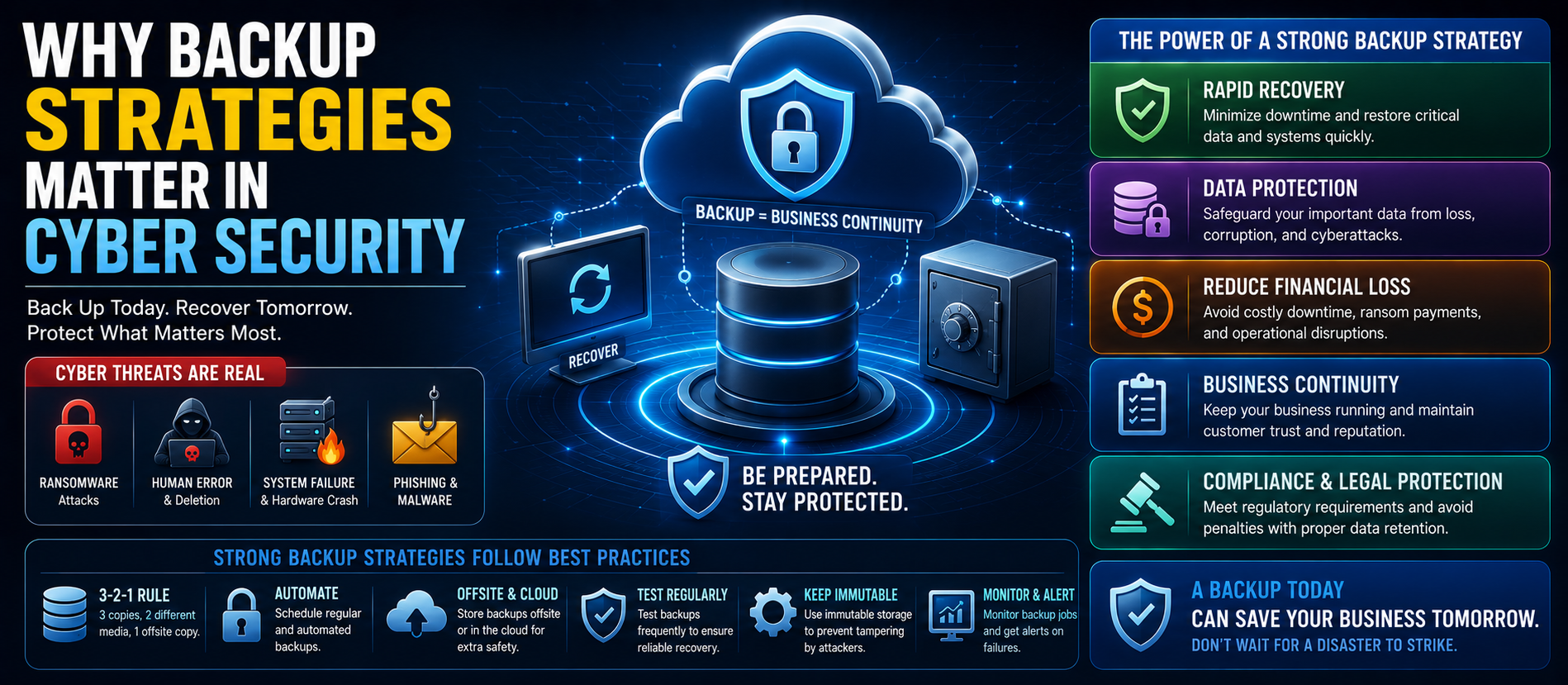
A backup strategy is a structured plan for creating, storing, testing, protecting, and restoring copies of important business data. The objective is to ensure information can be recovered quickly after cyber incidents, system failures, or human error.
Why Backups Are More Important Than Ever
- Protect against ransomware attacks.
- Recover from accidental file deletion.
- Support business continuity.
- Reduce downtime and financial losses.
- Meet regulatory and compliance requirements.
- Protect customer trust and brand reputation.
Common Threats That Make Backups Essential
Ransomware
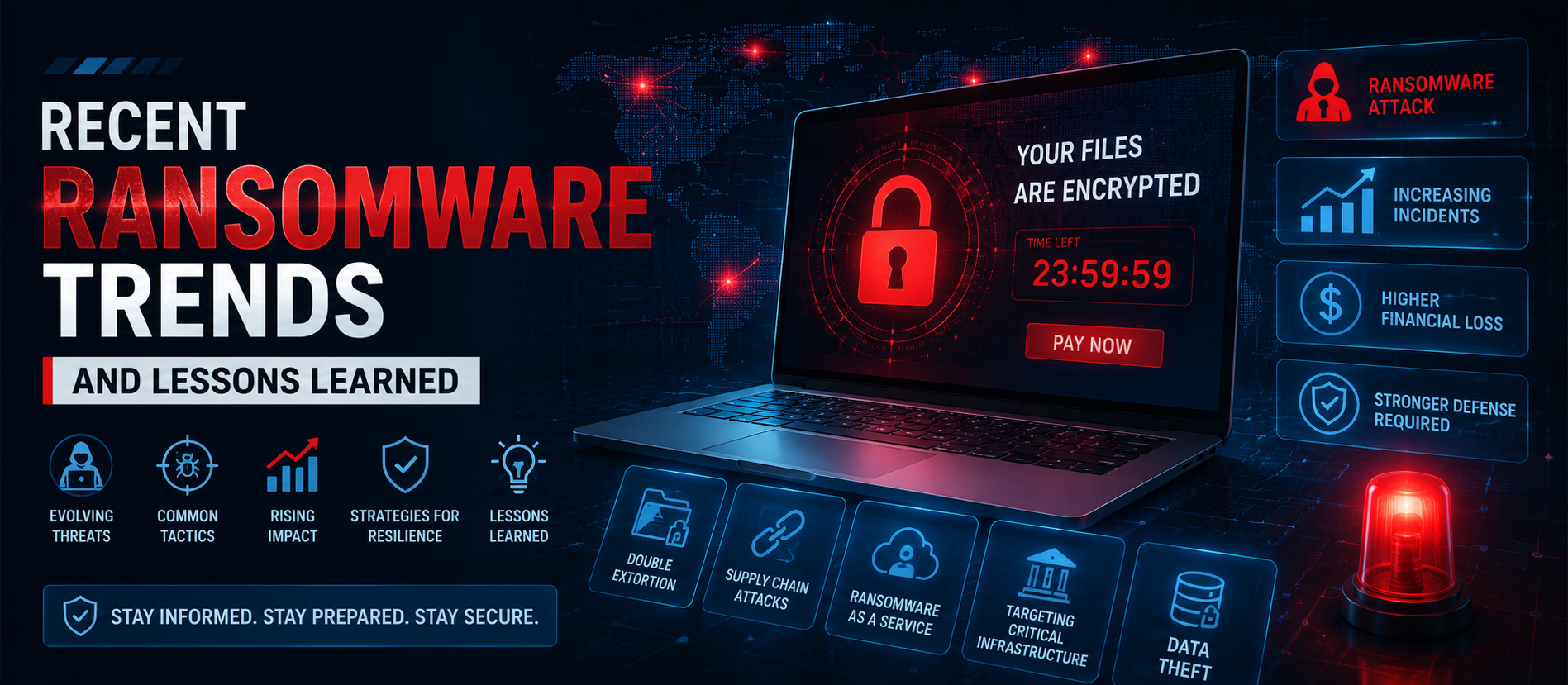
Modern ransomware encrypts business data and often attempts to destroy backups. Immutable and offline backups help organizations recover without paying attackers.
Hardware Failure
Servers, storage devices, and hard drives eventually fail. Reliable backups minimize data loss during hardware replacement.
Human Error
Employees may accidentally delete, overwrite, or misconfigure important systems. Backup copies provide a reliable recovery option.
Cloud Misconfiguration
Incorrect cloud settings or synchronization mistakes can expose or remove critical business information.
Types of Backup
- Full Backup
- Incremental Backup
- Differential Backup
- Image-Based Backup
- Cloud Backup
- Offline Backup
- Immutable Backup
The 3-2-1 Backup Rule
A widely recommended approach is the 3-2-1 rule:
- Maintain at least three copies of data.
- Store copies on two different media types.
- Keep one copy offline or offsite.
Modern Backup Best Practices
- Encrypt backup data.
- Automate backup schedules.
- Test restoration procedures regularly.
- Protect backup administrator accounts with MFA.
- Monitor backup success and failures.
- Use immutable storage where available.
- Segment backup infrastructure from production systems.
Cloud Backup and Hybrid Recovery
Many organizations combine local backups with secure cloud storage for greater resilience. Hybrid backup solutions improve disaster recovery while supporting remote work and distributed infrastructure.
Backup and Zero Trust
Backup systems should follow Zero Trust principles by verifying identities, limiting administrative privileges, monitoring access, and protecting backup repositories from unauthorized modification.
Artificial Intelligence in Backup Security
AI-powered backup platforms can identify abnormal encryption activity, predict storage issues, detect ransomware behavior, optimize backup schedules, and automate recovery recommendations.
Disaster Recovery Planning
A backup strategy should be integrated with a broader disaster recovery plan that defines recovery objectives, responsibilities, communication procedures, and testing schedules.
Common Backup Mistakes
- Never testing backup restoration.
- Keeping all backups online.
- Ignoring cloud data protection.
- Using weak access controls.
- Not monitoring backup jobs.
- Failing to document recovery procedures.
Business Benefits
- Reduced downtime
- Faster recovery
- Lower financial risk
- Improved compliance
- Greater customer confidence
- Enhanced cyber resilience
SEO, AEO & GEO Optimization
Create structured, authoritative content with clear headings, semantic keywords, FAQs, and practical guidance so both traditional search engines and AI-powered search systems can understand and recommend your content.
AEO & GEO Optimized FAQs
Why are backups important in cyber security?
Backups allow organizations to recover data after ransomware, hardware failures, accidental deletion, or disasters, minimizing downtime and financial loss.
What is the 3-2-1 backup rule?
Maintain three copies of data, store them on two different media types, and keep one copy offline or offsite.
Can backups stop ransomware?
Backups cannot prevent ransomware, but secure, tested, and immutable backups make recovery much easier without relying on attackers.
How often should backups be tested?
Organizations should regularly verify backup integrity and perform restoration testing to ensure data can be recovered when needed.
Conclusion
Effective backup strategies are a cornerstone of modern cyber security. Organizations that combine secure backups with Zero Trust, encryption, continuous monitoring, employee awareness, and disaster recovery planning are far better prepared for cyber threats in 2026. Investing in reliable backups protects critical data, reduces business disruption, and strengthens long-term resilience.
For more expert insights on Cyber Security, Cloud Security, SEO, AEO, GEO, AI Search Optimization, and Digital Transformation, visit Digiifrog at www.digiifrog.com.
Ready to Grow?
Talk to us about a strategy tailored to your brand — we will help you stand out in search, AI discovery and social.
Comments (0)
Log in to leave a comment.