📋 Quick Summary
In this article:
Quick Answer: What Is the Best Coding Software for Students?
Integrated Development Environments
Best Coding Software for Students at a Glance
1. Visual Studio Code
2. PyCharm
Why PyCharm Is Useful for Students
3. IntelliJ IDEA
Why IntelliJ IDEA Works Well for Students
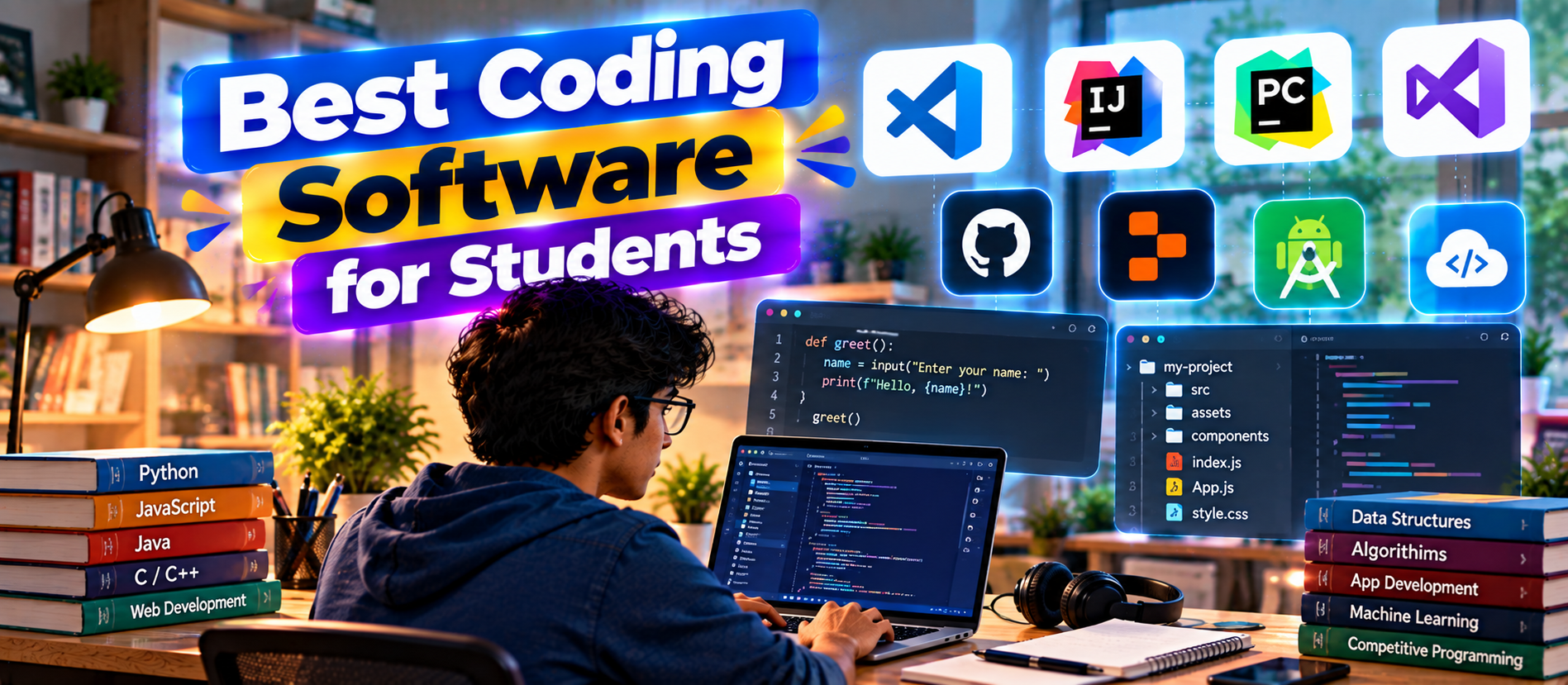
Best Coding Software for Students: Top Tools for Learning Programming Learning to code is easier when students have the right development environment. The software you choose can affect how quickly you understand programming concepts, how easily you can debug errors, how confidently you manage projects, and how well you prepare for real-world development.
The good news is that students do not need an expensive computer or a large collection of professional tools. Many excellent coding environments are free, have free education plans, or run directly in a web browser. The best choice depends on what you are learning, how powerful your computer is, whether you need a full IDE or a lightweight editor, and whether your course uses a specific programming language.
This guide compares popular coding software for students, including Visual Studio Code, JetBrains IDEs, GitHub Codespaces, Replit, Visual Studio, Android Studio, and browser-based development options. It also explains how to choose an IDE, when to use an online coding environment, how AI coding tools fit into student learning, and how to build a practical development workflow.
Quick Answer: What Is the Best Coding Software for Students?
Visual Studio Code is one of the best all-purpose coding tools for students because it is lightweight, extensible, and works with many programming languages. Students who want a language-focused IDE may prefer JetBrains tools such as IntelliJ IDEA for Java or PyCharm for Python. Students who need a cloud-based environment can consider GitHub Codespaces or Replit.
- Best overall: Visual Studio Code
- Best for Python: PyCharm or VS Code
- Best for Java: IntelliJ IDEA
- Best for C/C++: Visual Studio or CLion
- Best for web development: VS Code or WebStorm
- Best for cloud coding: GitHub Codespaces
- Best for quick browser-based learning: Replit
- Best for Android development: Android Studio
- Best for .NET/C#: Visual Studio
- Best for students with limited hardware: Browser-based IDEs and cloud development environments
Students should not choose a tool simply because it has the most features. A good student coding environment should make it easy to write, run, debug, understand, save, and share code.
What Is Coding Software?
Coding software is an application or online environment used to write, test, debug, manage, and sometimes deploy computer programs.
There are two common categories.
Code Editors
A code editor is usually lightweight. It provides syntax highlighting, search, extensions, formatting, and other features that make writing code easier.
Visual Studio Code is a major example. Its extension ecosystem allows students to customize the editor for different languages and workflows.
Integrated Development Environments
An IDE combines code editing with tools such as debugging, project management, testing, build systems, package management, and language-specific intelligence.
JetBrains IntelliJ IDEA, PyCharm, CLion, WebStorm, Visual Studio, and Android Studio are examples of IDEs.
Best Coding Software for Students at a Glance
| Software Best For Strength Learning Level | |||
| Visual Studio Code | Multiple languages | Lightweight and highly extensible | Beginner to advanced |
| PyCharm | Python | Python-focused development experience | Beginner to advanced |
| IntelliJ IDEA | Java | Powerful Java development features | Intermediate to advanced |
| Visual Studio | C#, .NET and Windows development | Integrated Microsoft development tools | Beginner to advanced |
| CLion | C and C++ | Dedicated C/C++ IDE | Intermediate to advanced |
| WebStorm | JavaScript and web development | Dedicated web-development tooling | Intermediate to advanced |
| GitHub Codespaces | Cloud development | Preconfigured development environments | Beginner to advanced |
| Replit | Browser-based learning | Quick setup and online coding | Beginner to intermediate |
| Android Studio | Android apps | Official Android development environment | Beginner to advanced |
1. Visual Studio Code
Best for: students who want one flexible coding environment for many languages.
Visual Studio Code, commonly called VS Code, is one of the most practical choices for students. It can support many languages and development workflows through extensions. That makes it useful when a student studies Python in one semester, JavaScript in another, and web development later.
VS Code also has a relatively lightweight approach compared with large full IDEs. Students can install only the extensions they need instead of starting with a huge collection of tools.
Why Students Like VS Code
- Works with many programming languages
- Large extension ecosystem
- Integrated terminal
- Source control features
- Debugger support
- Code navigation and IntelliSense-style features
- Good support for web development
- Works well with Git and GitHub
- Can be customized for different courses
For a student who is unsure which language or development path to follow, VS Code is often a safe starting point.
Best Student Use Cases
- Python assignments
- HTML, CSS and JavaScript
- Node.js projects
- React development
- Data science workflows
- Git and GitHub projects
- Small software projects
- Learning multiple languages
Verdict: The best all-purpose coding software for most students.
2. Py Charm
Best for: students learning Python seriously.
Py Charm is a Python-focused IDE from Jet Brains. It provides language-aware features that can help students understand Python projects more clearly. This can be useful when a course moves beyond small scripts into larger applications.
Jet Brains currently provides a free Student Pack for eligible students. Its education program includes full versions of IntelliJ IDEA and Py Charm as part of the broader student offering, subject to eligibility and verification. Jet Brains states that student educational licenses are for non-commercial educational purposes.
Why Py Charm Is Useful for Students
- Strong Python code intelligence
- Debugging tools
- Project navigation
- Virtual environment support
- Testing support
- Package management workflows
- Useful database and web-development capabilities in supported editions
Students learning Python for software development, automation, data science, or backend development can benefit from a Python-focused IDE.
Verdict: One of the strongest choices for serious Python learning.
3. IntelliJ IDEA
Best for: Java students and learners working on larger Java projects.
IntelliJ IDEA is a popular Java development environment from Jet Brains. It provides code analysis, refactoring, debugging, testing, project navigation, and build-tool integration.
For students, the current Jet Brains Student Pack provides free access to the full IntelliJ IDEA and other Jet Brains IDEs after verification. Jet Brains also offers free core features for IntelliJ IDEA without student verification.
Why IntelliJ IDEA Works Well for Students
- Strong Java support
- Excellent code navigation
- Refactoring assistance
- Debugger and testing tools
- Maven and Gradle workflows
- Database and framework support
- Useful for larger academic projects
Students studying Java, Spring, Android-related Java code, or enterprise development can use IntelliJ IDEA as a bridge from classroom exercises to professional development.
Verdict: A top choice for Java learners who want professional development features.
4. Visual Studio
Best for: C#, .NET, Windows applications and Microsoft development.
Visual Studio is a full IDE rather than a lightweight editor. It is particularly useful for students learning C#, .NET, desktop development, ASP.NET, game development with supported frameworks, and other Microsoft technologies.
Visual Studio can feel heavier than VS Code, but the trade-off is a deeper integrated environment.
Key Benefits
- Strong C# and .NET support
- Integrated debugger
- Project and solution management
- Testing tools
- Database development support
- Git integration
- Rich code analysis
- Professional development workflow
For students whose courses are built around Microsoft technologies, Visual Studio can reduce setup complexity because many tools are already integrated.
Verdict: Excellent for C# and .NET students.
5. C Lion
Best for: C and C++ students.
C and C++ can be difficult for beginners because students must understand memory, pointers, compilation, headers, build systems, and debugging. A dedicated IDE can make these concepts easier to manage.
C Lion is a Jet Brains IDE focused on C and C++. It provides code intelligence, debugging, navigation, refactoring, and build-system integration.
Eligible students can access Jet Brains educational tools through the Student Pack. Jet Brains also lists CLion among its free non-commercial options.
Verdict: A strong option when C or C++ is the main language being studied.
6. WebStorm
Best for: students learning JavaScript and modern web development.
Web development often involves more than writing HTML. Students may work with JavaScript, TypeScript, npm, frameworks, APIs, testing tools, and frontend build systems.
WebStorm provides a dedicated environment for JavaScript and web development. It can be especially useful for students who want a more integrated experience than a general editor.
For students who are learning HTML, CSS, JavaScript, React, TypeScript, or related technologies, WebStorm can be a useful advanced environment. Jet Brains currently lists WebStorm among its professional IDEs available to eligible students through its education program.
Verdict: Excellent for students focused on modern JavaScript and web development.
7. GitHub Code spaces
Best for: students who want a cloud-based development environment.
GitHub Code spaces changes the traditional idea of installing coding software on a personal computer. It provides a cloud development environment that can be accessed through a browser or supported development tools.
GitHub describes Code spaces as preconfigured development environments. A repository can define the tools, languages, and configurations needed for the project, helping students and teams work with a consistent environment.
This can be especially helpful when a student has an older laptop or needs to work from multiple devices.
Student Benefits
- Works from a browser
- Useful on lower-powered computers
- Preconfigured environments
- Strong GitHub integration
- Easy repository-based workflows
- Useful for group projects
- Reduces local setup problems
Verified students currently receive GitHub Education benefits that include free Code spaces usage, with GitHub documenting up to 180 core hours per month for personal accounts under the student benefits.
Verdict: One of the best choices when hardware, setup, or portability is a concern.
8. Replit
Best for: quick browser-based coding and beginner-friendly experimentation.
Replit is a browser-based development platform designed to make it easy to start coding without a traditional local setup. It is useful for students who want to experiment with code quickly or share projects online.
Browser-based development can be valuable in classrooms because students can focus on the programming task rather than spending class time configuring compilers, runtimes, packages, and local environments.
Why Browser Coding Helps Students
- No complicated local installation for many projects
- Accessible from different computers
- Useful for quick experiments
- Easy to share projects
- Useful for classroom demonstrations
- Good for small web projects and programming exercises
Verdict: A convenient option for beginners and browser-first learning.
9. Android Studio
Best for: students who want to build Android applications.
Android Studio is the primary development environment for Android application development. It provides tools for writing, testing, debugging, profiling, and building Android apps.
Students learning mobile development should generally use the official development environment recommended by their course or Android development curriculum.
Student Use Cases
- Android application projects
- Kotlin learning
- Mobile UI development
- Android debugging
- Emulator-based testing
- Academic mobile-app projects
Verdict: The natural choice for students specializing in Android development.
How to Choose the Best Coding Software for Your Subject
| Subject Recommended Software Why | ||
| Python | Py Charm or VS Code | Strong Python tooling |
| Java | IntelliJ IDEA | Excellent Java development support |
| C/C++ | C Lion or Visual Studio | Debugging and build integration |
| C#/.NET | Visual Studio | Deep Microsoft development support |
| JavaScript | VS Code or WebStorm | Modern web-development ecosystem |
| Web development | VS Code or WebStorm | HTML, CSS, JS and framework support |
| Android | Android Studio | Official Android development workflow |
| Multiple languages | VS Code | Flexible extension ecosystem |
| Cloud development | GitHub Code spaces | Browser-accessible development environment |
What Features Should Students Look For?
1. Code Completion
Good code completion can reduce typing and help students discover APIs and syntax. However, students should understand the suggestions instead of blindly accepting them.
2. Debugging
A debugger is one of the most valuable learning tools. It allows students to stop a program, inspect variables, follow execution, and understand why a program behaves incorrectly.
3. Integrated Terminal
Students should learn command-line basics. An integrated terminal makes it easy to switch between editing code and running commands.
4. Git Integration
Git is now a core development skill. A coding environment with Git support helps students learn commits, branches, pull requests, and collaboration.
5. Extensions and Plugins
Extensibility matters when students study multiple technologies. A flexible editor can evolve with the learner.
6. Testing Support
Students should learn to write tests early. Integrated testing makes it easier to run tests and inspect failures.
7. Documentation and Community
A popular development tool usually has extensive tutorials, documentation, forums, and community examples. This can make learning easier when students encounter unfamiliar errors.
Best Coding Software for Beginners
Beginners should avoid installing too many tools at once.
A simple setup is usually better:
- Install one editor or IDE.
- Install one programming language.
- Learn how to create and run a basic program.
- Learn files, folders, variables, functions, and debugging.
- Learn Git after basic coding becomes comfortable.
- Build small projects.
- Gradually add frameworks and extensions.
For many beginners, VS Code is a practical starting point. For students in a language-specific course, the recommended IDE from the course may be better.
Should Students Use AI Coding Tools?
AI coding assistants are becoming an important part of software development. GitHub Education currently offers verified students free access to GitHub Copilot as part of its student benefits.
AI can help students explain errors, generate examples, suggest code, write tests, and explore unfamiliar APIs.
But students need to use AI differently from professional developers who already understand the underlying concepts.
Good Uses of AI for Students
- Explain an error in simple language
- Explain unfamiliar code
- Generate small practice examples
- Suggest test cases
- Compare two approaches
- Create study questions
- Help identify bugs
- Explain documentation
Bad Uses of AI for Students
- Submitting generated code without understanding it
- Using AI to complete an entire assignment without learning
- Copying code that has not been tested
- Trusting generated explanations without verification
- Allowing AI to replace debugging practice
The best rule is simple: use AI as a tutor and coding assistant, not as a substitute for learning.
Local IDE vs Cloud Coding Environment
| Factor Local IDE Cloud Environment | ||
| Setup | Requires installation | Usually faster to start |
| Internet | Often optional after setup | Usually required |
| Hardware | Depends on local computer | Can use remote resources |
| Portability | Depends on device | High |
| Customization | Very high | Depends on platform |
| Classroom setup | Can take time | Often simpler |
| Offline coding | Strong | Limited |
GitHub Code spaces is particularly useful when a repository needs a repeatable environment. GitHub explains that repository-specific configurations can provide the same development setup to contributors, reducing environment-related problems. citeturn0search4
Best Coding Software for Students With Low-End Laptops
Hardware can be a major issue for students. A full IDE, local database, emulator, browser, and development server can consume significant memory and processing power.
If the laptop is limited, consider:
- Using VS Code with only essential extensions
- Using a browser-based coding platform
- Using GitHub Code spaces for heavier workloads
- Avoiding unnecessary background applications
- Using lightweight command-line tools where appropriate
- Choosing a language environment that matches available hardware
Cloud development can move some computing work away from the student's device. GitHub specifically describes Code spaces as a way to work remotely when a local computer does not have enough processing power or storage.
Why Git and GitHub Matter for Students
Students should learn version control before graduation. Git is not only for professional developers. It is useful for assignments, team projects, portfolios, experiments, and open-source contributions.
GitHub Education currently provides verified students with access to GitHub Pro benefits, private repositories, Code spaces allowances, Copilot student access, and a Student Developer Pack containing partner offers.
A simple student Git workflow is:
- Create a repository.
- Write a small feature.
- Test it.
- Commit the change.
- Push it to GitHub.
- Write a clear README.
- Continue improving the project.
This creates a portfolio that shows more than screenshots. It shows real development history.
Student Developer Benefits Can Reduce Software Costs
Students should always check education programs before paying for development software.
GitHub Education offers verified students access to a range of developer tools and partner offers through the Student Developer Pack.
Jet Brains also provides free educational access for eligible students. Its current education program includes multiple IDEs, and Jet Brains says students can renew eligible access annually while they remain qualified. Educational licenses are intended for non-commercial educational use.
Eligibility rules can change. Students should always check the current official requirements before relying on a particular offer.
How Students Can Build a Professional Coding Workflow
Step 1: Choose One Main Editor
Start with VS Code or the IDE recommended for your primary language.
Step 2: Learn the Language
Do not install ten frameworks before understanding variables, functions, control flow, data structures, and debugging.
Step 3: Learn Git
Create repositories for your projects and make meaningful commits.
Step 4: Build Small Projects
Build calculators, websites, APIs, automation scripts, games, data dashboards, or simple mobile apps.
Step 5: Add Testing
Write tests for important functions and learn how to interpret failures.
Step 6: Use AI Carefully
Ask AI to explain and review code. Then verify the answer yourself.
Step 7: Publish a Portfolio
Keep your best projects on GitHub. Add clear READMEs, screenshots, setup instructions, and explanations of what you learned.
Common Mistakes Students Make When Choosing Coding Software
- Choosing an IDE that is too complex: More features do not automatically mean better learning.
- Installing too many extensions: Extra extensions can create confusion and performance issues.
- Ignoring debugging: Debugging is a core programming skill.
- Using AI without understanding code: Generated code can hide gaps in knowledge.
- Ignoring version control: Git should become part of the learning process.
- Choosing software only because classmates use it: Your subject and hardware should guide the decision.
- Ignoring licensing: Student and commercial licenses can have different rules.
- Skipping documentation: Learning to read official documentation is an essential developer skill.
Best Coding Software by Student Type
| Student Type Best Choice Reason | ||
| Complete beginner | VS Code or Replit | Simple starting point |
| Python learner | Py Charm or VS Code | Strong Python support |
| Java learner | IntelliJ IDEA | Excellent Java tooling |
| C/C++ learner | C Lion or Visual Studio | Debugging and project tools |
| Web developer | VS Code or WebStorm | Strong web ecosystem |
| Android learner | Android Studio | Dedicated Android workflow |
| Cloud-first student | GitHub Code spaces | Portable cloud environment |
| Low-spec laptop user | Cloud IDE | Less local processing required |
| AI-focused learner | VS Code + AI assistant | Flexible AI-assisted workflow |
How Coding Software Supports SEO, AEO, GEO and AI Search
Students searching for coding software increasingly use conversational search and AI assistants. This changes how educational technology content should answer software questions.
For SEO, useful pages should target terms such as best coding software for students, best IDE for students, coding software for beginners, best Python IDE for students, and free coding software for students.
For AEO, the answer should appear early. Readers should not have to scan ten paragraphs to find the recommended tool.
For GEO, software entities should be described with clear facts: language support, platform, primary use case, learning level, and student-access options.
For AI Search optimization, structured headings, comparison tables, direct answers, FAQs, and concise explanations make the content easier for AI systems to understand and summarize.
The same principle applies to student documentation. Clear README files, project descriptions, setup instructions, and technical explanations are useful to both humans and AI systems.
Frequently Asked Questions
What is the best coding software for students?
Visual Studio Code is one of the best general-purpose choices because it supports many languages and workflows. Students learning a specific language may prefer a specialized IDE such as Py Charm for Python or IntelliJ IDEA for Java.
Is VS Code good for students?
Yes. VS Code is flexible, widely used, and suitable for many programming languages. Its extensions allow students to adapt it to different courses and projects.
What is the best free coding software for students?
VS Code is an excellent free general-purpose option. Students can also access education benefits from GitHub and Jet Brains if they meet the relevant eligibility requirements.
Can students use Jet Brains IDEs for free?
Eligible students can apply for Jet Brains educational access. The current Student Pack includes multiple professional IDEs after verification, while some Jet Brains IDEs and core features also have free options under their current licensing programs.
Is GitHub Code spaces good for students?
Yes. Code spaces is useful when students want a cloud-based, preconfigured development environment or need to work from devices with limited local resources. Verified GitHub Education students receive Code spaces benefits under the current student program.
What is the best coding software for Python students?
Py Charm and VS Code are both strong choices. Py Charm provides a Python-focused IDE experience, while VS Code is more flexible if the student also wants to learn web development or other languages.
What is the best IDE for Java students?
IntelliJ IDEA is a leading choice for Java students because it provides strong code analysis, navigation, debugging, testing, and project-management features.
Should students learn coding with AI?
Yes, but AI should support learning rather than replace it. Students should ask AI for explanations, examples, debugging help, and study guidance while still writing and understanding their own code.
Do students need an expensive laptop for coding?
No. Many programming courses can be completed on modest hardware. Lightweight editors and cloud development environments can help when local resources are limited.
Should students learn Git and GitHub?
Yes. Version control is a practical development skill. Git and GitHub help students manage projects, collaborate with classmates, recover from mistakes, and build a public or private portfolio.
Final Verdict: Which Coding Software Should Students Choose?
The best coding software for students is the tool that matches the language, course, hardware, and learning goal. For most students who want flexibility, Visual Studio Code is the strongest starting point. It can grow with the learner from simple exercises to web applications, APIs, data projects, and professional development workflows.
Students who want a language-focused experience should consider Jet Brains IDEs. Py Charm is excellent for Python, IntelliJ IDEA is strong for Java, C Lion is designed for C and C++, and WebStorm is aimed at JavaScript and web development. Visual Studio is the natural choice for many C# and .NET courses, while Android Studio is appropriate for Android development.
Students should also consider cloud development. GitHub Code spaces can provide a consistent environment without requiring a powerful local computer. GitHub Education currently offers verified students access to Code spaces and Copilot benefits, along with a broader Student Developer Pack.
💡 Key Insight
The most important investment, however, is not the IDE. It is the student's ability to understand code, debug problems, read documentation, use version control, test software, and explain technical decisions.
Use the software to make learning easier. Do not let the software do the learning for you.
About Digiifrog
Digiifrog publishes practical insights on software, digital marketing, SEO, AI Search, AEO, GEO, automation, web development, and modern technology. Visit www.digiifrog.com for more digital growth and technology resources.
Primary SEO Keywords
Best Coding Software for Students, coding software for students, best coding software, best IDE for students, programming software for students, free coding software for students.
Secondary SEO Keywords
VS Code for students, Py Charm for students, IntelliJ IDEA for students, GitHub Code spaces for students, Replit for students, best Python IDE, best Java IDE, best C++ IDE, coding tools for beginners, student developer tools, programming IDE, AI coding tools for students.
Sources and Further Reading
- GitHub Education — Students
- GitHub Docs — About GitHub Education for Students
- GitHub Docs — Code spaces Features
- Jet Brains — Student Pack
- Jet Brains — Free Educational Licenses
- Jet Brains — IDEs for Non-Commercial Use
- GitHub Code spaces
Ready to Grow?
Talk to us about a strategy tailored to your brand — we will help you stand out in search, AI discovery and social.


Comments (0)
Log in to leave a comment.