📋 Quick Summary
In this article:
What Is a Personal Finance App?
Why Smartphone Users Need Personal Finance Apps
Best Personal Finance Apps: Quick Comparison
1. Fold: A Consolidated Finance Tracker for Indian Users
2. Jupiter: Spending Insights and Money Management
3. IND money: A Broader Financial Overview
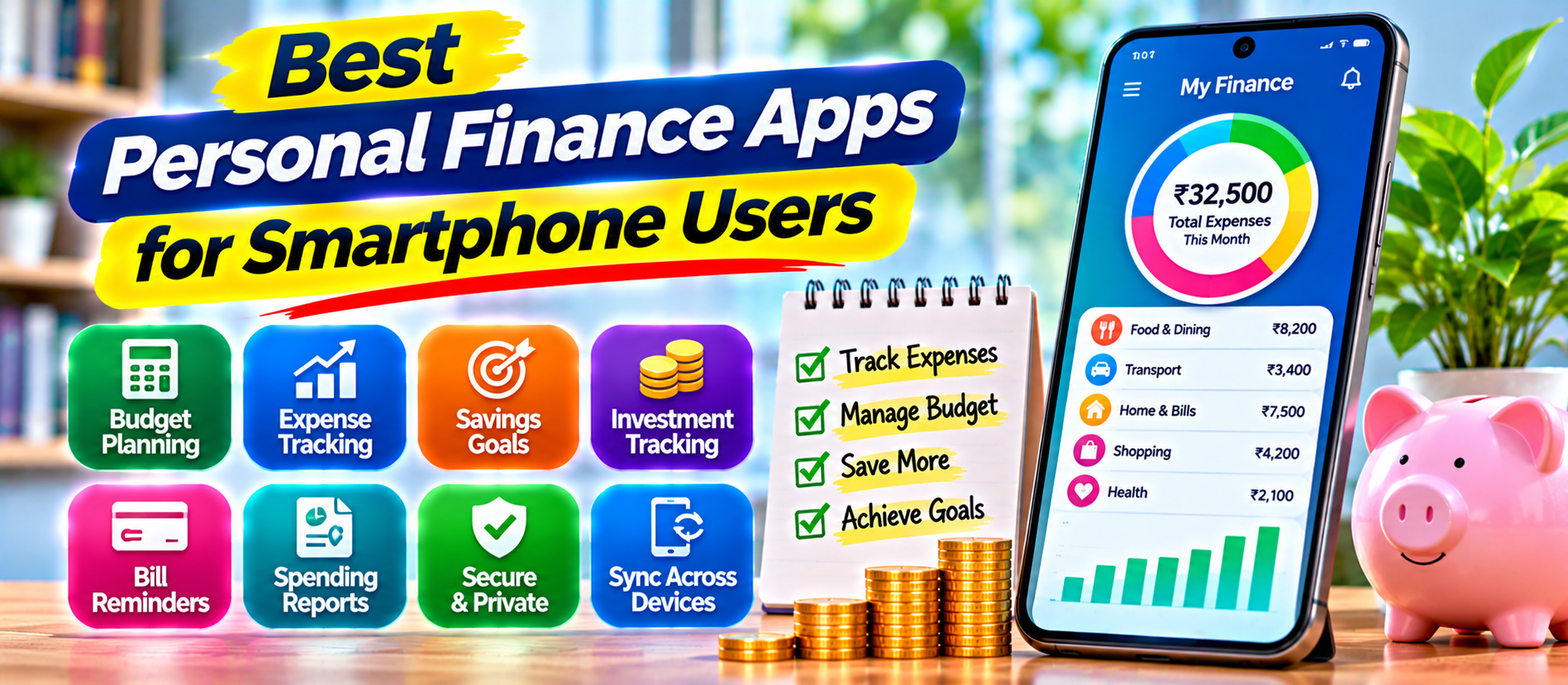
A personal finance app can make everyday money management easier. It can help you record expenses, plan a monthly budget, track bills and understand where your money goes. Some apps focus on simple spending records. Others connect supported financial accounts, show cash flow or help organize savings goals.
Smartphone users have many choices. In India, apps such as Fold, Jupiter, IND money, ET Money, Money Manager and Axio serve different needs. International tools such as Wallet by Budget Bakers, Spendee and YNAB offer other approaches to budgeting and expense tracking. The best choice depends on your country, banks, devices and financial habits.
This guide compares useful personal finance apps and explains what to check before installing one. It focuses on everyday financial organization, not on promising investment returns. App features, availability and fees can change, so always confirm the latest details in the official app listing or provider website.
What Is a Personal Finance App?
A personal finance app is a mobile or web application that helps people manage financial information. It may record income and expenses, organize transactions, create budgets, track bills or display a summary of accounts and assets.
Some apps work mainly as digital notebooks. You enter each expense yourself. Other apps can import transactions from supported accounts or use authorized data-sharing services. Some focus on budgets, while others combine several money-management features.
Common functions include:
- Expense tracking: Record purchases and group them into categories.
- Budget planning: Set limits for groceries, travel, bills and other spending.
- Income tracking: Record salary, freelance payments and other income.
- Bill reminders: Keep track of due dates for recurring payments.
- Savings goals: Monitor progress towards a planned purchase or emergency fund.
- Cash-flow reports: Compare money coming in with money going out.
- Account overview: View selected balances and financial information in one place.
- Exports and backups: Save records for future reference or spreadsheet analysis.
Not every app includes every feature. A simple expense tracker may be safer and easier for someone who does not want to connect bank accounts. A more advanced dashboard may save time for a user who manages several accounts.
Why Smartphone Users Need Personal Finance Apps
People make many small financial decisions each day. A coffee, a transport payment, an online subscription or a quick UPI transfer may seem minor. Together, these transactions can make a large difference to a monthly budget.
A finance app gives users a clearer view of these activities. Instead of relying on memory, they can review records and spot patterns. A monthly report may show that food delivery, transport or recurring subscriptions take a larger share of income than expected.
Personal finance apps can also help users:
- Build a regular habit of checking expenses.
- Prepare for recurring bills and annual payments.
- Separate essential spending from optional purchases.
- Track shared household costs.
- Review cash flow before making a major purchase.
- Keep financial records organized for tax preparation.
- Understand changes in spending from one month to another.
An app cannot create financial discipline on its own. Its value comes from regular use and accurate information. The goal is to make decisions with a better understanding of your finances.
Best Personal Finance Apps: Quick Comparison
| App Best suited for Typical approach Platform notes | |||
| Fold | Indian users who want a consolidated money view | Supported account connections and automatic tracking | Android and iPhone availability; check current support |
| Jupiter | Spending insights and money management | Banking and spending tools | India-focused; features depend on account and eligibility |
| IND money | Financial overview and asset tracking | Portfolio and net-worth dashboard | India-focused; verify each feature separately |
| ET Money | Personal finance and mutual-fund information | Financial planning and investment-related tools | India-focused; services and charges vary |
| Money Manager | Manual expense and budget tracking | User-entered transactions | Mobile apps; versions and features vary |
| Axio | Expense tracking and financial services | Automated tracking features may depend on permissions | India-focused; check current product scope |
| Wallet by Budget Bakers | Budgets and multi-account tracking | Manual entry, imports and supported bank sync | Android, iPhone and web |
| Spendee | Budgets and shared wallets | Manual tracking and optional bank connection | Android, iPhone and web |
| YNAB | Structured, goal-based budgeting | Zero-based budgeting method | Mobile and web; bank-link support varies by country |
| Money control | Market information and portfolio watchlists | Financial news and tracking tools | India-focused; not a complete household budget app |
This table is a starting point, not a ranking. Apps have different purposes. Some are budget planners, some are financial dashboards and some focus on market information. Do not assume that a feature is available in every country or on every plan.
1. Fold: A Consolidated Finance Tracker for Indian Users
Fold is an India-focused personal finance app designed to bring different parts of a person's financial life into one view. Its listed features include expense tracking, account and card information, investment tracking, net-worth views and recurring payment insights. The app describes its account connections as using India's Account Aggregator framework.
Key features
- Expense and cash-flow tracking.
- Supported bank and credit-card account connections.
- Views for investments and selected financial assets.
- Recurring expense and bill insights.
- Transaction search, categories and notes.
- Shared finance features, subject to current availability.
Who may find it useful?
Fold may suit users who want to review several supported financial accounts without opening multiple apps. It can be useful for people who want a broader view of spending, assets and recurring commitments.
What should you check?
Confirm that your bank and account types are supported. Read the consent screen carefully before connecting anything. Check which features are free and which require a paid plan. Account aggregation is based on permission and data-sharing arrangements; it does not mean the app should be given your banking password.
Best for: Indian smartphone users who want a consolidated financial overview.
2. Jupiter: Spending Insights and Money Management
Jupiter offers money-management and banking-related services for eligible users in India. Its app experience can include transaction categorization, spending views and account-related features. The exact services depend on the product, partner arrangements and current eligibility.
Key features to explore
- Transaction and spending summaries.
- Expense categories and money insights.
- Banking-related features for eligible customers.
- Payment and account notifications.
- Tools that help users review spending patterns.
Who may find it useful?
Jupiter may appeal to people who want spending information close to their everyday money activity. It can help users review transactions and understand regular spending patterns.
What should you check?
Review account terms, fees, eligibility, partner-bank information and card charges where relevant. Do not assume that every feature is available without opening an eligible account. Compare the app's budgeting functions with a standalone expense tracker if you only need a spending record.
Best for: Users interested in a money-management experience connected to banking services.
3. IND money: A Broader Financial Overview
IND money offers financial tools that can help users view and manage selected investments and financial information. It is more than a basic daily expense notebook. Depending on the current product and user eligibility, it may provide portfolio views, asset tracking and other financial services.
Key features to explore
- Portfolio and investment tracking.
- Financial dashboard and net-worth information.
- Selected account and asset views.
- Tools related to mutual funds and other investments.
- Financial information and account summaries.
Who may find it useful?
Users who want to monitor financial assets may find a consolidated dashboard helpful. It can reduce the need to maintain separate manual records for every investment account.
What should you check?
Separate tracking features from transaction or investment services. Review the relevant product documents, fees, risks and regulatory information before using any investment-related service. A portfolio display is not a guarantee of accuracy or investment performance.
Best for: Users who want a wider view of selected financial assets and investments.
4. ET Money: Personal Finance and Investment-Related Tools
ET Money provides personal finance tools and services related to mutual funds and other financial products. It may help users explore financial information, review investments and access planning features.
Key features to explore
- Mutual-fund information and portfolio-related tools.
- Personal finance features and financial insights.
- Investment tracking and related services.
- Tools for reviewing financial products.
Who may find it useful?
People who want an app that combines selected personal finance information with investment-related tools may want to evaluate ET Money. It is not a replacement for a simple household expense ledger if daily budget tracking is the main requirement.
What should you check?
Check the difference between free information, transaction facilities and paid advisory services. Review the provider's disclosures and applicable regulatory details. Understand product risks and charges before acting on financial information.
Best for: Users who want personal finance tools alongside mutual-fund and investment information.
5. Money Manager: Best for Manual Expense Tracking
Money Manager by Realbyte is a popular style of manual money-management app. It lets users enter income and expenses, organize transactions and review reports. Manual entry takes effort, but it also gives users direct control over what is recorded.
Key features
- Income and expense entry.
- Category-based budgets.
- Daily, weekly and monthly reports.
- Account and payment-method records.
- Recurring transaction support in relevant versions.
- Backup or export options, depending on version.
Who may find it useful?
Money Manager may suit people who prefer not to connect their bank accounts to a third-party app. It can also work for cash expenses that do not appear in a digital statement.
What should you check?
Manual tracking works only when entries are made consistently. Check the app's backup and export process. Confirm whether the version you install includes advertisements or paid features.
Best for: People who want detailed manual control over income and expenses.
6. Axio: Expense Tracking and Financial Services
Axio is an India-focused financial technology service associated with expense tracking and other consumer finance products. Its current app features and service mix may change, so users should check the official website and app listing for the latest information.
Features to review
- Expense tracking and transaction insights.
- Spending summaries and categories.
- Financial service information.
- Relevant account or payment features, subject to eligibility.
Who may find it useful?
Users who want a convenient view of everyday spending may consider Axio. It may be especially relevant to people who already use compatible services offered through the platform.
What should you check?
Read permissions and privacy terms closely. Distinguish between expense-tracking tools and credit or lending offers. Review all borrowing costs, repayment terms and eligibility requirements before considering a credit product. Never borrow simply because an app makes an offer visible.
Best for: Users who want to explore expense tracking within an India-focused financial services app.
7. Wallet by Budget Bakers: Flexible Budgeting Across Devices
Wallet by Budget Bakers is a personal finance app for budgeting and tracking spending. It supports manual records, imports and bank synchronization in supported markets. It also offers reports and tools for viewing money across accounts.
Key features
- Flexible budgets and spending categories.
- Manual transaction entry and data imports.
- Bank synchronization where supported.
- Income and expense reports.
- Multiple currencies and account views.
- Cloud sync across supported devices.
- Selected sharing and collaboration features.
Who may find it useful?
Wallet may suit users who want a structured budget and a broader overview of transactions. It can be useful for people who manage more than one account or currency.
What should you check?
Bank sync availability varies by country and institution. Review the privacy details and data-sharing process. Check the free-plan limits and paid features before building your entire financial record inside the app.
Best for: Users who want flexible budgets, reports and multi-device access.
8. Spendee: Budgets and Shared Wallets
Spendee is a budgeting and expense-tracking app available on mobile and web. It supports manual records and offers bank connection in supported markets and plans. Shared wallets can help people organise selected household, travel or group expenses.
Key features
- Income and expense tracking.
- Budgets and category summaries.
- Shared wallets for selected expenses.
- Bank connection in supported regions and plans.
- Receipt and transaction organization features.
- Sync across supported devices.
Who may find it useful?
Spendee may work well for couples, families or friends who want to track shared spending. It can also help individuals who prefer a visual budget and category-based reports.
What should you check?
Review which features are included in the free plan and which require a subscription. Bank connection coverage differs by country. Confirm the provider's data access and cancellation terms before subscribing.
Best for: Individuals and groups who want budgets and shared expense tracking.
9. YNAB: A Structured Budgeting Method
YNAB, short for You Need A Budget, is a budgeting service built around a proactive method. Users assign available income to planned categories and adjust the plan as spending changes. The method encourages people to give each unit of available money a purpose.
Key features
- Category-based planning.
- Goal setting and progress tracking.
- Budget sharing options.
- Reports and spending history.
- Mobile and web access.
- Educational resources about budgeting.
Who may find it useful?
YNAB may suit people who want a disciplined budgeting routine and are willing to review their plan regularly. It is designed around a method, not just a list of transactions.
What should you check?
YNAB is a paid service after its trial period, and its cost may be significant for some users. Bank connection support varies by country. Users outside its main supported markets may need manual entry or imports. Compare the subscription cost with your actual budgeting needs.
Best for: People who want a structured, hands-on budgeting system.
10. Money control: Useful for Market Information and Portfolio Watchlists
Money control is widely used for financial news, market information and investment-related tracking. It is not a complete household budgeting app, but it may help users follow markets and review selected portfolio information.
Key features to explore
- Financial news and market updates.
- Stock and mutual-fund information.
- Watchlists and portfolio-related tools.
- Company and market data.
- Financial education and analysis content.
Who may find it useful?
Users who want market information alongside their broader financial routine may find it helpful. For daily expenses, bills and household budgets, pair it with a dedicated budget tracker rather than treating it as a complete money manager.
What should you check?
Market information can change quickly. Understand whether data is real-time or delayed. Do not treat headlines, rankings or app notifications as personal financial advice.
Best for: Users who want market news and portfolio watchlists as part of their financial information toolkit.
How to Choose the Right Personal Finance App
The best app is the one that matches your daily routine and protects your information. Before installing one, think about the main problem you want to solve.
1. Identify your main goal
Do you want to track daily spending, set a monthly budget, monitor bills or see a broader financial picture? Choose an app that does the main job well. Avoid paying for features you will not use.
2. Check Android and iPhone support
If you change phones or use more than one operating system, check that the app supports both. Also confirm whether it offers a web or desktop version. Cross-platform apps can make it easier to review information on a larger screen.
3. Understand how transactions are added
Some apps rely on manual entry. Others support imports, bank connections or transaction notifications. Manual entry gives you control but needs discipline. Automatic tracking can save time, but it requires careful review of permissions and supported institutions.
4. Review privacy and security
Financial information is sensitive. Read the privacy policy. Check what data is collected, where it is stored, who can access it and whether it is shared with partners. Use strong account security and enable available protections.
5. Check the cost
Look beyond the download price. Some apps offer a free basic version and charge for bank sync, extra budgets, reports, exports or family sharing. Compare monthly and annual plans. Confirm the cancellation process.
6. Check export and backup options
Your financial history may be useful for years. Choose an app that lets you export records or maintain a reliable backup. Test the export process before entering a large amount of data.
7. Read app permissions
A finance app should request only permissions that are relevant to its features. Be cautious if the requested access seems broader than necessary. You can often deny optional permissions, although some functions may stop working.
Personal Finance App Security: Important Safety Tips
Convenience should never come at the cost of basic security. A finance app may contain details about spending, accounts, income and financial commitments. Protecting this information is essential.
- Download from official stores: Use Google Play or Apple's App Store and verify the developer name.
- Use a strong screen lock: Protect the phone with a PIN, password or biometric lock.
- Enable multi-factor authentication: Use it where the service supports it.
- Never share OTPs or passwords: Do not disclose them to callers, messages or people claiming to provide support.
- Review account-linking consent: Understand what information is shared and for how long.
- Keep software updated: Install app and operating-system security updates.
- Use trusted networks: Avoid handling sensitive financial information on unknown public Wi-Fi networks.
- Check alerts: Review transaction notifications and report suspicious activity through official channels.
- Remove old access: Disconnect accounts and revoke permissions when you stop using a service.
- Keep backups: Store exported records in a secure location.
In India, Account Aggregator-based sharing is consent-driven. Users should read the consent details and share only the information needed for the service. Never assume that every app uses the same data-sharing method.
Manual Tracking vs Automatic Expense Tracking
Both methods can work. The better option depends on how much control and convenience you need.
| Factor Manual tracking Automatic tracking | ||
| Effort | Requires regular entry | Can reduce repeated entry |
| Control | You decide what to record | Depends on permissions and data connections |
| Cash expenses | Easy to add manually | May need manual entry |
| Accuracy | Depends on consistent entry | Categories and imported records may need correction |
| Privacy | May avoid bank connections | Requires review of data access and consent |
| Best use | Simple budgets and personal records | Frequent transactions across supported accounts |
Some people use a combination. They connect only the accounts they need and manually add cash purchases. This can offer a useful balance between convenience and control.
How to Start Using a Personal Finance App
You do not need to enter years of financial history on the first day. Start with a small, manageable routine.
- Choose one main app: Select a tool that matches your main goal.
- Set up basic categories: Start with housing, food, transport, bills, health, education and personal spending.
- Record regular income: Add salary or other expected income where the app supports it.
- List recurring bills: Record due dates for rent, utilities, subscriptions and loan payments.
- Set a realistic budget: Use your actual spending history as a guide.
- Review transactions: Correct categories and add missing cash expenses.
- Check the month-end report: Compare planned spending with actual spending.
- Adjust your next budget: Make small changes based on what you learned.
A short weekly review can be more useful than a complicated system that you stop using after a few days.
Common Mistakes to Avoid
- Installing too many finance apps: Multiple dashboards can create confusion and duplicate records.
- Ignoring small expenses: Small purchases can add up over a month.
- Trusting automatic categories without review: Imported transactions may be classified incorrectly.
- Forgetting cash payments: A digital account view may not include every purchase.
- Ignoring subscription fees: Check renewal dates and paid-plan limits.
- Sharing sensitive information: Do not upload private financial records to unapproved tools.
- Confusing tracking with advice: A dashboard describes information. It does not automatically tell you what financial decision to make.
- Failing to back up records: Keep a secure export of information that matters.
Frequently Asked Questions
What is the best personal finance app for smartphone users?
There is no single best app for everyone. Fold may suit Indian users who want a consolidated financial view. Money Manager is useful for manual expense tracking. Wallet and Spendee offer budgeting tools. YNAB suits users who want a structured budgeting method.
Which personal finance apps work on Android and iPhone?
Several apps offer Android and iOS versions, including Fold, Wallet by Budget Bakers, Spendee, YNAB, Money Manager and other cross-platform services. Always check the current app-store listing for your device and region.
Are personal finance apps free?
Many apps offer free downloads or basic plans. Advanced reports, account connections, extra budgets, cloud features or family tools may require payment. Review the current plan details before subscribing.
Are personal finance apps safe?
Safety depends on the provider, app design, permissions and how you use the service. Download from official stores, review the privacy policy, use strong authentication and avoid sharing passwords or OTPs.
Can a finance app connect to my bank account?
Some apps support bank connections in selected countries and with selected institutions. In India, some services use the Account Aggregator framework. Read the consent information and confirm exactly what data will be shared.
Can I track cash expenses in a personal finance app?
Yes. Many apps allow manual entries for cash purchases. This is useful because cash expenses may not appear in bank or card records.
What is the difference between a budget app and an investment app?
A budget app focuses on income, expenses, spending limits and bills. An investment app focuses on financial products and portfolios. Some services combine both, but their features and risks should be evaluated separately.
Which app is best for family expense tracking?
Look for shared wallets, shared budgets or household collaboration. Spendee and some other finance apps offer shared features. Check who can see or edit the information before inviting family members.
Can I use a personal finance app without linking my bank?
Yes. Many apps support manual transaction entry. This can be a good choice if you prefer not to share account data with another service.
How often should I review my budget?
A short weekly review can help you correct records and notice spending patterns. A monthly review can help you compare your budget with actual income and expenses.
Can finance apps help with tax preparation?
Expense records and exports may help organize information, but a general budget app is not necessarily a tax filing service. Check the relevant tax rules and use appropriate official or professional guidance for your situation.
Should I store passwords in a finance app?
No. Use a reputable password manager for passwords and login credentials. Do not store OTPs, PINs or banking passwords in ordinary notes or expense records.
Conclusion: Build Better Money Habits With the Right App
Personal finance apps can make money management more organized. They help smartphone users record expenses, plan budgets, track bills and review financial information. The best app depends on the task. Fold, Jupiter, IND money and ET Money offer India-focused financial tools. Money Manager supports manual tracking. Wallet and Spendee provide flexible budgeting features. YNAB offers a structured budgeting method, while Money control is useful for market information.
💡 Key Insight
Before choosing an app, check platform support, privacy, permissions, bank compatibility, fees and export options. Start with the features you actually need. Review your records regularly and keep important information backed up.
A personal finance app is a tool, not a shortcut to financial success. Consistent habits, careful decisions and a clear understanding of your income and spending matter most. Choose a simple system you can maintain and use it to make your everyday financial life easier to understand.
About Digiifrog
Digiifrog publishes practical guides and insights about software, technology, digital tools, education and online innovation. Our aim is to explain useful topics in clear language and help readers make informed decisions.
Visit www.digiifrog.com for more technology guides, software comparisons and digital resources.
Official App and Regulatory Resources
- Fold – Official Website
- Jupiter – Official Website
- IND money – Official Website
- ET Money – Official Website
- Realbyte – Money Manager
- Axio – Official Website
- Budget Bakers – Wallet
- Spendee – Official Website
- YNAB – Official Website
- Money control – Official Website
- Reserve Bank of India – Official Website
- Sahamati – Account Aggregator Ecosystem
Editorial note: This article is for general information about software and financial organization. It is not investment, tax, banking or legal advice. App features, fees, availability and data practices can change. Verify current terms with the provider and use official financial channels for important decisions.
Ready to Grow?
Talk to us about a strategy tailored to your brand — we will help you stand out in search, AI discovery and social.


Comments (0)
Log in to leave a comment.