📋 Quick Summary
In this article:
Quick Answer: What Is the Best Security Monitoring Software for Small Businesses?
What Is Security Monitoring Software?
Security Monitoring vs Antivirus
Why Small Businesses Need Security Monitoring
1. Early threat detection
2. Faster investigation
3. Better visibility
4. Reduced response time
5. Stronger security accountability
Best Security Monitoring Software: Comparison
1. Microsoft Defender for Business
2. CrowdStrike Falcon Go
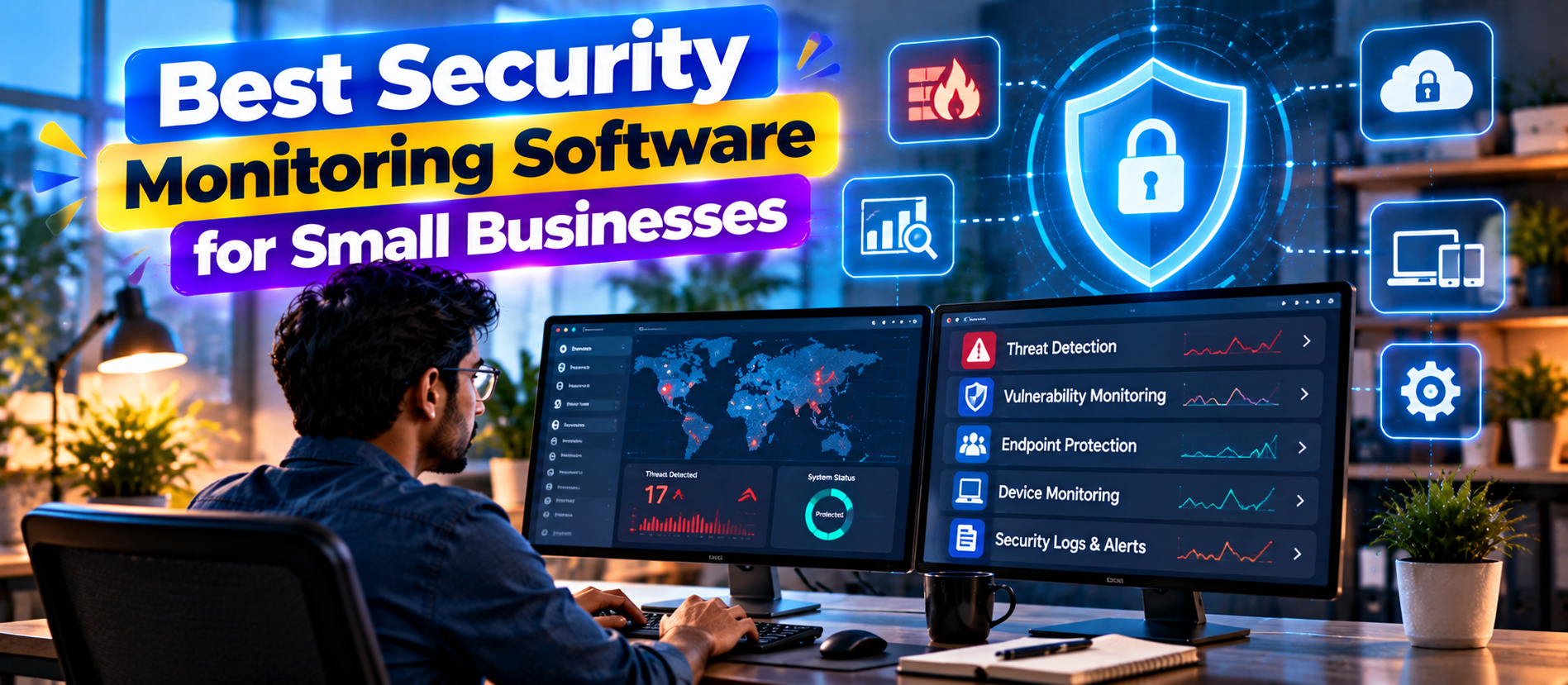
Best Security Monitoring Software for Small Businesses Small businesses face many of the same cyber threats as large organizations. The difference is that they often have fewer security specialists, smaller IT teams, and less time to investigate alerts.
💡 Key Insight
That makes security monitoring software important. Modern security monitoring tools can watch endpoints, accounts, applications, networks, and cloud services for suspicious activity. They can generate alerts, investigate threats, identify vulnerabilities, and sometimes take automatic action.
The best solution is not always the most advanced security platform. A small business needs software that provides useful visibility without creating an overwhelming stream of alerts. It should be easy to deploy, simple to manage, and capable of growing with the business.
This guide explains what security monitoring software does, compares leading options, and shows how small businesses can choose a practical security monitoring strategy.
Quick Answer: What Is the Best Security Monitoring Software for Small Businesses?
There is no single best platform for every small business. Microsoft Defender for Business is a strong option for organizations that want endpoint protection, vulnerability management, AI-powered endpoint detection and response, automated investigation, and integration with the Microsoft security ecosystem. Crowd Strike Falcon Go is designed specifically for small and medium businesses and provides endpoint protection, EDR, threat intelligence, device control, mobile protection, and firewall management. Huntress is worth considering for businesses that want managed detection and response and security expertise without building a large internal security team. Sentinel One can be attractive to organizations that want automated endpoint detection and response with a broader security platform. Wazuh is an option for technically capable teams that want an open-source security monitoring and SIEM-style platform.
For many small businesses, the strongest approach combines endpoint protection, centralized logging, MFA, secure backups, vulnerability management, and a clear incident-response process.
What Is Security Monitoring Software?
Security monitoring software observes digital activity and looks for signs of threats or unusual behavior.
Depending on the product, it may monitor:
- Employee laptops and desktops
- Servers
- Mobile devices
- User accounts
- Login activity
- Cloud applications
- Email and collaboration systems
- Network traffic
- Applications
- Firewalls
- System logs
- Administrative activity
- Internet-facing assets
The software can then generate alerts when it detects suspicious behavior. More advanced platforms can investigate related events and automatically contain or remediate certain threats.
CISA explains that logging creates records of activities such as logins, file access, and system changes, while monitoring reviews those records to identify unusual or unauthorized behavior. CISA recommends that small and medium businesses establish logging, monitoring, alerts, centralized log management, and appropriate retention policies.
Security Monitoring vs Antivirus
Traditional antivirus is mainly designed to detect and block malicious software. Security monitoring is broader.
| Antivirus Security Monitoring | |
| Focuses mainly on malware prevention | Looks for broader suspicious activity |
| Often protects individual devices | Can correlate activity across devices, accounts and systems |
| May rely heavily on malware signatures | Can use behavior analytics, rules, telemetry and AI |
| Usually blocks known or suspicious files | Can detect account abuse, lateral movement and unusual behavior |
| Limited investigation capabilities | May include investigation, response and threat hunting |
Modern endpoint security products often combine antivirus with EDR, vulnerability management, automated investigation, and threat intelligence. That is why the line between antivirus and security monitoring has become less clear.
Why Small Businesses Need Security Monitoring
Small businesses often assume that attackers only target large organizations. That is a risky assumption.
Attackers may target smaller organizations because security teams are limited, credentials may be poorly protected, software may be outdated, and suspicious activity may not be monitored continuously.
CISA specifically provides cybersecurity guidance for small and medium businesses because cyber incidents can cause serious operational and financial damage.
1. Early threat detection
Monitoring can identify suspicious activity before it becomes a major incident. Examples include repeated failed logins, unusual administrator activity, malicious processes, suspicious network connections, or unexpected changes to files.
2. Faster investigation
When an alert occurs, security teams need context. Good monitoring software can show what happened, when it happened, which device was involved, and which account was used.
3. Better visibility
A small business cannot protect systems it does not know about. Monitoring helps create visibility across endpoints, accounts, applications, and other assets.
4. Reduced response time
Some security platforms can automatically isolate a compromised endpoint, block malicious activity, or stop a known attack pattern. Automation can be especially valuable when no security specialist is available at night.
5. Stronger security accountability
Logs and reports can show whether security controls are working and whether important events are being investigated.
Best Security Monitoring Software: Comparison
| Software Best For Main Strength Good Fit | |||
| Microsoft Defender for Business | Microsoft-focused SMB security | Endpoint protection, EDR, vulnerability management, automated response | Small businesses using Microsoft 365 |
| Crowd Strike Falcon Go | Simple endpoint security for SMBs | EDR, threat intelligence, device control and easy deployment | Businesses wanting enterprise-grade endpoint security |
| Huntress | Managed detection and response | Human-led security monitoring and response | Businesses without a large security team |
| Sentinel One | Automated endpoint security | AI-powered detection and response | Growing organizations needing advanced endpoint controls |
| Wazuh | Open-source monitoring | Log analysis, endpoint monitoring and SIEM capabilities | Technical teams with security expertise |
1. Microsoft Defender for Business
Microsoft Defender for Business is one of the most practical security monitoring choices for small businesses already using Microsoft products.
Microsoft currently describes Defender for Business as an enterprise-grade device security solution for organizations with up to 300 users. It supports Windows, macOS, iOS, and Android devices and includes vulnerability management, next-generation antivirus, AI-powered EDR, automatic attack disruption, automated investigation and remediation, and security reporting.
This combination matters because a small business does not always want separate products for antivirus, endpoint detection, vulnerability management, and reporting.
Businesses using Microsoft 365 can also consider the broader Defender ecosystem. Microsoft's Business Premium security stack connects identity, endpoints, email, cloud applications, and XDR capabilities to provide centralized security visibility.
Best for: Small businesses already using Microsoft 365 that want integrated endpoint and identity security.
2. Crowd Strike Falcon Go
Crowd Strike Falcon Go is designed specifically for small and medium businesses. Crowd Strike describes it as an AI-powered cybersecurity solution intended to be simple to deploy and manage.
Its current small-business offering includes next-generation antivirus, endpoint detection and response, threat intelligence and hunting, device control, mobile device protection, and firewall management. Crowd Strike also provides an onboarding experience designed for users without deep security expertise.
For a small business, this can be useful because endpoint security often needs to work without a dedicated security operations center.
Best for: Small businesses that want advanced endpoint protection with relatively simple deployment and management.
3. Huntress
Huntress is particularly relevant to small businesses that rely on managed service providers or do not have an internal security operations team.
Its approach focuses on managed detection and response rather than simply giving an organization another dashboard to monitor. This model can be useful when a business has security tools but does not have enough people to investigate every important alert.
A managed security service can help provide continuous monitoring, investigation, threat hunting, and response support. However, businesses should carefully review the service scope, response commitments, supported systems, and escalation process before choosing a provider.
Best for: Small businesses that want expert security monitoring without building a full internal security team.
4. Sentinel One
Sentinel One is an endpoint security platform built around automated detection and response. It can be considered by growing businesses that want stronger endpoint visibility and automation.
Sentinel One can be a good fit when a company has moved beyond basic antivirus but still wants to reduce manual investigation. Its broader platform approach can support endpoint security, cloud security, identity protection, and related security operations depending on the products selected.
Best for: Growing businesses that need advanced endpoint monitoring and automated response capabilities.
5. Wazuh
Wazuh is an open-source security monitoring platform that can provide endpoint monitoring, log analysis, threat detection, compliance support, and SIEM-style capabilities.
The main advantage is flexibility. A technically skilled business can customize the system and connect different data sources.
The main limitation is operational effort. Open-source software does not mean zero cost. The business still needs people who can deploy, maintain, tune, investigate, update, and secure the platform.
Best for: Technical teams that want flexible, open-source security monitoring and have the expertise to operate it.
Key Features to Look For
Endpoint Detection and Response
EDR continuously monitors endpoint activity and looks for suspicious behavior. It can provide context about processes, users, devices, and attack activity.
CISA describes EDR as an endpoint security capability that continuously monitors end-user devices to detect suspicious behavior and support response.
For a small business, EDR can be more useful than traditional antivirus alone because it provides more visibility into what happened during a security incident.
Real-time alerts
Alerts should be meaningful. A system that produces thousands of low-value alerts can create alert fatigue.
Look for risk-based prioritization, alert grouping, clear explanations, and recommended actions.
Automated response
Some platforms can isolate endpoints, terminate malicious processes, block threats, or perform remediation automatically.
Automation should be carefully configured. A security system that automatically blocks a legitimate business application can create operational problems.
Vulnerability management
Security monitoring should not only detect attacks. It should also help identify weaknesses that attackers could exploit.
Microsoft Defender for Business currently includes vulnerability management as part of its small-business endpoint security offering.
Centralized logging
Logs provide evidence of what happened. Centralization makes investigation easier because analysts do not have to examine every system separately.
CISA recommends determining what to log, enabling logging on relevant servers, firewalls, endpoints and cloud services, and centralizing logs where possible.
Threat intelligence
Threat intelligence can help a security platform understand known malicious domains, IP addresses, files, behaviors, and attack techniques.
Behavior analytics
Attackers may use legitimate tools rather than obvious malware. Behavior analytics can help identify unusual patterns that traditional signature-based detection may miss.
Mobile device monitoring
Employees increasingly use phones and tablets to access email, cloud applications, files, and business systems. Security monitoring should account for those devices when they access company data.
Identity monitoring
Account compromise is a major security concern. Monitoring should identify unusual sign-ins, privilege changes, repeated failed logins, suspicious administrator activity, and other identity events.
Security Monitoring and MFA
Security monitoring is not a replacement for strong authentication.
Multifactor authentication adds another verification layer when employees sign in. CISA recommends requiring MFA wherever possible and prioritizing stronger, phishing-resistant methods such as security keys or appropriate authenticator-based methods.
For small businesses, a practical security baseline should include:
- MFA for email
- MFA for cloud applications
- MFA for remote access
- MFA for administrator accounts
- Strong password policies
- Least-privilege access
- Regular software updates
- Endpoint protection
- Security logging
- Reliable backups
Security Monitoring for Remote Employees
Remote work changes the security model. Employees may use home networks, personal Wi-Fi equipment, laptops, mobile devices, and cloud applications.
Businesses should therefore monitor endpoints and identities, not only the office network.
⚠ Watch Out
A remote employee may never connect to a traditional corporate LAN. But the business can still monitor device health, account activity, authentication events, cloud application activity, and endpoint behavior.
Security policies should also cover remote access, device management, software updates, and employee reporting procedures.
Security Monitoring for Small Businesses in India
Indian small businesses should evaluate security monitoring based on the type of data they process and the systems they use.
For example, a company handling customer payment information may have different security requirements from a local service business. A healthcare organization may have different obligations from a marketing agency.
Businesses should consider:
- Customer data protection
- Employee data
- Financial information
- Cloud application access
- Remote employee devices
- Vendor and MSP access
- Incident response
- Backup and recovery
- Data retention
- Applicable legal and contractual requirements
Do not select a security product only because it is popular. Match the platform to the data, risks, staff capability, and compliance obligations of the business.
How to Choose the Best Security Monitoring Software
Step 1: Inventory your assets
List laptops, desktops, servers, cloud applications, mobile devices, websites, network equipment, and other important systems.
Step 2: Identify your highest-risk assets
Protect systems containing customer data, financial information, administrative credentials, intellectual property, and business-critical applications first.
Step 3: Decide who will monitor alerts
This is one of the most important questions. A security dashboard is not useful if nobody reviews it.
If your internal team cannot provide consistent monitoring, consider a managed detection and response service.
Step 4: Test the alert quality
During a trial, evaluate how the platform explains alerts. Can a non-expert understand what happened? Does the system prioritize serious threats?
Step 5: Test response capabilities
Find out whether the platform can isolate a device, block a threat, investigate activity, and provide evidence after an incident.
Step 6: Review integrations
Check integrations with Microsoft 365, Google Workspace, identity providers, firewalls, cloud services, ticketing systems, backup platforms, and other tools.
Step 7: Calculate the total cost
Include licenses, deployment, management, storage, support, managed services, and staff time.
Security Monitoring vs Managed Detection and Response
These approaches are related but different.
| Security Monitoring Software Managed Detection and Response | |
| Provides technology and visibility | Provides technology plus security expertise |
| Internal staff monitor alerts | External security specialists monitor and investigate |
| Can cost less when internal expertise exists | Can reduce the need for an internal security operations team |
| Requires internal processes | Often includes defined investigation and escalation workflows |
A small business should choose based on available expertise. Buying powerful software without assigning responsibility for monitoring can create a false sense of security.
Common Security Monitoring Mistakes
- Installing antivirus and stopping there: Modern threats require broader visibility.
- Ignoring logs: Important evidence may be lost.
- Creating too many alerts: Alert fatigue can hide serious incidents.
- Not monitoring administrator accounts: Privileged access deserves special attention.
- Ignoring mobile devices: Employees may access sensitive systems from phones.
- Skipping MFA: Strong passwords alone are not enough.
- Ignoring backups: Detection does not guarantee recovery.
- Failing to test response: A business needs to know what it will do after an alert.
- Choosing a tool nobody can operate: Complexity can become a security weakness.
What Should a Small Business Monitor?
A practical monitoring baseline includes:
| Area What to Monitor | |
| Endpoints | Malware, suspicious processes, software changes, device health |
| Identity | Failed logins, unusual locations, privilege changes, administrator activity |
| Phishing, malicious attachments, suspicious links | |
| Network | Unusual traffic, exposed services, suspicious connections |
| Cloud | Account activity, configuration changes, risky application access |
| Servers | System events, authentication, processes, configuration changes |
| Applications | Authentication, administrative changes, unusual activity |
How AI Is Changing Security Monitoring
AI is becoming an important part of modern security monitoring.
Security platforms can use AI and machine learning to identify suspicious behavior, prioritize alerts, correlate events, summarize incidents, and recommend responses.
Microsoft currently describes Defender for Business as using AI-powered EDR and automatic attack disruption. Crowd Strike similarly markets Falcon Go around AI-powered cybersecurity for small and medium businesses.
AI can help small businesses because security teams often have limited time. A system that summarizes a complex incident can reduce the effort required to understand an alert.
However, AI should not remove human accountability. Security decisions involving business continuity, legal requirements, customer communications, or destructive actions should have appropriate human oversight.
The Future of Security Monitoring Software
Security monitoring is moving toward unified visibility.
Instead of having separate dashboards for endpoints, email, identity, cloud applications, and network activity, security platforms are increasingly combining signals into broader security operations systems.
Extended detection and response, or XDR, is one example. Microsoft's current Defender suite combines signals from endpoints, identities, email, cloud applications, and other services into a broader security environment.
For small businesses, this trend can reduce complexity. The ideal future platform will provide strong protection while keeping the user experience simple.
AI agents may also help security teams investigate routine alerts, collect evidence, summarize incidents, and recommend next steps. The important requirement will be strong permissions, auditability, and safe automation.
How Security Monitoring Supports SEO, AEO, GEO and AI Search
Security monitoring content can also benefit from the same information structure that improves SEO, AEO, GEO, and AI Search Optimization.
Security topics are complex. Search engines and AI systems need clear relationships between products, threats, features, use cases, and business requirements.
For security-related content:
- Define technical terms clearly.
- Answer questions directly.
- Explain the difference between related technologies.
- Use tables for comparisons.
- Connect tools with specific business needs.
- Separate facts from recommendations.
- Use clear headings and short paragraphs.
- Explain limitations and risks.
This structure makes content easier for readers to scan and easier for AI systems to interpret.
Benefits of Security Monitoring Software for Small Businesses
- Earlier detection: Suspicious activity can be identified sooner.
- Better visibility: Businesses can see activity across important systems.
- Faster response: Automated controls can contain some threats quickly.
- Reduced manual work: Security platforms can investigate and correlate events automatically.
- Improved vulnerability management: Weaknesses can be identified before attackers exploit them.
- Better incident evidence: Logs and telemetry can support investigations.
- Scalability: Security controls can grow with the business.
Frequently Asked Questions
What is the best security monitoring software for a small business?
Microsoft Defender for Business, Crowd Strike Falcon Go, Huntress, Sentinel One, and Wazuh are options for different needs. The right choice depends on your devices, cloud environment, internal expertise, budget, and need for managed monitoring.
Is antivirus enough for a small business?
Antivirus is an important layer, but it is not the entire security strategy. Small businesses should also consider MFA, logging, monitoring, backups, vulnerability management, secure configuration, and incident response.
What is EDR?
Endpoint Detection and Response is technology that continuously monitors endpoint activity to detect suspicious behavior and support investigation and response.
Should a small business use managed detection and response?
MDR can be valuable when a business does not have staff available to monitor and investigate security alerts consistently. The service should be evaluated based on coverage, response process, supported systems, and escalation terms.
Does security monitoring prevent attacks?
Monitoring primarily improves detection and response. It should be combined with preventive controls such as MFA, patching, endpoint protection, secure configuration, backups, and employee security training.
How important is logging for small businesses?
Logging is important because it provides evidence of system and user activity. CISA recommends logging and monitoring as practical security measures for small and medium businesses.
Can AI improve security monitoring?
Yes. AI can help detect suspicious behavior, prioritize alerts, correlate events, summarize incidents, and automate some response actions. Human oversight remains important for high-impact security decisions.
Final Verdict
The best security monitoring software for a small business is the platform that provides meaningful visibility, useful alerts, practical response capabilities, and manageable operations.
Microsoft Defender for Business is a strong choice for Microsoft-focused organizations. Crowd Strike Falcon Go is designed for small and medium businesses that want advanced endpoint security with straightforward deployment. Huntress is attractive when the business needs managed security expertise. Sentinel One is worth evaluating for advanced endpoint monitoring and automation. Wazuh can be useful for technical teams that want an open-source security monitoring platform.
But software alone is not enough.
A strong small-business security program should combine monitoring with MFA, patching, least-privilege access, secure backups, endpoint protection, employee awareness, vulnerability management, and a tested incident-response process. CISA's guidance emphasizes MFA, logging, backups, encryption, software updates, and other foundational practices alongside monitoring.
The goal is not to collect the most security alerts. The goal is to detect important threats early, understand what happened, and respond before a small security event becomes a major business disruption.
Primary SEO Keywords
best security monitoring software, security monitoring software for small businesses, small business security software, cybersecurity monitoring software, security monitoring tools
Secondary SEO Keywords
EDR software for small business, endpoint monitoring software, threat detection software, security alert software, managed security monitoring, MDR for small business, vulnerability monitoring software, AI cybersecurity software, small business cybersecurity tools, SIEM for small business, endpoint detection and response
SEO, AEO, GEO and AI Search Optimization Summary
- SEO: Primary and secondary cybersecurity keywords are used naturally in the title, headings, body, tables, FAQs, and keyword sections.
- AEO: The article provides direct answers, definitions, comparison tables, question-based headings, and concise FAQ responses.
- GEO: Security products are connected to specific business sizes, use cases, capabilities, and operational needs.
- AI Search: Technical concepts are explicitly defined and related. Short paragraphs, tables, lists, and direct answers make the content easy for generative systems to interpret.
- Readability: Sentences are intentionally short and direct. Technical security concepts are explained in plain language.
About Digiifrog
Digiifrog publishes practical content about digital marketing, SEO, AI Search, software, cybersecurity, automation, web technology, and business growth. Visit www.digiifrog.com for more information.
Sources and Further Reading
- Microsoft Defender for Business
- Microsoft Security for Small and Medium Business
- Crowd Strike Falcon Go for Small Business
- CISA – Use Logging on Business Systems
- CISA – Require Multifactor Authentication
Ready to Grow?
Talk to us about a strategy tailored to your brand — we will help you stand out in search, AI discovery and social.
Comments (0)
Log in to leave a comment.