
📋 Quick Summary
In this article:
What Is Zero Trust Network Security?
Why Traditional Network Security Is Not Enough
1. Verify Explicitly
2. Use Least-Privilege Access
3. Assume Breach
4. Protect Resources, Not Just Network Segments
Key Components of a Zero Trust Security Model
Identity and Access Management
Multi-Factor Authentication
Traditional network security was built around a simple idea: keep attackers outside the network and trust users who are already inside. Modern businesses cannot depend on that model alone. Employees work remotely, applications run in the cloud, contractors use personal devices, and business data moves across many environments.
Zero trust network security takes a different approach. It does not automatically trust a user, device, application, or network location. Every access request is evaluated according to identity, device condition, resource, policy, and risk.
NIST describes Zero Trust Architecture as a model that moves security away from static network perimeters and focuses on users, assets, and resources. It assumes that no implicit trust should be granted simply because a user or device is inside a network.
What Is Zero Trust Network Security?
Zero trust network security follows the principle of “never trust, always verify.” It is an architecture and operating approach, not one product.
Instead of asking only whether a user is inside the corporate network, a zero trust system asks who is requesting access, what device they are using, whether that device is secure, what resource they need, what their normal behavior looks like, and what current policy allows.
Access can change when an account becomes risky or a device falls out of compliance.
Why Traditional Network Security Is Not Enough
The traditional perimeter model worked well when employees, applications, servers, and data were mostly inside one controlled corporate network. That environment is less common today.
Cloud services, remote work, SaaS applications, mobile devices, contractors, APIs, and distributed infrastructure have expanded the attack surface.
Firewalls, endpoint protection, gateways, and monitoring remain valuable. Zero trust changes access decisions.
How Zero Trust Works
A zero trust architecture evaluates access requests instead of treating network location as proof of trust. Authentication and authorization are separate decisions, and access is limited to the resources a user or system actually needs.
- Identify: Determine who or what is requesting access.
- Authenticate: Verify the identity.
- Check the device: Evaluate device health and security status.
- Evaluate context: Consider location, time, resource, behavior, and other signals.
- Apply policy: Decide what access is allowed.
- Grant least privilege: Provide only the access needed.
- Monitor: Continue observing activity.
- Reassess: Change or revoke access when risk changes.
This approach can reduce the chance that one stolen credential will provide unrestricted access to an entire environment.
Core Principles of Zero Trust
1. Verify Explicitly
Every access request should be evaluated using available security information. Authentication is important, but identity alone may not be enough.
For example, a valid employee account requesting sensitive data from an unmanaged device may require additional verification or may be blocked.
2. Use Least-Privilege Access
Users should receive only the permissions needed to perform their work. If an employee needs to read a file, there may be no reason to give permission to delete or change it.
Least privilege limits the damage caused by compromised accounts and reduces unnecessary access to sensitive information.
3. Assume Breach
Zero trust works from the assumption that attackers may already have access somewhere in the environment. Security therefore focuses on limiting movement and reducing the impact of a compromise.
4. Protect Resources, Not Just Network Segments
The goal is to protect applications, data, services, users, devices, and workloads. Network location is only one signal and should not automatically determine trust.
Key Components of a Zero Trust Security Model
Identity and Access Management
Identity is central to zero trust. Businesses need reliable ways to identify employees, contractors, administrators, applications, and machine identities. Strong authentication, single sign-on, multi-factor authentication, role-based access, and lifecycle management can help control access.
Multi-Factor Authentication
MFA adds another verification layer beyond the password. It can reduce the impact of stolen credentials. For high-value systems, organizations should consider stronger authentication methods and phishing-resistant options where practical.
Device Security
A valid identity does not automatically mean that a device is safe. Zero trust can evaluate whether a device is managed, updated, encrypted, protected, and compliant with organizational policies.
Network Segmentation
Segmentation limits communication between systems. In a zero trust environment, segmentation can be combined with identity-based policies so users and workloads reach only the resources they need.
Application Security
Applications need their own access controls. In cloud-native and multi-cloud environments, policies can consider application and service identities rather than relying mainly on IP addresses, subnets, or network location.
Data Protection
Zero trust should include data classification, access controls, encryption, monitoring, and policies that prevent unauthorized sharing or movement of sensitive information.
Visibility and Monitoring
Organizations need visibility into users, devices, applications, traffic, and data access. Logs help identify unusual behavior and support incident response.
Benefits of Zero Trust Network Security
Reduced Attack Surface
Users and devices do not receive broad access simply because they are connected to the network. Smaller access paths can reduce opportunities for attackers.
Better Protection Against Account Compromise
If a password is stolen, additional checks can prevent the attacker from automatically reaching every resource available to the legitimate user.
Limited Lateral Movement
If an attacker compromises one system, segmentation and least-privilege policies can make it harder to move toward valuable servers, applications, or data.
Safer Remote Work
Zero trust is well suited to distributed work because access decisions can focus on identity, device, application, and resource rather than assuming that a user is safe because they are on an office network.
Improved Visibility
Zero trust encourages organizations to understand who is accessing what, from which device, and under which conditions.
Stronger Cloud Security
Cloud environments do not fit neatly inside traditional network boundaries. Identity-aware and application-aware policies can provide more precise control over cloud resources.
Zero Trust for Remote Work
Remote employees may connect from homes, hotels, coworking spaces, airports, or other networks. The network itself may not be controlled by the employer.
Zero trust allows security teams to evaluate the user and device rather than assuming that the connection is trusted. A remote employee can receive controlled access to specific applications without receiving broad access to the corporate environment.
Zero Trust for Cloud and SaaS Applications
Businesses use many cloud services for files, CRM, finance, development, and communication.
Zero trust can connect identity policies with cloud access. A business can define who may access a resource, from which devices, under what conditions, and with which permissions.
This also helps reduce risk from unused accounts. When an employee leaves, access should be removed promptly across relevant systems.
Zero Trust and Mobile Devices
Mobile devices may provide access to business applications. Zero trust can require device registration, strong authentication, encryption, updates, and application controls before sensitive resources are accessible.
Zero Trust and AI Systems
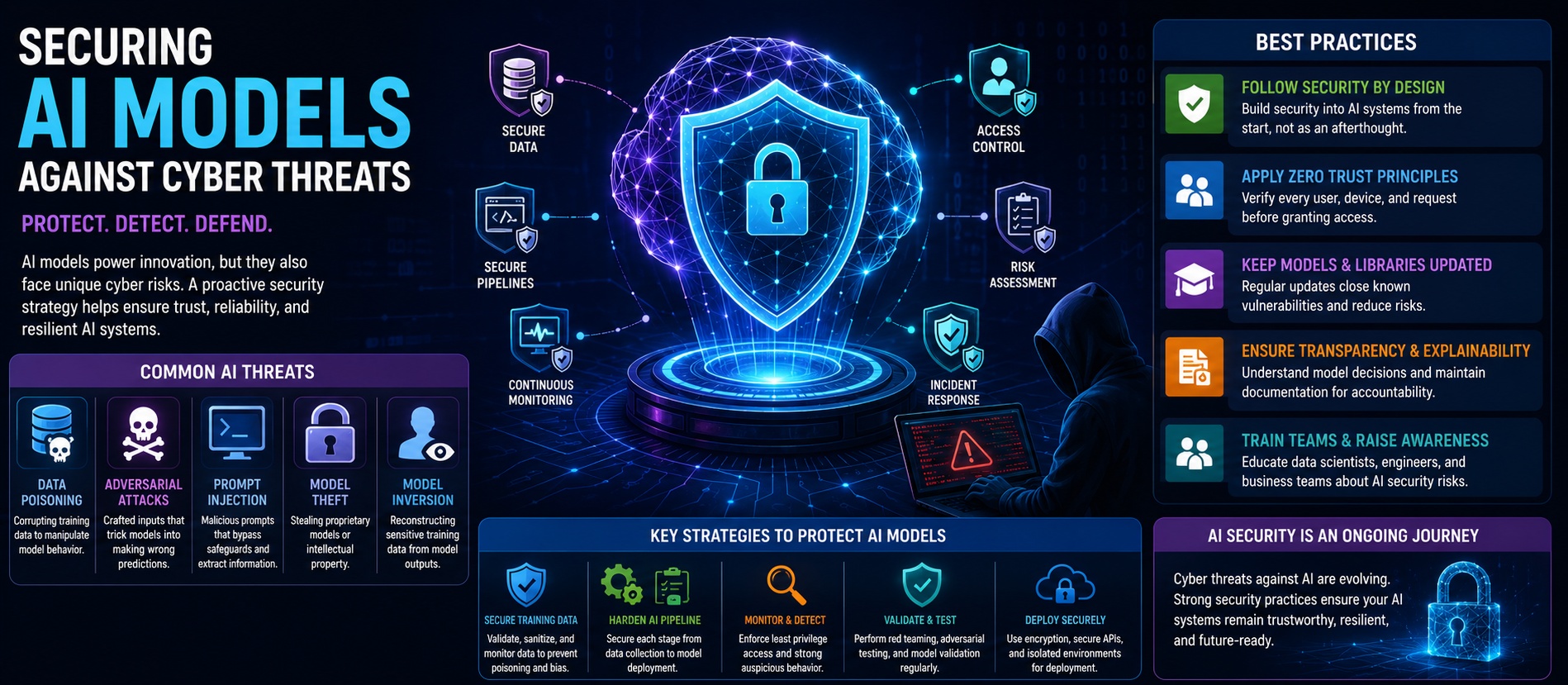
AI introduces new identities, applications, data flows, and automated actions. AI agents may interact with APIs, files, databases, and business systems.
These systems should not receive broad permissions simply because they are internal. Apply identity, least privilege, logging, approval rules, and monitoring to non-human identities as well as human users.
An AI agent that can read a database does not necessarily need permission to delete records. Separating these permissions can reduce the impact of an error or compromise.
Common Zero Trust Implementation Challenges
Legacy Systems
Older applications may not support modern identity controls. Replacing everything at once can be expensive and disruptive.
Complexity
Zero trust touches identity, endpoints, applications, networks, data, monitoring, and policy. Poor coordination can create confusing access rules.
User Friction
Too many authentication prompts can frustrate employees. Policies should balance security and usability. Risk-based controls can apply stronger checks when the situation requires them.
Incomplete Asset Visibility
You cannot protect what you do not know exists. Organizations should maintain accurate inventories of users, devices, applications, services, and important data.
Misconfigured Policies
A poorly designed access rule can block legitimate work or accidentally expose sensitive resources. Policies should be tested, reviewed, and monitored.
How to Implement Zero Trust Step by Step
Step 1: Identify Critical Resources
Start with important applications, systems, accounts, and data. Do not attempt to transform everything simultaneously.
Step 2: Map Users and Access
Determine who needs access to each critical resource and why. Remove unnecessary permissions.
Step 3: Strengthen Identity
Deploy strong authentication, MFA, centralized identity management, and appropriate access lifecycle controls.
Step 4: Assess Devices
Establish device security requirements. Check whether devices are managed, updated, encrypted, and protected before granting sensitive access.
Step 5: Apply Least Privilege
Reduce excessive permissions. Separate administrative accounts from normal user accounts and restrict privileged access.
Step 6: Segment Important Resources
Separate critical systems and sensitive workloads. Limit unnecessary communication between environments.
Step 7: Add Monitoring
Collect relevant logs and create alerts for unusual access patterns, privilege changes, unexpected devices, and other risk indicators.
Step 8: Test and Improve
Zero trust is not a one-time project. Review policies, investigate incidents, measure access decisions, and update controls as the business changes.
Zero Trust Maturity
Organizations can move toward zero trust gradually. CISA's Zero Trust Maturity Model provides a roadmap built around five pillars and three cross-cutting capabilities. Although it was designed for federal agencies, its approaches can also inform other organizations.
A maturity journey can begin with identity controls and asset visibility, then progress toward stronger device policies, granular access, automation, and continuous monitoring.
Zero Trust Best Practices
- Use strong identity verification for sensitive resources.
- Enable MFA and prefer stronger authentication where practical.
- Apply least privilege to users and non-human identities.
- Maintain accurate inventories of devices, applications, and data.
- Segment critical systems.
- Monitor access and unusual behavior.
- Review privileged accounts regularly.
- Remove access quickly when roles change or employees leave.
- Protect sensitive data with encryption and access controls.
- Test security policies before applying them broadly.
- Measure progress instead of treating zero trust as a one-time deployment.
Frequently Asked Questions
What is zero trust network security?
Zero trust network security is an approach that does not automatically trust users, devices, applications, or network locations. Access is verified and authorized according to identity, context, policy, and risk.
Is zero trust the same as a firewall?
No. A firewall is a security control. Zero trust is a broader security architecture that can include identity, MFA, device security, segmentation, application controls, data protection, and monitoring.
Does zero trust mean trusting nobody?
It means avoiding implicit trust. Authorized users can still receive access, but that access is based on explicit verification and policy rather than network location alone.
Is zero trust only for large companies?
No. Organizations of different sizes can apply zero trust principles. Smaller businesses can start with strong identity controls, MFA, least privilege, device security, and careful access reviews.
How long does zero trust implementation take?
It depends on the organization's size, technology, legacy systems, risk profile, and starting point. A phased approach is usually more practical than replacing every security control at once.
What is the biggest benefit of zero trust?
A major benefit is reducing unnecessary access. If an account or device is compromised, least privilege and granular controls can limit what the attacker can reach.
Final Thoughts
Zero trust network security is a shift from location-based trust to continuous, risk-aware access control. It recognizes that modern businesses operate across cloud platforms, remote networks, mobile devices, SaaS applications, and increasingly automated systems.
A successful zero trust program does not depend on one product. It combines identity, authentication, device security, least privilege, segmentation, application controls, data protection, and monitoring.
Begin by identifying critical resources, understanding access needs, strengthening identity, reducing permissions, and improving visibility. Build gradually.
For more practical cybersecurity, AI, technology, and digital business insights, explore Digiifrog at www.digiifrog.com.
Sources and Further Reading
- NIST SP 800-207 — Zero Trust Architecture.
- NIST — Implementing a Zero Trust Architecture.
- NIST — Planning for a Zero Trust Architecture.
- CISA — Zero Trust Maturity Model.
- NIST SP 800-207A — Zero Trust Architecture for Cloud-Native Applications.
Ready to Grow?
Talk to us about a strategy tailored to your brand — we will help you stand out in search, AI discovery and social.
Comments (0)
Log in to leave a comment.